
Server data from the Official MCP Registry
Hosted Amazon Seller and Vendor MCP server for Claude, ChatGPT, Cursor, Codex, Gemini, Copilot.
About
Hosted Amazon Seller and Vendor MCP server for Claude, ChatGPT, Cursor, Codex, Gemini, Copilot.
Remote endpoints: streamable-http: https://mcp.datadoe.com/mcp/v1
Security Report
Valid MCP server (1 strong, 1 medium validity signals). No known CVEs in dependencies. Imported from the Official MCP Registry.
Endpoint verified · Requires authentication · 1 issue found
Security scores are indicators to help you make informed decisions, not guarantees. Always review permissions before connecting any MCP server.
Permissions Required
This plugin requests these system permissions. Most are normal for its category.
How to Connect
Remote Plugin
No local installation needed. Your AI client connects to the remote endpoint directly.
Add this to your MCP configuration to connect:
{
  "mcpServers": {
    "com-datadoe-amazon-seller-mcp": {
      "url": "https://mcp.datadoe.com/mcp/v1"
    }
  }
}Documentation
View on GitHubFrom the project's GitHub README.
Amazon Seller MCP Server - DataDoe
Hosted Amazon Seller Central & Vendor Central MCP server with read and write access. Connect Claude, ChatGPT, Cursor, Codex, Gemini, and GitHub Copilot to live Amazon SP-API and Amazon Ads API data, then let your AI agent act on it: update listings, manage orders, and optimize Amazon Ads campaigns. DataDoe handles the SP-API developer approval, OAuth, and rate limits so your AI agent starts working in under a minute.







🔗 Start a free trial · 📘 Documentation · ⚡ Actions · 📊 Amazon data schema · 🎥 Video demo
🚀 Quick start
-
Sign up at DataDoe and connect your Amazon Seller Central or Vendor Central account.
-
Create a DataDoe MCP API key in DataDoe MCP Integrations.
-
Paste the config below into your AI client (Claude, Cursor, Codex, Gemini, GitHub Copilot, ChatGPT, or any MCP-capable tool):
{ "mcpServers": { "datadoe": { "url": "https://mcp.datadoe.com/mcp/v1", "headers": { "datadoe-mcp-key": "<YOUR_DATADOE_MCP_KEY>" } } } } -
Ask your AI agent: "Show my top 10 ASINs by revenue last month across all Amazon marketplaces."
That's it. DataDoe runs the MCP server on hosted infrastructure, so your team doesn't need to deploy anything locally or wait for Amazon SP-API developer approval.
What is DataDoe MCP?
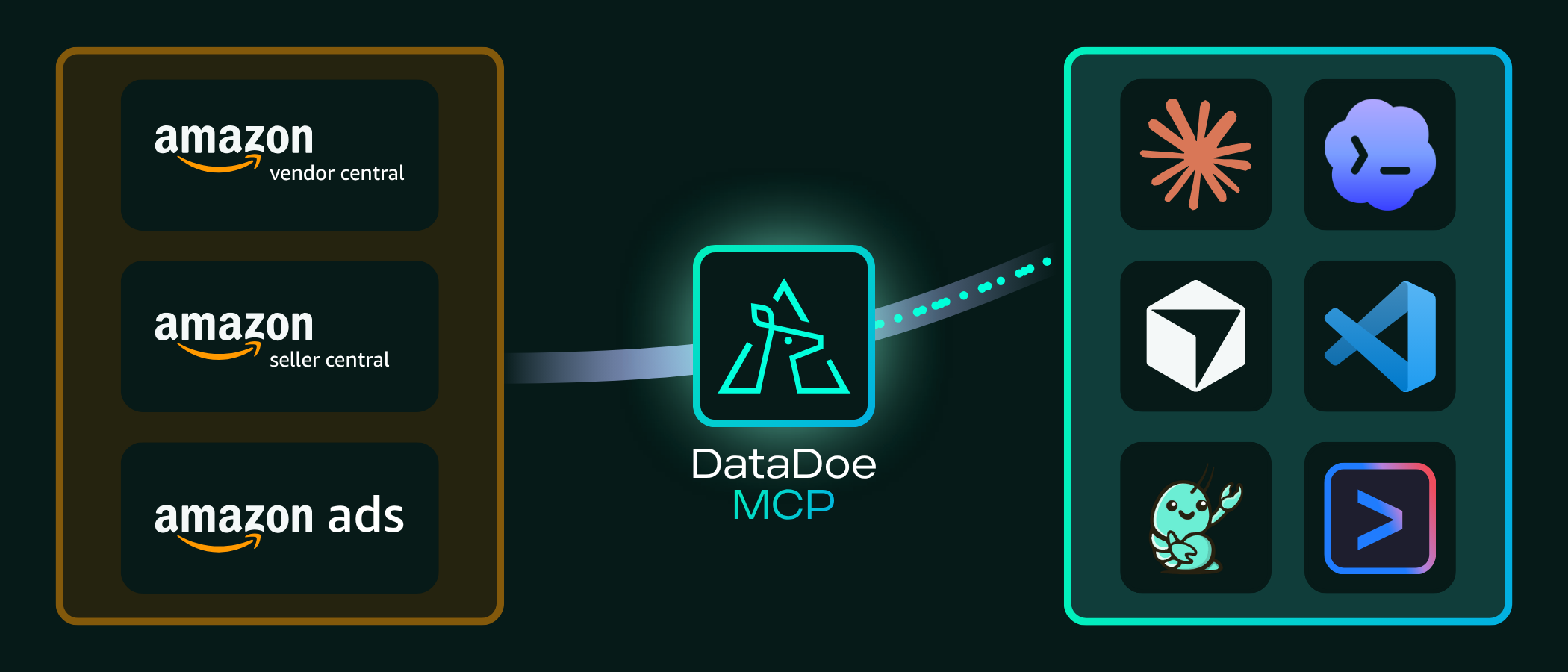
DataDoe MCP is a hosted Model Context Protocol (MCP) server for Amazon sellers, vendors, and agencies. It exposes your live Amazon Selling Partner API (SP-API) and Amazon Ads API data through MCP tools that work with Claude, ChatGPT, Cursor, Codex CLI, Gemini CLI, GitHub Copilot, Claude Desktop, n8n, NanoClaw, and any other MCP-capable client.
DataDoe MCP gives your AI agent two layers over your Amazon account:
- A read layer - SKU-level orders, sales, ads spend, traffic, inventory, listings, returns, settlements, brand analytics, and catalog, returned as structured tool responses or downloadable CSV and JSON exports.
- A write layer (Actions) - your agent can change your Amazon account through the SP-API and Amazon Ads API: update listings, cancel orders, confirm shipments, and manage Amazon Ads campaigns, ad groups, targets, and ads.
Building your own Amazon SP-API integration typically requires SP-API developer registration, OAuth refresh-token flow, marketplace-specific endpoints, throttling logic, and 2-4 weeks of Amazon approval. DataDoe takes care of all of that. You get a single authenticated MCP URL for both reading and acting on your Amazon data.
Who is DataDoe MCP for?
- Amazon sellers (FBA, FBM, multi-marketplace) - get instant answers from your own seller data without context-switching to Seller Central.
- Amazon agencies managing multiple client accounts - query across every connected Seller Central / Vendor Central account from one MCP server.
- Vendors with Vendor Central - read 1P data alongside 3P data with the same tools.
- AI builders and developers - ship Amazon-aware AI agents, dashboards, and internal tools without writing your own SP-API integration.
- Operations teams - automate recurring reports via Claude Code, Cursor, n8n, or any MCP-capable workflow tool.
Why use DataDoe MCP?
- ✅ No SP-API approval needed - DataDoe handles SP-API developer registration, OAuth, refresh tokens, and rate limits on your behalf.
- ✅ 30-second setup - paste the MCP URL and your API key into your AI client config. DataDoe runs the server on hosted infrastructure.
- ✅ 20+ documented integrations out of the box: Claude, ChatGPT, Cursor, Codex, Gemini CLI, GitHub Copilot, n8n, CrewAI, the Claude & OpenAI Agent SDKs, Excel / Word / PowerPoint via Claude, and any other MCP-capable client.
- ✅ SKU-level resolution - drill into individual ASINs, parent listings, marketplaces, time periods, ad campaigns, keyword reports, settlements, returns.
- ✅ Multi-marketplace, multi-account - one MCP server covers every Amazon marketplace (US, UK, DE, FR, IT, ES, CA, AU, JP, MX, and more) across Seller Central and Vendor Central.
- ✅ AI-native by design -
exports_createaccepts SQL-like filter groups, GROUP BY, aggregations, and date intervals, so your AI agent can build complex reports from one tool call. - ✅ Read and write - with Actions, your agent doesn't just report, it updates listings, manages orders, and optimizes Amazon Ads, with a
dryRunvalidation step and per-type controls. - ✅ Always-on hosted infrastructure - DataDoe manages SP-API rate limits, token rotation, and ongoing maintenance.
What can you ask DataDoe MCP?
Example questions your AI agent can answer with DataDoe MCP connected:
- "What were my top 20 ASINs by revenue last month across all Amazon marketplaces?"
- "Reconcile my Amazon settlements against orders for Q1, and show any discrepancies."
- "Which Amazon Ads campaigns had ACoS over 40% last week, and what was their total spend?"
- "Show inventory units at risk of stocking out in the next 14 days."
- "Build me a daily KPI dashboard with sales, traffic, and ad spend for the last 90 days."
- "Which search terms in my PPC reports drove the most clicks but zero conversions?"
- "Pull every Amazon return for SKU ABC-123 in the last 60 days and summarize the return reasons."
- "Compare my brand analytics search term share-of-voice month over month."
And with Actions enabled, your agent can act on what it finds:
- "Raise the daily budget on my top-ACoS Sponsored Products campaign by 20%."
- "Pause every campaign with ACoS over 50% last week."
- "Update the price of SKU ABC-123 to 19.99 and refresh its bullet points."
- "Confirm shipment for order 123-4567890-1234567 with UPS tracking 1Z999..."
Actions: write to Amazon
Actions let your AI agent make changes on your connected Amazon Seller Central, Vendor Central, and Amazon Ads accounts through the SP-API and Amazon Ads API. Every Action is recorded and auditable.
What your agent can do:
- Listings - update the title, bullet points, description, price, generic keyword, and item-type keyword (
AMAZON_LISTINGS_UPDATE). - Orders - cancel an order item with a reason (
AMAZON_ORDERS_CANCEL) or confirm shipment and upload tracking (AMAZON_ORDERS_CONFIRM_SHIPMENT). - Amazon Ads - add, update, remove, and find campaigns, ad groups, targets, ads, and ad associations across Sponsored Products, Brands, Display, TV, and Amazon DSP.
How it works - the agent runs each Action through these MCP tools:
actions_details_schema_get- get the payload schema for the Action type.actions_startwithdryRun=true- validate the payload without executing.actions_start- run the Action and get an action id.actions_get- poll until it completes, then read theresult.
Use actions_list to review past Actions (filter by status, type, creator, and date).
Action types are disabled by default and enabled per type in Settings > Actions. When a type is disabled, actions_start rejects live runs but still allows dryRun validation.
Example details payload for AMAZON_LISTINGS_UPDATE:
{
  "type": "AMAZON_LISTINGS_UPDATE",
  "sellerOrVendorId": "<SELLER_OR_VENDOR_UUID>",
  "dryRun": true,
  "details": {
    "changes": [
      {
        "sku": "ABC-123",
        "language_tag": "en_US",
        "name": "Stainless Steel Water Bottle 750ml",
        "price": 19.99
      }
    ]
  }
}
Running an Action costs 2 AI tokens for up to 100 entities, plus 1 token per additional 100. See the Actions docs for the full catalog and payload schemas.
Available MCP tools
DataDoe MCP exposes the following tools to your AI client:
| Tool | Category | What it does |
|---|---|---|
sellers_and_vendors_list | Account | Lists Amazon sellers and vendors connected to your DataDoe organization, with pagination and optional filters by name and marketplace country code. |
organization_and_subscription_details_get | Account | Returns your DataDoe organization profile and active subscription plan. |
exports_sources_get | Data | Searches DataDoe's catalog of pre-built Amazon data export templates (orders, sales and traffic, ads performance, inventory, listings, settlements, returns, brand analytics, and more). |
exports_create | Data | Creates an Amazon data export from any source. Supports SQL-like filters, GROUP BY, aggregations (sum / avg / count / countDistinct / min / max), date intervals (DAY / WEEK / MONTH), pagination, and CSV or JSON output. |
exports_get | Data | Returns status and metadata for an in-flight or completed export job. |
exports_list | Data | Lists export jobs for the organization with pagination and optional export ID filters. |
exports_raw_url_get | Data | Returns a one-time download URL served by the DataDoe MCP server for a completed export. |
exports_raw_download | Data | Returns the raw export content (CSV or JSON) inline in the tool response. |
exports_delete | Data | Deletes an export by its ID. |
files_create | Files | Creates and uploads a utility file (listing or A+ images) as base64-encoded content. |
files_list | Files | Lists utility files for the organization with pagination and filters. |
files_get | Files | Returns metadata for a utility file by id. |
files_download_url_get | Files | Returns a one-time download URL for an uploaded file. |
files_delete | Files | Deletes a utility file and its stored object when present. |
datadoe_user_docs_table_of_contents_get | Docs | Returns the table of contents of the DataDoe user documentation, useful when an agent needs to look up features or capabilities on demand. |
datadoe_user_docs_page_get | Docs | Returns the full content of a named DataDoe documentation page. |
actions_details_schema_get | Actions | Returns the JSON Schema of the details payload required to start a given Action type. |
actions_start | Actions | Starts an Action that changes your Amazon account (listings, orders, Amazon Ads). Set dryRun=true to validate without executing. Returns an action id. |
actions_get | Actions | Returns the status and result of an Action by id; poll after actions_start. |
actions_list | Actions | Returns paginated Action history, filterable by status, type, creator, and date. |
cogs_upsert | COGS | Creates or updates cost-of-goods-sold rows for a seller or vendor. |
cogs_delete | COGS | Deletes COGS rows for a seller or vendor with optional filters. |
vendor_code_upsert | Vendor codes | Creates or updates vendor code rows for a seller or vendor. |
vendor_code_delete | Vendor codes | Deletes vendor code rows for a seller or vendor with optional filters. |
plugins_get | Plugins | Returns enabled DataDoe Plugins (Memories, Skills, and Files) for the user. |
plugins_memories_create | Plugins | Creates a memory Plugin for the user or organization. |
plugins_memories_edit | Plugins | Updates a memory Plugin for the user or organization. |
plugins_skills_get | Plugins | Returns a Skill element (SKILL.md or supporting file) listed by plugins_get. |
plugins_files_get | Plugins | Returns converted markdown content for a File plugin listed by plugins_get. |
Quick setup per AI client
The snippets below are the minimum config you need. For step-by-step guides per AI client, see the Per-client setup guides list at the end of this section.
Claude Desktop · Claude.ai
{
  "mcpServers": {
    "datadoe": {
      "url": "https://mcp.datadoe.com/mcp/v1",
      "headers": {
        "datadoe-mcp-key": "<YOUR_DATADOE_MCP_KEY>"
      }
    }
  }
}
Claude Code
claude mcp add datadoe \
  --transport http \
  --url https://mcp.datadoe.com/mcp/v1 \
  --header "datadoe-mcp-key: <YOUR_DATADOE_MCP_KEY>"
Cursor
Add to ~/.cursor/mcp.json (global) or .cursor/mcp.json (per project):
{
  "mcpServers": {
    "datadoe": {
      "url": "https://mcp.datadoe.com/mcp/v1",
      "headers": {
        "datadoe-mcp-key": "<YOUR_DATADOE_MCP_KEY>"
      }
    }
  }
}
GitHub Copilot (VS Code)
Add to your VS Code mcp.json:
{
  "mcpServers": {
    "datadoe": {
      "url": "https://mcp.datadoe.com/mcp/v1",
      "headers": {
        "datadoe-mcp-key": "<YOUR_DATADOE_MCP_KEY>"
      }
    }
  }
}
Codex CLI · Gemini CLI · ChatGPT · n8n · NanoClaw · any other MCP client
DataDoe MCP works as a generic remote MCP server. Configure your client with:
- URL:
https://mcp.datadoe.com/mcp/v1 - Transport: HTTP Streamable
- Auth header:
datadoe-mcp-key: <YOUR_DATADOE_MCP_KEY>(create a key in DataDoe MCP Integrations)
Per-client setup guides
For step-by-step setup guides per AI client, see the dedicated DataDoe documentation pages:
- Using Claude
- Using ChatGPT
- Using Claude Code
- Using Claude Agent SDK
- Using Codex
- Using Codex Sites
- Using CrewAI
- Using Cursor
- Using Excel + Claude
- Using Gemini CLI
- Using Gumloop
- Using Hermes Agent
- Using n8n
- Using NanoClaw
- Using OpenAI Agents SDK
- Using OpenClaw
- Using OpenCode
- Using PowerPoint + Claude
- Using VS Code
- Using Word + Claude
Full documentation root: www.datadoe.com/hub/docs
What Amazon data is available?
DataDoe MCP exposes every Amazon data table available in DataDoe, including:
- Orders & sales: order line items, order performance, sales and traffic, refunds
- Amazon Ads: campaigns, ad groups, keywords, search terms, sponsored products / brands / display, ACoS / ROAS / impression-share metrics
- Inventory: FBA inventory, restock recommendations, stranded inventory, age, units at risk
- Listings & catalog: ASIN catalog, product attributes, buy box ownership, variations
- Finance: settlements, fees, reserves, reimbursements, deposits
- Returns: customer returns, return reasons, FBA returns
- Brand analytics: search query performance, market basket, repeat purchase, demographics
- Traffic: sessions, page views, conversion rate, by ASIN, by marketplace
Full schema: www.datadoe.com/hub/data-scheme
What DataDoe MCP is NOT
To avoid confusion when evaluating Amazon MCP servers:
- ❌ Not a self-hosted MCP server. DataDoe MCP is hosted at
mcp.datadoe.com. This GitHub repository is the schema facade used to publish DataDoe MCP to public MCP registries (Official MCP Registry, mcpservers.org, glama.ai, mcpmarket.com, Cline, smithery.ai, and others). - ❌ Not an SP-API wrapper you operate yourself. DataDoe owns the SP-API developer registration, OAuth flow, refresh-token rotation, marketplace endpoints, and rate-limit handling. You bring your Amazon account; we handle the rest.
- ❌ Not a free open-source server. DataDoe MCP requires a DataDoe subscription. For a free self-hosted alternative, see the community Amazon MCP servers indexed at mcpservers.org.
Documentation & resources
- DataDoe homepage
- DataDoe documentation
- DataDoe Actions (write to Amazon)
- Amazon data schema reference
- DataDoe MCP product page
- DataDoe vs Amazon MCP comparison
- DataDoe MCP video demo
- DataDoe blog: Amazon SP-API, Ads API, and MCP explainers
- Create a DataDoe MCP API key
License
MIT. The DataDoe MCP schema facade in this repository is open-source. The hosted MCP server, DataDoe application, and DataDoe infrastructure are proprietary and operated by Deltologic.
How to start and connect locally (for indexing and listing)
This server is just a schema facade of the actual DataDoe MCP server, made for exposing DataDoe MCP to various MCP registries. It is a no-op server: it does not do anything beyond exposing the schema of DataDoe MCP. If you want to actually use DataDoe MCP, see the DataDoe MCP documentation.
1. Install dependencies
yarn install
2. Build the local server
yarn build
This compiles the TypeScript source into dist/index.js.
3. Start the server
yarn start
The server communicates over stdio, so the process is intended to be launched by your MCP client rather than opened in a browser.
4. Connect from an MCP client
For a local setup, point your client at the built entrypoint. A typical mcp.json looks like this:
{
  "mcpServers": {
    "datadoe": {
      "command": "node",
      "args": ["/absolute/path/to/datadoe-mcp/dist/index.js"]
    }
  }
}
If your client supports environment-based workspace paths, you can usually swap the absolute path for the actual clone location on your machine.
DataDoe is operated by Deltologic · datadoe.com
Reviews
No reviews yet
Be the first to review this server!
More Developer Tools MCP Servers
Fetch
Freeby Modelcontextprotocol · Developer Tools
Web content fetching and conversion for efficient LLM usage
Git
Freeby Modelcontextprotocol · Developer Tools
Read, search, and manipulate Git repositories programmatically
Worldmonitor
Freeby Koala73 · Developer Tools
Live markets, conflicts, country risk, chokepoints, energy, and China decision signals. 84 tools.
Toleno
Freeby Toleno · Developer Tools
Toleno Network MCP Server — Manage your Toleno mining account with Claude AI using natural language.
mcp-creator-python
Freeby mcp-marketplace · Developer Tools
Create, build, and publish Python MCP servers to PyPI — conversationally.
MCP Marketplace
Freeby mcp-marketplace · Developer Tools
Search and install MCP servers from inside your AI client.