
Server data from the Official MCP Registry
Ceramic glaze chemistry: unity formulas, limit checks, substitutes, cones and potters' guides.
About
Ceramic glaze chemistry: unity formulas, limit checks, substitutes, cones and potters' guides.
Remote endpoints: streamable-http: https://glazecalcapp.com/mcp
Security Report
Valid MCP server (3 strong, 1 medium validity signals). 2 code issues detected. No known CVEs in dependencies. Imported from the Official MCP Registry. 2 finding(s) downgraded by scanner intelligence.
8 tools verified · Open access · 2 issues found
Security scores are indicators to help you make informed decisions, not guarantees. Always review permissions before connecting any MCP server.
Permissions Found in Source Code
Found by scanning the linked source code. This listing connects to a hosted endpoint, so none of this runs on your machine: it describes what the server software does where it is hosted.
How to Connect
Remote Plugin
No local installation needed. Your AI client connects to the remote endpoint directly.
Add this to your MCP configuration to connect:
{
  "mcpServers": {
    "com-glazecalcapp-glazecalc": {
      "url": "https://glazecalcapp.com/mcp"
    }
  }
}Documentation
View on GitHubFrom the project's GitHub README.
Glazecalc
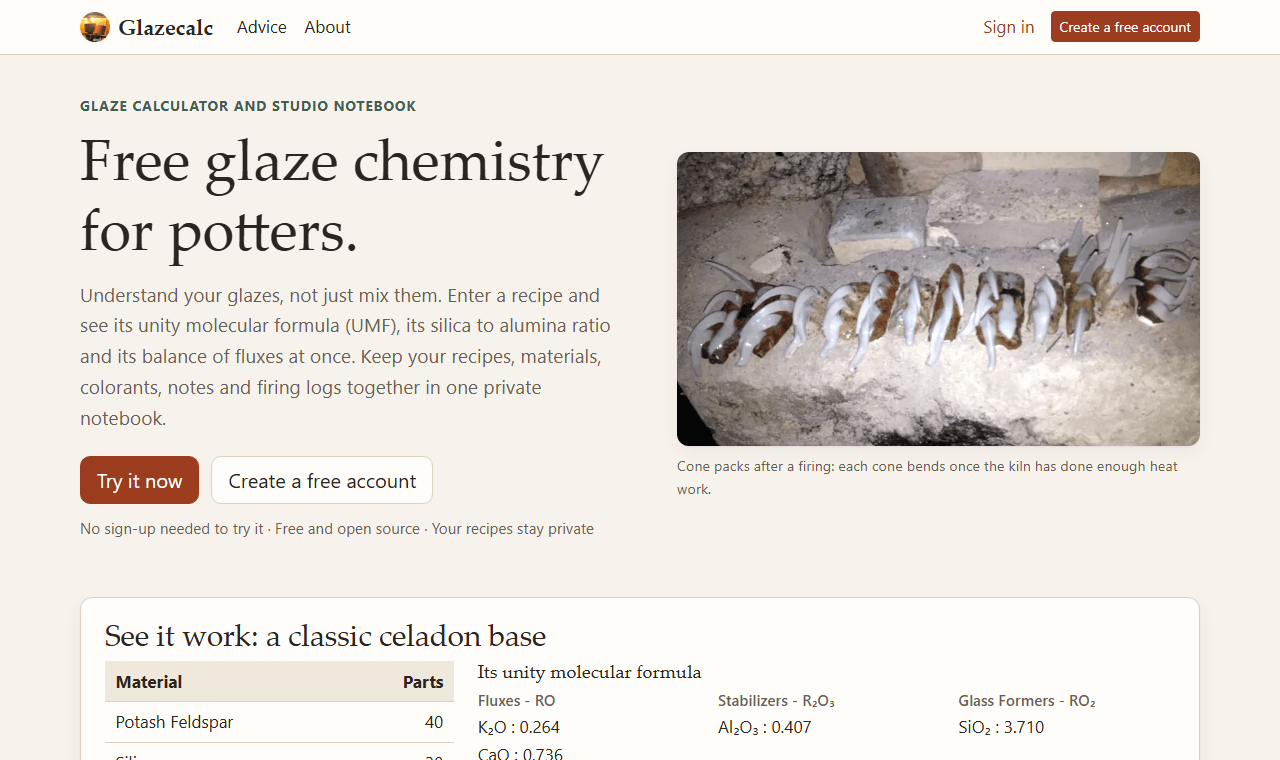
Free glaze chemistry for potters. Enter a glaze recipe and see its unity molecular formula (UMF): the fluxes, alumina and silica it becomes in the kiln, and their ratio. Keep your recipes, materials, colorants, firing logs and notes together in one private notebook.
glazecalcapp.com: try it without an account.


What it does
-
Recipe to unity formula, as you type. Build a glaze from your own materials or the standard ones and watch its oxides in unity, grouped as fluxes, stabilizers and glass formers, with the silica to alumina ratio. That is how glaze chemists compare recipes, fix faults and substitute materials. Change the scale to percent, to the smallest whole parts, or to a batch in grams or in pounds (each shown in pounds and ounces), with colorants as a percent of the base, in parts or in grams; save a recipe and keep working on it, or open a saved one to change it.
-
Compare two recipes side by side, oxide by oxide and by calculated thermal expansion, and try an old recipe with the modern materials that replace its discontinued ones (Custer Spar to G-200 EU), compared with the original. Where a swap is not like for like, it works the amounts out again, changing as few as it can, from materials sold in your region or any you add, and says what each one does and what to watch for past a recommended limit.
-
Match with what I have: make a recipe again from only the materials on hand, a list kept with your account.
-
Analysis and limits: the unity formula set against Hesselberth & Roy's stable glaze limits or Glazecalc's own, for the firing saved with the recipe, and a Stull chart of silica against alumina with its matte, semi-matte and bright regions.
-
Specific gravity and water: weigh a measured volume of the glaze to find its SG, then the water that brings the bucket to the SG you want, or the water for a new batch.
-
Paste in recipes from a website, a spreadsheet or your notes: see how each line was read and which material it was taken for before anything is saved.
-
Blends for test tiles: two, three or four of your recipes blended into numbered tiles, with what to weigh for each and the chemistry of each tile.
-
Cost per batch from the prices you pay, kept private with your account in one currency, and a mix ticket to print for the glaze room, with the batch number, the target SG and the materials' hazards (prices left off unless you choose).
-
Share a recipe with a read-only link that anyone can open without an account, with its unity formula and how it is worked out, step by step; stop sharing at any time.
-
Sign in with Google, GitHub or Microsoft, or with a password, two-step sign-in or a passkey.
-
Use it from your AI assistant: Claude, ChatGPT, GitHub Copilot, Cursor, Gemini and others can use the calculations through the Model Context Protocol (MCP) server at
/mcp, and your own records once you connect them: apps sign in to Glazecalc's own OAuth server and you say yes (read only unless you also allow changes), or you make an access token for them. Connected apps shows what each one did, puts back what it moved to the Trash and revokes it; the Assistants page says how to connect one. -
Guides for new potters, sourced: glazing from first principles with a glossary, how to make a glaze, safe mixing and ventilation, pottery at home with children and pets, and firing a basic kiln with cones, kiln sitters and manual switches; and, in English, a companion to John Britt's free online Glaze Course that links his videos unit by unit with exercises to try.
-
Lead off unless you choose it, and old lead glazes rebuilt without it: Replace lead keeps the glaze's silica and alumina and gives lead's work to boron and other fluxes, on a lead-free base frit sold in your region with up to four other materials chosen for it, or keeps the colour on a lead-free base.
-
Print it for the glaze room: the whole recipe with its unity formula and analysis, or just a batch list to tick off while weighing, with a running total for weighing into one bucket. One page on Letter or A4; weights in grams, or in pounds and ounces as set in your account.
-
Your region and your numbers: where you work sets numbers and dates as you write them (12,5 or 12.5 typed either way), °C or °F, Orton cones, SK cones (JIS R 8101) or firing by temperature, the standard materials sold there, and in the guides, for 37 countries: who to call in an emergency, shops that sell glaze materials, the closest materials sold there to those a recipe names, the workplace limit for silica dust and the food-contact limits for glazed ware (for 36: no official limit was found for New Zealand), each checked on an official or the shop's own page.
-
Translated into 32 languages: an official language of every country of the EU (Bulgarian, Croatian, Czech, Danish, Dutch, English, Estonian, Finnish, French, German, Greek, Hungarian, Irish, Italian, Latvian, Lithuanian, Maltese, Polish, Portuguese, Romanian, Slovak, Slovenian, Spanish, and Swedish), Japanese, Turkish, Traditional Chinese, Korean, Simplified Chinese, Thai, Vietnamese and Indonesian, each at its own addresses (
/de/recipe).Translated by AI with a glossary per language from suppliers' catalogues, reviewed, and the safety text checked by translating it back; every translated page says so and links to a form to suggest a better wording.
Every piece of text is a message (Transloco with ICU plurals), and the guides are Markdown per language (how translations are made).
-
Your own colors: light, dark or as the device is set, and six palettes named for glazes, each readable in both.
-
A standard library of 167 materials and 37 colorants and additives, from manufacturers' data sheets, for the US, UK, EU, Australia and New Zealand, each with its source and other names, and hazards where the data sheet gives them. Discontinued materials stay for old recipes, each pointing to its modern replacement. Count colorants in the unity formula or leave them out, to compare with other calculators.
-
Your own materials, from a chemical formula or a supplier's analysis, and colorants and opacifiers on top of a base glaze.
-
A studio notebook: firing logs (times, temperatures, cones), notes, and plain-language advice on mixing, glazing and firing.
-
Try it now: the whole app works as a trial with a generated name such as "speckled quiet kilns". Creating an account keeps everything; trials are removed after 14 days.
-
Light and dark mode, from phone to desktop. Free and open source.
Highlights
For anyone reading the code:
- A 2017 AngularJS app rebuilt as Angular 22 (standalone components, signals, no zone.js,
strict templates) and a TypeScript server on Express 5, Mongoose 9 and Node 24, which runs the
.tsfiles directly with no build step (ADR 8), and put back online. The case study tells how. - Tested at three levels, in CI on every pull request and push to master: about 1,000 server tests (98% of statements) run against the app in-process; over 700 Angular unit tests (92%); about 175 Playwright browser tests, including axe accessibility checks of every page in light and dark mode, every page in a pseudo-locale to find text not marked for translation, and every page in each language at a phone's width.
- One glaze chemistry library for the browser and the tests, checked against values worked out by hand (ADR 4).
- Keyless deploys with approval: GitHub Actions gets short-lived AWS credentials through OIDC, for a role that can only run one SSM command document on this app's instance. There is no SSH, there are no stored AWS keys, and a failed health check rolls back (ADR 2).
- Production for about $13 a month: one Graviton EC2 instance with Docker Compose, nginx and Let's Encrypt, a content security policy with subresource integrity, nightly backups to S3, snapshots and alarms (ADR 1, ADR 3).
- Careful accounts: bcrypt; HS256 tokens with a version, so changing the password signs out every device, kept in an httpOnly, SameSite=Strict cookie with a cross-site request check; hashed single-use reset links sent through Amazon SES with DKIM, SPF and DMARC; rate limits; ownership checks on every query; the current password to change the email or delete the account (ADR 5, ADR 6).
- Trials as real accounts: a generated name, a placeholder email on the reserved
.invaliddomain so every email stays unique, conversion to an account in place (or into an existing account at sign-in), limits against abuse, and an hourly cleanup (ADR 7). - Lighthouse on a production build (desktop): performance 99; accessibility, best practices and SEO 100; no layout shift.
How it fits together
flowchart LR
  browser([Browser]) -->|HTTPS| nginx
  subgraph ec2 [EC2 t4g.micro, Debian 13]
    nginx["nginx<br/>Let's Encrypt, headers, gzip"] --> app["Node 24, Express 5<br/>/api and the Angular client"]
    app --> mongo[("MongoDB 9")]
  end
  app -->|SMTP| ses[Amazon SES]
  mongo -.->|nightly dump| s3[(S3 backups)]
  subgraph github [GitHub]
    ci["CI: lint, format, 3 test suites,<br/>image check"] --> ghcr[("GHCR image<br/>arm64 and amd64")]
    deploy["Deploy workflow<br/>approval, OIDC"]
  end
  deploy -->|"SSM: glazecalc-deploy"| ec2
  ghcr -.->|pull| app
The browser talks to one origin: nginx terminates HTTPS and passes everything to a single Node
process, which serves the JSON API under /api and the built Angular client for every other path.
A deploy runs deploy.sh on the instance through SSM: it pulls the new image, starts it, and goes
back to the previous one if the health check fails.
| Part | Built with |
|---|---|
| Client | Angular 22, TypeScript (strict), Transloco with ICU messages, Bootstrap 5 with a custom palette, Vitest |
| Server | TypeScript run directly by Node.js 24, Express 5, Mongoose 9, JWT, bcrypt, Mocha |
| Data | MongoDB 9 |
| Infrastructure | AWS (EC2, SSM, SES, S3, CloudWatch, IAM with OIDC), Docker Compose, nginx, certbot |
| Delivery | GitHub Actions, GHCR, Playwright with axe, ESLint, Prettier, Dependabot |
Run it locally
You need Node.js 24 (24.15 or later) with npm 11, and MongoDB Community Server 9.0 (4.4 or later works).
git clone https://github.com/AaronFilson/glazecalc.git
cd glazecalc
npm install
npm run db                        # MongoDB on ./db, in a second terminal; leave it running
npm run seed                      # standard materials, additives and advice
npm run dev                       # then open http://localhost:3000
Settings such as APP_SECRET and MONGODB_URI can go in a .env file (copy .env.example,
which describes each one); the scripts load it with Node's built-in --env-file support. Outside
production, emails (such as password reset links) are printed to the console.
| Tool | Needed for | Install | Check the version |
|---|---|---|---|
| Git | Cloning the repository | Downloads | git --version |
| Node.js 24 LTS (24.15 or later) | Building and running the app | Download Node.js | node --version |
| npm 11 (comes with Node.js 24) | Installing packages, running scripts | Installing npm | npm --version |
| MongoDB Community Server 9.0 (4.4 or later works) | The database | Download MongoDB | mongod --version |
| A modern web browser, such as Firefox or Chrome | Using the app | Firefox download | Help → About in the browser |
Optional, depending on what you do:
| Tool | Needed for | Install | Check the version |
|---|---|---|---|
| nvm-windows or nvm (macOS, Linux) | Switching between Node.js versions | nvm-windows releases, nvm install script | nvm version (Windows), nvm --version |
| MongoDB Shell (mongosh) | Looking at the database by hand | Download mongosh | mongosh --version |
| Docker Engine with Docker Compose | Running the app and MongoDB in containers | Install Docker Engine | docker --version and docker compose version |
| WSL 2.1.5 or later (Windows only) | Running Docker inside Linux on Windows | Install WSL | wsl --version |
| Playwright Chromium | The browser tests | Install browsers: npx playwright install chromium | npx playwright --version |
The Angular CLI, TypeScript, ESLint and the test runners are installed into the project by
npm install, so they need no separate install; npx ng version shows the Angular versions.
Scripts
npm run dev      Angular dev server on port 3000 with live reload; it forwards /api to the
                 API server on port 4000, which restarts when server code changes
npm run build    production build of the client into dist/glazecalc/browser, then renders the
                 public pages in every language to dist/glazecalc/prerendered (docs/seo-plan.md)
npm start        builds, then runs one server on port 3000 (PORT) with the app and its API
npm run seed     loads the standard materials, additives and advice into MONGODB_URI
npm run lint     checks the code with ESLint
npm run typecheck  checks the server's TypeScript (Node runs it without compiling)
npm run format   formats files with Prettier (npm run format -- .)
npm run seed replaces standard records with the same id, so it is safe to run again after the
data files change, and it leaves users' own entries alone. All scripts work in any shell,
including PowerShell and cmd.
Tests
| Command | What it runs |
|---|---|
npm test | Server and chemistry tests (Mocha), the files in parallel (a worker for each core but one; --jobs sets it). Each worker serves the app inside its process on a free port with a database of its own (glazecalc_test_w0, _w1, …, emptied before each file and dropped after); only mongod must be running. |
npm run test:client | Angular unit tests (Vitest), with no server or database. |
npm run test:e2e | Browser and accessibility tests (Playwright and axe), in parallel workers (half the cores; E2E_WORKERS sets how many) against one server. They build the app when dist/ is older than its sources (E2E_BUILD=always or never overrides), run it on port 3100 (E2E_PORT) with a glazecalc_e2e database (E2E_MONGO_URI) they reset, and need Chromium once: npx playwright install chromium. |
npm run test:e2e:linux | The browser tests on Linux in Docker, in the same Playwright image CI runs them in, so a layout that passes here passes there. It tests the working tree, uncommitted changes included, and copies what failed to test-results-linux/. On Windows it runs through WSL, which needs Docker inside it. |
npm run test:e2e:both | The browser tests here and on Linux at the same time, each with a quarter of the cores (E2E_WORKERS sets each run's workers), with each line marked with the run it came from. The two share nothing, so it takes about as long as the slower one. |
npm run check:i18n | The messages: every key the app uses has its English and every English is used, translations keep the English's placeholders, tags and plural forms, and the English written from code is current (how to write text). |
npm run i18n:sources | Writes the English of the messages kept in code and data (the server's, the chemistry's, the standard records', who to call, the region data) for translators, and takes out every translation made from English that has changed since (docs/translating.md). It refuses while translations have uncommitted changes (--force overrides); -- --dry-run shows what it would change. |
npm run test:all | The server, Angular and browser tests, on this machine. |
npm run test:all:linux | The server and Angular tests, then the browser tests on Linux. Run it before pushing anything that changes layout or printing. |
npm run test:coverage and npm run test:client:coverage add coverage reports, and
npx playwright show-report opens the browser test results. GitHub Actions runs lint, the format
check, an npm audit, the build and all three suites on pushes to master and on pull requests,
against a MongoDB 9 service container, and builds and checks the Docker image
(.github/workflows/ci.yml). The jobs run side by side, and the browser tests are split across
three runners (--shard), whose reports are merged into one (the playwright-report artifact).
Project structure
client/           Angular 22 app (standalone components, signals, no zone.js)
  app/core/         API access, sign-in and trials, route guards, data models
  app/i18n/         languages: loading messages, the language in the address, the AI notice
  app/pages/        one folder per screen: landing, recipe, material, additive, firing, ...
  app/shared/       page header, messages, option lists
  public/           icons, images, manifest and robots.txt, copied into the build
  public/i18n/      the messages in each language, and the guides in Markdown
  i18n-fingerprints/  the English each translation was made from
  styles.scss       the palette and dark mode, on top of Bootstrap 5
lib/chemistry/    glaze chemistry: molar masses, material analyses, the unity formula
lib/recipe/       the recipe tools the app, the server and the MCP tools share: amounts,
                  analysis, limits, checks, substitutions, blends (ADR 19)
lib/cones/        pyrometric cones (Orton, SK) and a recipe's firing
lib/regions/      the regions and languages, and each country's facts for the guides:
                  who to call, shops, silica limits, food-contact rules
lib/pages.js      the pages worth finding in a search (sitemap, server, prerender)
lib/mfa.js        the numbers two-step sign-in's server and app share
server/           the API server, in TypeScript that Node runs as it is (no build step)
  main.ts           starts it: connects to MongoDB, listens, shuts down cleanly
  app.ts            the Express app: the API under /api, the built client for the rest,
                    and the sitemap (/sitemap.xml), written for each language
  routes/           accounts, password reset, trials, and records.ts: the seven kinds of
                    record a user keeps, served by one route factory
  lib/              sign-in tokens, the record routes, trial limits and cleanup, email, logging
  mcp/              the MCP server for AI assistants (/mcp): its tools, prompts and guides
  models/           Mongoose schemas
  test/             server and chemistry tests (Mocha)
e2e/              browser and accessibility tests (Playwright, axe)
data/             the standard materials, additives and advice, loaded by npm run seed
scripts/          the dev runner (npm run dev), the seed script, the messages check and
                  sources (npm run check:i18n, i18n:sources), the browser tests on Linux
                  (npm run test:e2e:linux), and one that adds records to the library
Dockerfile, compose.yaml
                  the production image, and the app plus MongoDB in containers
deploy/           production on EC2: Compose file, nginx, cloud-init, deploy and backup
                  scripts, AWS policies and setup commands
docs/             decision records (adr/), the case study, the translation plan and guides
                  (translating.md, translations/), setup notes
.github/          CI, image publishing and deploy workflows, Dependabot
Docker and deployment
The Dockerfile builds a production image: Node 24 on Debian slim, running as a non-root user, with
a health check on /api/health that also checks the database. compose.yaml runs it with
MongoDB 9, keeping the data in a named volume:
APP_SECRET=<long random string> docker compose up -d --build
docker compose run --rm app node scripts/seed-standard.js    # standard data, once
docker compose logs -f app
The app is published on 127.0.0.1:3000 only; put a reverse proxy in front for public access, because ports Docker publishes bypass ufw. Production on AWS is described step by step in deploy/README.md and deploy/aws/README.md. On Windows, Docker Engine runs inside WSL: docs/wsl-local-deploy-debian.md has notes from setting it up in WSL Debian.
When the app is reachable by other people, set APP_SECRET to a long random value (production
requires it; changing it signs everyone out), set MAIL_TRANSPORT and SMTP_URL so password
reset emails can go out, and set SITE_URL (formerly APP_URL) to the address people open the app at, which the links
in those emails use. Put them in the environment or in .env; compose.yaml passes them to the
app (.env.example describes each one). Sign-in, sign-up, trials and password reset
are rate limited per client address; behind a reverse proxy the app trusts one hop of
X-Forwarded-For for that address.
More
- Decision records: why it is built the way it is.
- Changelog.
- Case study: reviving a 2017 app.
- Found a problem or have an idea? Open an issue.
Glazecalc is open source under the MIT License.
Reviews
No reviews yet
Be the first to review this server!
More Developer Tools MCP Servers
Rea
Freeby Morluto · Developer Tools
Reverse engineer anything from your terminal or agent with one CLI and MCP server.
Paperclip
Freeby Paperclipai · Developer Tools
Trending hip-hop artist momentum scores across four cultural dimensions.
Git
Freeby Modelcontextprotocol · Developer Tools
Read, search, and manipulate Git repositories programmatically
Fetch
Freeby Modelcontextprotocol · Developer Tools
Web content fetching and conversion for efficient LLM usage
Toleno
Freeby Toleno · Developer Tools
Toleno Network MCP Server — Manage your Toleno mining account with Claude AI using natural language.
MCP Marketplace
Freeby mcp-marketplace · Developer Tools
Search and install MCP servers from inside your AI client.