
Server data from the Official MCP Registry
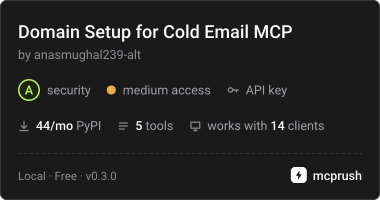
Plan, apply, verify and roll back SPF, DKIM, DMARC and MX for cold email domains on Cloudflare
About
Plan, apply, verify and roll back SPF, DKIM, DMARC and MX for cold email domains on Cloudflare
Security Report
This is a Cloudflare DNS configuration server for cold email domains. It reads the API token from an environment variable, gates every write behind confirm=true with dry-run defaults, and validates inputs before any network call, with no sign of exfiltration, backdoors, or shell execution in the reviewed code. The main concerns are that the token is documented as stored in plain text in the client config and that the output of domain_verify was truncated, so that section could not be fully reviewed. Supply chain analysis found 6 known vulnerabilities in dependencies (0 critical, 1 high severity). Package verification found 1 issue.
5 files analyzed · 11 issues found
Security scores are indicators to help you make informed decisions, not guarantees. Always review permissions before connecting any MCP server.
Permissions Required
This plugin requests these system permissions. Most are normal for its category.
What You'll Need
Set these up before or after installing:
Environment variable: CLOUDFLARE_API_TOKEN
How to Install
Add this to your MCP configuration file:
{
  "mcpServers": {
    "domain-setup-mcp": {
      "command": "uvx",
      "args": [
        "domain-setup-mcp==0.3.0"
      ],
      "env": {
        "CLOUDFLARE_API_TOKEN": "your-cloudflare-api-token-here"
      }
    }
  }
}
Some servers take additional arguments. See the repository for details.
Documentation
View on GitHubFrom the project's GitHub README.
domain-setup-mcp
An MCP server for Claude and other MCP clients that sets up cold email domains in bulk on Cloudflare: verification TXT, SPF, DKIM, DMARC, MX, custom tracking domains and website forwarding. Works with Google Workspace, Microsoft 365 and Amazon SES, and with Smartlead and Instantly tracking.
Use it to audit email deliverability DNS, fix SPF records, add DMARC, and roll out sending domains for outbound campaigns without hand-editing DNS.
Agencies set up dozens of domains per client by hand. One wrong SPF edit (a second record, an overwrite, an 11th lookup) or one DKIM key pasted onto the wrong domain silently breaks deliverability. This server plans every change as a reviewable diff, refuses unsafe plans, applies each domain atomically, and can undo any run.
Tools
| Tool | Writes? | What it does |
|---|---|---|
domain_audit | No | Checks SPF, DKIM, DMARC and MX on public DNS. No token needed. |
domain_plan | No | Builds a per-domain diff against current Cloudflare records. Returns a plan_id. |
domain_apply | Yes | Applies a plan, one atomic batch per domain. Dry run unless confirm=true. Returns a run_id. |
domain_verify | No | Confirms every planned record is visible on public DNS and that forwarding answers with its 301. |
domain_rollback | Yes | Undoes one apply run, including redirect rules. Dry run unless confirm=true. |
All tools take lists of domains (max 100 per call). One failing domain never stops the batch.
What gets configured
| Item | Google Workspace | Microsoft 365 | Amazon SES |
|---|---|---|---|
| Verification TXT | google-site-verification=... (per domain) | MS=ms... (per domain) | n/a |
| SPF | merge include:_spf.google.com | merge include:spf.protection.outlook.com | on MAIL FROM subdomain |
| MX | smtp.google.com (1) | value you supply (never guessed) | MAIL FROM: exactly one MX |
| DKIM | TXT you supply (per domain) | 2 CNAMEs you supply (per domain) | 3 CNAMEs from tokens |
| Extra | autodiscover CNAME | ||
| DMARC | p=none default, quarantine optional, RFC 9989 np optional | same | same |
| Tracking | Smartlead emailtracking or Instantly inst | same | same |
| Forwarding | 301 from root and www to your site | same | same |
Safety rules (the engineering decisions)
- Per-domain secrets stay per-domain. DKIM keys, Microsoft DKIM targets, SES tokens and verification codes are unique to each domain. Passing one shared key for a multi-domain plan is rejected, and Microsoft targets are checked against the domain they're pasted for.
- SPF is merged, never duplicated. Existing mechanisms are kept, duplicate records are merged into one, and the result is resolved recursively against live DNS (Google's include dropped from 4 lookups to 1 in Dec 2025; static tables are wrong, live resolution isn't). Over 10 lookups or 2 void lookups blocks the plan.
- Never guess provider values. Microsoft MX moved to
*.mx.microsoftfor new domains in July 2026, and Microsoft says the admin center or Graph API is the only source of truth. Microsoft DKIM targets contain a routing character Microsoft assigns. The tool asks for both. - Atomic apply. Each domain's DNS changes go through Cloudflare's batch endpoint in one transaction. If anything fails, nothing is written for that domain.
- Drift check. A plan stores a fingerprint of the zone. If DNS changed between plan and apply, that domain is skipped.
- No double apply. A plan applies once per domain; a clean rollback re-enables it.
- Full rollback. Snapshots and change logs restore the exact original records and the previous redirect ruleset.
- Live mail is protected. Existing MX is never replaced unless
replace_mx=true. Existing DMARC is never changed. Existing website records are never overwritten by forwarding. - CNAME conflicts are blocked, both ways.
- SES MAIL FROM gets exactly one MX, as AWS requires; extras are removed and other records on that subdomain are flagged.
- DMARC report authorization is checked. If
ruapoints at another domain, receivers only send reports when that domain publishesclient.com._report._dmarc.agency.com=v=DMARC1;. The plan gives the exact record. - RFC 9989 aware. Audit flags
pct,rf,ri(removed in May 2026) and the rua size suffix. - Rate limits handled honestly. Cloudflare blocks all calls for 5 minutes after 1,200 requests. Short waits are retried; the 5-minute block returns a clear error instead of hanging the agent.
- Input validated before any network call: domains, emails, URLs, regions, DKIM keys (pasted quotes and line breaks are cleaned), tokens, verification codes.
Install in Claude Desktop
- Download
domain-setup-mcp.mcpbfrom the latest release. - Double-click it, or go to Settings > Extensions > Advanced settings > Install Extension.
- Enter your Cloudflare API token when asked (see the token permissions below).
Claude Desktop supplies its own uv to run the extension. Keep Python 3.11 or newer installed: running without it hasn't been tested.
Setup from source
Requires Python 3.11 or newer.
git clone https://github.com/anasmughal239-alt/domain-setup-mcp.git && cd domain-setup-mcp
pip install -e ".[dev]"
pytest                            # 116 tests, all offline
Cloudflare token: My Profile > API Tokens > Create Token. Permissions: Zone: Read, DNS: Edit, and Single Redirect: Edit if you use forward_to (the token summary lists this as Dynamic URL Redirects Write). Under Zone Resources choose Specific zone and add only the domains you're setting up. Avoid "All zones": both setups below save the token in plain text in your client's config file, so keep it as narrow as you can, and delete it in Cloudflare when you're done.
Use a real token value in the commands below, and never commit it. If you read it from a secure PowerShell prompt, each character prints as *; one * after pasting means the paste failed, so right-click to paste instead of Ctrl+V.
Claude Code
claude mcp add domain-setup --env CLOUDFLARE_API_TOKEN=your_token -- domain-setup-mcp
Claude Desktop (claude_desktop_config.json)
{
  "mcpServers": {
    "domain-setup": {
      "command": "domain-setup-mcp",
      "env": { "CLOUDFLARE_API_TOKEN": "your_token" }
    }
  }
}
Plans and run logs are stored in ~/.domain-setup-mcp (override with DOMAIN_SETUP_HOME). They contain DKIM public keys and verification codes, which are public DNS data.
Example config (2 Google Workspace domains)
{
  "provider": "google",
  "dmarc_rua": "dmarc@agency.com",
  "tracking_tool": "smartlead",
  "forward_to": "https://acme.com",
  "per_domain": {
    "getacme.com": {
      "verification_txt": "google-site-verification=...",
      "dkim": { "google_txt": "v=DKIM1; k=rsa; p=MIIB..." }
    },
    "tryacme.com": {
      "verification_txt": "google-site-verification=...",
      "dkim": { "google_txt": "v=DKIM1; k=rsa; p=MIIB..." }
    }
  }
}
Typical Google flow: run once with verification only, verify in the Admin console, activate Gmail, wait 24 to 72 hours for DKIM to become available, then run again with the DKIM keys. Re-running is safe; correct records are left alone.
Config reference
| Field | Notes |
|---|---|
provider | google, microsoft or ses |
per_domain.<domain>.verification_txt | google-site-verification=... or MS=ms... |
per_domain.<domain>.dkim.google_txt | Admin console > Apps > Gmail > Authenticate email (2048-bit). Don't regenerate later: it replaces the key |
per_domain.<domain>.dkim.microsoft_selector1_target / selector2_target | Exact Selector1CNAME / Selector2CNAME from Defender portal or Get-DkimSigningConfig |
per_domain.<domain>.dkim.ses_tokens | The 3 Easy DKIM tokens |
per_domain.<domain>.mx | Required for Microsoft 365: exact MX from Admin center > Domains |
dkim | Shortcut for single-domain plans only |
dmarc_rua | Mailbox for aggregate reports |
dmarc_policy | none (default), quarantine, reject (warns). Only for new DMARC records |
dmarc_np | RFC 9989 policy for non-existent subdomains, e.g. reject |
tracking_tool / tracking_subdomain | smartlead (host emailtracking) or instantly (host must be inst) |
forward_to | Full URL. Adds proxied 192.0.2.1 placeholders for root and www if no web record exists, plus a 301 redirect rule |
replace_mx | Off by default |
microsoft_autodiscover | On by default for Microsoft |
ses_mail_from / ses_region | Custom MAIL FROM so SPF aligns for SES |
Known limits (v0.3)
- Cloudflare only.
- Live-tested on Windows with Python 3.14, Google Workspace settings and an empty zone (plan, apply, verify, rollback, re-apply). Merging into existing records, restoring them on rollback, Microsoft 365 and SES are covered by the offline tests only so far. Try a test domain first and review every diff.
domain_verifycan only confirm that proxied A placeholders resolve, because they answer with Cloudflare IPs rather than the planned value. It checks forwarding over HTTPS on the root andwwwonly, not over plain HTTP.- The DMARC authorization record lives on the report domain, which may be in another account, so the tool reports it instead of writing it.
- Rollback restores the redirect ruleset as it was before the run. Redirect rules someone else added to that zone after the run are lost by a rollback.
- Some practitioners argue that forwarding cold domains to the main site links their reputation. It's off unless you set
forward_to.
Sources (checked November 2026)
- Google Workspace: Set up DKIM, MX records, verify with TXT (knowledge.workspace.google.com)
- Microsoft: DKIM configure (learn.microsoft.com/defender-office-365/email-authentication-dkim-configure); MC1048624 MX provisioning change; Exchange Online DNS records
- AWS SES custom MAIL FROM (docs.aws.amazon.com/ses/latest/dg/mail-from.html)
- Cloudflare: batch DNS record changes, API rate limits, redirect one domain to another, Single Redirects via API
- RFC 9989/9990/9991 (DMARC, May 2026); RFC 7208 (SPF limits); RFC 7489 §7.1 (external report authorization)
- Smartlead and Instantly help centers (custom tracking domains)
- Outlook.com high-volume sender requirements (May 2025); Gmail sender guidelines
Measure this (for the case study)
- Time to set up 20 domains: manual in the Cloudflare dashboard vs
plan+apply+verify. - Errors caught: run
domain_auditacross real client domains and count duplicate SPF, lookup overflows, missing DMARC, unauthorized report destinations, deprecated tags. - Test suite: 116 offline tests, the Cloudflare client against a mock API, and mutation checks on every safeguard.
Reviews
No reviews yet
Be the first to review this server!
More Developer Tools MCP Servers
Rea
Freeby Morluto · Developer Tools
Reverse engineer anything from your terminal or agent with one CLI and MCP server.
Paperclip
Freeby Paperclipai · Developer Tools
Trending hip-hop artist momentum scores across four cultural dimensions.
Scrapling
Freeby D4Vinci · Developer Tools
Web scraping with stealth HTTP, real browsers, and Cloudflare bypass. CSS selectors supported.
Git
Freeby Modelcontextprotocol · Developer Tools
Read, search, and manipulate Git repositories programmatically
Toleno
Freeby Toleno · Developer Tools
Toleno Network MCP Server — Manage your Toleno mining account with Claude AI using natural language.
MCP Marketplace
Freeby mcp-marketplace · Developer Tools
Search and install MCP servers from inside your AI client.