
Server data from the Official MCP Registry
Bridge AI coding hosts to the OpenAI Codex CLI for delegated implementation.
About
Bridge AI coding hosts to the OpenAI Codex CLI for delegated implementation.
Security Report
Valid MCP server (1 strong, 1 medium validity signals). 3 known CVEs in dependencies (0 critical, 3 high severity) Package registry verified. Imported from the Official MCP Registry.
3 files analyzed · 4 issues found
Security scores are indicators to help you make informed decisions, not guarantees. Always review permissions before connecting any MCP server.
Permissions Required
This plugin requests these system permissions. Most are normal for its category.
How to Install
Add this to your MCP configuration file:
{
  "mcpServers": {
    "io-github-andreilungeanu-codex-delegate-mcp": {
      "args": [
        "-y",
        "codex-delegate-mcp"
      ],
      "command": "npx"
    }
  }
}Documentation
View on GitHubFrom the project's GitHub README.
Codex Delegate
Stop burning your frontier agent's limits on boilerplate.
Delegate implementation to the OpenAI Codex CLI — your agent writes the brief and reviews the diff.





Use your best coding agent where its judgment matters most: understanding the task, shaping the plan, and reviewing the result.
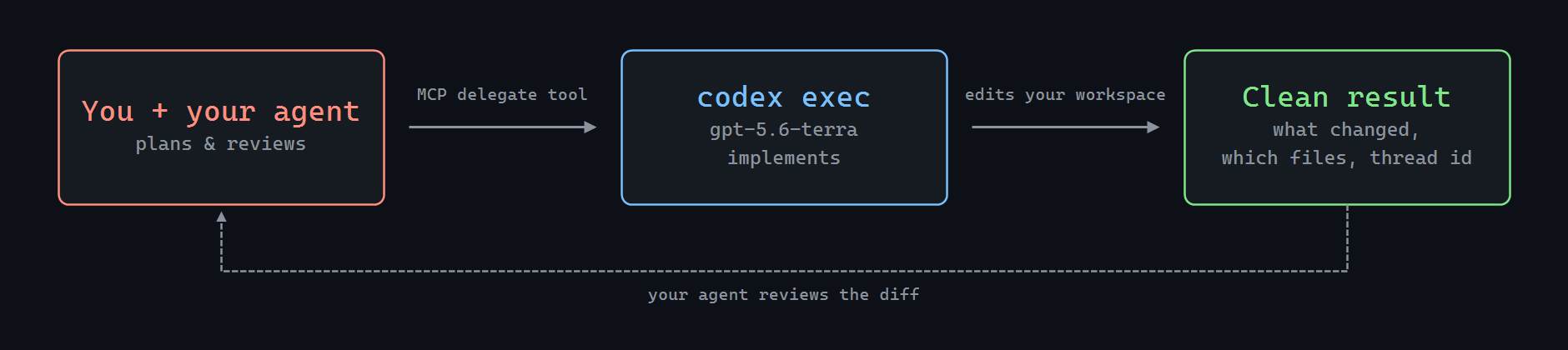
Codex Delegate is the MCP bridge that lets Claude Code, Cursor, Copilot — or any MCP client — hand implementation to the OpenAI Codex CLI, then get a clean, structured result back for review.
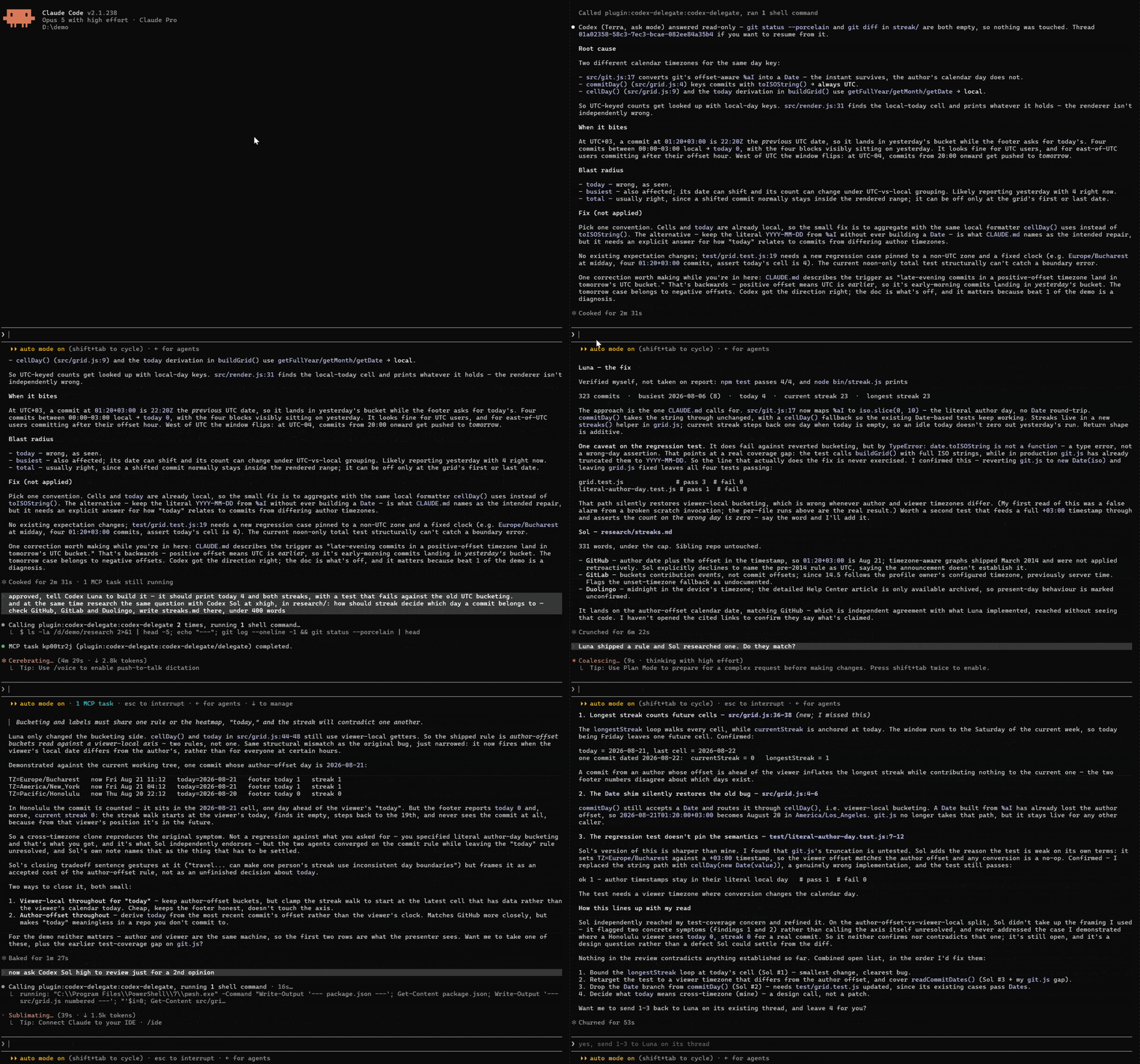
🧠 Frontier quality, kept
Your assistant does what frontier models are actually for: understands the task, writes a precise brief, reviews the finished diff. Codex holds its own as the implementer — guided and checked by a smarter orchestrator. The result reads like frontier work, because a frontier model planned it and signed off on it.
⚡ Done faster
Codex tears through multi-file edits while a frontier chat model would still be streaming the first file. You delegate, keep working with your assistant, and the diff shows up done.
🔋 Your limits stop being the bottleneck
Delegated work runs on the OpenAI Codex CLI and its own usage — separate from your orchestrator's chat quota, though the Codex side still bills its own way. Your Claude, Cursor, or Copilot subscription spends tokens on the brief and the review; Codex does the grinding. On API? That's the per-token grind moved off your main bill.
Features
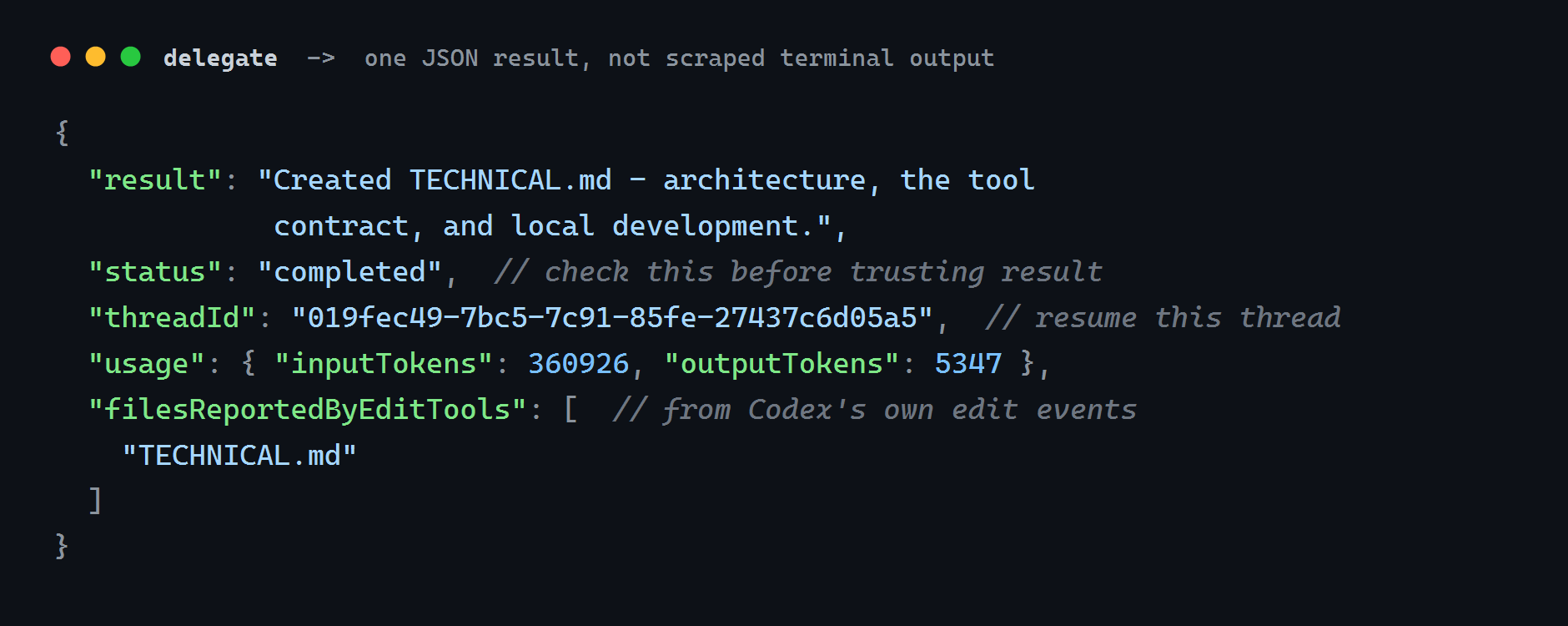
- 📦 One result you can review — a compact JSON block: the final answer,
status, the files Codex's edit tools reported changing, cumulative thread token counts, and thethreadIdto continue from. Fields that carry no signal are omitted. - 📋 Plan first, then build it on the same thread —
planreturns schema-validated steps for you to approve, andagentimplements them.askanswers questions.reviewruns Codex's own reviewer over uncommitted work, a base branch, or a single commit. - 🧵 Resume — continue a Codex thread with
resumeThreadId.resumed: falsetells you the context did not carry over. - 🧑🤝🧑 Run several, cancel cleanly — the same question across models, or independent workers on independent directories.
cancelwaits for the exit and warns when a process outlives the kill deadline. - 🤝 One-command install — Claude Code and GitHub Copilot CLI take it as a plugin, with a skill that teaches your agent how to delegate well. Cursor, VS Code, JetBrains, Windsurf and Visual Studio add the stdio server in settings.
- 🩺
doctor— tells you exactly what's missing if setup isn't right.
Install
You need Node.js 20+ and the OpenAI Codex CLI, already logged in (codex login).
Claude Code
/plugin marketplace add andreilungeanu/codex-delegate-mcp
/plugin install codex-delegate@codex-delegate-mcp
Then just ask:
Delegate to Codex: migrate src/api from callbacks to async/await and update the tests, then walk me through what changed.
That's the whole loop — Claude writes the brief, Codex grinds through the files, Claude walks you through the diff.
Cursor
Add an MCP server in Cursor Settings → MCP (or project .cursor/mcp.json):
{
  "mcpServers": {
    "codex-delegate": {
      "command": "npx",
      "args": ["-y", "codex-delegate-mcp"]
    }
  }
}
Then ask Cursor to delegate implementation to Codex the same way.
GitHub Copilot CLI
copilot plugin install andreilungeanu/codex-delegate-mcp
More clients


{
  "servers": {
    "codex-delegate": {
      "type": "stdio",
      "command": "npx",
      "args": ["-y", "codex-delegate-mcp"]
    }
  }
}
Or run Chat: Install Plugin From Source with this repository's URL.
Under Settings → Tools → AI Assistant → Model Context Protocol (MCP), add a server with command npx and arguments -y codex-delegate-mcp.
{
  "mcpServers": {
    "codex-delegate": {
      "command": "npx",
      "args": ["-y", "codex-delegate-mcp"]
    }
  }
}
Heads-up: Cascade caps you at 100 tools across all servers.
{
  "servers": {
    "codex-delegate": {
      "type": "stdio",
      "command": "npx",
      "args": ["-y", "codex-delegate-mcp"]
    }
  }
}
Requires 17.14+. Note the top-level key is servers, not mcpServers.
OpenCode does not use mcpServers. Local servers go under mcp, with type: "local" and command as one array:
{
  "$schema": "https://opencode.ai/config.json",
  "mcp": {
    "codex-delegate": {
      "type": "local",
      "command": ["npx", "-y", "codex-delegate-mcp"],
      "enabled": true
    }
  }
}
{
  "mcpServers": {
    "codex-delegate": {
      "command": "npx",
      "args": ["-y", "codex-delegate-mcp"]
    }
  }
}
In the IDE: … on the agent panel → MCP Servers → Manage MCP Servers → View raw config. Antigravity 2.0, IDE, and CLI share the Gemini config file. You may need to approve the server's tools on first run.
Same shape as OpenCode: type: "local" and command as one array.
{
  "mcp": {
    "codex-delegate": {
      "type": "local",
      "command": ["npx", "-y", "codex-delegate-mcp"],
      "enabled": true
    }
  }
}
In the VS Code extension: Settings → MCP → Add Server → Local (stdio). On Windows, if npx is not found, use command cmd with arguments /c, npx, -y, codex-delegate-mcp.
{
  "context_servers": {
    "codex-delegate": {
      "command": "npx",
      "args": ["-y", "codex-delegate-mcp"],
      "env": {}
    }
  }
}
Zed's native agent uses this. External ACP agents in Zed read their own MCP config unless you forward Zed's servers.
Kiro and any other MCP client
Add the following server to the client's MCP config:
{
  "mcpServers": {
    "codex-delegate": {
      "command": "npx",
      "args": ["-y", "codex-delegate-mcp"]
    }
  }
}
MIT © Andrei Lungeanu
Configuration · Security · Privacy · Terms · Changelog
Reviews
No reviews yet
Be the first to review this server!
More Developer Tools MCP Servers
Git
Freeby Modelcontextprotocol · Developer Tools
Read, search, and manipulate Git repositories programmatically
Fetch
Freeby Modelcontextprotocol · Developer Tools
Web content fetching and conversion for efficient LLM usage
Paperclip
Freeby Paperclipai · Developer Tools
Trending hip-hop artist momentum scores across four cultural dimensions.
Toleno
Freeby Toleno · Developer Tools
Toleno Network MCP Server — Manage your Toleno mining account with Claude AI using natural language.
mcp-creator-python
Freeby mcp-marketplace · Developer Tools
Create, build, and publish Python MCP servers to PyPI — conversationally.
MCP Marketplace
Freeby mcp-marketplace · Developer Tools
Search and install MCP servers from inside your AI client.