
Server data from the Official MCP Registry
A chaos-engineering and resilience-testing toolkit for Model Context Protocol servers.
About
A chaos-engineering and resilience-testing toolkit for Model Context Protocol servers.
Security Report
Valid MCP server (4 strong, 1 medium validity signals). 1 known CVE in dependencies Package registry verified. Imported from the Official MCP Registry. Trust signals: 4 highly-trusted packages.
9 files analyzed · 2 issues found
Security scores are indicators to help you make informed decisions, not guarantees. Always review permissions before connecting any MCP server.
Permissions Required
This plugin requests these system permissions. Most are normal for its category.
How to Install
Add this to your MCP configuration file:
{
  "mcpServers": {
    "io-github-anilloutombam-mcp-failure-lab": {
      "args": [
        "-y",
        "mcp-failure-lab"
      ],
      "command": "npx"
    }
  }
}Documentation
View on GitHubFrom the project's GitHub README.
MCP Failure Lab
Reproduce MCP timeouts, cancellation races, transport loss, and invalid responses with repeatable tests and CI reports.





Documentation · Compatibility · Project page
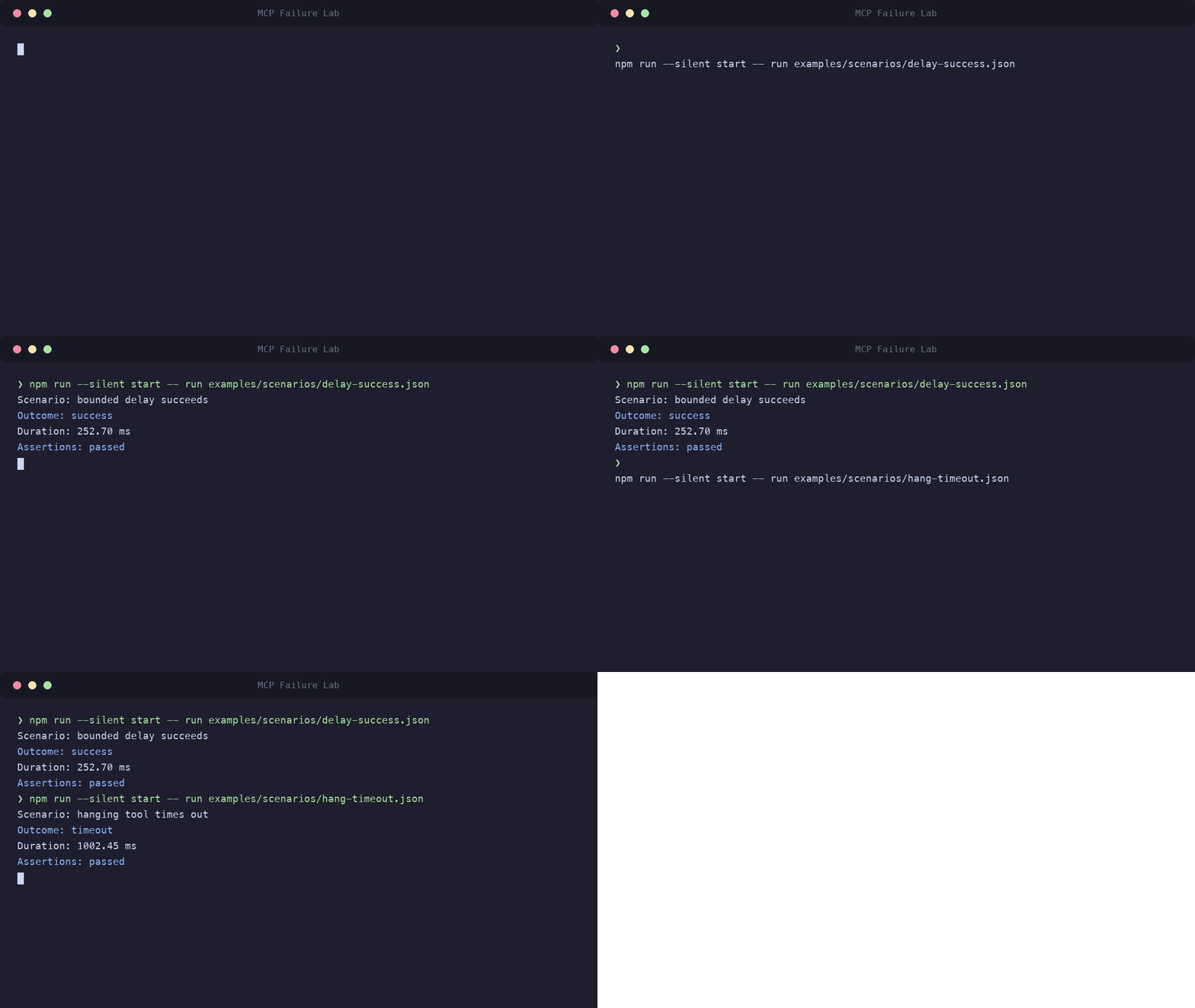
Example output (duration varies):
$ npx mcp-failure-lab demo
MCP Failure Lab — Demo
Running a real 500ms delay scenario...

Scenario: Deterministic delay demo
Outcome: success
Duration: ~500 ms
Assertions: passed
Why this exists
Real MCP clients behave differently when things break. A timeout may leave a connection usable; an interrupted response may close it. A malformed reply may be rejected by one client and accepted by another.
Failure Lab makes those cases repeatable so you can check both the failed call and what happens next.
Real-world findings
- Python SDK #3522: Python
mcp2.2.0 stayed closed after an interrupted HTTP response, rejected the next request, and raised anExceptionGroupduring cleanup. - Rust SDK #1283:
rmcp3.4.0 accepted an invalid response containing bothresultanderrorover stdio and HTTP. - Ruby SDK #589:
mcp1.6.1 accepted responses missingjsonrpcor declaringjsonrpc: "1.0"over stdio and HTTP in all three repeats. The Ruby report records all 60 executions; the results and upstream finding are included in the Observatory export. - Java SDK 2.0.1 accepted
jsonrpc: "1.0"over both transports (#1156). Over stdio, responses missingjsonrpcor containing bothresultanderrorleft the nextpingtiming out (#1157). See the Java report. - Duplicate-response comparison: all five tested SDKs completed the next
ping. TypeScript reported the duplicate through its error callback; the other harnesses surfaced no call-level duplicate error.
The SDK comparisons describe specific tested versions, not every release. See the versioned reports for reproduction steps and limitations.
Quick start
Requires Node.js 22.19.0 or newer and npm.
npx mcp-failure-lab demo
The demo needs no API key, external server, or global installation. To test your own MCP client, connect it to Failure Lab over stdio or local Streamable HTTP:
npx mcp-failure-lab serve
# Or:
npx mcp-failure-lab serve --transport http
The stdio process waits for a client; it is not an interactive terminal command. Configure your
client to launch it, or follow the getting started guide.
Press Ctrl+C to stop a manually started server.
HTTP defaults to http://127.0.0.1:3000/mcp. It provides neither authentication nor TLS;
do not expose it to an untrusted network.
Test your own MCP server
External targets support HTTP and stdio. After the
repository setup,
install the official GitHub MCP server with its executable on PATH and set
GITHUB_PERSONAL_ACCESS_TOKEN in your environment. Then run:
npm run dev -- run examples/scenarios/github-get-me.json \
  --target examples/targets/github-stdio.json
The example calls GitHub's read-only get_me tool. Its target configuration uses envFrom
to pass the token from your environment rather than storing it in JSON.
For your own scenario and
target configuration, use:
npx mcp-failure-lab run scenario.json --target target.json
External runs check tool results, deadlines, and adapter setup and cleanup. They do not inject faults into another server; Failure Lab is not a proxy.
See the external targets guide for prerequisites, credential handling, and configuration.
What Failure Lab can break
The built-in server exposes these tools for testing client behavior:
| Tool | Behavior |
|---|---|
ping | Returns a deterministic health response |
protocol_ping_liveness | Sends a bounded protocol ping during its in-flight call |
delay | Waits for a bounded duration before returning |
hang | Remains pending until the client cancels |
disconnect | Interrupts the active transport while a request is in flight |
malformed_message | Violates one selected JSON-RPC response rule exactly once |
duplicate_response | Sends the same JSON-RPC response twice for one request |
response_after_cancellation | Sends one late response for a cancelled stdio request |
session_loss | Invalidates the caller's legacy HTTP session |
Protocol ping is distinct from the ping tool. Built-in scenarios default to MCP 2026-07-28;
protocol liveness requires scenario protocolVersion: "2025-11-25".
Both public transports accept legacy clients.
See the fault tools reference for timing bounds, activation, cancellation, cleanup, and transport limits.
How recovery testing works
Trigger a fault, record its outcome, then make a second request on the same connection. A detected fault does not prove recovery; the follow-up must succeed too.
Scenario observe calls run after the primary call, including errors and timeouts.
For example, duplicate-response.json
calls duplicate_response, then uses ping to check that the connection remains usable:
# From a repository checkout
npm run dev -- run examples/scenarios/duplicate-response.json
This checks post-fault behavior, not an automatic recovery policy. A stdio disconnect terminates the server process and requires a new process and connection.
See Scenarios for outcome, duration, result, and observer assertions.
SDK / transport evidence
MCP Failure Observatory collects SDK and transport evidence. The repository reports preserve tested versions, methods, and limitations.
Results vary by SDK, version, transport, and protocol. A passing run is evidence for that combination, not a guarantee for every client.
CI usage
Save a scenario file with explicit expectations and timeouts, then produce a JUnit report:
npx mcp-failure-lab run scenario.json --report junit > junit.xml
Pin the Failure Lab package version in CI so upgrades do not change the test environment unexpectedly.
Exit codes: 0 means expectations passed, 1 means the scenario could not be loaded or executed,
and 2 means an assertion failed. An expected timeout can pass; an unexpected success can fail.
See Reporting for JSON, JUnit, and lifecycle diagnostics.
Documentation
Detailed guides live at mcplab.dev: Getting started · CLI · Architecture · Troubleshooting.
Contributing
See CONTRIBUTING.md for setup, tests, and the contribution workflow. Planned work is tracked in GitHub Issues.
If Failure Lab helps you test an MCP integration, consider starring the repository.
License
Reviews
No reviews yet
Be the first to review this server!
More Developer Tools MCP Servers
Fetch
Freeby Modelcontextprotocol · Developer Tools
Web content fetching and conversion for efficient LLM usage
Git
Freeby Modelcontextprotocol · Developer Tools
Read, search, and manipulate Git repositories programmatically
Worldmonitor
Freeby Koala73 · Developer Tools
Live markets, conflicts, country risk, chokepoints, energy, and China decision signals. 93 tools.
Toleno
Freeby Toleno · Developer Tools
Toleno Network MCP Server — Manage your Toleno mining account with Claude AI using natural language.
MCP Marketplace
Freeby mcp-marketplace · Developer Tools
Search and install MCP servers from inside your AI client.
mcp-creator-python
Freeby mcp-marketplace · Developer Tools
Create, build, and publish Python MCP servers to PyPI — conversationally.