
Server data from the Official MCP Registry
Lean Gmail MCP server with auto authentication support
About
Lean Gmail MCP server with auto authentication support
Security Report
This Gmail MCP server demonstrates solid security engineering with proper OAuth2 authentication, careful credential handling, and appropriate permission scoping. However, there are moderate concerns around path traversal vulnerability in attachment downloads, incomplete input validation on search queries, and potential credential exposure through error logging. The codebase shows security awareness (e.g., file permission restrictions, OAuth scope filtering) but needs hardening in a few areas. Supply chain analysis found 6 known vulnerabilities in dependencies (1 critical, 1 high severity). Package verification found 1 issue.
3 files analyzed · 16 issues found
Security scores are indicators to help you make informed decisions, not guarantees. Always review permissions before connecting any MCP server.
Permissions Required
This plugin requests these system permissions. Most are normal for its category.
What You'll Need
Set these up before or after installing:
Environment variable: GMAIL_OAUTH_PATH
Environment variable: GMAIL_CREDENTIALS_PATH
How to Install
Add this to your MCP configuration file:
{
  "mcpServers": {
    "io-github-artymclabin-gmail-mcp-server": {
      "env": {
        "GMAIL_OAUTH_PATH": "your-gmail-oauth-path-here",
        "GMAIL_CREDENTIALS_PATH": "your-gmail-credentials-path-here"
      },
      "args": [
        "-y",
        "@artymclabin/gmail-mcp"
      ],
      "command": "npx"
    }
  }
}Documentation
View on GitHubFrom the project's GitHub README.
Gmail MCP Server (Actively Maintained Fork)
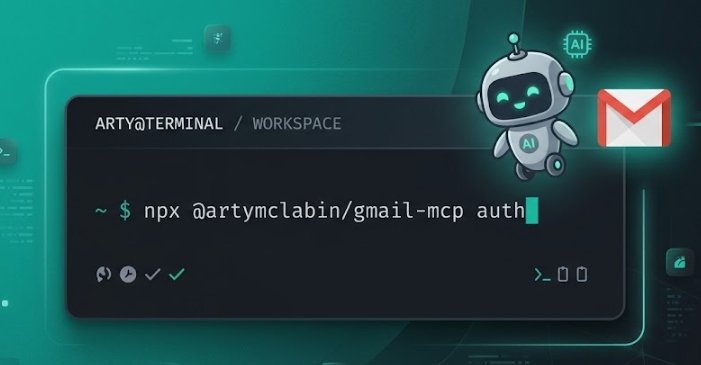
Installation: npx @artymclabin/gmail-mcp auth - or just tell your Claude to install the MCP from this repo (https://github.com/ArtyMcLabin/Gmail-MCP-Server) and let it set up. Prefer manual steps? See Installation & Authentication.


Also on the official MCP Registry (io.github.ArtyMcLabin/Gmail-MCP-Server) and Smithery.
This is an actively maintained fork of GongRzhe/Gmail-MCP-Server.
The original repository has been unmaintained since August 2025 - 7+ months with zero maintainer activity and 72+ unmerged pull requests. I use this MCP server daily as part of my Claude Code workflow and depend on it working correctly, so I picked it up.
Pull requests are welcome. If you've been sitting on fixes or features with nowhere to submit them, this is the place.
Philosophy
This fork is lean and pragmatic. It's a local stdio MCP server - you run it on your own machine, and your LLM client already has shell + filesystem access. So the threat model is "don't leak credentials to third parties, don't break the Gmail surface" - not "defend a hosted multi-tenant service". I keep dependencies minimal. I use this daily in my own Claude Code workflow - if I wouldn't run it or maintain it myself, it doesn't go in.
There's a downstream fork that took this in the maximalist direction. I'm not affiliated with its maintainer and I don't track its security or features - use it at your own risk: klodr/gmail-mcp. If that's the philosophy you want, go check it out. PRs welcome here as always.
What this fork adds
- Fixed reply threading - auto-resolves
In-Reply-ToandReferencesheaders so email replies land in the correct thread instead of creating orphaned messages (upstream PR #91, still pending) - Send-as alias support - optional
fromparameter for multi-identity email management (send from any configured Gmail alias) - Reply-all tool -
reply_allautomatically fetches the original email, builds To/CC recipient lists (excluding yourself), and sets proper threading headers (PR #3 by @MaxGhenis) - Fixed
list_filters- was returning empty array due to wrong response property name (PR #4 by @nicholas-anthony-ai) - Custom OAuth2 scoping -
--scopesflag to request only the permissions you need, with automatic tool filtering (PR #6 by @tansanDOTeth) - CI/CD hardening - fixed shell injection vector in GitHub Actions workflow, added least-privilege permissions scope (PR #9 by @JF10R)
- Security hardening - fixed path traversal in attachment download, restricted OAuth credential file permissions (PR #10 by @JF10R)
- Dependency security - upgraded MCP SDK to v1.27.1 (3 CVE fixes), upgraded nodemailer (DoS + routing fix), moved dev-only packages out of production deps (PR #11 by @JF10R)
- Thread-level tools -
get_thread,list_inbox_threads,get_inbox_with_threads,modify_threadfor efficient thread-based email operations in a single call - CC/BCC visibility -
read_emailnow shows CC and BCC headers when present (PR #21 by @panghy) - Phishing report tools -
report_phishingandbatch_report_phishingfor marking messages as spam via the Gmail API (PR #24 by @ShivamB25) - Draft lifecycle tools -
send_draft,delete_draft,update_draftclose the orphan-draft gap:send_draftatomically sends an existing draft and removes it from Drafts (no ghost copy);update_draftmutates a draft in place preserving its ID (no draft pile-up across iteration loops);delete_draftdiscards an abandoned draft (PR #30 by @thisisambros) - Tool annotations - MCP spec annotations (
readOnlyHint,destructiveHint,idempotentHint) on all tools for safer LLM tool execution (PR #14 by @bryankthompson) - Download email tool -
download_emailsaves emails to disk in json/eml/txt/html formats without consuming LLM context (PR #13 by @icanhasjonas) - Durable OAuth sessions -
refresh_tokenis persisted across restarts, ending the hourly re-auth loop (PR #35 by @BrentBaccala) - Custom OAuth callback port - the auth listener derives port and path from your callback URL instead of hardcoding 3000 (PR #41 by @soapergem)
- Safe permanent-delete gating -
delete_email/batch_delete_emailsrequire the opt-ingmail.fullscope (which also satisfies all other mail scopes), so default auth stays least-privilege (PR #39 by @caioribeiroclw-pixel)
All features are production-tested in daily use.
A Model Context Protocol (MCP) server for Gmail integration in Claude Desktop with auto authentication support. This server enables AI assistants to manage Gmail through natural language interactions.
Features
- Send emails with subject, content, attachments, and recipients
- Full attachment support - send and receive file attachments
- Download email attachments to local filesystem
- Download full emails to files in json/eml/txt/html formats
- Thread-level operations - get full threads, list inbox threads, batch-expand threads
- Support for HTML emails and multipart messages with both HTML and plain text versions
- Full support for international characters in subject lines and email content
- Read email messages by ID with advanced MIME structure handling
- Enhanced attachment display showing filenames, types, sizes, and download IDs
- Search emails with various criteria (subject, sender, date range)
- Comprehensive label management with ability to create, update, delete and list labels
- List all available Gmail labels (system and user-defined)
- List emails in inbox, sent, or custom labels
- Mark emails as read/unread
- Move emails to different labels/folders
- Delete emails
- Batch operations for efficiently processing multiple emails at once
- Full integration with Gmail API
- Simple OAuth2 authentication flow with auto browser launch
- Support for both Desktop and Web application credentials
- Global credential storage for convenience
Installation & Authentication
Installing from npm (recommended)
npx @artymclabin/gmail-mcp auth
Installing from source
git clone https://github.com/ArtyMcLabin/Gmail-MCP-Server.git
cd Gmail-MCP-Server
npm install
npm run build
Note: The
npx @gongrzhe/server-gmail-autoauth-mcpcommands found in older docs reference the unmaintained upstream fork. This fork is published as@artymclabin/gmail-mcp.
Setting up Google Cloud credentials
-
Create a Google Cloud Project and obtain credentials:
a. Create a Google Cloud Project:
- Go to Google Cloud Console
- Create a new project or select an existing one
- Enable the Gmail API for your project
b. Create OAuth 2.0 Credentials:
- Go to "APIs & Services" > "Credentials"
- Click "Create Credentials" > "OAuth client ID"
- Choose either "Desktop app" or "Web application" as application type
- Give it a name and click "Create"
- For Web application, add
http://localhost:3000/oauth2callbackto the authorized redirect URIs - Download the JSON file of your client's OAuth keys
- Rename the key file to
gcp-oauth.keys.json
-
Run Authentication:
You can authenticate in two ways:
a. Global Authentication (Recommended):
# First time: Place gcp-oauth.keys.json in your home directory's .gmail-mcp folder
mkdir -p ~/.gmail-mcp
mv gcp-oauth.keys.json ~/.gmail-mcp/

# Run authentication from anywhere
node dist/index.js auth
b. Local Authentication:
# Place gcp-oauth.keys.json in your current directory
# The file will be automatically copied to global config
node dist/index.js auth
The authentication process will:
- Look for
gcp-oauth.keys.jsonin the current directory or~/.gmail-mcp/ - If found in current directory, copy it to
~/.gmail-mcp/ - Open your default browser for Google authentication
- Save credentials as
~/.gmail-mcp/credentials.json
Note:
- After successful authentication, credentials are stored globally in
~/.gmail-mcp/and can be used from any directory - Both Desktop app and Web application credentials are supported
- For Web application credentials, make sure to add
http://localhost:3000/oauth2callbackto your authorized redirect URIs
Custom callback URL / port: By default the local OAuth server listens on port
3000at/oauth2callback. If port 3000 is unavailable, or you need a different redirect URI, pass a full callback URL as an argument. The listener automatically binds to the port and path from that URL:node dist/index.js auth http://localhost:8080/oauth2callbackThe URL you pass must exactly match one of the authorized redirect URIs registered in the Google Cloud Console.
- Look for
-
Configure in Claude Desktop:
{
  "mcpServers": {
    "gmail": {
      "command": "node",
      "args": [
        "/absolute/path/to/Gmail-MCP-Server/dist/index.js"
      ]
    }
  }
}
Docker Support
If you prefer using Docker:
- Authentication:
docker run -i --rm \
  --mount type=bind,source=/path/to/gcp-oauth.keys.json,target=/gcp-oauth.keys.json \
  -v mcp-gmail:/gmail-server \
  -e GMAIL_OAUTH_PATH=/gcp-oauth.keys.json \
  -e "GMAIL_CREDENTIALS_PATH=/gmail-server/credentials.json" \
  -p 3000:3000 \
  mcp/gmail auth
- Usage:
{
  "mcpServers": {
    "gmail": {
      "command": "docker",
      "args": [
        "run",
        "-i",
        "--rm",
        "-v",
        "mcp-gmail:/gmail-server",
        "-e",
        "GMAIL_CREDENTIALS_PATH=/gmail-server/credentials.json",
        "mcp/gmail"
      ]
    }
  }
}
Cloud Server Authentication
For cloud server environments (like n8n), you can specify a custom callback URL during authentication:
node dist/index.js auth https://gmail.gongrzhe.com/oauth2callback
Setup Instructions for Cloud Environment
-
Configure Reverse Proxy:
- Set up your n8n container to expose a port for authentication
- Configure a reverse proxy to forward traffic from your domain (e.g.,
gmail.gongrzhe.com) to this port
-
DNS Configuration:
- Add an A record in your DNS settings to resolve your domain to your cloud server's IP address
-
Google Cloud Platform Setup:
- In your Google Cloud Console, add your custom domain callback URL (e.g.,
https://gmail.gongrzhe.com/oauth2callback) to the authorized redirect URIs list
- In your Google Cloud Console, add your custom domain callback URL (e.g.,
-
Run Authentication:
node dist/index.js auth https://gmail.gongrzhe.com/oauth2callback -
Configure in your application:
{
  "mcpServers": {
    "gmail": {
      "command": "node",
      "args": [
        "/absolute/path/to/Gmail-MCP-Server/dist/index.js"
      ]
    }
  }
}
This approach allows authentication flows to work properly in environments where localhost isn't accessible, such as containerized applications or cloud servers.
OAuth Scopes
You can limit the server's Gmail access by specifying OAuth scopes during authentication. This controls which tools are available to the LLM, reducing the attack surface for sensitive operations.
Available Scopes
| Scope | Description |
|---|---|
gmail.readonly | Read-only access to emails (search, read, download attachments) |
gmail.modify | Full read/write access to emails (superset of readonly - includes sending, modifying, deleting) |
gmail.compose | Create drafts and send emails only |
gmail.send | Send emails only |
gmail.labels | Manage labels only |
gmail.settings.basic | Manage filters and settings |
Note:
gmail.modifyis a superset that includes all read capabilities. You don't needgmail.readonlyif you havegmail.modify.
Authenticating with Specific Scopes
Use the --scopes flag to request only the permissions you need:
# Read-only access (recommended for safe browsing)
node dist/index.js auth --scopes=gmail.readonly

# Read-only with filter management
node dist/index.js auth --scopes=gmail.readonly,gmail.settings.basic

# Full access (default behavior)
node dist/index.js auth --scopes=gmail.modify,gmail.settings.basic
If no --scopes flag is provided, the server defaults to gmail.modify,gmail.settings.basic for full functionality.
Scope-to-Tool Mapping
The server automatically filters available tools based on your authorized scopes:
| Tools | Required Scope (any) |
|---|---|
read_email, search_emails, download_attachment | gmail.readonly or gmail.modify |
list_email_labels | gmail.readonly, gmail.modify, or gmail.labels |
send_email, draft_email, reply_all, send_draft | gmail.modify, gmail.compose, or gmail.send |
delete_draft, update_draft | gmail.modify or gmail.compose |
modify_email, batch_modify_emails, modify_thread, report_phishing, batch_report_phishing | gmail.modify |
delete_email, batch_delete_emails | gmail.full (https://mail.google.com/) |
create_label, update_label, delete_label, get_or_create_label | gmail.modify or gmail.labels |
list_filters, get_filter, create_filter, delete_filter, create_filter_from_template | gmail.settings.basic |
gmail.full is intentionally separate from the default scopes because it grants permanent-delete capability. Prefer modify_email / batch_modify_emails for archive, mark-read, label, or inbox cleanup flows; re-authenticate with --scopes=gmail.full,gmail.settings.basic only when the assistant should be able to permanently delete mail. gmail.full is a superset of the other mail scopes, so that combination keeps every read/send/modify/label tool available (settings scopes remain separate - Gmail's filter endpoints only accept gmail.settings.*).
Re-authenticating
To change your scopes, simply run the auth command again with different scopes. This will replace your existing credentials.
Claude Code CLI Configuration
To use this MCP server with Claude Code, add it to your MCP settings.
Read-Only Configuration (Recommended for Safe Browsing)
First, authenticate with read-only scope:
node dist/index.js auth --scopes=gmail.readonly
Then add to your Claude Code MCP settings (~/.claude/mcp_settings.json or project-level .mcp.json):
{
  "mcpServers": {
    "gmail": {
      "command": "npx",
      "args": ["/absolute/path/to/Gmail-MCP-Server/dist/index.js"]
    }
  }
}
With read-only scopes, only these 4 tools will be available to Claude:
read_email- Read email contentsearch_emails- Search your inboxlist_email_labels- List available labelsdownload_attachment- Download attachments
Full Access Configuration
For full Gmail management capabilities:
node dist/index.js auth --scopes=gmail.modify,gmail.settings.basic
{
  "mcpServers": {
    "gmail": {
      "command": "npx",
      "args": ["/absolute/path/to/Gmail-MCP-Server/dist/index.js"]
    }
  }
}
This enables all 23 tools including sending emails, managing labels, creating filters, reply-all, thread operations, phishing reports, and batch operations.
Running multiple instances (tool-name prefix)
Some MCP clients dedupe tool entries by their base name across servers, which makes it impossible to run two instances of this server side-by-side (e.g. one for a personal account and one for a shared inbox) - only one instance's tools surface, even though both servers report as connected.
The server accepts an optional --tool-prefix=<value> CLI flag (or GMAIL_MCP_TOOL_PREFIX env var) that is prepended to every tool name at registration. Default is empty (fully backward-compatible).
Example: register two instances with distinct prefixes in Claude Code:
# Personal account
claude mcp add gmail-personal -s user \
  -e GMAIL_CREDENTIALS_PATH=$HOME/.gmail-mcp/credentials-personal.json \
  -- node /absolute/path/to/Gmail-MCP-Server/dist/index.js --tool-prefix=personal_

# Shared inbox
claude mcp add gmail-info -s user \
  -- node /absolute/path/to/Gmail-MCP-Server/dist/index.js --tool-prefix=info_
Tools then surface as mcp__gmail-personal__personal_search_emails, mcp__gmail-info__info_search_emails, etc. - distinct at every layer. The dispatch handler strips the prefix and looks up the resolved name via getToolByName; only strips when the result is a known tool (so a prefix value that overlaps a real tool name cannot cause silent mis-dispatch).
The auth subcommand runs before the server starts and is unaffected - invoke it without --tool-prefix.
Available Tools
The server provides the following tools that can be used through Claude Desktop:
1. Send Email (send_email)
Sends a new email immediately. Supports plain text, HTML, or multipart emails with optional file attachments and inline images.
Basic Email:
{
  "to": ["recipient@example.com"],
  "subject": "Meeting Tomorrow",
  "body": "Hi,\n\nJust a reminder about our meeting tomorrow at 10 AM.\n\nBest regards",
  "cc": ["cc@example.com"],
  "bcc": ["bcc@example.com"],
  "mimeType": "text/plain"
}
Email with Attachments:
{
  "to": ["recipient@example.com"],
  "subject": "Project Files",
  "body": "Hi,\n\nPlease find the project files attached.\n\nBest regards",
  "attachments": [
    "/path/to/document.pdf",
    "/path/to/spreadsheet.xlsx",
    "/path/to/presentation.pptx"
  ]
}
HTML Email Example:
{
  "to": ["recipient@example.com"],
  "subject": "Meeting Tomorrow",
  "mimeType": "text/html",
  "body": "<html><body><h1>Meeting Reminder</h1><p>Just a reminder about our <b>meeting tomorrow</b> at 10 AM.</p><p>Best regards</p></body></html>"
}
Multipart Email Example (HTML + Plain Text):
{
  "to": ["recipient@example.com"],
  "subject": "Meeting Tomorrow",
  "mimeType": "multipart/alternative",
  "body": "Hi,\n\nJust a reminder about our meeting tomorrow at 10 AM.\n\nBest regards",
  "htmlBody": "<html><body><h1>Meeting Reminder</h1><p>Just a reminder about our <b>meeting tomorrow</b> at 10 AM.</p><p>Best regards</p></body></html>"
}
Inline Images (embedded in HTML):
Embed images inside the HTML body so they render in place, instead of arriving as separate attachments. Reference each image from htmlBody by its cid, and supply it as a file path or base64 content. Works the same way on draft_email, update_draft, and reply_all.
{
  "to": ["recipient@example.com"],
  "subject": "Quarterly Report",
  "body": "Revenue is up. See the chart below.",
  "htmlBody": "<p>Revenue is up:</p><img src=\"cid:chart1\">",
  "inlineImages": [
    { "cid": "chart1", "path": "/path/to/chart.png" }
  ]
}
2. Draft Email (draft_email)
Creates a draft email without sending it. Also supports attachments.
{
  "to": ["recipient@example.com"],
  "subject": "Draft Report",
  "body": "Here's the draft report for your review.",
  "cc": ["manager@example.com"],
  "attachments": ["/path/to/draft_report.docx"]
}
3. Read Email (read_email)
Retrieves the content of a specific email by its ID. Now shows enhanced attachment information.
{
  "messageId": "182ab45cd67ef"
}
Enhanced Response includes CC/BCC headers (when present) and attachment details:
Subject: Project Files
From: sender@example.com
To: recipient@example.com
CC: colleague@example.com
Date: Thu, 19 Jun 2025 10:30:00 -0400

Email body content here...

Attachments (2):
- document.pdf (application/pdf, 245 KB, ID: ANGjdJ9fkTs-i3GCQo5o97f_itG...)
- spreadsheet.xlsx (application/vnd.openxmlformats-officedocument.spreadsheetml.sheet, 89 KB, ID: BWHkeL8gkUt-j4HDRp6o98g_juI...)
4. Download Attachment (download_attachment)
NEW: Downloads email attachments to your local filesystem.
{
  "messageId": "182ab45cd67ef",
  "attachmentId": "ANGjdJ9fkTs-i3GCQo5o97f_itG...",
  "savePath": "/path/to/downloads",
  "filename": "downloaded_document.pdf"
}
Parameters:
messageId: The ID of the email containing the attachmentattachmentId: The attachment ID (shown in enhanced email display)savePath: Directory to save the file (optional, defaults to current directory)filename: Custom filename (optional, uses original filename if not provided)
5. Search Emails (search_emails)
Searches for emails using Gmail search syntax.
{
  "query": "from:sender@example.com after:2024/01/01 has:attachment",
  "maxResults": 10
}
6. Modify Email (modify_email)
Adds or removes labels from emails (move to different folders, archive, etc.).
{
  "messageId": "182ab45cd67ef",
  "addLabelIds": ["IMPORTANT"],
  "removeLabelIds": ["INBOX"]
}
7. Delete Email (delete_email)
Permanently deletes an email. This tool requires gmail.full (https://mail.google.com/); the default gmail.modify scope is not enough for Gmail's permanent-delete endpoint.
{
  "messageId": "182ab45cd67ef"
}
8. List Email Labels (list_email_labels)
Retrieves all available Gmail labels.
{}
9. Create Label (create_label)
Creates a new Gmail label.
{
  "name": "Important Projects",
  "messageListVisibility": "show",
  "labelListVisibility": "labelShow"
}
10. Update Label (update_label)
Updates an existing Gmail label.
{
  "id": "Label_1234567890",
  "name": "Urgent Projects",
  "messageListVisibility": "show",
  "labelListVisibility": "labelShow"
}
11. Delete Label (delete_label)
Deletes a Gmail label.
{
  "id": "Label_1234567890"
}
12. Get or Create Label (get_or_create_label)
Gets an existing label by name or creates it if it doesn't exist.
{
  "name": "Project XYZ",
  "messageListVisibility": "show",
  "labelListVisibility": "labelShow"
}
13. Batch Modify Emails (batch_modify_emails)
Modifies labels for multiple emails in efficient batches.
{
  "messageIds": ["182ab45cd67ef", "182ab45cd67eg", "182ab45cd67eh"],
  "addLabelIds": ["IMPORTANT"],
  "removeLabelIds": ["INBOX"],
  "batchSize": 50
}
14. Batch Delete Emails (batch_delete_emails)
Permanently deletes multiple emails in efficient batches. This tool requires gmail.full (https://mail.google.com/); the default gmail.modify scope is not enough for Gmail's permanent-delete endpoint.
{
  "messageIds": ["182ab45cd67ef", "182ab45cd67eg", "182ab45cd67eh"],
  "batchSize": 50
}
15. Create Filter (create_filter)
Creates a new Gmail filter with custom criteria and actions.
{
  "criteria": {
    "from": "newsletter@company.com",
    "hasAttachment": false
  },
  "action": {
    "addLabelIds": ["Label_Newsletter"],
    "removeLabelIds": ["INBOX"]
  }
}
16. List Filters (list_filters)
Retrieves all Gmail filters.
{}
17. Get Filter (get_filter)
Gets details of a specific Gmail filter.
{
  "filterId": "ANe1Bmj1234567890"
}
18. Delete Filter (delete_filter)
Deletes a Gmail filter.
{
  "filterId": "ANe1Bmj1234567890"
}
19. Create Filter from Template (create_filter_from_template)
Creates a filter using pre-defined templates for common scenarios.
{
  "template": "fromSender",
  "parameters": {
    "senderEmail": "notifications@github.com",
    "labelIds": ["Label_GitHub"],
    "archive": true
  }
}
20. Reply All (reply_all)
Replies to all recipients of an email. Automatically fetches the original email to build the recipient list and sets proper threading headers (In-Reply-To, References, threadId).
How it works:
- Fetches the original email by
messageId - Builds To from the original sender (From header)
- Builds CC from original To + CC, excluding your own email
- Sets threading headers so the reply lands in the correct thread
- Sends via the existing
send_emailpipeline (supports attachments, HTML, multipart)
{
  "messageId": "182ab45cd67ef",
  "body": "Thanks for the update, everyone. I'll review and get back to you.",
  "mimeType": "text/plain"
}
With HTML and attachments:
{
  "messageId": "182ab45cd67ef",
  "body": "Plain text fallback",
  "htmlBody": "<p>Thanks for the update. See attached notes.</p>",
  "mimeType": "multipart/alternative",
  "attachments": ["/path/to/notes.pdf"]
}
Parameters:
messageId(required): ID of the email to reply tobody(required): Reply body (plain text, or fallback when using multipart)htmlBody(optional): HTML version of the reply bodymimeType(optional):text/plain(default),text/html, ormultipart/alternativeattachments(optional): Array of file paths to attach
21. Modify Thread (modify_thread)
Atomically modifies labels on an entire thread (all messages at once). Solves the problem where archiving only the latest message leaves older messages in the inbox.
{
  "threadId": "182ab45cd67ef",
  "addLabelIds": ["IMPORTANT"],
  "removeLabelIds": ["INBOX"]
}
22. Report Phishing (report_phishing)
Reports a message as phishing using the closest public Gmail API behavior by applying the SPAM label.
{
  "messageId": "182ab45cd67ef"
}
Note: The Gmail API does not expose the full native "Report phishing" workflow. This tool applies the SPAM label as the closest available approximation.
23. Batch Report Phishing (batch_report_phishing)
Reports multiple messages as phishing in efficient batches.
{
  "messageIds": ["182ab45cd67ef", "182ab45cd67eg", "182ab45cd67eh"],
  "batchSize": 50
}
24. Send Draft (send_draft)
Atomically sends an existing draft via users.drafts.send and removes it from the Drafts folder in the same operation - no orphan/ghost draft left behind. Use after a draft_email (or update_draft) once the content is confirmed.
{
  "draftId": "r-1234567890123456789"
}
25. Update Draft (update_draft)
Replaces a draft's content in place via users.drafts.update, preserving the draft ID. Critical for iteration loops (draft → user requests changes → re-draft) so Drafts doesn't accumulate N copies. Reuses the same MIME builder as draft_email, so attachment and threading semantics match.
{
  "draftId": "r-1234567890123456789",
  "to": ["recipient@example.com"],
  "subject": "Revised Report",
  "body": "Updated draft content.",
  "cc": ["manager@example.com"],
  "attachments": ["/path/to/report.docx"]
}
26. Delete Draft (delete_draft)
Discards an abandoned draft via users.drafts.delete.
{
  "draftId": "r-1234567890123456789"
}
Canonical draft lifecycle
draft_email(...) → draftId
  ↓ (user wants changes)
update_draft(draftId, ...)   // mutate in place, same ID
  ↓ (user confirms)
send_draft(draftId)          // atomic send + draft removal
Or abort: delete_draft(draftId).
Filter Management Features
Filter Criteria
You can create filters based on various criteria:
| Criteria | Example | Description |
|---|---|---|
from | "sender@example.com" | Emails from a specific sender |
to | "recipient@example.com" | Emails sent to a specific recipient |
subject | "Meeting" | Emails with specific text in subject |
query | "has:attachment" | Gmail search query syntax |
negatedQuery | "spam" | Text that must NOT be present |
hasAttachment | true | Emails with attachments |
size | 10485760 | Email size in bytes |
sizeComparison | "larger" | Size comparison (larger, smaller) |
Filter Actions
Filters can perform the following actions:
| Action | Example | Description |
|---|---|---|
addLabelIds | ["IMPORTANT", "Label_Work"] | Add labels to matching emails |
removeLabelIds | ["INBOX", "UNREAD"] | Remove labels from matching emails |
forward | "backup@example.com" | Forward emails to another address |
Filter Templates
The server includes pre-built templates for common filtering scenarios:
1. From Sender Template (fromSender)
Filters emails from a specific sender and optionally archives them.
{
  "template": "fromSender",
  "parameters": {
    "senderEmail": "newsletter@company.com",
    "labelIds": ["Label_Newsletter"],
    "archive": true
  }
}
2. Subject Filter Template (withSubject)
Filters emails with specific subject text and optionally marks as read.
{
  "template": "withSubject",
  "parameters": {
    "subjectText": "[URGENT]",
    "labelIds": ["Label_Urgent"],
    "markAsRead": false
  }
}
3. Attachment Filter Template (withAttachments)
Filters all emails with attachments.
{
  "template": "withAttachments",
  "parameters": {
    "labelIds": ["Label_Attachments"]
  }
}
4. Large Email Template (largeEmails)
Filters emails larger than a specified size.
{
  "template": "largeEmails",
  "parameters": {
    "sizeInBytes": 10485760,
    "labelIds": ["Label_Large"]
  }
}
5. Content Filter Template (containingText)
Filters emails containing specific text and optionally marks as important.
{
  "template": "containingText",
  "parameters": {
    "searchText": "invoice",
    "labelIds": ["Label_Finance"],
    "markImportant": true
  }
}
6. Mailing List Template (mailingList)
Filters mailing list emails and optionally archives them.
{
  "template": "mailingList",
  "parameters": {
    "listIdentifier": "dev-team",
    "labelIds": ["Label_DevTeam"],
    "archive": true
  }
}
Common Filter Examples
Here are some practical filter examples:
Auto-organize newsletters:
{
  "criteria": {
    "from": "newsletter@company.com"
  },
  "action": {
    "addLabelIds": ["Label_Newsletter"],
    "removeLabelIds": ["INBOX"]
  }
}
Handle promotional emails:
{
  "criteria": {
    "query": "unsubscribe OR promotional"
  },
  "action": {
    "addLabelIds": ["Label_Promotions"],
    "removeLabelIds": ["INBOX", "UNREAD"]
  }
}
Priority emails from boss:
{
  "criteria": {
    "from": "boss@company.com"
  },
  "action": {
    "addLabelIds": ["IMPORTANT", "Label_Boss"]
  }
}
Large attachments:
{
  "criteria": {
    "size": 10485760,
    "sizeComparison": "larger",
    "hasAttachment": true
  },
  "action": {
    "addLabelIds": ["Label_LargeFiles"]
  }
}
Advanced Search Syntax
The search_emails tool supports Gmail's powerful search operators:
| Operator | Example | Description |
|---|---|---|
from: | from:john@example.com | Emails from a specific sender |
to: | to:mary@example.com | Emails sent to a specific recipient |
subject: | subject:"meeting notes" | Emails with specific text in the subject |
has:attachment | has:attachment | Emails with attachments |
after: | after:2024/01/01 | Emails received after a date |
before: | before:2024/02/01 | Emails received before a date |
is: | is:unread | Emails with a specific state |
label: | label:work | Emails with a specific label |
You can combine multiple operators: from:john@example.com after:2024/01/01 has:attachment
Advanced Features
Email Attachment Support
The server provides comprehensive attachment functionality:
- Sending Attachments: Include file paths in the
attachmentsarray when sending or drafting emails - Attachment Detection: Automatically detects MIME types and file sizes
- Download Capability: Download any email attachment to your local filesystem
- Enhanced Display: View detailed attachment information including filenames, types, sizes, and download IDs
- Multiple Formats: Support for all common file types (documents, images, archives, etc.)
- RFC822 Compliance: Uses Nodemailer for proper MIME message formatting
Supported File Types: All standard file types including PDF, DOCX, XLSX, PPTX, images (PNG, JPG, GIF), archives (ZIP, RAR), and more.
Email Content Extraction
The server intelligently extracts email content from complex MIME structures:
- Prioritizes plain text content when available
- Falls back to HTML content if plain text is not available
- Handles multi-part MIME messages with nested parts
- Processes attachments information (filename, type, size, download ID)
- Preserves original email headers (From, To, Subject, Date)
International Character Support
The server fully supports non-ASCII characters in email subjects and content, including:
- Turkish, Chinese, Japanese, Korean, and other non-Latin alphabets
- Special characters and symbols
- Proper encoding ensures correct display in email clients
Comprehensive Label Management
The server provides a complete set of tools for managing Gmail labels:
- Create Labels: Create new labels with customizable visibility settings
- Update Labels: Rename labels or change their visibility settings
- Delete Labels: Remove user-created labels (system labels are protected)
- Find or Create: Get a label by name or automatically create it if not found
- List All Labels: View all system and user labels with detailed information
- Label Visibility Options: Control how labels appear in message and label lists
Label visibility settings include:
messageListVisibility: Controls whether the label appears in the message list (showorhide)labelListVisibility: Controls how the label appears in the label list (labelShow,labelShowIfUnread, orlabelHide)
These label management features enable sophisticated organization of emails directly through Claude, without needing to switch to the Gmail interface.
Batch Operations
The server includes efficient batch processing capabilities:
- Process up to 50 emails at once (configurable batch size)
- Automatic chunking of large email sets to avoid API limits
- Detailed success/failure reporting for each operation
- Graceful error handling with individual retries
- Perfect for bulk inbox management and organization tasks
Security Notes
- OAuth credentials are stored securely in your local environment (
~/.gmail-mcp/) - The server uses offline access to maintain persistent authentication
- Never share or commit your credentials to version control
- Regularly review and revoke unused access in your Google Account settings
- Credentials are stored globally but are only accessible by the current user
- Attachment files are processed locally and never stored permanently by the server
Troubleshooting
-
OAuth Keys Not Found
- Make sure
gcp-oauth.keys.jsonis in either your current directory or~/.gmail-mcp/ - Check file permissions
- Make sure
-
Invalid Credentials Format
- Ensure your OAuth keys file contains either
weborinstalledcredentials - For web applications, verify the redirect URI is correctly configured
- Ensure your OAuth keys file contains either
-
Port Already in Use
- By default authentication uses port 3000; either free it up before running authentication, or run on a different port by passing a custom callback URL (e.g.
node dist/index.js auth http://localhost:8080/oauth2callback) - If freeing port 3000, you can find and stop the process using that port
- A custom callback URL must match one of the authorized redirect URIs registered in the Google Cloud Console
- By default authentication uses port 3000; either free it up before running authentication, or run on a different port by passing a custom callback URL (e.g.
-
Batch Operation Failures
- If batch operations fail, they automatically retry individual items
- Check the detailed error messages for specific failures
- Consider reducing the batch size if you encounter rate limiting
-
Attachment Issues
- File Not Found: Ensure attachment file paths are correct and accessible
- Permission Errors: Check that the server has read access to attachment files
- Size Limits: Gmail has a 25MB attachment size limit per email
- Download Failures: Verify you have write permissions to the download directory
Contributing
Contributions are welcome! Please feel free to submit a Pull Request.
Branch workflow
This repo uses a two-branch model:
main- stable. Only receives changes promoted fromexperimentalafter they're confirmed working. PRs are never merged directly intomain.experimental- staging / active development. All PRs are retargeted here and merged intoexperimentalfirst.
Lifecycle of a contribution:
PR opened (any base)
  → retargeted to `experimental`
  → security audit + review + CI
  → merged into `experimental`
  → soak / verify on experimental
  → `experimental` promoted to `main` (maintainer confirms)
Open your PR against experimental when possible. If you target main, a maintainer will retarget it to experimental before merge.
CI requires README updates - every push to main and every PR must include a README.md change (even a version bump or changelog entry). This ensures documentation stays current as the codebase evolves.
To bypass for commits that genuinely don't need a docs update (dependency bumps, CI config changes), include [skip-readme] or [no-readme] in your commit message or PR title.
Running evals
The evals package loads an mcp client that then runs the index.ts file, so there is no need to rebuild between tests. You can load environment variables by prefixing the npx command. Full documentation can be found here.
Documentation truncated — see the full README on GitHub.
Reviews
No reviews yet
Be the first to review this server!
More Developer Tools MCP Servers
Git
Freeby Modelcontextprotocol · Developer Tools
Read, search, and manipulate Git repositories programmatically
Fetch
Freeby Modelcontextprotocol · Developer Tools
Web content fetching and conversion for efficient LLM usage
Worldmonitor
Freeby Koala73 · Developer Tools
Live markets, conflicts, country risk, chokepoints, energy, and China decision signals. 90 tools.
Paperclip
Freeby Paperclipai · Developer Tools
Trending hip-hop artist momentum scores across four cultural dimensions.
Toleno
Freeby Toleno · Developer Tools
Toleno Network MCP Server — Manage your Toleno mining account with Claude AI using natural language.
mcp-creator-python
Freeby mcp-marketplace · Developer Tools
Create, build, and publish Python MCP servers to PyPI — conversationally.