
Server data from the Official MCP Registry
Read-only access to University of Basel ADAM courses through a local Chrome session.
About
Read-only access to University of Basel ADAM courses through a local Chrome session.
Security Report
ADAM MCP is a local stdio MCP server that reads University of Basel ADAM course content through a dedicated Chrome session, with authentication kept in the browser and no writes exposed. The reviewed code shows deliberate fail-closed guards (type checks, confirmation gates for body reads, denied object types, disabled SOAP/HTML providers), and the permissions requested (browser automation, local file/PDF extraction, network to adam.unibas.ch) match its stated purpose. Minor concerns remain around the browser session holder and the unreviewed truncated portion of the code, which warrant a note but do not indicate malicious behavior. Supply chain analysis found 1 known vulnerability in dependencies (0 critical, 1 high severity). Package verification found 1 issue.
14 files analyzed · 5 issues found
Security scores are indicators to help you make informed decisions, not guarantees. Always review permissions before connecting any MCP server.
Permissions Required
This plugin requests these system permissions. Most are normal for its category.
How to Install
Add this to your MCP configuration file:
{
  "mcpServers": {
    "io-github-arudchayan-adam-mcp": {
      "args": [
        "-y",
        "adam-mcp"
      ],
      "command": "npx"
    }
  }
}Documentation
View on GitHubFrom the project's GitHub README.
ADAM MCP

ADAM MCP connects MCP-compatible AI clients to your University of Basel ADAM courses.
It runs on your machine and uses a dedicated Chrome session to access the ADAM courses available to your account. An MCP client can list courses, find materials, read approved text, and surface deadlines. See client compatibility for configuration support and verification status.
This is a community project, not a University of Basel service.
Source now targets 0.3.0 (unreleased). The published installation below remains 0.2.0; candidate download and efficiency features require a source build. See the candidate checklist.
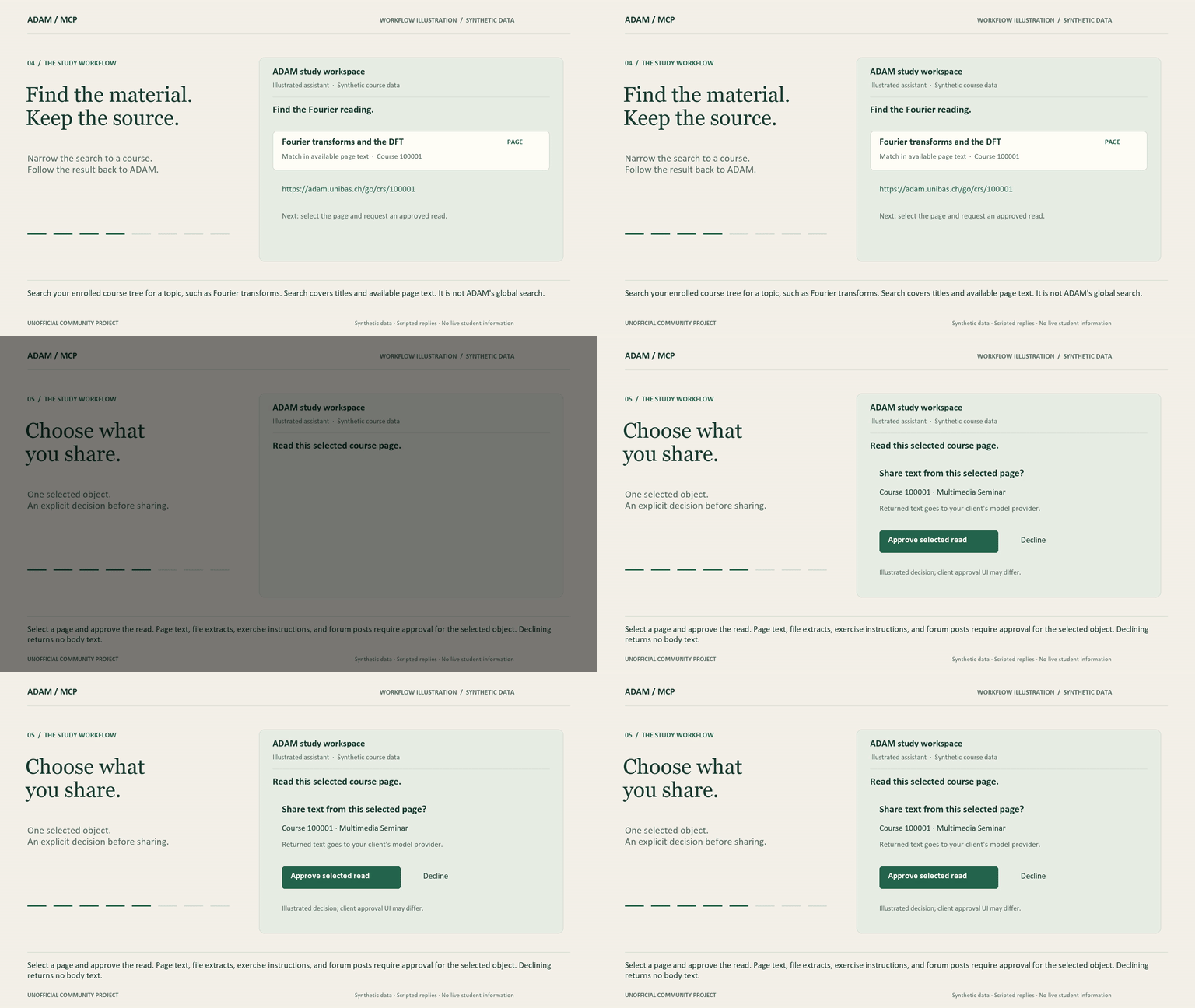
The narrated overview illustrates a study workflow with realistic synthetic course data and scripted responses. It does not record a supported client connected to live ADAM or establish client compatibility.
What you can ask
- Show timestamped course news from this week.
- What deadlines do I have?
- Find the exercise sheet about Fourier transforms.
- Summarize this course page and give me the ADAM link.
- List the material available for this course.
Answers include canonical ADAM URLs (https://adam.unibas.ch/go/...).
Quick start
You need Node.js 22+ and Google Chrome. Use a supported Node.js LTS release.
Install the published package. Guided setup checks your installation, configures one client with a backup, opens Chrome for sign-in, and verifies your course listing.
npm install -g adam-mcp@0.2.0
adam-mcp setup --client codex --write --login
Replace codex with cursor, claude-desktop, windsurf, or vscode. For VS Code, supply --output with the intended workspace's .vscode/mcp.json path. Restart your client, enable adam, then ask: What courses am I in? Include their ADAM links.
Preview without changing settings: adam-mcp setup --client codex. Diagnose a connection: adam-mcp doctor --client codex. Credentials stay in the Chrome sign-in window. Setup never asks for them in the terminal or chat.
See client compatibility for what has been verified and the setup guide for manual configuration, backups, and recovery.
Run without a global install
The published package ships a self-contained CLI:
npx -y adam-mcp@0.2.0
The exact npm version was installed and checked outside the repository. See the publication record for source, integrity, client evidence and limits.
Build from source
git clone https://github.com/Arudchayan/adam-mcp.git
cd adam-mcp
npm ci
npm run setup -- --client codex --write --login
The repository commands below also work from a source checkout. Installed users can use adam-mcp login, adam-mcp status, and adam-mcp logout directly.
Session management
Without a client argument, interactive setup asks which client to use; noninteractive setup prints all supported snippets. Setup previews by default. Add --write to install the selected configuration with a backup, and --login to sign in and verify courses.
- To sign in separately, run
npm run loginand complete ADAM sign-in in Chrome. The window closes after verification; a background Chrome process keeps the session available. After login, checkadam_session_status, then calladam_list_courses.
Restart the client, then ask:
What courses am I in? Include the ADAM URL for each.
Login reuses a valid session without opening Chrome. Close the sign-in window or
press Ctrl+C to cancel; failed attempts close their window. Use
npm run login -- --force for a fresh window, or npm run login -- --timeout-ms 120000 for a
two-minute sign-in wait. npm run logout stops the local session and disables
automatic reconnection until explicit login. npm run logout -- --purge also
removes the dedicated profile; local logout does not sign you out of SWITCH in
other browsers.
Host-specific files (Cursor, Claude Desktop, VS Code, Windsurf, Claude Code, ChatGPT desktop, Codex): docs/setup.md.
Save a selected file locally (0.3.0 source candidate)
Find the file ID using adam_list_files, then run this command from the checkout.
Use an existing directory outside any Git checkout:
npm run build
node packages/mcp/dist/adam-mcp.mjs download 100011 --output-dir "D:/Study/ADAM" --confirm
100011 is an example; replace it with your selected file ID. This explicitly
saves that file to your computer without sharing its bytes with the model.
The CLI returns its path, source URL, size and SHA-256. Duplicate names receive
a suffix; existing files are preserved. Ctrl+C cancels the transfer. Downloads
are limited to 256 MiB and 120 seconds; empty and HTML-shaped responses are refused.
The destination filesystem must support hard links. This adds no MCP download
tool and does not approve text extraction. Details and cleanup.
How it works
The client starts ADAM MCP as a local process and communicates over stdio. ADAM MCP reads through your dedicated Chrome session at https://adam.unibas.ch. Authentication stays in Chrome; no hosted MCP endpoint is provided.
Architecture · What is in scope · Capabilities · Roadmap
Tools
| Tool | Returns |
|---|---|
adam_list_courses | Enrolled courses and ADAM URLs |
adam_get_course / adam_list_children | Course snapshot and folder contents |
adam_read_page | Page text (confirm: true OR elicitation) |
adam_list_files / adam_get_file | File metadata and URLs, not bytes |
adam_extract_file_text | Local PDF/text extract (confirm: true OR elicitation) |
adam_search | Title matches in enrolled objects |
adam_list_calendar / adam_list_news | Dates and news from pages you can see |
adam_get_exercise | Exercise text and deadline (confirm: true OR elicitation); no submit |
adam_get_forum | Forum meta and thread summaries; post bodies need confirm: true OR elicitation; no post/reply |
adam_login / adam_session_status | Chrome session in the live runtime |
Document and thread text requires approval for the selected object. Your connected model receives the returned text. See tool contracts for confirmation, pagination, recovery and completeness rules.
For page, file-text, exercise, and forum-post reads, request the specific object first, then approve the read. Clients with elicitation support can ask for approval interactively; other clients pass confirm: true. Declining or cancelling returns no body text. Forum summaries do not require body-read approval. See tool contracts for the precise contract.
Limitations
- No writes, mail, grades, or exam (
tst) objects. - Search covers titles and available page text in your enrolled course tree. It does not use ADAM’s global search. Dates come from available course content, rather than the ILIAS calendar interface.
- Scanned PDFs are not OCR’d.
- Supported PDFs are parsed page by page, with an 8 MiB transfer cap, 40,000 text characters, and at most 20 pages (default eight). Empty/malformed files fail closed. Formula interpretation and exact visual layout are not guaranteed.
- Course pages and complete cross-course walks refresh after one minute. Restart the MCP server for an immediate refresh. Existing pagination retains its original snapshot for ten minutes; expired cursors require restarting the list.
- Cross-course reads have a two-minute elapsed budget and report partial results when reached. The browser queue admits at most 32 waiting operations and limits waiting to 30 seconds. Cancelling a request releases its work when nobody else needs it; cached reads reuse navigation and parsing.
- Candidate 0.3.0 also shares complete discovery walks within each enrolled course. PDF parsing admits at most eight waiting requests and 32 MiB of waiting input; queued requests expire after 30 seconds. Overload returns a retryable error.
- Search, calendar and news accept an enrolled
courseRefIdto narrow discovery. Userefresh: truewithout a cursor for fresh results.snapshotAtidentifies the listing snapshot; each item's provenance records when it was fetched. Partial results include coverage reasons. - News with a cutoff includes only items with a known timestamp. Undated news remains visible without a cutoff. This does not compare file inventories; no matching news is not proof that nothing changed.
- Deadline clock times without an offset use Europe/Zurich. Ambiguous or invalid dates/times are omitted. Date-only evidence uses UTC midnight as a representation, and does not establish a midnight deadline.
Privacy
Tool results go to the model your client is already using. Course content is copyrighted.
Develop
npm test
npm run typecheck
npm run check  # tests, typecheck, build, built-package verification, dependency audit
npm run release:check  # also verifies a clean tarball installation
npm run benchmark:reads  # synthetic cached-read timing; no live ADAM access
npm run benchmark:discovery  # cold/scoped/large trees and queue pressure; synthetic
CONTRIBUTING.md · Release guide · AGENTS.md
License: GPL-3.0-or-later.
Reviews
No reviews yet
Be the first to review this server!
More Developer Tools MCP Servers
Rea
Freeby Morluto · Developer Tools
Reverse engineer anything from your terminal or agent with one CLI and MCP server.
Paperclip
Freeby Paperclipai · Developer Tools
Trending hip-hop artist momentum scores across four cultural dimensions.
Git
Freeby Modelcontextprotocol · Developer Tools
Read, search, and manipulate Git repositories programmatically
Fetch
Freeby Modelcontextprotocol · Developer Tools
Web content fetching and conversion for efficient LLM usage
Toleno
Freeby Toleno · Developer Tools
Toleno Network MCP Server — Manage your Toleno mining account with Claude AI using natural language.
MCP Marketplace
Freeby mcp-marketplace · Developer Tools
Search and install MCP servers from inside your AI client.