
Server data from the Official MCP Registry
Identity-scoped schema selection for text-to-SQL. Returns only the tables the caller may read.
About
Identity-scoped schema selection for text-to-SQL. Returns only the tables the caller may read.
Security Report
Valid MCP server (1 strong, 0 medium validity signals). No known CVEs in dependencies. Package registry verified. Imported from the Official MCP Registry.
4 files analyzed · 1 issue found
Security scores are indicators to help you make informed decisions, not guarantees. Always review permissions before connecting any MCP server.
What You'll Need
Set these up before or after installing:
Environment variable: SCHEMAGATE_DATABASE_URL
Environment variable: SCHEMAGATE_CATALOG_CONFIG
How to Install
Add this to your MCP configuration file:
{
  "mcpServers": {
    "io-github-ashishsinha1602-schemagate": {
      "env": {
        "SCHEMAGATE_DATABASE_URL": "your-schemagate-database-url-here",
        "SCHEMAGATE_CATALOG_CONFIG": "your-schemagate-catalog-config-here"
      },
      "args": [
        "schemagate"
      ],
      "command": "uvx"
    }
  }
}Documentation
View on GitHubFrom the project's GitHub README.
schemagate — text-to-SQL access control at schema selection







Your text-to-SQL agent picks which tables to show the model before anyone checks what the caller is allowed to read. schemagate does the check first: it filters the schema by the caller's grants, so restricted tables are absent from the prompt rather than ranked low. Works with LangChain, MCP, or any SQL agent, on Postgres, Oracle, MySQL, SQL Server and SQLite.
If it keeps a table out of a prompt it should never have reached, a ⭐ helps other people building SQL agents find it.
With row-level security alone the failure is quiet: the model writes valid SQL against a table the caller cannot read, RLS strips every row, and the user is told "no records found" — indistinguishable from "this data does not exist."
Demo · Install · Benchmarks · Local models · What it costs · Coming from Vanna
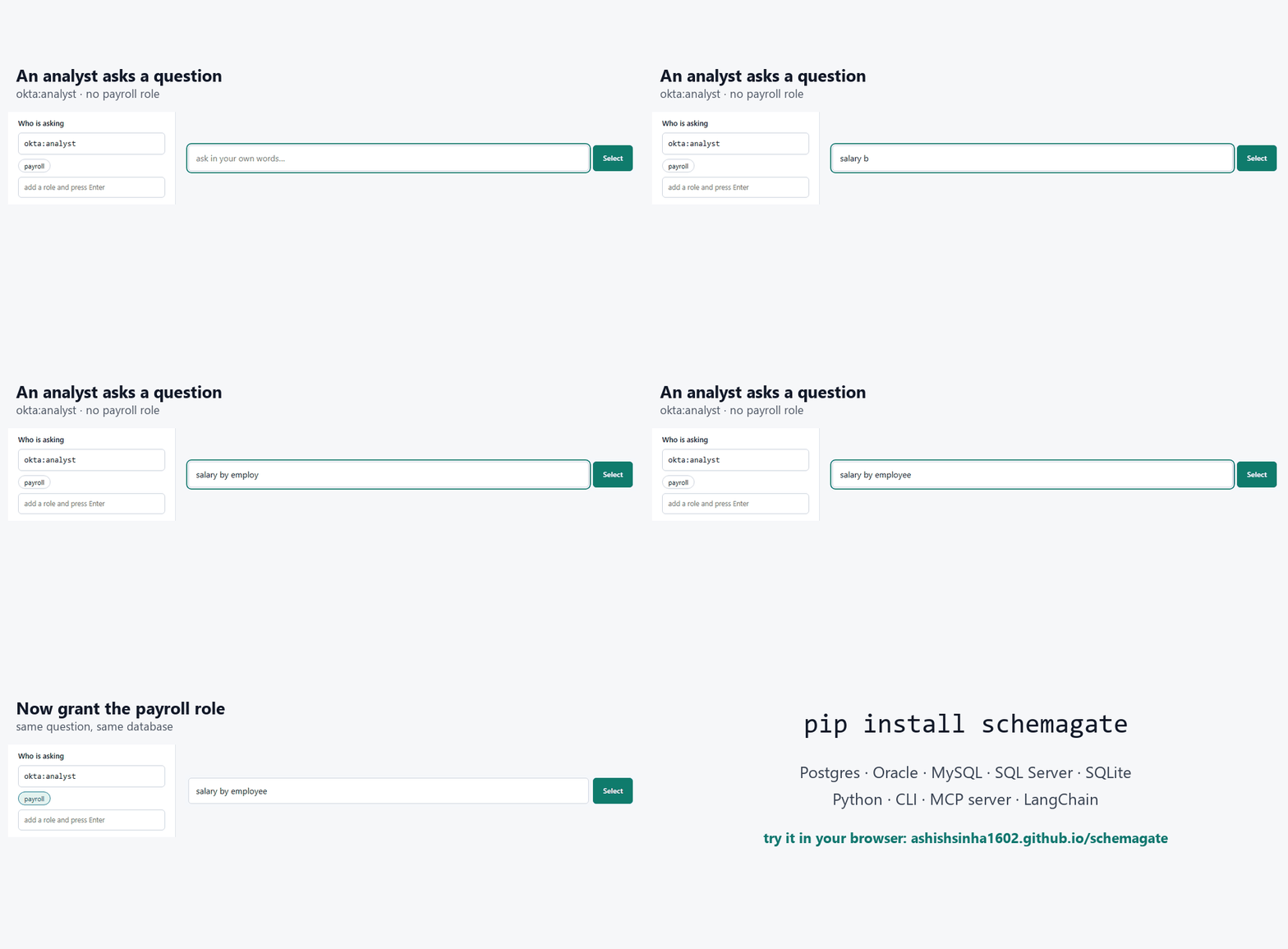
Same question, two callers, no database and no key:
schemagate demo "salary by employee"                                     # hr_compensation absent
schemagate demo "salary by employee" --principal okta:hr --role payroll  # now it is first
Absent, not ranked low. A table the caller may not read never enters the prompt, so no rewording of the question reaches it and there is nothing to filter out of the answer afterwards.
Try it in the browser — no install, no database, no model call.
And it answers
The selection is a prompt, so the rest follows:
pip install schemagate
schemagate demo "which customers owe us money" --answer --provider <provider> --model <model-id>
main.crm_customer   main.crm_contact   main.v_customer_balance   (+5)
8 of 42 objects  ·  ~383 prompt tokens instead of ~2,036

-- SQL written by <provider> / <model-id>, from 8 tables
SELECT c.id, p.display_name, v.account_number, v.invoiced, v.paid,
       (v.invoiced - v.paid) AS balance_due
FROM v_customer_balance v
JOIN crm_customer c ON c.id = v.id_customer
JOIN core_party  p ON p.id = c.id_party
WHERE v.invoiced > v.paid

id  display_name       account_number  invoiced  paid     balance_due
--  -----------------  --------------  --------  -------  -----------
1   Northwind Trading  ACC-1001        33960.0   22080.0  11880.0
2   Kellner GmbH       ACC-1002        8760.0    3000.0   5760.0
Rows, from a question, with no database to set up — that runs against a
bundled 42-object schema. <provider> is the model service you choose:
openai, anthropic, gemini, oci, local (no key at all), or auto
(whichever key is set). Point it at your own database with --url:
schemagate select "which customers owe us money" \
  --url "postgresql+psycopg://user:pw@host/db" --answer --provider <provider> --model <model-id>
No key? Drop --provider and it prints a prompt to paste into any chat, then
run the SQL it gives you back with --sql "SELECT ...".
More of the bundled schema, with the questions people actually type:
schemagate demo "which customers owe us money"
schemagate demo "late shipments by carrier" --prompt   # the DDL the model gets
Against your own database it's the same shape:
schemagate select "revenue by month" --url postgresql://localhost/app --principal okta:jdoe --role finance
schemagate studio --url postgresql://localhost/app        # the same thing, as a page
schemagate studio opens a local page where you type questions, switch the caller's
roles, edit hints, and watch what reaches the prompt and what doesn't. The same
page runs publicly at https://ashishsinha1602.github.io/schemagate/ on the six
bundled schemas, in your browser, with no server behind it. The selector on that page is a JavaScript
port of this library, and a test runs both against 1,789 cases and requires
identical rankings.
If you're coming from Vanna (archived March 2026), docs/migrating-from-vanna.md
is the short version: Vanna applied identity when the SQL ran; schemagate applies
it before the model sees the schema. Your User maps to a Principal in one
line.
What it saves
Every text-to-SQL call pays for the schema in the prompt. Dump the whole thing
and you pay for every table on every question; hand the model six tables and
you pay for six. Measured on the test schemas, average over their golden
questions, same built-in estimator as tests/bench.py:
| schema | objects | full schema, every call | schemagate, average | reduction |
|---|---|---|---|---|
| Commerce | 42 | 2,483 tokens | 604 | 76% |
| Clinical claims | 27 | 1,568 | 543 | 65% |
| Claims warehouse (star) | 51 | 3,312 | 880 | 73% |
| Bank ledger and trading | 39 | 2,255 | 637 | 72% |
| IoT telemetry | 40 | 2,125 | 448 | 79% |
| Hostile (4 schemas, copies of everything) | 260 | 16,095 | 444 | 97% |
The last row is the one that matters: the selection stays around six tables no matter how big the schema is, so the saving grows with the schema. Real databases are the last row, not the first.
Worked example, with a price you should replace with your own: a 260-object schema, 5,000 questions a day, an input price of $3 per million tokens. Full schema: 16,095 × 5,000 × 30 = 2.4 billion tokens a month, about $7,200. With schemagate: 444 × 5,000 × 30 = 67 million, about $200. The browser demo has these two numbers as editable fields under the stats, so you can put in your own volume and price and watch it recompute against whatever question you ask.
Two more things that cost nothing here and money elsewhere: the selector itself never calls a model (BM25 plus a hashed embedder, offline, milliseconds), and the optional descriptions can be written by any chat window you already pay for instead of an API key — see Without an API key.
The problem this solves
Two things go wrong when you point an LLM at a database schema.
The first is cost. Most systems paste the whole schema into the prompt on every question. That's fine for twenty tables and ruinous for two thousand.
The second is worse, and it's the reason I wrote this. Schema selection happens before the query runs, so it happens before row-level security can do anything. If your selection step isn't identity-aware, the model gets handed a table the caller can't read. It writes perfectly good SQL. RLS or VPD filters every row out. The user sees "no records found" and believes it.
That's not an access-denied message. It's a wrong answer with a confident tone, and the user has no way to tell the difference. Filtering the catalog by identity first is the only way I know to avoid it.
from schemagate import Catalog, Principal

cat = Catalog().bootstrap("postgresql://localhost/app")   # or: from schemagate.demo_schema import demo_catalog; cat = demo_catalog()
cat.hint("invoice_draft", "pre-issue drafts only, not real revenue")
cat.restrict("hr_compensation", ["payroll"])

sel = cat.select("revenue by month", top_k=6,
                 principal=Principal("okta:jdoe", roles={"finance"}))

sel.prompt_fragment()   # compact DDL, ready for the system prompt
sel.object_list         # [{'owner': ..., 'name': ...}]
sel.explain()           # why each object was picked
hr_compensation is not in that result and its name does not appear anywhere
in the prompt text.
Install
pip install schemagate
That's the whole thing. One dependency (SQLAlchemy), no API key, no model download. The default embedder is a hashed n-gram vectoriser that runs offline and gives byte-identical results on every machine.
Extras, all optional:
pip install 'schemagate[postgres]'     'schemagate[oracle]'
pip install 'schemagate[mssql]'        'schemagate[mysql]'
pip install 'schemagate[anthropic]'    'schemagate[openai]'      'schemagate[gemini]'
pip install 'schemagate[huggingface]'
huggingface is the no-key, nothing-leaves-the-machine path, and it is the
one extra that is heavy: about 2 GB of wheels plus a 3.1 GB model download the
first time you use it. It is deliberately kept out of schemagate[all].
docs/local-models.md has the whole story — the
downloads, the load you wait through once, what it is good at and where it is worse
than a hosted model.
Every release is signed. The wheels carry PEP 740
attestations — a signature from GitHub naming the workflow, repository and
commit that built that exact file. Nothing is uploaded by hand and there is no
API token to steal. Check one yourself with
gh attestation verify <wheel> --repo ashishsinha1602/schemagate.
Quick start
pip install schemagate            # add an extra for your driver, below
schemagate                        # opens http://127.0.0.1:8770 on the 42-object demo
Every wheel on PyPI carries a signed provenance attestation naming the commit that built it:
gh attestation verify <wheel> --repo ashishsinha1602/schemagate.
Or without installing anything, with every driver already in the image:
docker run -p 8770:8770 -e SCHEMAGATE_DATABASE_URL=postgresql://… ghcr.io/ashishsinha1602/schemagate
Leave the URL off and it opens on a 42-object sample schema with data in it, so there is something to ask questions of before you point it at your own.
Then, in the page:
- Connect. Paste a URL —
postgres://…,postgresql://…,mysql://…,oracle://…and a JDBC string all work, as does the wallet form for an Autonomous Database. Tick Save this connection and give it a name and the next start reconnects on its own. - Catalogue. Settings → Model → pick a provider, paste a key, Save model (it is saved, so a restart does not ask again). Then Catalogue this database in the rail. One sentence per object, cached to disk, so a second run costs nothing.
- Ask. Type a question in your own words. You get the objects that answer it, the DDL a model would receive, the SQL, and the rows.
Drivers come as extras — schemagate[postgres], [oracle], [mysql],
[mssql], or schemagate[all] for the lot:
pip install 'schemagate[postgres]'
When a question picks the wrong table
Two levers, both per database and both applied on every reconnect:
- Hints (rail → Hints): one object, in your words. "MyConvo campaigns: personal-inbox sends from a user's own mailbox."
- Glossary (
POST /api/glossary): one word, everywhere. A term here is fed to the cataloguing prompt, so every description uses your vocabulary, and expanded into questions that mention it.
A hint beats a generated description everywhere, and neither needs re-cataloguing.
Commands
Every subcommand, and what it is for. schemagate <command> --help prints the
same thing.
schemagate demo      [question]          run against the bundled 42-object schema
schemagate select    --url URL [question]  select against your own database
schemagate studio    [--url URL]         the Studio page, served locally
schemagate describe  --url URL           write AI descriptions for your objects
schemagate certify   URL                 end-to-end check on a real engine
demo and select
select is demo pointed at a real database; they take the same flags.
schemagate demo "who reports to whom"
schemagate select --url postgresql+psycopg://user:pw@host/db "unpaid invoices"
schemagate select --schema APP --url "oracle+oracledb://ADMIN:pw@/?dsn=(description=(address=(protocol=tcps)(port=1522)(host=adb.us-phoenix-1.oraclecloud.com))(connect_data=(service_name=abc123_mydb_low.adb.oraclecloud.com)))" "unpaid invoices"   # Autonomous Database
| flag | what it does |
|---|---|
--top-k N | how many objects to select (default 6) |
--principal SOURCE:ID | who is asking, e.g. okta:jdoe, db:APPUSER. Must be namespaced |
--memory PATH|1 | remember question → SQL pairs that ran and use them next time (pins + worked examples). 1 for ~/.schemagate/memory/. Off by default |
--role ROLE | a role the caller holds; repeatable |
--prompt | print the prompt instead of the selection |
--explain | show why each object was picked, and what was withheld |
--answer | write the SQL and run it (needs a provider) |
--provider NAME / --model ID | which model to use |
--limit N | row cap for --answer |
--restrict-from-grants | take visibility from the database's own GRANTs |
--rerank | let the model reorder the shortlist the maths produced (pooled Spider 80.3% -> 96.5%, BIRD 88.6% -> 96.7% of questions with every gold table in the top 5; BENCHMARKS.md) |
--values | sample short, non-personal column values |
--include / --exclude PATTERN | narrow what is reflected (select only) |
--schema NAME, --no-fk, --config JSON, --sql SELECT | select only |
studio
schemagate                              # the demo, or your remembered connection
schemagate studio                       # empty, connect from the page
schemagate studio --demo                # the bundled sample schema
schemagate studio --url postgresql://localhost/app
schemagate studio --remember            # save the connection, reconnect next time
schemagate studio --forget              # delete the saved connection and exit
| flag | what it does |
|---|---|
--url URL | connect at startup instead of from the page |
--host / --port | default 127.0.0.1:8770 |
--no-browser | do not open a browser |
--demo | open on the bundled sample schema |
--remember | save this connection to ~/.schemagate/connection.json (0600) and replay it on the next start. Includes the database and wallet passwords, so it is off unless asked for |
--forget | delete that file and exit |
--allow-connect / --no-connect | whether the page may open a database itself. On by default on loopback, off when bound anywhere else |
--restrict-from-grants | derive visibility from GRANTs at startup |
--values | sample column values while reflecting |
--include / --exclude / --config | as for select |
In the page: Catalogue this database describes what has no description yet, Re-catalogue all rewrites every one, and Resync schema re-reflects the database while keeping the descriptions you already have.
describe
# with a key
schemagate describe --url postgresql://localhost/app --provider anthropic --model claude-sonnet-5

# without one: write the prompt out, paste it into any chat, apply the reply
schemagate describe --url postgresql://localhost/app --out prompt.txt
schemagate describe --url postgresql://localhost/app --apply reply.json
| flag | what it does |
|---|---|
--out FILE | write the prompt instead of calling a model |
--apply REPLY.json | apply a reply produced that way |
--all | re-describe everything, not only what is missing |
--cache FILE | where to keep generated descriptions; re-runs are then free |
--provider / --model | which model to use |
--include / --exclude / --schema / --config | as for select |
certify
schemagate certify "postgresql+psycopg://user:pw@host/db"
Reflects, selects, and reports what a real engine actually did — the check to run before trusting a new database or driver.
Environment
| variable | what it does |
|---|---|
SCHEMAGATE_CONNECT_ARGS | JSON passed to create_engine(connect_args=...), for connections a URL cannot express (an Autonomous Database wallet) |
SCHEMAGATE_REMEMBER=1 | save the connection without passing --remember |
SCHEMAGATE_HOME | where connection.json lives (default ~/.schemagate) |
ANTHROPIC_API_KEY, OPENAI_API_KEY, GEMINI_API_KEY / GOOGLE_API_KEY, OCI_COMPARTMENT_ID | picked up automatically by --provider |
SCHEMAGATE_STUDIO_LOG=1 | log Studio requests |
SCHEMAGATE_VALUES=1 | MCP server: read column values at startup, like --values (SCHEMAGATE_VALUES_BUDGET = seconds, default 30) |
SCHEMAGATE_RESTRICT_FROM_GRANTS=1 | MCP server: take visibility from the database's GRANTs, like --restrict-from-grants (PostgreSQL, MySQL, Oracle) |
SCHEMAGATE_CATALOG_MAX_AGE | MCP server: seconds a catalogue may be used before it is re-read; if the re-read fails, the scoping tools refuse until one succeeds (see below) |
SCHEMAGATE_MCP_RERANK=1 | MCP server: select_schema lets the server's model (SCHEMAGATE_MCP_PROVIDER + SCHEMAGATE_MCP_MODEL) reorder the top 20, like --rerank; one model call per question; set without a model, the server will not start |
How it picks
- Reflect the schema through SQLAlchemy. No vendor SQL anywhere.
- Index names, columns, comments, hints, and view definitions. That last one
matters more than it sounds: a view exposes only its output columns, so
v_stock_shortfalllooks like it's about "shortfall" when the thing you'd search for,reorder_point, is buried in its SELECT. - Retrieve with reciprocal-rank fusion over BM25 and vector similarity.
Neither alone is good enough. Vectors miss exact identifiers; BM25 misses
"owe us money" →
balance. - Walk foreign keys to pull in join tables the question never mentions. In my experience this is the single biggest cause of generated SQL that parses but won't run.
- Apply the caller's identity at every step above.
Numbers
On public benchmarks, so you can check them without trusting me:
BENCHMARKS.md has schemagate on Spider and BIRD, with the
scripts in benchmarks/ and the data downloaded from the
original sources. The headline is the pooled setting — every Spider database
merged into one 876-table catalog, no hint about which one to look in:
| Spider dev, 876 tables pooled | all gold tables present |
|---|---|
| top_k=5 | 71.4% |
| top_k=10 | 82.6% |
| top_k=20 | 92.9% |
BIRD dev, 1,534 questions: 96.5% per-database at top_k=5, 91.1% pooled at top_k=10.
And Spider 2.0-lite, the benchmark built for real warehouses — 162 databases, 8,255 tables, a median of 16 per database and a maximum of 785: 79.8% at top_k=10 over all 247 usable questions, none excluded (84.5% on the 233 whose gold tables resolve), no pooling needed because the databases are already big. An earlier version of this page said 82.9%; that number was measured while Windows had silently made thousands of the schema files unreadable, and a second re-run was owed after the loader was found to be reading the benchmark's per-column descriptions as one table description. Both re-runs are done and BENCHMARKS.md keeps the corrections rather than deleting them.
End to end, on the metric those boards actually score: schemagate plus claude-opus-5 gets 68.0% execution accuracy on BIRD dev (102/150, seeded sample), with 97.3% of questions producing SQL that runs. The published GPT-4 baseline on BIRD dev is around 46%.
None of these is a leaderboard placing — that needs the held-out test set, and nothing here has been submitted.
Everything below is measured on schemas I invented, which is worth less and is why the public numbers come first.
Six test schemas ship with the library. Run python tests/bench.py and you
get all of this printed back. TESTING.md is the full record of what was
tested, what broke, and what was found to be the database rather than schemagate.
Every number below is printed by that run, and the run fails if any of them
stops matching — bench.py reads this table back and compares.
recall@6 here is the share of gold tables retrieved in the top six, micro-averaged over questions. The literal column asks questions that reuse the schema's own vocabulary; the business words column asks for the same things the way a person does, with no vocabulary overlap. Both matter and they disagree, which is the point of showing both.
| schema | objects | recall@6, literal | recall@6, business words |
|---|---|---|---|
| commerce | 42 | 100% | 50.0% |
| clinical claims | 27 | 100% | 46.7% |
| claims warehouse (star) | 51 | 100% | 50.0% |
| bank ledger and trading | 39 | 100% | 64.3% |
| IoT telemetry | 40 | 100% | 60.0% |
| hostile (4 schemas, copies of everything) | 260 | 100% | 85.7% |
| real table beats its backup/staging copy, 19 cases across schemas | 19/19 |
| recall without foreign-key expansion | 93.8% |
| prompt tokens, full schema every call | 2,812 |
| prompt tokens, schemagate average | 764 (−72.8%) |
Measured with the hashed embedder — what pip install schemagate gives
you, no extras. schemagate[huggingface] swaps in sentence-transformers and
the business-word numbers move a long way: on the held-out paraphrase set
tests/run_paraphrase_eval.py reports 58.6% overall hashed and 82.8% with
MiniLM. That harness counts a question as hit if any gold table is
retrieved, which is a looser predicate than this table's, so its figures are
not comparable with these — it prints which embedder it used for the same
reason.
Token counts come from an estimator built into the benchmark so the number is
reproducible with no network and no extra install. pip install tiktoken and
the same script switches to exact cl100k_base counts. The ratio holds either
way.
Six schemas rather than one because a single schema whose questions happen to
share vocabulary with its own table names will flatter any retriever. The
second is a different domain entirely. The third is 260 objects of deliberate
sabotage: an _archive and _stg copy of every table, the same table name in
three schemas, an 8-deep foreign-key chain, a reference cycle, composite keys,
a 320-column table, 100-character identifiers, and names in Spanish and
Japanese. The fourth is a claims warehouse star schema built so that several
tables are plausible for every question and one is right: the same fact at
four grains, a slowly-changing member dimension with a history table, one date
dimension joined five different ways, bridge tables, and fifteen _bkp,
_old, _v2, _tmp and stg_ copies of the important ones. The fifth is a
bank: a ledger at three grains, trades versus positions versus settlements,
FX both as a daily table and an as-of view, lending, and the KYC and AML
tables most callers must never see. The sixth is an IoT fleet: readings at
raw, one-minute and hourly grains, six monthly partition tables, an alarm
lifecycle spread across three tables. All six are invented. No real schema
from anywhere is in this repo.
That 50% row is the honest one. Read it before you adopt this.
The 50% row, and what to do about it
The default embedder matches subwords, not meaning. Ask it for "things we're
running out of" and it will not find v_stock_shortfall, because those two
strings have nothing in common. Ask it about stock_shortfall and it's
excellent.
If your users type identifier-shaped questions, you're done, and you never need an API key. If they type like people, give the catalog descriptions. There are two ways, and neither is required.
With an API key in the environment, you get them without asking. Every path
that answers a question — schemagate select, --answer, the MCP server, the
Studio's connect — describes the catalogue first, caches the result per
connection under ~/.schemagate/descriptions/, and re-describes an object only
when its structure changes. A hint you wrote, or a database comment that says
something, is never overwritten; a comment that only restates the object's
name in the schema's own boilerplate is replaced, because it was diluting
every word it contained. Measured on a 1,200-object schema, that is the
difference between six and eight of eight complex questions producing SQL that
runs. SCHEMAGATE_AUTO_DESCRIBE=0 turns it off; with no key present nothing
is called and nothing changes.
Without an API key
Any chat window you already have — ChatGPT, Gemini, Copilot, a local model — can write the descriptions. schemagate gives you the prompt and takes the reply:
schemagate describe --url postgresql://localhost/app --out prompt.txt
# paste prompt.txt into a chat; save its JSON reply as reply.json
schemagate describe --url postgresql://localhost/app --apply reply.json --config catalog.json
schemagate select   --url postgresql://localhost/app "things we're running out of" --config catalog.json
The prompt is metadata only — names, types, comments, foreign keys, never rows
— and one paste covers every undescribed object. The reply lands in the
describe block of catalog.json, next to your restrict and hint blocks,
and select, studio and the MCP server (SCHEMAGATE_CATALOG_CONFIG) all
read it. From Python it's the same idea: cat.describe_prompt() and
cat.describe({"v_stock_shortfall": "Items below their reorder level."}).
With a local model, and no key at all
pip install 'schemagate[huggingface]'
schemagate describe --url postgresql://localhost/app                     --provider local --model Qwen/Qwen2.5-1.5B-Instruct                     --cache .schemagate-cache.json
or, in the Studio, Settings → Model → Local (transformers). No key field appears, because there is no key.
from schemagate.ai import SchemaDescriber, LocalProvider
cat.describe(SchemaDescriber(LocalProvider(), cache_path=".schemagate-cache.json"))
Writing one sentence per table is a small enough job that a 1.5B model does it acceptably. Writing multi-table SQL is not, and the Studio uses the same provider for both — so if you have a key, catalogue locally but answer with the key. Read docs/local-models.md before you turn it on: it covers the two downloads, the load you wait through once, the ~3 GB of RAM, the caching that makes the second run free, and why a weak model's bad description can no longer bury the object it describes.
With your own key
from schemagate.ai import SchemaDescriber, AnthropicProvider

cat.describe(SchemaDescriber(AnthropicProvider(model="claude-sonnet-4-5"),
                             cache_path=".schemagate-cache.json"))
One sentence per table, written by the model, indexed like any other schema text. On the bundled schema that takes the business-words row from 50% to 100% with no change to the identifier-style questions.
Anthropic, OpenAI and Gemini are supported. Anything else goes through
CallableProvider, which is also your escape hatch when a vendor changes their
SDK and you don't want to wait for a release from me.
from schemagate.ai import (AnthropicProvider, OpenAIProvider, GeminiProvider,
                      CallableProvider, auto_provider, available_providers)

AnthropicProvider(model="claude-sonnet-4-5")                    # ANTHROPIC_API_KEY
OpenAIProvider(model="gpt-4.1-mini")                            # OPENAI_API_KEY
GeminiProvider(model="gemini-2.5-flash")                        # GEMINI_API_KEY
OpenAIProvider(model="…", base_url="http://localhost:11434/v1") # anything local
CallableProvider(lambda system, prompt: my_llm(system, prompt))

available_providers()      # ['AnthropicProvider'] — names, never key values
auto_provider(model="…")   # picks whichever key is set
model is required. I'm not shipping a default model ID, because model IDs
change every few months and a hardcoded one eventually 404s for everybody who
installed the version before the fix.
Three things worth knowing before you turn this on:
What leaves your network. Table names, column names, types, nullability,
existing comments, foreign keys. Not one row of data — ObjectDoc has no field
that could hold one, and there are tests asserting both halves of that. Nothing
is sent unless you call describe().
What it costs. One short call per undescribed object, once. Objects that already have a database comment or a hint are skipped by default. Results cache by content, so re-running is free and only changed tables get re-described. Ask before you pay:
describer.estimate_calls(docs)   # calls describe() would actually bill for
describer.preview(doc)           # the exact text that would be sent
What happens when it fails. The object is skipped, cataloging continues, and
describer.failures lists what was missed. Pass strict=True if you'd rather
it raise. A hint() you wrote by hand always beats a generated description, so
fixing a bad one costs nothing.
The embedder picks itself
pip install schemagate uses the hashed n-gram vectoriser: offline, instant,
byte-identical on every machine. Install schemagate[huggingface] and a
sentence model is used automatically instead -- no flag, no benchmark, no
decision for you. Measured across the six bundled schemas, 98 questions, no
descriptions:
| recall@6 | |
|---|---|
| hashed n-gram (base install) | 90/98 |
all-MiniLM-L6-v2 ([huggingface]) | 93/98 |
The gain is concentrated exactly where the hashed embedder is documented to be weak -- questions phrased the way people speak. On the commerce schema, which carries that set, it goes 15/18 to 18/18.
It is not the base default because that would trade one dependency for torch,
and the guarantee that the same text gives the same vector everywhere.
SCHEMAGATE_AUTO_EMBEDDER=0 keeps the hashed one if you need to reproduce an
older index.
You can swap in a hosted embedder too, though on identifier-heavy schema text the offline ones are often just as good and cost nothing per query.
from schemagate.ai import APIEmbedder, OpenAIProvider

provider = OpenAIProvider(model="gpt-4.1-mini",
                          embed_model="text-embedding-3-small")
cat = Catalog(embedder=APIEmbedder(provider, dim=1536))
Your organisation's words: a glossary
Some questions share nothing with any identifier, and no description or model
reliably bridges them: "money we gave back to shoppers" is billing_credit_note.
State it once, in the same catalog.json as your access rules:
{"terms": {"gave back": "billing_credit_note",
           "revenue": ["billing_invoice", "v_monthly_revenue"]}}
or cat.term("gave back", "billing_credit_note") in Python. A term matches as a
phrase, plurals folded, and only the most specific term counts ("take things
offline" beats "offline"). It is applied when the question is asked, so nothing
is re-indexed, and it never widens access: a term for a table the caller may
not read does nothing for that caller. A term naming an object that does not
exist is an error, not a silent no-op.
What it is for, measured on the 58 business-language questions across the six
bundled schemas (tests/run_terms_repair.py): every question that missed was
fixed by adding one short term taken from it, and no other question broke --
23 of 23 on the base embedder, 11 of 11 with MiniLM. What it is not: a glossary
written in advance, from table names alone, barely moved the held-out questions
(18/26 to 19/26 on the base embedder, 21/26 unchanged with MiniLM;
tests/run_terms_eval.py), because people's words are hard to guess. Add terms
for the questions you see missing.
The full ontology: concepts, rules, a hierarchy
A glossary term is the simplest concept. The full form says what a word means, precisely, so the model writes the right SQL rather than a plausible one:
{"ontology": {"concepts": {
  "revenue":  {"synonyms": ["turnover", "sales"],
               "maps": ["billing_invoice.total_net"],
               "filter": "billing_invoice.status = 'issued'",
               "definition": "Issued invoices only; drafts and void excluded.",
               "broader": ["money in"]},
  "money in": {"maps": ["v_monthly_revenue"]}}}}
A question that uses a concept's name or a synonym brings its objects in, and its meaning is written above the DDL:
-- What the business terms in this question mean:
-- revenue (also: turnover, sales): main.billing_invoice.total_net; only where billing_invoice.status = 'issued'. ...
Concepts one step away (broader, or narrower) add a weaker signal. A meaning
line is left out for any caller who may not see everything it names -- the mapped
table and column, and any table or column its rule or definition mentions -- so a
concept never puts a withheld name back into the prompt.
Where a vocabulary comes from:
schemagate ontology import semantic_manifest.json --from dbt       --url ... --config catalog.json --save
schemagate ontology import model.yaml            --from snowflake --url ... --config catalog.json --save
schemagate ontology import glossary.csv          --from csv       --url ... --config catalog.json --save
schemagate ontology suggest history.jsonl        --url ... --config catalog.json         # review, then --save
schemagate ontology check                        --url ... --config catalog.json
suggest learns concepts from questions people asked and the SQL that answered
them (--memory reads schemagate's own query memory). CSV headers from Collibra
and Microsoft Purview exports work as they are.
What it does to accuracy, measured.
| setting | without | with | |
|---|---|---|---|
Concepts learned from history (benchmarks/learn_concepts.py) | Spider dev, 166 databases pooled (876 tables), learned from half of each database's questions, scored on the other half: all gold tables in the top 5 | 73.3% | 82.8% (+49 / −0, p<0.0001; MiniLM 79.1% → 85.9%) |
A complete glossary (benchmarks/bird_ontology.py, arm D) | BIRD dev, 201 held-out questions asked without their evidence, execution accuracy, Claude Sonnet 5 | 44.8% | 54.7% (+28 / −8, p=0.001) |
Planted definitions (benchmarks/planted_definitions.py) | a seeded SQLite with 8 business terms whose obvious reading is wrong (revenue net of discounts, refunds and internal SKUs; "active" from recent orders, not a stale flag; churn with a 30-day grace), 21 questions with answers computed from the definitions, execution accuracy, Claude Sonnet 5 | 4.8% | 71.4% (+14 / −0, p=0.0001); 100% once a definition brings the terms it cites (21/21, +6 / −0) |
For scale on BIRD: pasting each question's own evidence into it (BIRD's usual setting) scores 61.2%, so the ontology delivers about 60% of that gain with no evidence typed per question; two identical runs without it differ by 18 answers. One result did not hold: concepts built from other questions' evidence gave 46.8% against 44.8% -- inside that noise -- because BIRD's evidence is mostly one-off formulas that rarely recur. An ontology helps with the definitions it actually holds.
The planted-definition test (suggested in review) writes the definitions first
and computes every expected answer from them, so it measures whether the SQL is
right, not whether the tables were. A repeat run without the glossary changed
no answers. The six questions the glossary first missed were one pattern: a
term defined through another ("partner sales is revenue on partner orders")
retrieved itself but not the term it leans on, so the model guessed what
revenue means -- confidently, on four questions it had declined without the
glossary. A matched concept now brings the concepts its definition or filter
cites (Ontology.with_cited, followed three steps, visibility applied to each),
and the same run scores 21/21. Compiling revenue into a view the dependent
terms point at, with the gross columns still queryable, scored 19/21, and
neither of its misses involved revenue: the gap was retrieval, not the model
re-deriving a definition it had been given.
Join-path completion through the schema graph was measured and not built:
on Spider only 2 of 266 misses at top_k=5 are a missing bridge table, because
foreign-key expansion already brings bridges in (benchmarks/join_paths.py).
Connecting to what you actually have
Most people do not have a SQLAlchemy URL. They have a wallet zip, a JDBC
string out of a config file, or a host and a port. schemagate.connect
turns any of those into the two things SQLAlchemy needs:
from sqlalchemy import create_engine
from schemagate import Catalog
from schemagate.connect import resolve

url, connect_args = resolve("jdbc:oracle:thin:@//host:1521/ORCLPDB1")
cat = Catalog().bootstrap(create_engine(url, connect_args=connect_args))
connect_args is not optional. An Autonomous Database has no URL worth the
name — the wallet directory, the wallet password and the TNS alias have
nowhere to live in one — so the URL degenerates to oracle+oracledb://@ and
the connection travels beside it:
url, connect_args = resolve({
    "kind": "wallet",
    "wallet": "~/Downloads/Wallet_mydb.zip",   # the zip as downloaded
    "alias": "mydb_high",
    "user": "ADMIN", "password": "...",
})
The zip is extracted next to itself, because the driver re-reads it on every reconnect — a temporary directory gives you a connection that works once.
Same thing from the Studio, with a dropdown instead of a dict:
pip install "schemagate[all]"          # every driver, the model SDKs, MCP
schemagate
On Oracle Cloud, add the OCI SDK so cataloguing can go through OCI Generative AI with no API key at all:
pip install "schemagate[all,oci]"
It is a separate word because it is a separate size: the OCI SDK is 488 MB and 17,505 modules, against 217 MB for everything else together.
| you have | pick |
|---|---|
postgresql+psycopg://... | SQLAlchemy URL |
jdbc:oracle:thin:@//host:1521/SVC | JDBC URL |
Wallet_mydb.zip + mydb_high | Oracle wallet |
| a host, a port and a database | the engine by name |
Once connected, the Studio shows the command that reproduces it — the
schemagate select ... --url ... line and the Python equivalent, with the
password as $DB_PASSWORD rather than the real one. Try it in the page, then
take the command.
Documentation truncated — see the full README on GitHub.
Reviews
No reviews yet
Be the first to review this server!
More Developer Tools MCP Servers
Fetch
Freeby Modelcontextprotocol · Developer Tools
Web content fetching and conversion for efficient LLM usage
Git
Freeby Modelcontextprotocol · Developer Tools
Read, search, and manipulate Git repositories programmatically
Toleno
Freeby Toleno · Developer Tools
Toleno Network MCP Server — Manage your Toleno mining account with Claude AI using natural language.
MCP Marketplace
Freeby mcp-marketplace · Developer Tools
Search and install MCP servers from inside your AI client.
mcp-creator-python
Freeby mcp-marketplace · Developer Tools
Create, build, and publish Python MCP servers to PyPI — conversationally.
FinAgent
Freeby mcp-marketplace · Finance
Free stock data and market news for any MCP-compatible AI assistant.