
Server data from the Official MCP Registry
Read-only local diagnostics for Rust, Node, Docker, ports, and environment configuration.
About
Read-only local diagnostics for Rust, Node, Docker, ports, and environment configuration.
Security Report
Valid MCP server (2 strong, 5 medium validity signals). No known CVEs in dependencies. Imported from the Official MCP Registry.
8 files analyzed · No issues found
Security scores are indicators to help you make informed decisions, not guarantees. Always review permissions before connecting any MCP server.
Permissions Required
This plugin requests these system permissions. Most are normal for its category.
How to Install
Install command not verified. See the repository for install instructions.
View repositoryDocumentation
View on GitHubFrom the project's GitHub README.
DevDoctor




Local, read-only diagnostics for projects that fail to build, start, or connect.
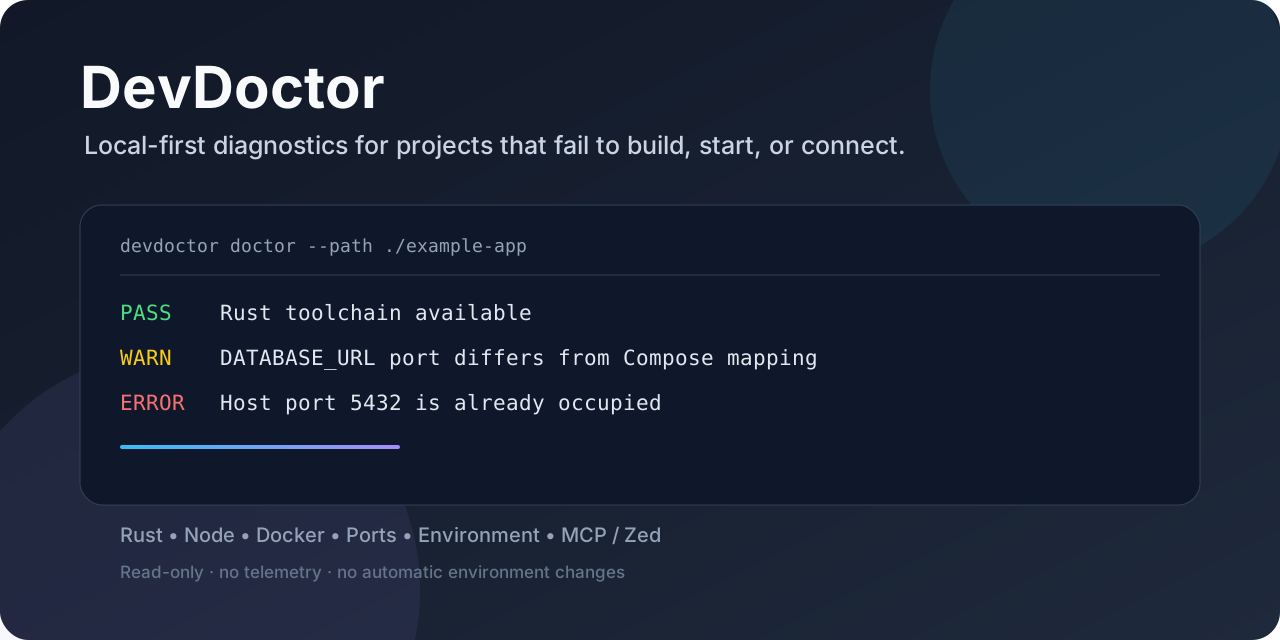
DevDoctor correlates project configuration, toolchains, PATH resolution, Docker, ports, environment variables, and database endpoints into evidence-backed findings. It tells you what was observed, how confident the diagnosis is, and what to check next.
No telemetry. No cloud calls. No automatic installs. No environment changes.
Why DevDoctor?
Most environment checks stop at “is the executable installed?”. DevDoctor looks for conflicts across the whole local project:
- A Windows Rust build can resolve the wrong
link.exebefore the MSVC linker. - A Compose service can publish a host port already occupied by another process.
DATABASE_URLcan point at a port different from the Compose mapping.- A Node project can declare an incompatible engine or conflicting lockfiles.
Findings are deterministic, traceable, and classified as confirmed or suspected.
See the diagnostic flow
flowchart TD
    A[CLI / Zed / MCP] --> B[devdoctor-core]
    B --> C[Project configuration]
    B --> D[Rust and Node toolchains]
    B --> E[PATH and executable resolution]
    B --> F[Docker and Compose]
    B --> G[Ports and process ownership]
    B --> H[Environment and database endpoints]
    C --> I[Findings + evidence + recommendation]
    D --> I
    E --> I
    F --> I
    G --> I
    H --> I
The CLI and MCP server share the same diagnostic engine. MCP is local stdio and read-only; it never executes repository scripts or changes project state.
Quick start
CLI
Run from the repository or build the workspace release binaries:
cargo run -p devdoctor-cli -- doctor --path .
cargo run -p devdoctor-cli -- doctor --json
cargo run -p devdoctor-cli -- check rust
cargo run -p devdoctor-cli -- check docker
cargo run -p devdoctor-cli -- check ports
cargo run -p devdoctor-cli -- check env
cargo run -p devdoctor-cli -- explain RUST-LINKER-001
Exit codes are stable: 0 means healthy, 1 means diagnostic findings were
reported, and 2 means invalid invocation or inspection failure.
MCP and Zed
Install the published local server:
cargo install devdoctor-mcp --version 0.1.2 --locked
In Zed, open Settings > AI > MCP Servers > Add Local Server and use:
{
  "context_servers": {
    "devdoctor": {
      "command": "devdoctor-mcp",
      "args": []
    }
  }
}
If Zed does not inherit Cargo's binary directory, use
%USERPROFILE%/.cargo/bin/devdoctor-mcp.exe. A portable copy of the same
configuration is in docs/zed-mcp.json.
The MCP server exposes exactly five tools:
| Tool | Purpose |
|---|---|
diagnose_project | Run the aggregate project diagnosis |
check_toolchain | Inspect Rust and Node toolchains |
check_environment | Inspect declared environment configuration |
check_ports | Inspect configured local project ports |
explain_finding | Explain a stable diagnostic code |
The official Registry entry is io.github.Bannawat01/devdoctor and currently
publishes devdoctor-mcp 0.1.2 from crates.io.
Example finding
Human-readable output is concise and actionable:
DevDoctor

Project: Example App
Stack: Rust + Docker + PostgreSQL

Rust:
PASS  Cargo available
WARN  Suspicious Windows linker resolution

Ports:
ERROR Host port 5432 is occupied

Environment:
WARN  DATABASE_URL port differs from Compose mapping

Recommended actions:
1. Review the effective linker search order.
2. Resolve the local PostgreSQL port conflict.
3. Align DATABASE_URL with the published host port.
JSON mode preserves the same stable finding codes and redacts values that may contain credentials.
Supported diagnostics
| Area | What DevDoctor checks |
|---|---|
| Project detection | Cargo, Rust toolchains, Node manifests/lockfiles, Compose, env files |
| Rust | Compiler/Cargo availability, targets, MSVC/GNU mismatch, linker evidence |
| Node | Node version, package manager, engines, lockfile consistency, dependencies |
| PATH | Effective search order, executable shadowing, Windows linker conflicts |
| Docker | CLI/engine reachability, Compose services, unhealthy/exited states, mapped ports |
| Ports | Relevant TCP conflicts and process ownership where the OS permits it |
| Environment | Missing variables, placeholders, host/port inconsistencies, redaction |
| PostgreSQL | Read-only endpoint reachability and Compose/DATABASE_URL mismatches |
Platform support and limits
| Platform | Status |
|---|---|
| Windows 10/11 x86_64 | Supported MVP platform |
| Linux x86_64 | Experimental CI coverage |
| macOS | Not implemented as a supported target |
Port ownership is currently IPv4-only: Windows uses GetExtendedTcpTable(AF_INET)
and Linux reads /proc/net/tcp. An occupied IPv6 listener may therefore have no
owner evidence. Full executable paths are never included in CLI or MCP findings;
only executable_path_available is exposed.
The minimal Zed extension wrapper is optional compatibility packaging. The MCP Registry and local stdio server are the primary integration path.
Privacy and safety
- Read-only diagnostics; no process termination or environment mutation.
- No automatic dependency installation or repository script execution.
- No telemetry, hosted database, paid API, or cloud upload.
- Credentials and connection-string passwords are redacted.
- Subprocess calls are bounded and output-size limited.
- Network inspection is limited to project-relevant local endpoints.
Release and contribution links
- MCP Registry metadata and Zed setup
- Windows releases
- Contributing guide
- Security policy
- Issue tracker
DevDoctor is licensed under MIT or Apache-2.0, at your option.
Reviews
No reviews yet
Be the first to review this server!
More Developer Tools MCP Servers
Rea
Freeby Morluto · Developer Tools
Reverse engineer anything from your terminal or agent with one CLI and MCP server.
Paperclip
Freeby Paperclipai · Developer Tools
Trending hip-hop artist momentum scores across four cultural dimensions.
Scrapling
Freeby D4Vinci · Developer Tools
Web scraping with stealth HTTP, real browsers, and Cloudflare bypass. CSS selectors supported.
Git
Freeby Modelcontextprotocol · Developer Tools
Read, search, and manipulate Git repositories programmatically
Toleno
Freeby Toleno · Developer Tools
Toleno Network MCP Server — Manage your Toleno mining account with Claude AI using natural language.
MCP Marketplace
Freeby mcp-marketplace · Developer Tools
Search and install MCP servers from inside your AI client.