
Server data from the Official MCP Registry
Dockerfile and Kubernetes lint for AI agents: Pod Security Standards, A–F grade, a fix per finding.
About
Dockerfile and Kubernetes lint for AI agents: Pod Security Standards, A–F grade, a fix per finding.
Security Report
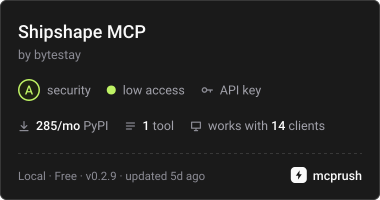
Valid MCP server (1 strong, 2 medium validity signals). No known CVEs in dependencies. Package registry verified. Imported from the Official MCP Registry. Trust signals: trusted author (4/4 approved).
10 files analyzed · 1 issue found
Security scores are indicators to help you make informed decisions, not guarantees. Always review permissions before connecting any MCP server.
Permissions Required
This plugin requests these system permissions. Most are normal for its category.
What You'll Need
Set these up before or after installing:
Environment variable: RAPIDAPI_KEY
Environment variable: API_MARKET_KEY
Environment variable: BYTESTAY_MARKETPLACE
How to Install
Add this to your MCP configuration file:
{
  "mcpServers": {
    "bytestay-shipshape-mcp": {
      "command": "uvx",
      "args": [
        "bytestay-shipshape-mcp==0.2.9"
      ],
      "env": {
        "RAPIDAPI_KEY": "your-rapidapi-key-here",
        "API_MARKET_KEY": "your-api-market-key-here",
        "BYTESTAY_MARKETPLACE": "your-bytestay-marketplace-here"
      }
    }
  }
}
Some servers take additional arguments. See the repository for details.
Documentation
View on GitHubFrom the project's GitHub README.
Shipshape MCP server


Let your coding agent lint a Dockerfile or Kubernetes manifest before handing it over: root in the final stage, unpinned base images, curl | sh, secrets in ENV/ARG, Pod Security Standards, resources and probes.
The server is open source (MIT). It calls the Shipshape API, which is paid, with a free plan.
- You use your own key, from RapidAPI or api.market.
- Every tool call is one request on your plan.
- The free Basic plan has 15 requests a month, with a hard limit, so it never runs up a bill.
1. Get a key
2. Add the server to your MCP client
The server runs locally over stdio with uv. Put your key in its environment.
JSON configuration (Claude Desktop, Cursor, VS Code and most clients):
{
  "mcpServers": {
    "shipshape": {
      "command": "uvx",
      "args": ["--from", "bytestay-shipshape-mcp", "shipshape-mcp"],
      "env": { "RAPIDAPI_KEY": "your-rapidapi-key" }
    }
  }
}
Claude Code:
claude mcp add shipshape --env RAPIDAPI_KEY=your-rapidapi-key -- uvx --from bytestay-shipshape-mcp shipshape-mcp
Environment
| variable | meaning |
|---|---|
RAPIDAPI_KEY | your RapidAPI key |
API_MARKET_KEY | your api.market key, used when RAPIDAPI_KEY is not set |
BYTESTAY_MARKETPLACE | rapidapi or apimarket, when both keys are set |
Up to 0.2.7 the setting was HFL_MARKETPLACE. The old name still works, with a one-line notice on stderr.
Without a key the server still starts. The first tool call then explains where to get one.
Also listed on Glama:
3. Tools
| tool | what it does |
|---|---|
lint(content=… | path=…, type="auto", fail_on="high", ignore=[…]) | lints one file and returns the A–F grade, score, passed and every finding with its line, fix and reference |
- With
path, files named likeDockerfile,*.Dockerfile,Dockerfile.*orContainerfileare linted as Dockerfiles. passedis false when a finding is at or abovefail_on.
Every tool returns the API's JSON response.
- When the marketplace reports it,
quota_remainingis added: the requests left on your plan this month. - Errors are explained in plain words, with what to do next:
- key refused, with the link to subscribe;
- quota reached, with the plans;
- input the API couldn't process, with the API's reason.
Privacy
- Local files are read only when a tool is given their path. They are sent to the API for that one request.
- The API processes inputs in memory and doesn't store them. See the privacy policy.
- Your key is only sent to the marketplace you chose.
Limits
- Files up to 512 KiB.
- Helm templates must be rendered first (
helm template). - NetworkPolicies, PodDisruptionBudgets and RBAC are not checked.
- The server needs Python 3.10+ (uv installs it for you).
Development
uv venv && uv pip install -e ".[dev]"
.venv/bin/pytest            # unit tests, no network; 100% coverage required
.venv/bin/ruff check src tests scripts
scripts/e2e_stdio.py shipshape runs the server over stdio, as a client would, and calls its tools against the real API. It needs RAPIDAPI_KEY or API_MARKET_KEY.
History
Formerly Hybrid Forge Lab. This repository continues hybridforgelab/shipshape-mcp under the ByteStay name since November 2026, so the older commits come from there.
Licence
MIT. Shipshape itself is a paid API with a free plan, run by ByteStay.
Reviews
No reviews yet
Be the first to review this server!
More Developer Tools MCP Servers
Rea
Freeby Morluto · Developer Tools
Reverse engineer anything from your terminal or agent with one CLI and MCP server.
Paperclip
Freeby Paperclipai · Developer Tools
Trending hip-hop artist momentum scores across four cultural dimensions.
Scrapling
Freeby D4Vinci · Developer Tools
Web scraping with stealth HTTP, real browsers, and Cloudflare bypass. CSS selectors supported.
Git
Freeby Modelcontextprotocol · Developer Tools
Read, search, and manipulate Git repositories programmatically
Toleno
Freeby Toleno · Developer Tools
Toleno Network MCP Server — Manage your Toleno mining account with Claude AI using natural language.
MCP Marketplace
Freeby mcp-marketplace · Developer Tools
Search and install MCP servers from inside your AI client.