
Server data from the Official MCP Registry
Plan and run paced startup, SaaS and AI directory launches from your agent, in your own Chrome.
About
Plan and run paced startup, SaaS and AI directory launches from your agent, in your own Chrome.
Remote endpoints: streamable-http: https://{site_host}/mcp
Security Report
Valid MCP server (1 strong, 1 medium validity signals). No known CVEs in dependencies. Imported from the Official MCP Registry. 1 finding(s) downgraded by scanner intelligence.
Endpoint verified · Open access · 1 issue found
Security scores are indicators to help you make informed decisions, not guarantees. Always review permissions before connecting any MCP server.
Permissions Found in Source Code
Found by scanning the linked source code. This listing connects to a hosted endpoint, so none of this runs on your machine: it describes what the server software does where it is hosted.
How to Connect
Remote Plugin
No local installation needed. Your AI client connects to the remote endpoint directly.
Add this to your MCP configuration to connect:
{
  "mcpServers": {
    "io-github-cracked-collective-agentlaunch": {
      "url": "https://{site_host}/mcp"
    }
  }
}Documentation
View on GitHubFrom the project's GitHub README.
AgentLaunch MCP server
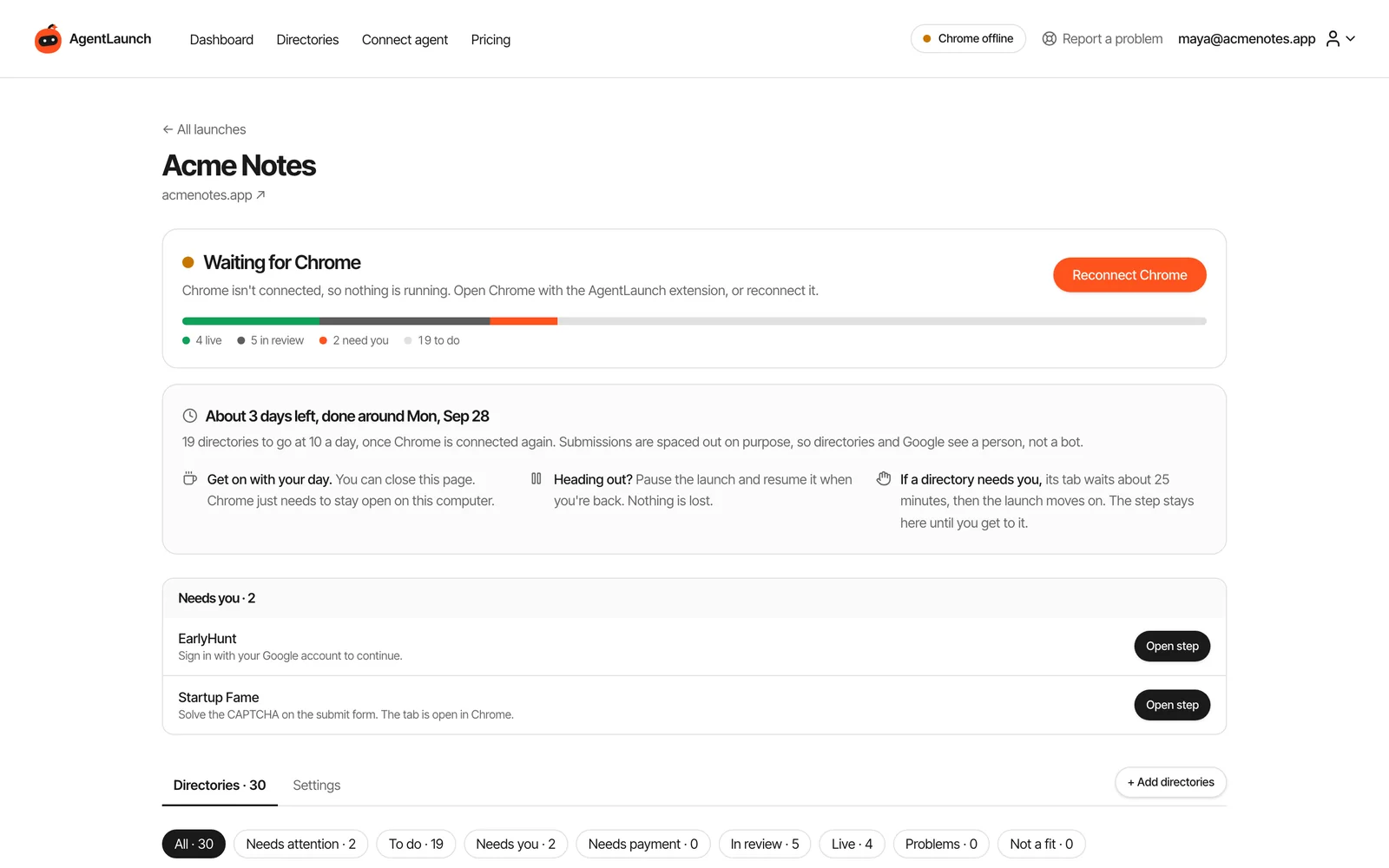
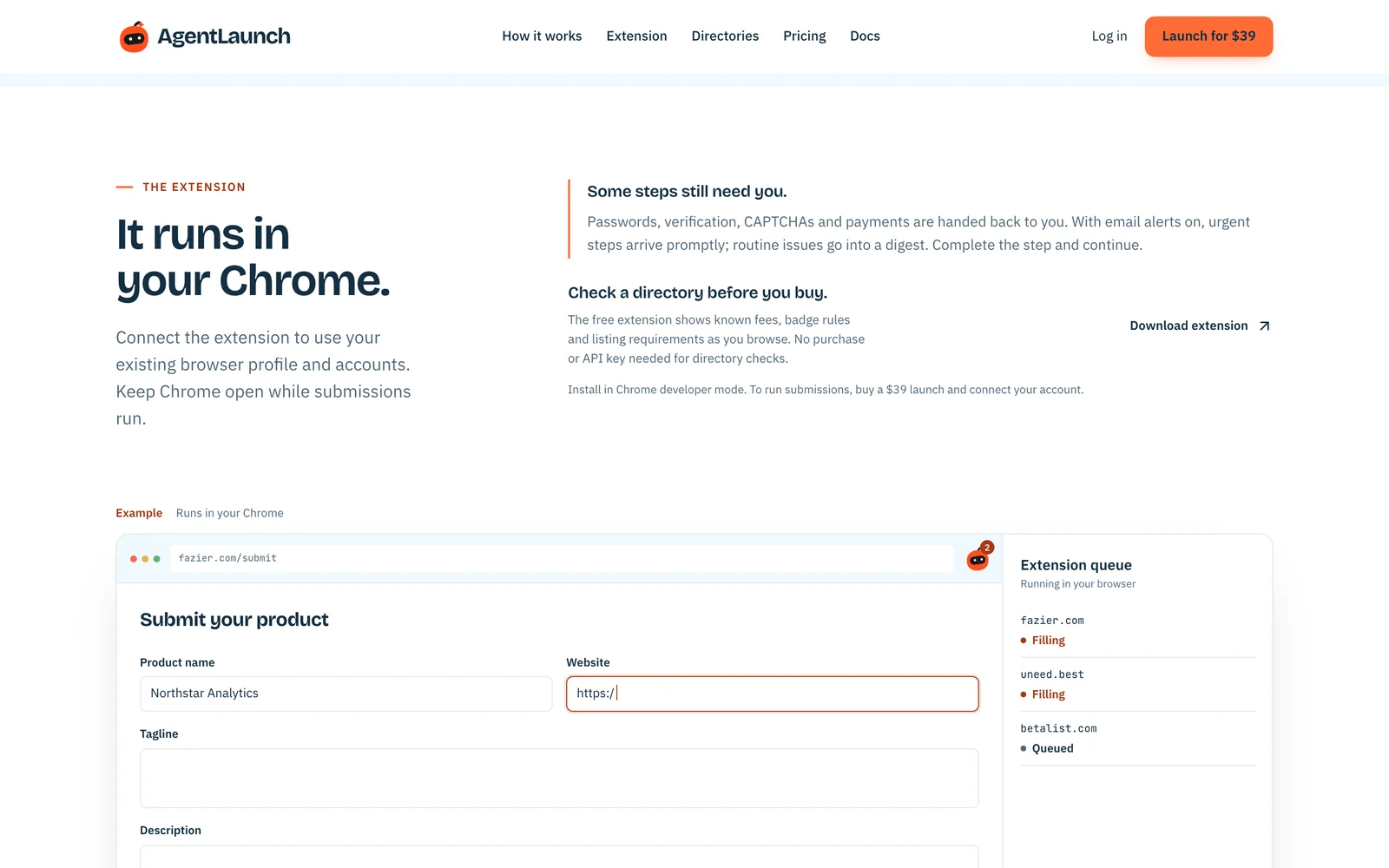
Plan and run a paced directory launch for your startup, SaaS or AI tool from Claude Code, Cursor, Codex or any MCP client. Your agent picks the directories, writes copy for each one and queues the work. The AgentLaunch Chrome extension fills the real submission forms in your own Chrome, a few a day, and hands you anything that needs a person.
- 300+ checked directories (startup, SaaS, AI, launch platforms, review sites, MCP registries), picked from 2,703 we reviewed
- Your browser, your accounts. Forms are filled in your Chrome profile, not on someone else's servers
- Paced on purpose. 10 submissions a day by default, never more than 20 in 24 hours
- You stay in charge. Passwords, CAPTCHAs, email codes, payments and final approval on major platforms always come back to you
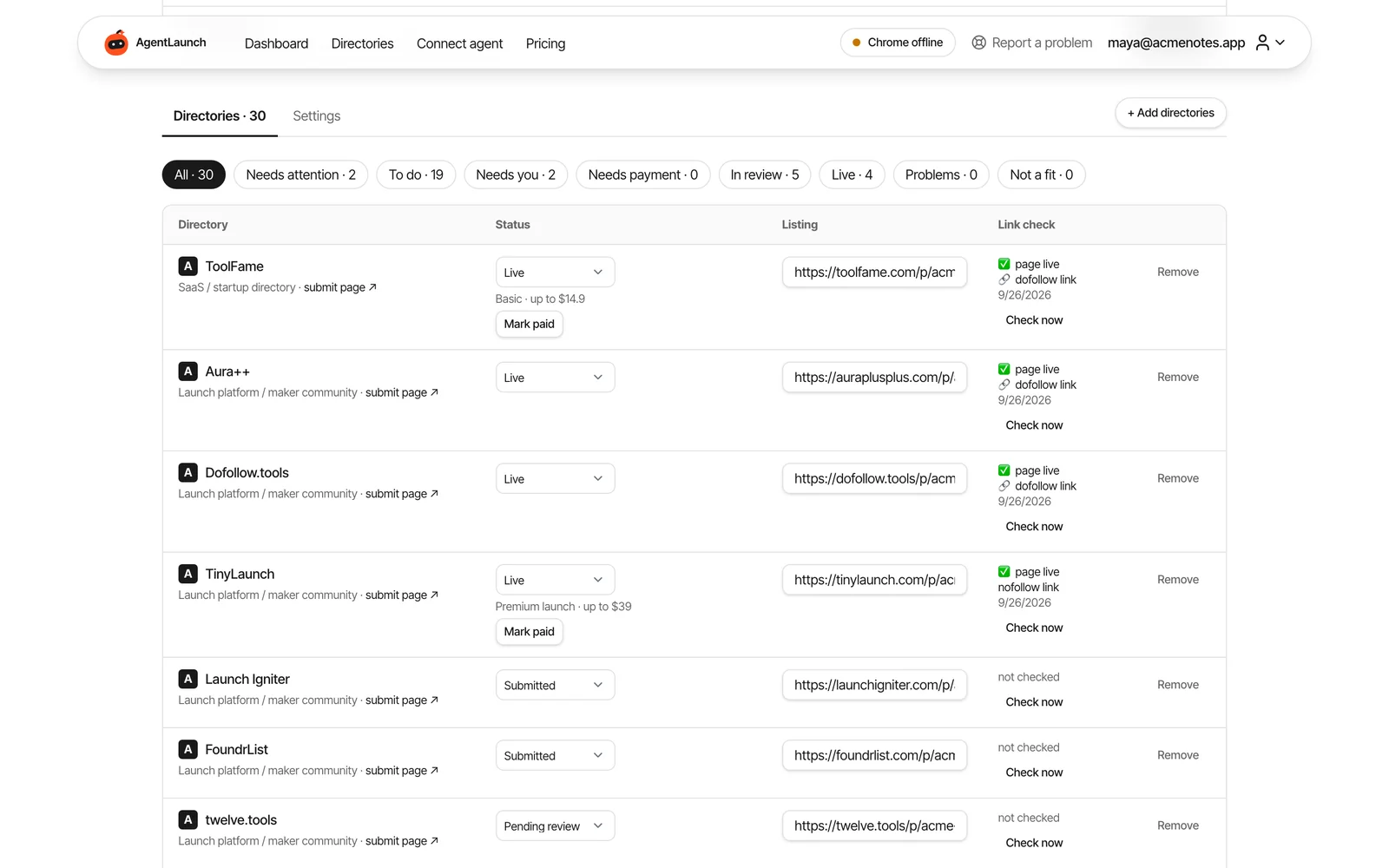
- Proof, not a report. Every directory gets a status, a public listing URL and a dofollow/nofollow link check
New customers run AgentLaunch on their own deployment. The hosted endpoint at
https://www.agentlaun.ch/mcpis a legacy endpoint for one grandfathered customer and is not available for new purchases. This repository holds the MCP server listing, client configuration and agent skill; the source code ships with the Self-Host License.
Pricing
AgentLaunch is a paid product. You need one of these before your agent can add a product:
| Self-Host License | |
|---|---|
| Price | $149 one-time |
| Launches | Unlimited, on your own servers |
| Runs on | Your own Railway account and AI key |
| Includes | Full source: web app, launch agent, MCP server, Chrome extension, launch catalog and catalog updates every 3 months |
Quick start
- Get access. Buy the $149 Self-Host License at agentlaun.ch, then deploy the private source on your own host using the self-hosting guide.
- Install the Chrome extension and create an API key on your deployment's
https://<site>/connectpage. Keys start withrl_and are shown once. Store it in your client's secret settings. - Add your deployment's MCP endpoint (
https://<site>/mcp) to your client (below). - Ask your agent to call
list_projects, then plan the launch with you.
Claude Code
claude mcp add --transport http agentlaunch https://<site>/mcp \
  --header "Authorization: Bearer rl_YOUR_KEY"
Cursor, Windsurf and other MCP clients
{
  "mcpServers": {
    "agentlaunch": {
      "url": "https://<site>/mcp",
      "headers": {
        "Authorization": "Bearer rl_YOUR_KEY"
      }
    }
  }
}
Test the connection
curl -X POST https://<site>/mcp \
  -H 'Authorization: Bearer rl_YOUR_KEY' \
  -H 'Content-Type: application/json' \
  -H 'Accept: application/json, text/event-stream' \
  --data '{"jsonrpc":"2.0","id":1,"method":"tools/list","params":{}}'
Agent skill (optional)
The skill teaches your agent the launch workflow: when to ask you, how to pace, what never to do on your behalf.
mkdir -p ~/.claude/skills/agentlaunch && curl -fsSL https://<site>/skills/agentlaunch/SKILL.md -o ~/.claude/skills/agentlaunch/SKILL.md
What your agent can do
The server exposes 29 tools over Streamable HTTP. The same rules apply as in the web app: the agent can queue work, but it can't skip approvals, pacing, checkpoints or payments.
| Area | Tools |
|---|---|
| Projects | list_projects, get_project, start_launch, create_project, update_project_brief, update_product_profile, get_project_assets |
| Planning and budget | add_recommended_directories, set_launch_budget, plan_launch, approve_launch_plan, get_budget_status, record_payment |
| Copy and field notes | get_next_batch, set_directory_copy, get_field_notes, report_observation |
| Running the launch | queue_launch, update_launch_schedule, update_launch_permissions, submit_via_extension, get_extension_task, prepare_logins |
| Results | record_submission, check_listing, get_needs_you |
| Email verification | list_launch_inboxes, set_launch_inbox |
| SEO data | record_domain_rank (a reading your agent fetched with its own SEO tool) |
A typical session:
list_projects→start_launchfor a product URL. The agent explains that this uses a launch credit and waits for your yes.update_project_briefwith taglines, descriptions and pricing, which you check.set_launch_budget→plan_launch: free routes first, then paid listings ranked by value per dollar.approve_launch_planonly after you approve the exact list and total.queue_launch: the server releases the approved daily pace to your Chrome.get_needs_youwhenever you check in, andcheck_listingto verify live listings and their links.
Self-host it for your clients
The $149 Self-Host License gives you the full AgentLaunch source code in a private GitHub repository: the web app, launch agent, this MCP server, the Chrome extension and the directory catalog, with catalog updates every 3 months. Run it on your own Railway account with your own AI key, and every account on your copy gets unlimited launches. New customers connect their MCP client to their own deployment at https://<site>/mcp.
It's built for developers and agencies who launch products repeatedly or run launches for clients. Read the self-hosting guide to deploy it.
Security
- Keys start with
rl_, are shown once and can be revoked on the Connect page. - Requests without a valid key get
401 Missing or invalid API key. - The agent never sees your passwords, email codes or card details. Those steps happen in your browser.
- Gmail access for verification emails is optional and read-only.
Links
- Docs: agentlaun.ch/docs
- Directory catalog: agentlaun.ch/directories
- Support: support@agentlaun.ch
- Built by @pruthveeee
Reviews
No reviews yet
Be the first to review this server!
More Developer Tools MCP Servers
Git
Freeby Modelcontextprotocol · Developer Tools
Read, search, and manipulate Git repositories programmatically
Fetch
Freeby Modelcontextprotocol · Developer Tools
Web content fetching and conversion for efficient LLM usage
Worldmonitor
Freeby Koala73 · Developer Tools
Live markets, conflicts, country risk, chokepoints, energy, and China decision signals. 86 tools.
Paperclip
Freeby Paperclipai · Developer Tools
Trending hip-hop artist momentum scores across four cultural dimensions.
Toleno
Freeby Toleno · Developer Tools
Toleno Network MCP Server — Manage your Toleno mining account with Claude AI using natural language.
mcp-creator-python
Freeby mcp-marketplace · Developer Tools
Create, build, and publish Python MCP servers to PyPI — conversationally.