
Server data from the Official MCP Registry
Read-only Yandex Metrika MCP. Query visits, sources, geo, devices and more in plain language.
About
Read-only Yandex Metrika MCP. Query visits, sources, geo, devices and more in plain language.
Remote endpoints: streamable-http: https://mcp.getaiaiai.ru/yandex-metrika
Security Report
This is a well-designed read-only MCP server for Yandex Metrika with proper authentication, clear scope limitations, and clean code structure. The server correctly uses environment variable-based token injection, implements proper error handling, and maintains appropriate API access patterns. Minor observations around input validation and error messaging do not significantly detract from the solid security posture. Supply chain analysis found 3 known vulnerabilities in dependencies (1 critical, 1 high severity).
7 files analyzed · 6 issues found
Security scores are indicators to help you make informed decisions, not guarantees. Always review permissions before connecting any MCP server.
Permissions Required
This plugin requests these system permissions. Most are normal for its category.
What You'll Need
Set these up before or after installing:
How to Install & Connect
Available as Local & Remote
This plugin can run on your machine or connect to a hosted endpoint. during install.
Documentation
View on GitHubFrom the project's GitHub README.
yandex-metrika-mcp



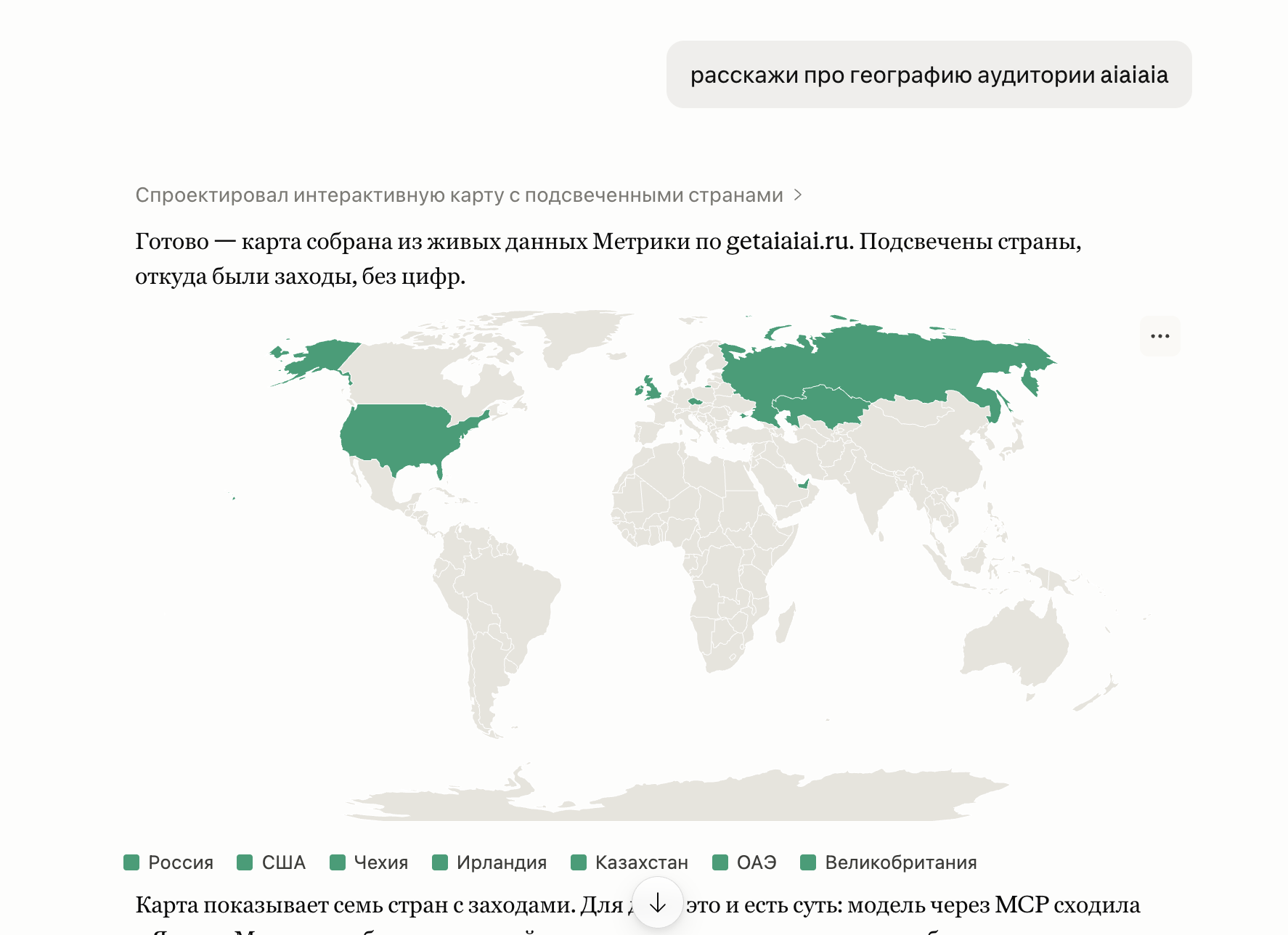
Query Yandex Metrika analytics in plain language, right inside Claude. "How many visits this week?", "Top traffic sources for June", "Mobile share today?" — the assistant queries Metrika and answers directly. No dashboards, no SQL, no API keys to manage.
Open-source by aiaiai — we build what we teach.
Задавай вопросы по Яндекс.Метрике обычным языком прямо в Claude. «Сколько визитов за неделю?», «топ источников за июнь», «доля мобильных?» — ассистент сам сходит в Метрику и ответит. Без дашбордов.
Works with
Claude.ai · Claude Code · Claude Desktop · Cursor · any MCP-compatible client
Connect in one minute (hosted)
No installation needed — connect to the hosted service.
Claude.ai (Settings → Connectors → Add):
https://mcp.getaiaiai.ru/yandex-metrika
Click Connect → sign in with Yandex → allow access.
Claude Code CLI:
claude mcp add --transport http yandex-metrika https://mcp.getaiaiai.ru/yandex-metrika/
claude mcp login yandex-metrika
A browser window opens → sign in with Yandex → done. On headless/SSH: add --no-browser to mcp login and paste the redirect URL when prompted.
Claude Desktop / Cursor — add to mcpServers:
{
  "mcpServers": {
    "yandex-metrika": {
      "type": "http",
      "url": "https://mcp.getaiaiai.ru/yandex-metrika/"
    }
  }
}
No app registration, no tokens to manage. Read-only — the service never writes to your Metrika account.
Claude.ai (Настройки → Коннекторы → Добавить):
https://mcp.getaiaiai.ru/yandex-metrika
Нажмите Подключить → войдите через Яндекс → разрешите доступ.
Claude Code CLI:
claude mcp add --transport http yandex-metrika https://mcp.getaiaiai.ru/yandex-metrika/
claude mcp login yandex-metrika
Откроется браузер → войти через Яндекс → готово.
Tools
| Tool | Description |
|---|---|
list_counters | List all Yandex Metrika counters available to the token (id, name, site) |
query | Run a Reporting API query — visits, users, pageviews, bounce rate, traffic sources, devices, geography, UTMs, and more |
query parameters
| Parameter | Default | Description |
|---|---|---|
counter_id | required | Counter ID from list_counters |
metrics | required | Comma-separated metrics, e.g. ym:s:visits,ym:s:users |
dimensions | — | Group-by fields: ym:s:date, ym:s:lastTrafficSource, ym:s:deviceCategory, … |
date1 / date2 | 7daysAgo / today | Date range: YYYY-MM-DD or relative (today, yesterday, NdaysAgo) |
filters | — | Filter expression, e.g. ym:s:deviceCategory=='mobile' |
sort | — | Sort field; prefix - for descending, e.g. -ym:s:visits |
limit | 100 | Max rows returned |
Common metrics: ym:s:visits, ym:s:users, ym:s:pageviews, ym:s:bounceRate, ym:s:avgVisitDurationSeconds, ym:s:newUsers
Common dimensions: ym:s:date, ym:s:lastTrafficSource, ym:s:startURL, ym:s:deviceCategory, ym:s:regionCountry, ym:s:lastsourceUTMSource
Self-host with your own token
Requires Python 3.10+ and uv.
git clone https://github.com/expremiental/yandex-metrika-mcp.git
cd yandex-metrika-mcp
uv sync
Get a token. Go to oauth.yandex.ru, create an app (platform: "Web services"), enable Yandex Metrika → Read statistics (metrika:read), then get an OAuth token:
export YANDEX_METRIKA_TOKEN="<your-token>"
Connect (Claude Desktop / Cursor — add to mcpServers):
{
  "mcpServers": {
    "yandex-metrika": {
      "command": "uv",
      "args": ["run", "yandex-metrika-mcp"],
      "env": { "YANDEX_METRIKA_TOKEN": "<your-token>" }
    }
  }
}
Run over HTTP:
MCP_TRANSPORT=http PORT=8000 uv run yandex-metrika-mcp
# endpoint: http://localhost:8000/mcp
Embed in your own backend. The engine accepts an injectable async token resolver — wrap it with your own auth:
from yandex_metrika_mcp import build_server

async def my_token_resolver() -> str:
    return "<metrika:read token>"

build_server(token_resolver=my_token_resolver).run(transport="stdio")
Public API: build_server, YandexMetrikaClient, TokenResolver, env_token_resolver, main.
License
Reviews
No reviews yet
Be the first to review this server!
More Developer Tools MCP Servers
Git
Freeby Modelcontextprotocol · Developer Tools
Read, search, and manipulate Git repositories programmatically
Fetch
Freeby Modelcontextprotocol · Developer Tools
Web content fetching and conversion for efficient LLM usage
Paperclip
Freeby Paperclipai · Developer Tools
Trending hip-hop artist momentum scores across four cultural dimensions.
Toleno
Freeby Toleno · Developer Tools
Toleno Network MCP Server — Manage your Toleno mining account with Claude AI using natural language.
mcp-creator-python
Freeby mcp-marketplace · Developer Tools
Create, build, and publish Python MCP servers to PyPI — conversationally.
MCP Marketplace
Freeby mcp-marketplace · Developer Tools
Search and install MCP servers from inside your AI client.