
Server data from the Official MCP Registry
Control Firefox browsers (Floorp, LibreWolf, Zen, Firefox) from any MCP client.
About
Control Firefox browsers (Floorp, LibreWolf, Zen, Firefox) from any MCP client.
Security Report
gecko-mcp is a well-architected MCP server with strong security controls and transparent threat modeling. The codebase demonstrates careful consideration of privilege boundaries, with OS-level capabilities locked by default and comprehensive input validation. Security documentation is excellent, and the design philosophy prioritizes least privilege. Minor code quality observations do not materially impact security. Supply chain analysis found 2 known vulnerabilities in dependencies (0 critical, 2 high severity). Package verification found 1 issue.
3 files analyzed · 6 issues found
Security scores are indicators to help you make informed decisions, not guarantees. Always review permissions before connecting any MCP server.
Permissions Required
This plugin requests these system permissions. Most are normal for its category.
How to Install
Add this to your MCP configuration file:
{
  "mcpServers": {
    "io-github-frumane-gecko-mcp": {
      "args": [
        "-y",
        "gecko-mcp"
      ],
      "command": "npx"
    }
  }
}Documentation
View on GitHubFrom the project's GitHub README.
gecko-mcp


An MCP (Model Context Protocol) server that lets AI assistants — Claude Code, Claude Desktop, Cursor, and any MCP client — read pages, take screenshots and manage tabs in Floorp and other Firefox-based browsers (LibreWolf, Waterfox, Zen, Mullvad, Firefox…), using your real, logged-in session.
Think "Claude in Chrome", but for the whole Firefox/Gecko family.
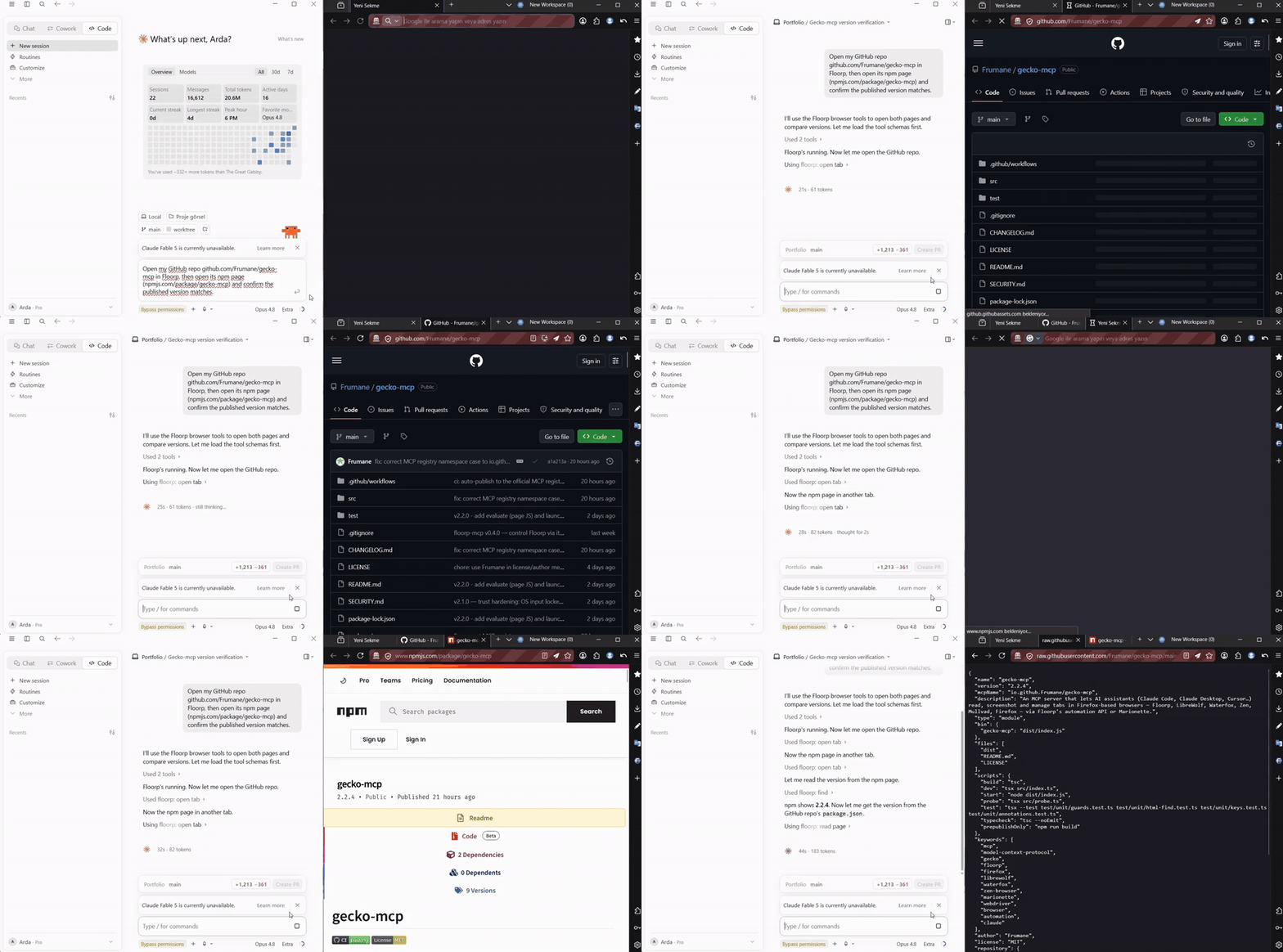
Get started in ~30 seconds:
npx gecko-mcp setup
Registers gecko-mcp with Claude Code, Claude Desktop, Cursor, VS Code (Copilot), Windsurf, Zed, Codex and more — per-project or global. See Setup for manual config and Requirements for the one-time browser step.
Cautious about installing this? Good — you should be. It's small (2 deps, all in
src/), the OS keyboard/mouse is locked by default (browser-only until you opt in), releases ship with npm provenance (verifiable against this source), and the full threat model is in SECURITY.md. Read it before you runnpx gecko-mcp.
How it works
gecko-mcp talks to the browser through one of two backends, picked automatically:
- Floorp ships a built-in automation HTTP API. Set
floorp.mcp.enabled = trueinabout:configand gecko-mcp uses the fasthttp://127.0.0.1:58261API — no extension, richest feature set. - Any other Gecko browser — launch it with Marionette (the automation engine built into every Firefox fork) and gecko-mcp drives your live session over it. Same tools, same real session.
  Claude Code / Desktop / Cursor
            │  MCP (stdio)
            ▼
      gecko-mcp ──► Floorp :58261 (built-in API)        ─┐
   (this project) ──► Marionette :2828 (any Gecko fork)  ─┴─► your real tabs
Requirements
- A Firefox-based browser installed and running, with automation enabled:
- Floorp: set
floorp.mcp.enabledtotrueinabout:config, restart Floorp. - Other forks (LibreWolf / Waterfox / Zen / Mullvad / Firefox): launch the
browser with
-marionette(see Browser support).
- Floorp: set
- Node.js ≥ 18.
Setup
Quick start — the setup wizard
npx gecko-mcp setup
An interactive wizard registers gecko-mcp with the AI coding tool(s) of your choice — Claude Code, Cursor, Windsurf, VS Code (Copilot), Gemini CLI, Codex, Zed, Cline (and a copy-paste snippet for Kimi Code, Antigravity, or any other MCP client) — and lets you install it for the current project or globally (all repos). It merges into existing config (and backs it up first).
Non-interactive / scriptable:
npx gecko-mcp setup --list                          # show supported tools
npx gecko-mcp setup --tool claude-code,cursor --scope global
npx gecko-mcp setup --tool codex --scope global --print   # dry run
Manual
Any MCP client works with this server block (no clone/build needed — npx
fetches it):
{
  "mcpServers": {
    "gecko": {
      "command": "npx",
      "args": ["-y", "gecko-mcp"]
    }
  }
}
Or with Claude Code's CLI: claude mcp add gecko -s user -- npx -y gecko-mcp.
One-time Floorp step: set
floorp.mcp.enabled = trueinabout:configand restart Floorp so its automation API is available.
Browser support
gecko-mcp picks its backend automatically: if Floorp's :58261 API is reachable
it uses that; otherwise it connects to Marionette, the automation engine built
into every Gecko browser. To use a non-Floorp browser, launch it once with
Marionette enabled:
| Browser | Launch with Marionette |
|---|---|
| Floorp | (no flag — just set floorp.mcp.enabled=true; uses the native API) |
| Firefox | firefox -marionette |
| LibreWolf | librewolf -marionette |
| Waterfox | waterfox -marionette |
| Zen | zen -marionette |
| Mullvad | mullvad-browser -marionette |
Marionette listens on TCP 2828 by default. To use another port, set the
marionette.port pref in the profile (e.g. via user.js) and start gecko-mcp
with a matching MARIONETTE_PORT. Force a backend with GECKO_MCP_BACKEND=marionette.
Note: Marionette must be enabled at launch to attach to your live session. On the Marionette backend, Floorp-only extras (
snapshotfingerprints,list_workspaces/switch_workspace, accessibility tree) return a clear "not supported" message — usefind/read_pageinstead. Everything else (tabs, navigation, click, type, forms, screenshots, cookies, real OS input…) works.
Tools
Tabs & reading
| Tool | What it does |
|---|---|
list_tabs | List all open tabs (title, URL, browserId, active, pinned). |
open_tab | Open a new tab at a URL; returns the new tab's browserId so you can target it. |
get_active_tab | Return the active tab's title, URL and browserId. |
navigate_tab | Navigate an existing tab to a URL. |
close_tab | Close a tab. |
read_page | Read a tab's content as clean Markdown (or HTML / accessibility tree). Output is capped (default 25 KB) to protect the context. |
find | Fast element locator — search a page server-side by visible text and/or tag; returns a compact list of ready-to-use CSS selectors (~1 KB) instead of the whole HTML. Use it to find a button/link/field, then act on the selector. |
snapshot | Structured page map: Markdown with inline fp: refs + an element selector map — locate elements without grepping HTML, then act via a ref. |
screenshot | Capture a screenshot of a tab (viewport or full page). |
launch_floorp | Ensure Floorp is running — launches it if the API isn't reachable (Windows). |
launch | Start any Firefox-based browser (Firefox, LibreWolf, Zen…) with Marionette enabled so gecko-mcp can drive it. |
Interaction
| Tool | What it does |
|---|---|
click | Click an element by CSS selector or a ref from snapshot; auto-scrolls it into view first. |
type_text | Type into an input/textarea — or a rich/contenteditable editor (Slate, ProseMirror…) — by CSS selector. |
fill_form | Fill multiple fields at once. |
press_key | Press a keyboard key (Enter, Tab, …). |
wait_for_element | Wait for an element to attach / become visible / etc. |
get_value | Sensitive. Read the current value of an input/textarea/select (can read password fields). |
Most tools target the active tab by default; pass a browserId (from
list_tabs) to target a specific tab.
OS keyboard & mouse — locked by default 🔒
The tools below can affect things outside the browser, so they are disabled
until you turn them on. With nothing set, gecko-mcp does browser automation only.
Unlock them per-session by just asking ("enable OS input", which calls the
enable_os_input tool), or persistently with GECKO_MCP_ENABLE_OS_INPUT=1. Lock
again with disable_os_input. While locked, these tools refuse with a clear message.
The evaluate tool (run arbitrary page JavaScript) is locked the same way —
unlock with enable_evaluate or GECKO_MCP_ENABLE_EVALUATE=1.
| Tool | What it does |
|---|---|
enable_os_input / disable_os_input | Unlock / re-lock the OS keyboard & mouse tools for this session. |
enable_evaluate / disable_evaluate | Unlock / re-lock the evaluate (run page JS) tool for this session. |
evaluate | Locked. Run JavaScript in the page and return its value (return …). |
Real OS keyboard (Windows) — for React/rich editors and bot-guarded submits that ignore synthetic input:
| Tool | What it does |
|---|---|
real_type | Type into the focused element via genuine OS key events (isTrusted). |
real_key | Press a real key/combo, e.g. "Enter", "ctrl+a". |
real_clear | Real Ctrl+A + Delete — reliably clears a rich/contenteditable field. |
These produce input a page can't distinguish from a human's, so they drive
React/Slate editors and submit composers that synthetic clicks/typing can't.
Workflow: click the field to focus it → real_clear / real_type / real_key "Enter".
Safety guard: OS keystrokes go to the foreground window, so before sending anything these tools bring Floorp to the foreground and verify it — if Floorp isn't running or can't be focused, they abort without typing a single key, so input can never leak into another app.
Real OS mouse (Windows) — genuine isTrusted clicks at screen coordinates:
| Tool | What it does |
|---|---|
window_bounds | Floorp's window rectangle in screen pixels (to compute targets). |
move_cursor | Move the real OS cursor to a screen pixel inside Floorp. |
real_click | Real OS click (left/right, single/double) at a screen pixel inside Floorp. |
Double guard: the click is sent only when Floorp is verified foreground and the point lies inside Floorp's window rect — a stray coordinate is refused, so a click can never land in another app/window. Coordinates are screen pixels (note display scaling/DPI when mapping from a screenshot).
More interaction & queries
| Tool | What it does |
|---|---|
hover / double_click / right_click | Mouse gestures on an element (selector or ref). |
select_option | Choose an option in a <select>. |
set_checked | Check/uncheck a checkbox or radio. |
submit_form | Submit a form. |
upload_file | Sensitive. Set a file <input> by absolute path — restrict with GECKO_MCP_ALLOW_UPLOAD_DIRS. |
get_attribute | Read an element attribute (href, value, …). |
get_article | Readability-extracted main article as Markdown. |
get_cookies | Sensitive. Cookies visible to the page — values redacted unless includeValues: true. |
wait_for_network_idle | Wait for network activity to settle. |
list_workspaces / switch_workspace | Floorp workspaces (where supported). |
Security
Understand the threat model before enabling this. Two risks dominate:
- Floorp's automation API has no authentication by default. While
floorp.mcp.enabledis on, any local process can drive your logged-in browser via127.0.0.1:58261— not just this server. There is also no Origin check, so hostile web pages may attempt CSRF/DNS-rebinding tricks against it. Mitigations:- Turn
floorp.mcp.enabledoff when you're not using automation. - Set the
GECKO_MCP_TOKENenvironment variable — this server then sends it as aBearertoken on every request (effective on Floorp builds that enforce a token; harmless otherwise).
- Turn
- Prompt injection ("lethal trifecta"). The assistant reads untrusted page content and can act on your authenticated sessions (click, type, submit, navigate, real OS input). A malicious page could try to instruct the assistant to act against you. Treat everything read from a page as untrusted; don't run automation unattended on sites you don't trust.
Hardening built into this server:
- OS keyboard/mouse is locked by default (least privilege): the only tools that
can act outside the browser refuse to run until you explicitly unlock them
(
enable_os_inputtool, orGECKO_MCP_ENABLE_OS_INPUT=1). By default gecko-mcp can only automate the browser, never your wider machine. - Real OS input is double-guarded: keys/clicks are sent only after verifying Floorp is the foreground window, and mouse clicks must land inside Floorp's window rectangle — otherwise it aborts without sending anything. PowerShell payloads are passed base64-encoded via process-private environment variables (no shell interpolation, no temp script files on disk).
- URL scheme + host allowlist:
open_tab/navigate_tabaccept onlyhttp(s)(andabout:blank) by default, and refuse loopback/private hosts (127.0.0.1,localhost,10/8,172.16/12,192.168/16,169.254/16, IPv6 ULA/link-local). This stops a prompt-injected agent from pivoting the browser onto Floorp's own API or your LAN and reading the response back. Lift withGECKO_MCP_ALLOW_PRIVILEGED_URLS=1. Optionally pin navigation to a domain allowlist withGECKO_MCP_ALLOW_DOMAINS. - Cookie values are redacted by default in
get_cookies; raw values require an explicitincludeValues: true. get_valuecan read secrets: browsers let same-origin JS read password fields, so this tool can return a typed password. It's flagged SENSITIVE — use it only on fields the user asked about, never to harvest credentials.- Upload allowlist: set
GECKO_MCP_ALLOW_UPLOAD_DIRS(;-separated directories) to confineupload_file. Paths are canonicalised with realpath (symlinks resolved) and checked so.., a symlink, a same-prefix sibling directory, or a UNC path can't escape the allowed folders. findskips hidden elements (inlinedisplay:none/visibility:hidden,hidden,type=hidden,aria-hidden) so a page can't lure the agent into clicking an invisible button via text search.- Input bounds: numeric/text tool parameters are range- and length-capped
(coordinates, timeouts,
maxChars,findlimit, typed text, form fields) to prevent resource-exhaustion / crash inputs. - Truncated API errors & validated port: Floorp error bodies are truncated
before reaching the model;
GECKO_MCP_PORTis validated as 1–65535. - Tool annotations for human-in-the-loop: every tool carries MCP hints
(
readOnlyHint/destructiveHint/…) so your client can auto-run read-only tools and confirm destructive ones (close_tab,navigate_tab,submit_form,upload_file). A server can't show prompts itself — approval is the client's job — so this is how gecko-mcp tells the client what's safe vs consequential. - No
evaluatetool: arbitrary page-JS execution is deliberately not exposed.
What is not defended (inherent / Floorp-side): a malicious local process can
still read or impersonate the unauthenticated loopback API (plaintext, no TLS), and
prompt injection from a page you choose to automate can still drive legitimate
actions on that page. Disable floorp.mcp.enabled when idle and don't automate
untrusted sites unattended.
| Environment variable | Effect |
|---|---|
GECKO_MCP_TOKEN | Sent as Authorization: Bearer … to the Floorp API. |
GECKO_MCP_PORT | API port (default 58261, validated 1–65535). |
GECKO_MCP_ALLOW_PRIVILEGED_URLS | 1 allows non-http(s) URLs and loopback/private hosts in open/navigate. |
GECKO_MCP_ALLOW_DOMAINS | Comma-separated domain allowlist for navigation (subdomains included). Unset = any public host. |
GECKO_MCP_ALLOW_UPLOAD_DIRS | Restrict upload_file to these directories (;-separated). |
FLOORP_PATH | Full path to floorp.exe for launch_floorp. |
GECKO_MCP_BACKEND | Force the backend: floorp or marionette. Default: auto-detect. |
MARIONETTE_PORT | Marionette TCP port for non-Floorp browsers (default 2828). |
GECKO_MCP_ENABLE_OS_INPUT | 1 unlocks the OS keyboard/mouse tools at startup (otherwise locked until the enable_os_input tool is called). |
GECKO_MCP_ENABLE_EVALUATE | 1 unlocks the evaluate (run page JS) tool at startup (otherwise locked until enable_evaluate). |
GECKO_MCP_BROWSER_PROCESS | Process-name regex the real OS keyboard/mouse may target (default covers the common Gecko forks). |
The legacy
FLOORP_MCP_*variable names still work as fallbacks (from before the rename), so existing configs keep working — preferGECKO_MCP_*going forward.
Performance
- HTTP tool calls are cheap — a full attach → act → detach round-trip against
Floorp's local API is ~5–6 ms.
findsearches the page server-side and returns ~1 KB of ready-to-use selectors instead of dumping the whole HTML, andread_pageis capped (default 25 KB) so a page read can't flood the context. - Real OS input uses a persistent PowerShell host. Spawning
powershell.exe(~700 ms) and compiling the P/Invoke helper (~600 ms) used to happen on everyreal_*/move_cursor/window_boundscall (~1.9 s each). Now one host is started lazily, compiles once, and runs a read-eval loop — so the first call pays ~1.6 s but every call after is ~350 ms for a guarded key/click (~5× faster) and a few ms for a window-bounds query. The foreground/bounds safety guards still run on every command; the host is recycled if it hangs or dies.
Notes & limitations
Learned from driving real apps (incl. Google Flow):
- Rich editors:
type_texthandles plain inputs and contenteditable editors (Slate, ProseMirror, Lexical) — it falls back to dispatching a real text-input event when an element has no.value. Reliably clearing such editors isn't solved yet (noselect-all/evaluate). - Submitting React composers: many chat/prompt composers submit on a real
Enter keydown, not on a synthetic click of the send button. Prefer
press_key"Enter"overclickfor those. - Trusted events: you cannot forge
isTrusted=truefrom page JavaScript — it is a browser security invariant. Floorp injects input at a privileged layer, so ordinary clicks/keys behave like real ones; but flows guarded by reCAPTCHA or strict bot-detection may still refuse automated submission. evaluate: the page-JS eval endpoint returns HTTP 404 on some Floorp builds, so it is not exposed as a tool here.- Multiple windows: when more than one window is open, the "active tab" is
ambiguous (each window has its own active tab). Prefer the
browserIdreturned byopen_tab, or one fromlist_tabs, and pass it explicitly to every tool.
Roadmap
- Tab management, page reading, screenshots
- Interaction tools: click, type, fill forms, key presses, read field values
- Real OS keyboard (Windows):
real_type/real_key/real_clear, with a foreground safety guard — drives React/Slate editors & bot-guarded submits -
snapshot(fingerprint refs + selector map) +clickbyref+ auto-scroll-into-view -
launch_floorp— start Floorp if not running (Windows) - Extra tools: hover, double/right-click, select_option, set_checked, submit, upload_file, get_attribute, get_article, get_cookies, wait_for_network_idle, workspaces
- Real OS mouse (Windows):
window_bounds/move_cursor/real_click, with a foreground + in-window-bounds double guard - Marionette backend — all Firefox-based browsers (LibreWolf, Waterfox, Zen, Mullvad, Firefox…), auto-selected when Floorp's API isn't present
- macOS / Linux native-input backends
- JS
evaluate(available in newer Floorp builds; older ones return HTTP 404) - Optional bearer-token auth
-
launchhelper for non-Floorp browsers (start them with-marionette)
Acknowledgements
Built against the automation API exposed by Floorp. The official
Floorp-Projects/floorp-mcp-server
was a useful reference for mapping the endpoint surface. This is an independent,
clean-room MIT-licensed implementation.
License
MIT © Frumane
Reviews
No reviews yet
Be the first to review this server!
More Developer Tools MCP Servers
Paperclip
Freeby Paperclipai · Developer Tools
Trending hip-hop artist momentum scores across four cultural dimensions.
Netdata
Freeby Netdata · Developer Tools
Real-time infrastructure monitoring with metrics, logs, alerts, and ML-based anomaly detection.
Toleno
Freeby Toleno · Developer Tools
Toleno Network MCP Server — Manage your Toleno mining account with Claude AI using natural language.
mcp-creator-python
Freeby mcp-marketplace · Developer Tools
Create, build, and publish Python MCP servers to PyPI — conversationally.
MCP Marketplace
Freeby mcp-marketplace · Developer Tools
Search and install MCP servers from inside your AI client.
MarkItDown
Freeby Microsoft · Content & Media
Convert files (PDF, Word, Excel, images, audio) to Markdown for LLM consumption