
Server data from the Official MCP Registry
Draw and edit plane-geometry figures live on GeoGebra Calculator, with checks and screenshots.
About
Draw and edit plane-geometry figures live on GeoGebra Calculator, with checks and screenshots.
Security Report
Valid MCP server (2 strong, 1 medium validity signals). No known CVEs in dependencies. Package registry verified. Imported from the Official MCP Registry.
7 files analyzed · 1 issue found
Security scores are indicators to help you make informed decisions, not guarantees. Always review permissions before connecting any MCP server.
Permissions Required
This plugin requests these system permissions. Most are normal for its category.
What You'll Need
Set these up before or after installing:
Environment variable: GGB_BROWSER
Environment variable: GGB_HEADLESS
Environment variable: GGB_PROFILE_DIR
Environment variable: GGB_URL
How to Install
Add this to your MCP configuration file:
{
  "mcpServers": {
    "io-github-haison8x-geogebra-mcp": {
      "env": {
        "GGB_URL": "your-ggb-url-here",
        "GGB_BROWSER": "your-ggb-browser-here",
        "GGB_HEADLESS": "your-ggb-headless-here",
        "GGB_PROFILE_DIR": "your-ggb-profile-dir-here"
      },
      "args": [
        "-y",
        "geogebra-mcp"
      ],
      "command": "npx"
    }
  }
}Documentation
View on GitHubFrom the project's GitHub README.
geogebra-mcp
An MCP server that lets an AI (Claude Desktop, Claude Code, Cursor, …) draw and edit plane-geometry figures directly on GeoGebra Calculator (https://www.geogebra.org/calculator).
Unlike the copy/paste workflow of the GeoGebra AutoDraw AI extension, the AI here works in a loop: it runs commands, reads errors and the figure state, verifies properties, looks at a screenshot, and fixes the figure itself — and it can edit the figure on request ("H must be the foot from A").
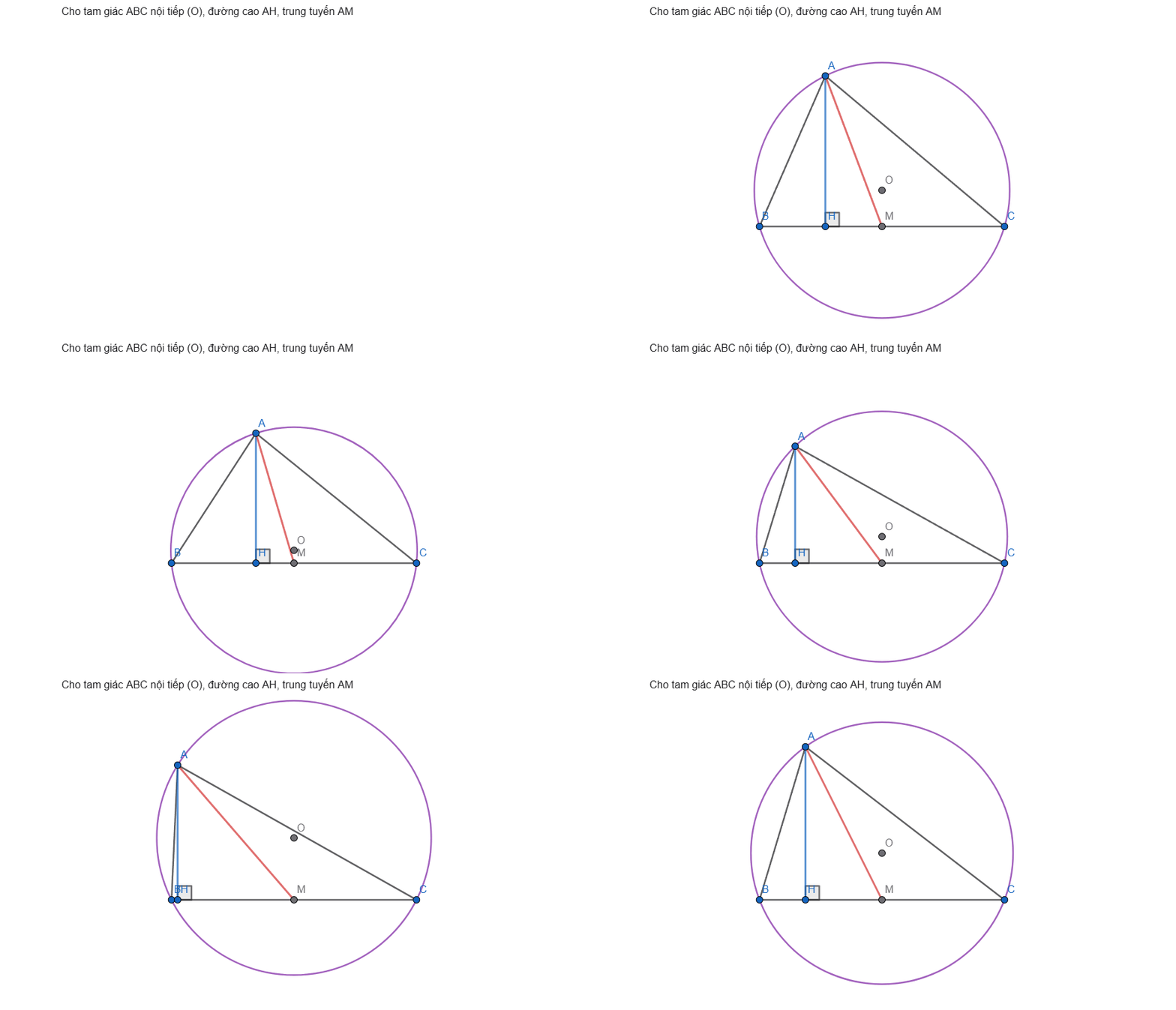
How it works
AI client ──MCP (stdio)──► geogebra-mcp ──Playwright──► Chrome window: geogebra.org/calculator
                                                            └─ window.ggbApplet (GeoGebra JS API)
- On the first tool call the server opens a Chrome (or Edge) window on GeoGebra Calculator. The user watches the figure being drawn and can drag/edit it by hand.
- Tools call the GeoGebra JS API (
ggbApplet) inside the page throughpage.evaluate— no simulated clicks. - Commands run through
asyncEvalCommandGetLabels, which lazy-loads GeoGebra modules, so prover/scripting commands (AreCollinear,Incircle,TriangleCenter,ClosestPoint(line, point)…) work. - GeoGebra reports a failed command only as
null, so the server adds its own diagnostics (unknown names, unknown commands, unbalanced brackets, known pitfalls) and warnings (undefined results, reserved names, two-point intersections without an index). - If the window is closed or reloaded, the next tool call reopens it and restores the last known figure.
- Undo is managed by the server (XML history), because
ggbApplet.undo()does not revert API commands.
Tools
| Tool | Purpose |
|---|---|
ggb_run_commands | Run commands in order; per-command result, created/removed objects, warnings, failure hints. Assigning to an existing name redefines it. |
ggb_get_state | Objects with type, definition, value, coordinates, visibility, dependsOn / usedBy. |
ggb_screenshot | PNG of the drawing area (or the whole window) for visual checking. |
ggb_evaluate | Evaluate expressions without adding objects (Angle(B, A, C), AreCollinear(A, H, O)…). |
ggb_set_style | Color, visibility, label, caption, thickness, line style, point size, fill, fixed. |
ggb_delete | Delete objects (and their dependents). |
ggb_clear | Start a new figure. |
ggb_undo | Revert changes made through the server. |
ggb_snapshot | Save / restore / list named versions. |
ggb_fit_view | Fit every visible point and circle in view (1:1 ratio), toggle axes/grid. |
ggb_export | Save as .ggb or .png. |
Also: resource geogebra://rules (construction rules), resource geogebra://commands (command catalog), prompt draw_geometry_problem.
Setup
Requirements: Node.js ≥ 20 and Google Chrome or Microsoft Edge (otherwise run npx playwright install chromium).
Claude Code (plugin)
claude plugin marketplace add haison8x/geogebra-mcp
claude plugin install geogebra-mcp@geogebra-tools
The server then shows up in /mcp as plugin:geogebra-mcp:geogebra. Update later with claude plugin update geogebra-mcp@geogebra-tools.
Claude Code (without the plugin)
claude mcp add geogebra -- npx -y geogebra-mcp
Claude Desktop, Cursor and other MCP clients
Edit claude_desktop_config.json (Settings → Developer → Edit Config), or your client's MCP config:
{
  "mcpServers": {
    "geogebra": {
      "command": "npx",
      "args": ["-y", "geogebra-mcp"]
    }
  }
}
Then restart the client and ask, for example: "Vẽ tam giác ABC nội tiếp đường tròn (O), đường cao AH, M là trung điểm BC."
From source
git clone https://github.com/haison8x/geogebra-mcp.git
cd geogebra-mcp
npm install
npm run build
claude mcp add geogebra -- node /path/to/geogebra-mcp/dist/index.js
Configuration (environment variables)
| Variable | Default | Meaning |
|---|---|---|
GGB_BROWSER | try chrome, msedge, then Playwright Chromium | Browser channel |
GGB_HEADLESS | 0 | 1 to run without a window (testing) |
GGB_PROFILE_DIR | ~/.geogebra-mcp/profile | Browser profile (keeps the GeoGebra login). One server instance per profile. |
GGB_URL | https://www.geogebra.org/calculator | Page to open |
Development
Releasing: bump the version in package.json, .claude-plugin/plugin.json, .claude-plugin/marketplace.json, server.json (both version fields) and the pinned version in .mcp.json. Then push, npm publish, mcp-publisher publish, and create a GitHub release.
npm run build
npm run smoke              # end-to-end test through a real MCP client (headless)
npm run smoke -- --headed  # same, with a visible window
Notes
- GeoGebra is free for non-commercial use; check the GeoGebra license before any commercial use of this automation.
- Snapshots and undo history live in memory while the server runs.
Reviews
No reviews yet
Be the first to review this server!
More Developer Tools MCP Servers
Fetch
Freeby Modelcontextprotocol · Developer Tools
Web content fetching and conversion for efficient LLM usage
Git
Freeby Modelcontextprotocol · Developer Tools
Read, search, and manipulate Git repositories programmatically
Toleno
Freeby Toleno · Developer Tools
Toleno Network MCP Server — Manage your Toleno mining account with Claude AI using natural language.
MCP Marketplace
Freeby mcp-marketplace · Developer Tools
Search and install MCP servers from inside your AI client.
mcp-creator-python
Freeby mcp-marketplace · Developer Tools
Create, build, and publish Python MCP servers to PyPI — conversationally.
FinAgent
Freeby mcp-marketplace · Finance
Free stock data and market news for any MCP-compatible AI assistant.