
Server data from the Official MCP Registry
A shared Excalidraw board that people and agents draw on together
About
A shared Excalidraw board that people and agents draw on together
Remote endpoints: streamable-http: https://excalidraw.holonlabs.io/mcp/excalidraw
Security Report
This is a collaborative Excalidraw MCP server that exposes board read/draw/erase/sync tools and a public shared-board page, with its network use (esm.sh resources, Holon hosting) and optional storage backend matching its purpose. No data exfiltration, shell execution, or hardcoded secrets were found in the visible code; the main concerns are that boards are open to anyone with the board id and that the server file was truncated so its remaining code and store/config behavior could not be fully verified. Supply chain analysis found 1 known vulnerability in dependencies (0 critical, 1 high severity).
6 files analyzed · 6 issues found
Security scores are indicators to help you make informed decisions, not guarantees. Always review permissions before connecting any MCP server.
Permissions Found in Source Code
Found by scanning the linked source code. This listing connects to a hosted endpoint, so none of this runs on your machine: it describes what the server software does where it is hosted.
What You'll Need
Set these up before or after installing:
Environment variable: S3_HOST
Environment variable: S3_BUCKET
Environment variable: S3_REGION
Environment variable: S3_ACCESS_KEY_ID
Environment variable: S3_SECRET_ACCESS_KEY
How to Connect
Remote Plugin
No local installation needed. Your AI client connects to the remote endpoint directly.
Add this to your MCP configuration to connect:
{
  "mcpServers": {
    "io-github-holon-sh-excalidraw": {
      "url": "https://excalidraw.holonlabs.io/mcp/excalidraw"
    }
  }
}Documentation
View on GitHubFrom the project's GitHub README.
Excalidraw
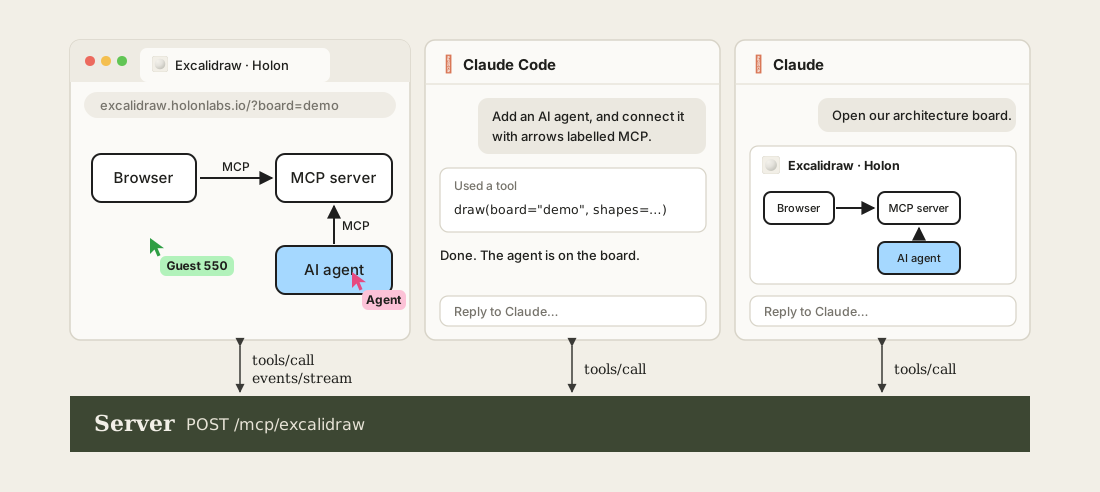
excalidraw.holonlabs.io hosts an Excalidraw server entirely over MCP on Holon. Point any agent to it and collaborate with them in real-time.
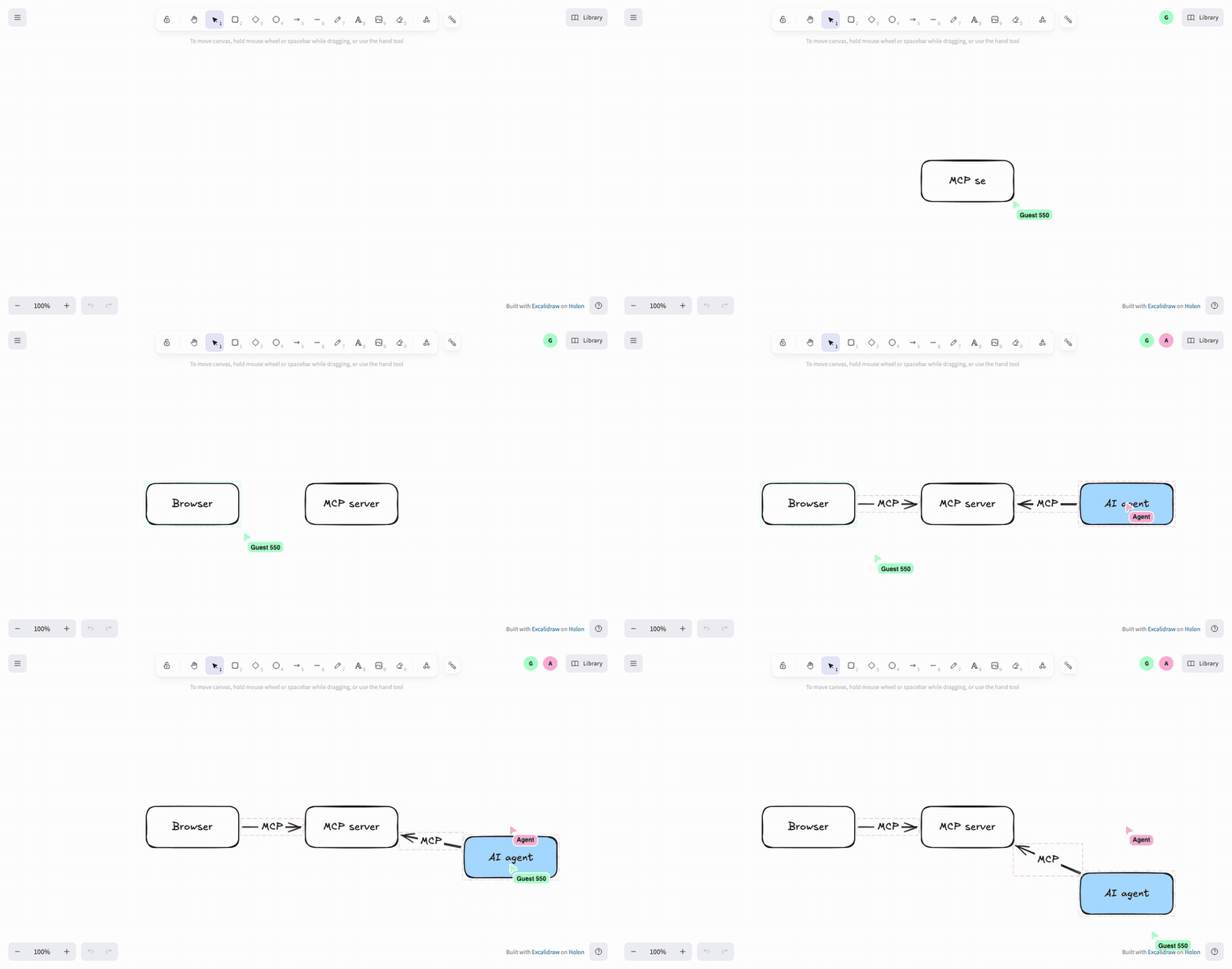
The page and agents share one MCP server. The page edits with the same tools/call an agent uses, and hears everyone else's edits through MCP Events.
Self-host
npm ci && npm run build
npm run serve
The page is at http://127.0.0.1:3000/ and the MCP endpoint at http://127.0.0.1:3000/mcp/excalidraw. Or run the image:
docker run -p 3000:3000 holonlabs/excalidraw
Reviews
No reviews yet
Be the first to review this server!
More Developer Tools MCP Servers
Rea
Freeby Morluto · Developer Tools
Reverse engineer anything from your terminal or agent with one CLI and MCP server.
Paperclip
Freeby Paperclipai · Developer Tools
Trending hip-hop artist momentum scores across four cultural dimensions.
Scrapling
Freeby D4Vinci · Developer Tools
Web scraping with stealth HTTP, real browsers, and Cloudflare bypass. CSS selectors supported.
Git
Freeby Modelcontextprotocol · Developer Tools
Read, search, and manipulate Git repositories programmatically
Toleno
Freeby Toleno · Developer Tools
Toleno Network MCP Server — Manage your Toleno mining account with Claude AI using natural language.
MCP Marketplace
Freeby mcp-marketplace · Developer Tools
Search and install MCP servers from inside your AI client.