
Server data from the Official MCP Registry
Hand browser work off to a server-side agent: read the page as a table, act, then verify.
About
Hand browser work off to a server-side agent: read the page as a table, act, then verify.
Security Report
jev-ultrafast-mcp is a well-structured browser automation MCP server with generally sound security practices. Authentication is appropriately scoped (optional for most tools, required only for the opt-in `browser_goal` feature), and permissions align with its stated purpose. However, there are moderate concerns around JavaScript evaluation, the eval operation being disabled by default but available when explicitly enabled, and some input validation gaps in configuration handling that could allow unintended behavior. Supply chain analysis found 5 known vulnerabilities in dependencies (0 critical, 5 high severity). Package verification found 1 issue.
3 files analyzed · 13 issues found
Security scores are indicators to help you make informed decisions, not guarantees. Always review permissions before connecting any MCP server.
Permissions Required
This plugin requests these system permissions. Most are normal for its category.
What You'll Need
Set these up before or after installing:
Environment variable: JEVMCP_CHROME
Environment variable: JEVMCP_MODE
Environment variable: JEVMCP_ATTACH_PROFILE_DIR
Environment variable: JEVMCP_HEADLESS
Environment variable: JEVMCP_FOREGROUND
Environment variable: JEVMCP_SANDBOX
Environment variable: JEVMCP_WINDOW
Environment variable: JEVMCP_PROFILE_DIR
Environment variable: JEVMCP_ALLOW_DOMAINS
Environment variable: JEVMCP_DENY_DOMAINS
Environment variable: JEVMCP_CONFIRM_PATTERNS
Environment variable: JEVMCP_ALLOW_JS
Environment variable: JEVMCP_ALLOW_UPLOADS
Environment variable: JEVMCP_MAX_ACTIONS
Environment variable: JEVMCP_MAX_TEXT
Environment variable: JEVMCP_SETTLE_TIMEOUT
Environment variable: JEVMCP_SETTLE_POLL_MS
Environment variable: JEVMCP_STATE_DIR
Environment variable: TYPESAFE_BASE_URL
Environment variable: TYPESAFE_MODEL
Environment variable: TEXT_MODEL_BASE_URL
How to Install
Add this to your MCP configuration file:
{
  "mcpServers": {
    "io-github-jiawei686-jev-ultrafast-mcp": {
      "env": {
        "JEVMCP_MODE": "your-jevmcp-mode-here",
        "JEVMCP_CHROME": "your-jevmcp-chrome-here",
        "JEVMCP_WINDOW": "your-jevmcp-window-here",
        "JEVMCP_CDP_URL": "your-jevmcp-cdp-url-here",
        "JEVMCP_SANDBOX": "your-jevmcp-sandbox-here",
        "TYPESAFE_MODEL": "your-typesafe-model-here",
        "JEVMCP_ALLOW_JS": "your-jevmcp-allow-js-here",
        "JEVMCP_HEADLESS": "your-jevmcp-headless-here",
        "JEVMCP_MAX_TEXT": "your-jevmcp-max-text-here",
        "JEVMCP_STATE_DIR": "your-jevmcp-state-dir-here",
        "TYPESAFE_API_KEY": "your-typesafe-api-key-here",
        "JEVMCP_FOREGROUND": "your-jevmcp-foreground-here",
        "TYPESAFE_BASE_URL": "your-typesafe-base-url-here",
        "JEVMCP_MAX_ACTIONS": "your-jevmcp-max-actions-here",
        "JEVMCP_PROFILE_DIR": "your-jevmcp-profile-dir-here",
        "OPENROUTER_API_KEY": "your-openrouter-api-key-here",
        "TEXT_MODEL_API_KEY": "your-text-model-api-key-here",
        "JEVMCP_DENY_DOMAINS": "your-jevmcp-deny-domains-here",
        "TEXT_MODEL_BASE_URL": "your-text-model-base-url-here",
        "JEVMCP_ALLOW_DOMAINS": "your-jevmcp-allow-domains-here",
        "JEVMCP_ALLOW_UPLOADS": "your-jevmcp-allow-uploads-here",
        "JEVMCP_SETTLE_POLL_MS": "your-jevmcp-settle-poll-ms-here",
        "JEVMCP_SETTLE_TIMEOUT": "your-jevmcp-settle-timeout-here",
        "JEVMCP_CONFIRM_PATTERNS": "your-jevmcp-confirm-patterns-here",
        "JEVMCP_ATTACH_PROFILE_DIR": "your-jevmcp-attach-profile-dir-here"
      },
      "args": [
        "jev-ultrafast-mcp"
      ],
      "command": "uvx"
    }
  }
}Documentation
View on GitHubFrom the project's GitHub README.
jev-ultrafast-mcp


English · 简体中文
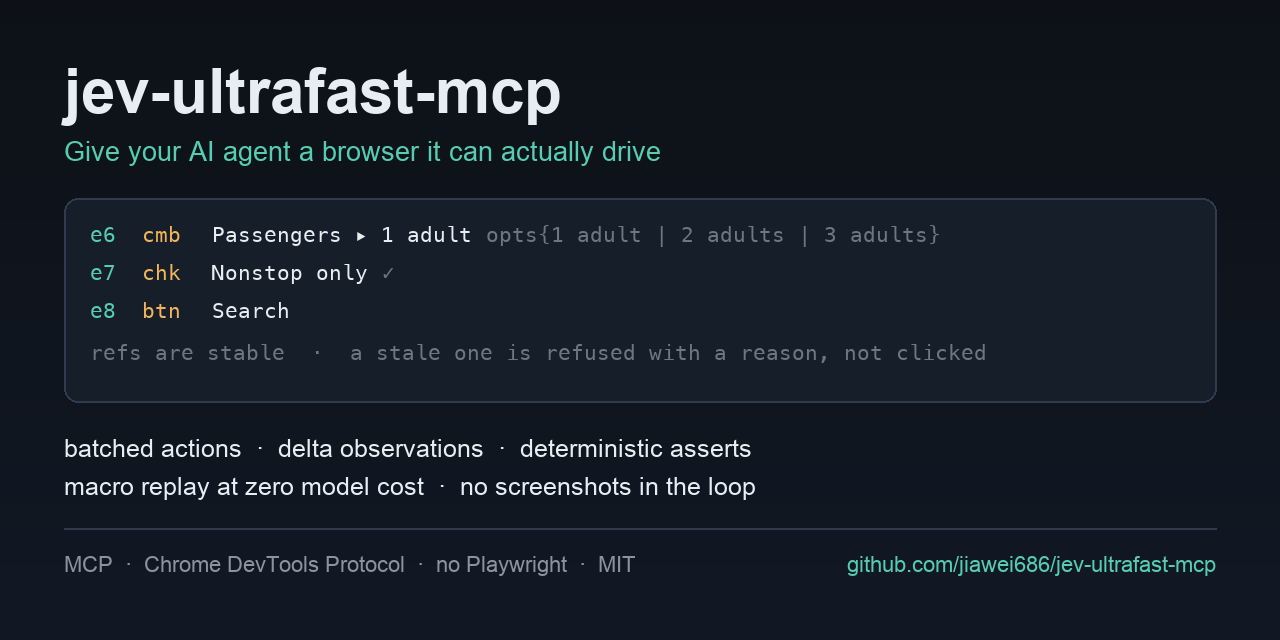
Hand the browser work off — an MCP server that drives the page for your agent.
Your agent should not be opening the browser at all. A browser task goes over whole — the URL, the goal, and the check that proves it — and the loop runs on the server. One tool call instead of twenty. Three seconds instead of a minute. A cent instead of a frontier model's context. And it never invents a target: it picks from what the page actually has, and the server refuses rather than guesses.
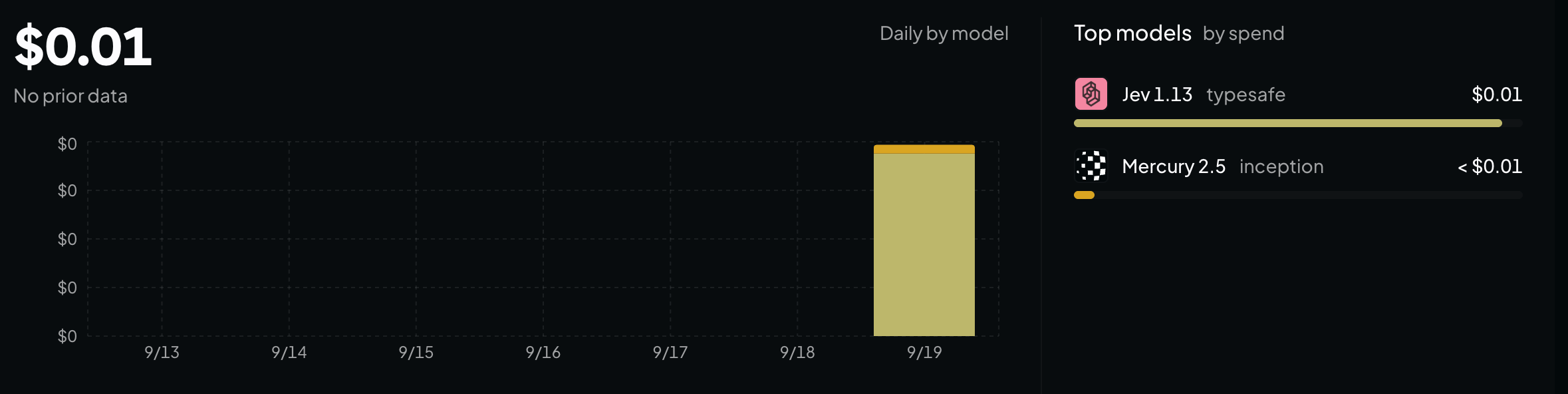
What it cost. A cent for the whole day, and a cent is all of it:
Quick start
Three commands, then restart your client.
git clone https://github.com/jiawei686/jev-ultrafast-mcp.git
cd jev-ultrafast-mcp
python3 -m venv .venv
.venv/bin/pip install -e .          # Windows: .venv\Scripts\pip install -e .

python scripts/install.py           # finds your MCP clients and writes their config
install.py looks for WorkBuddy, Claude Code, Claude Desktop, Codex CLI, Cursor, VS Code, Cline,
Windsurf and Gemini CLI, and writes the format each one expects — merging into your existing
config and saving a .bak first. Needs Python ≥ 3.10 and any Chromium-family browser.
Restart the client, and then just say what you want:
You: Set this form to 3 adults, tick Nonstop only, then submit it. Your agent:
browser_goal(goal=…, url=…, verify=[…])— one call; the page is opened and the loop runs server-side, and the result is checked by code afterwards. (what that costs)
You: Open example.com and tell me what the page says. Your agent:
browser_open→ reads the element table → answers — a look is not a task, so it does not need the model. (verbatim run)
Restarted and the tools are not there? Some clients make you approve the server once. In WorkBuddy that is Connectors → Custom connectors → Trust. The approval is remembered against the config itself, so if you later edit the config it asks once more.
Installation
No checkout needed if you would rather install it as a package. It is on PyPI, so the name is enough:
uvx jev-ultrafast-mcp                  # run it straight from PyPI, nothing installed
pip install jev-ultrafast-mcp          # or install it yourself
A client config wants a stable interpreter path rather than uvx's cache, so:
python3 -m venv ~/.jev-ultrafast-mcp/venv
~/.jev-ultrafast-mcp/venv/bin/pip install jev-ultrafast-mcp
That gives you a jev-ultrafast-mcp console script and a stable interpreter path to put in a
client config — verified against the latest mcp SDK on Python 3.13, every one of the ten tools
listed.
scripts/install.py is the other half: it finds your MCP clients and writes the config each one
expects, merging into the existing file and saving a .bak first.
python scripts/install.py --list              # what is installed, and the file each one reads
python scripts/install.py --print             # show the config it would write, change nothing
python scripts/install.py -c cursor,codex     # only these two
python scripts/install.py --headed            # keep a visible browser window
python scripts/install.py --allow-domains example.com,*.example.org
python scripts/install.py --uninstall         # take the entry back out
Runtime dependencies: mcp, websockets, httpx. No Playwright, no Selenium, no
browser-harness.
Cheap and fast, and here is the bill
A three-step goal on a real page, driven by browser_goal. This is everything your agent sent and
everything it got back — one turn, and the page never entered its context:
browser_goal(
  goal="On this flight search form: set Passengers to 3 adults, tick the 'Nonstop only' "
       "checkbox, then submit the search. Do not type into any city field.",
  verify=[{"type": "text_contains", "text": "3 adults · nonstop"}],
)

goal: On this flight search form: set Passengers to 3 adults, …
status: done
steps: 3
turbo: 4 decisions · 14,626 tokens · 1.8s model + 1.1s page · 3.3s wall
trace:
  1. SELECT e6 Passengers → ok (759ms model / 30ms browser)
  2. TOGGLE e7 Nonstop only → ok (336ms model / 692ms browser)
  3. CLICK e8 Search → ok (370ms model / 410ms browser)
  4. DONE (conf 0.93)
verified: PASS
  ok text_contains: '3 adults · nonstop' found in page text
What the second time costs. Nothing. The second time is a recorded macro, and a macro makes no model calls at all — it does not even need a key.
How long it took. 3.3 s wall for the whole goal: 1.8 s of model, 1.1 s of page. Every run prints that line itself, so the numbers are checkable rather than persuasive.
That run is not a mock-up. scripts/turbo_check.py reproduces it against a real Chrome and the real
model, and then checks the page with code rather than trusting the model's account of its own
work. The three actions — plus the reading and re-reading between them — all happened on the server.
Your agent spent one turn and never saw an element table.
The division of labour is the whole design decision, so it is yours to make per task:
| agent drives | browser_goal drives | |
|---|---|---|
| Tool calls for a 3-step flow | 6+ (observe, act, observe, act…) | 1 |
| Who holds the page in context | your agent | the decision model, server-side |
| Per-step cost | one agent turn | one typed request, no screenshot |
| Who names the target | the model writes a selector | the model picks a ref from the page's own table |
| If it goes wrong | a wrong click, usually silent | the server refuses, with the reason |
| Knowing it worked | the model's summary | code-checked assertion, which wins the disagreement |
| Second time around | run the model again | macro replay, zero model calls |
What it is
Browser automation usually makes the agent do the driving: read the page, pick one element, act, read again to see whether that worked. Ten clicks is ten turns, the page passes through the agent's context every time, and a mis-click rarely announces itself.
This server can take that job instead. browser_goal is one tool call from your agent; the loop
runs here, server-side, with Jev — TypeSafe's decision model — choosing each step. The model never
writes a selector: it picks among the elements the page actually has, and the server refuses
anything that is not on the page rather than guessing. When it stops, browser_assert checks the
page it left behind in code, and a passing assertion outranks the model's own account of what it did.
Four things follow from that:
- One call, not one per click. The run above took a 3-step goal on a real page through 4 decisions, 14,626 tokens, 1.8 s model + 1.1 s page, 3.3 s wall — for one turn of your agent's context.
- Accurate by construction. A target is a
reffrom a numbered table of what is on the page, not a selector or a coordinate the model invented, and the action is re-checked against the page before it runs. - Free after the first run. Record the path once; replay costs zero model calls, works with no key at all, and refuses to proceed when the page no longer matches.
- Text, not pixels. No screenshots, no HTML dumps. It speaks CDP straight to a Chrome you already have — no Playwright, no Selenium, no screenshot pipeline.
Everything except browser_goal — browser_open, browser_observe, browser_act,
browser_assert, browser_macro — needs no key, no account, and no network beyond the page itself,
from any MCP client: WorkBuddy, Claude Code, Codex, Cursor or VS Code. If you would rather keep your
hands on the wheel, that whole surface is still here.
browser_open → element table → browser_act [refs] → browser_assert
Inspired by browser-use/jev-ultrafast and
TypeSafe's typed-question API. Independent project, not affiliated with either — see
docs/DESIGN.md for what is different and why.
Contents · Quick start · Cheap and fast · What it is · What a session looks like · Connecting an agent · What you can ask it to do · What the agent reads · Why another browser MCP? · Tools · Configuration · FAQ · Try it without an agent · See also
What a session actually looks like
You say:
Open example.com and tell me what the page says.
Your agent does this, and this is everything it sees:
browser_open("https://example.com")
  [obs#1] https://example.com/  "Example Domain"  scroll=0/216  reachable=1/1
  e1   lnk    More information...

browser_observe()
  [delta#2] … 1 element
    = no change (1 element)
Then it answers. No screenshot was taken, no HTML was dumped, and the page never entered a model's context: your agent read the table and answered.
A more realistic one — searching a real site, with your agent doing the driving:
browser_open("https://duckduckgo.com")
  e4   cmb*   Search with DuckDuckGo ▸ ""

browser_act([{type, ref: "e4", text: "python asyncio tutorial"}, {keys, key: "Enter"}])
      → 2/2 ops ok, one round trip, page navigated

browser_observe()
  [delta#3] https://duckduckgo.com/?…&q=python+asyncio+tutorial  reachable=9/59
  + e5   lnk    Python Asyncio Tutorial
  + e6   lnk    Async IO in Python: A Complete Walkthrough
  …
    43 new, 0 changed, 0 gone

browser_assert([{url_contains, text: "q="}, {count_at_least, role: "link", min: 5}])
  PASS
That is a verbatim run against the live web — scripts/live_check.py reproduces it end to end.
Connecting an agent
| Client | Config file install.py writes | After installing |
|---|---|---|
| WorkBuddy | ~/.workbuddy-ai/mcp.json (older installs: ~/.workbuddy/mcp.json) | restart, then Connectors → Custom connectors → Trust |
| Claude Code | ~/.claude.json (user scope) | or claude mcp add --scope user … |
| Claude Desktop | ~/Library/Application Support/Claude/claude_desktop_config.json | quit the app fully and reopen |
| Codex CLI | ~/.codex/config.toml | codex mcp list to confirm |
| Cursor | ~/.cursor/mcp.json | reload the window |
| VS Code (Copilot) | …/Code/User/mcp.json | Agent mode only — not Ask/Edit |
| Cline | …/Code/User/globalStorage/saoudrizwan.claude-dev/settings/cline_mcp_settings.json | reload the window |
| Windsurf | ~/.codeium/windsurf/mcp_config.json | reload the window |
| Gemini CLI | ~/.gemini/settings.json | gemini mcp list to confirm |
Every client below needs the same three facts: an absolute interpreter path, the module, and one
environment variable. Substitute your own path for /ABS/PATH.
WorkBuddy — ~/.workbuddy-ai/mcp.json
WorkBuddy reads its config directory from WORKBUDDY_CONFIG_DIR and otherwise falls back to
~/.workbuddy. A machine can carry both — an older app alongside the current one — and writing
the one the app is not reading registers nothing and logs nothing. install.py resolves this
the same way the app does and tells you when it had to choose.
Then restart the app before looking for the tools. The config file is only watched if it already existed when the app launched, so a freshly created one is invisible until the next start. After the restart the server appears as a first connection, and you approve it once.
{
  "mcpServers": {
    "jev-ultrafast-mcp": {
      "command": "/ABS/PATH/jev-ultrafast-mcp/.venv/bin/python",
      "args": ["-m", "jev_ultrafast_mcp"],
      "env": { "JEVMCP_HEADLESS": "1" }
    }
  }
}
Claude Code
claude mcp add --scope user jev-ultrafast-mcp \
  --env JEVMCP_HEADLESS=1 \
  -- /ABS/PATH/jev-ultrafast-mcp/.venv/bin/python -m jev_ultrafast_mcp
Or write the same mcpServers object by hand: ~/.claude.json for user scope, .mcp.json in a
project for team scope (committed to git).
Codex CLI — ~/.codex/config.toml. Codex uses TOML, and the table is mcp_servers, not
mcpServers:
[mcp_servers.jev-ultrafast-mcp]
command = "/ABS/PATH/jev-ultrafast-mcp/.venv/bin/python"
args = ["-m", "jev_ultrafast_mcp"]
startup_timeout_sec = 20

[mcp_servers.jev-ultrafast-mcp.env]
JEVMCP_HEADLESS = "1"
The same entry works as codex mcp add jev-ultrafast-mcp --env JEVMCP_HEADLESS=1 -- /ABS/PATH/…/python -m jev_ultrafast_mcp.
Cursor — ~/.cursor/mcp.json for every project, .cursor/mcp.json for one. Same mcpServers
object as WorkBuddy.
VS Code (Copilot) — .vscode/mcp.json, or Command Palette → MCP: Open User Configuration for
all workspaces. VS Code is the odd one out twice over: the key is servers, and every entry must
declare "type": "stdio" or it is silently skipped.
{
  "servers": {
    "jev-ultrafast-mcp": {
      "type": "stdio",
      "command": "/ABS/PATH/jev-ultrafast-mcp/.venv/bin/python",
      "args": ["-m", "jev_ultrafast_mcp"],
      "env": { "JEVMCP_HEADLESS": "1" }
    }
  }
}
Claude Desktop — claude_desktop_config.json (%APPDATA%\Claude\ on Windows), same
mcpServers object. Restart the app from the tray, not just the window.
The browser does not start until the first browser_open, and the tab it drives is a background
tab it owns — focus emulation keeps animations and menus running without stealing your window.
Making sure your agent actually hands it over
Pointing the client at the server is half of it. The other half is that the agent has to know to hand over — and that part is not automatic everywhere.
A server sends a short instructions block when a client connects, and this one's first rule is
that a browser task goes to browser_goal, in one call, with the URL. Clients that read it behave.
Not all of them do: WorkBuddy delivers a server's tools to the model and drops its
instructions — measured, not assumed: the tool schemas are in the recorded request payload, the
instructions text is not. A host in that position does the obvious thing and drives the page itself,
one call per click, which is exactly the work this server exists to take away.
Two ways to close that gap — either is enough:
-
Install the skill.
skills/jev-ultrafast-mcp/SKILL.mdcarries the same rule in the form a client reads as a skill, plus the traps that waste a run. Copy it into your client's skills folder (~/.workbuddy/skills/for WorkBuddy):mkdir -p ~/.workbuddy/skills/jev-ultrafast-mcp cp /path/to/jev-ultrafast-mcp/skills/jev-ultrafast-mcp/SKILL.md ~/.workbuddy/skills/jev-ultrafast-mcp/ -
Or say it once. "Browser tasks go to
browser_goal" is enough for most sessions — an agent told that keeps doing it.
How to tell it took. Ask for something that needs a click. If browser_goal comes back with a
url inside the call, the handoff is live. If the agent opens the page and starts walking the
element table for you instead, the rule did not arrive — install the skill, or say it once.
What you can ask it to do
| Say this | What happens |
|---|---|
| "Fill in this form and submit it" | handed over whole — one browser_goal carrying the URL, the goal and a check; the loop runs server-side |
| "Walk this flow in staging and tell me if it worked" | the same one call — verify decides PASS/FAIL by code, and it outranks the model's own account |
| "Do this same thing again tomorrow" | record a macro; replay costs zero model calls and needs no key at all |
| "Open this page and tell me what it says" | a look, not a task: reads the visible text and the controls — no model, no key |
| "Did the deploy actually ship?" | browser_assert returns PASS/FAIL, not an opinion |
| "Log in and download last month's invoice" | you log in by hand once; the profile persists |
| "Click through checkout in staging" | payment-like buttons come back as needs_confirmation |
What it is not
Being clear about this saves everyone time:
- It never looks at pixels. A captcha, a chart, a canvas-only app — anything that needs real
visual judgement — is out of scope. Use a screenshot-and-vision agent for those, or use the
screenshotop here to capture evidence for a human. - It is not a scraper framework. One browser, one session at a time. No proxy rotation, no concurrency, no crawling at scale.
- It is not a recorder for humans. There is no click-to-record UI; macros are recorded by the agent driving the task normally.
What the agent actually reads
Not a DOM dump, not a screenshot — a table of the controls it can act on. Each row is a ref
(element number), a role code, flags, and the accessible name; editable things carry their current
value, and selectable things carry their options:
[obs#1] http://127.0.0.1:54409/fixture.html  "Ultrafast Fixture"  scroll=0/860  reachable=16/16
e1   lnk    Home
e2   lnk    About
e3   lnk    Open popup
e4   inp*   Where from? ▸ ""
e5   cmb*   Where to? ▸ ""
e6   cmb    Passengers ▸ 1 adult opts{1 adult=1 | 2 adults=2 | 3 adults=3 | 4 adults=4}
e7   chk·   Nonstop only
e8   btn    Search
e10  inp*   Password ▸ ""
e11  file    CV accept=.pdf,.txt
e12  btn    Delete account
Flags: * editable · » off-screen (the server scrolls it into view) · ⊘ covered by something
else · ⊗ present but disabled · ⋮ opens a menu, hover it first · ▾ expanded · ✓/· checked
state. reachable=16/19 means three controls exist but are covered, off-screen, or disabled right
now — a disabled one is still listed so you can see what the form is waiting for, and is never put to
you as something to click.
After an action it reports only what changed — that is the single biggest saving in a long loop:
[delta#2] http://127.0.0.1:54409/fixture.html  "Ultrafast Fixture"  reachable=16/16
~ e4   inp*   Where from? ▸ "Zurich"   (was "")
~ e7   chk✓   Nonstop only
  2 changed, 0 new, 0 gone
An action that accomplished nothing is the most expensive thing in an agent loop, because the model retries it. So it is spelled out in one line:
[delta#3] … 16 elements
  = no change (16 elements)
New rows appear with + and disappear with -. When two controls share a name, the row carries the
context that tells them apart:
+ e17  btn    Select  @Zurich → Anywhere Option 1 · 1 adult · nonstop Select
+ e18  btn    Select  @Zurich → Anywhere Option 2 · 1 adult · nonstop Select
And a ref that no longer points at anything is refused, with a reason instead of a wrong click:
[{"op": "click", "ok": false, "ref": "e999", "error": "detached"}]
See that table for your own page
The extension in
chrome-extension/
is a window on it. Load it unpacked, click it on any page, and you get the same rows the model gets —
drawn by the same observer and a port of the same renderer, so a ref in the popup means what it
means in a session. The second read of a page renders as a delta, which is how you watch a page
change.
It also runs a macro with no model in the loop — the resolver, the dispatcher and the report writer are all ports of the server's own code, so a replay there is the replay here.
Both halves are why it asks for four permissions and no host access at all: activeTab (the tab you
clicked it on, and nothing else), scripting, storage, and debugger. The last one is the cost of
the replay, and it is not a shortcut: element.click() produces isTrusted: false events a site is
entitled to ignore, so a replayed click that is to be believed has to come through the DevTools
protocol. The extension's own
README says
what that buys, what it costs, and which four ops it declines to do rather than reach outside the tab
you pointed it at.
Why another browser MCP?
Two differences, and the first one is the reason this exists.
The driving is not the agent's job. A browser flow is a loop, and in most servers that loop
lives in the calling agent: read the page, name one element, wait, read again. Fine for two steps,
absurd for twenty — twenty turns of an expensive context to do what a smaller model could have done
in one call. Here the loop lives on the server: one browser_goal call carries the URL, the goal
and the check, and the agent never opens the browser itself. The manual tools stay for the two cases
that need them — reading a page, which is not a task and should not cost a model call, and the
fallback when no model key is configured.
The model never invents a target. Most browser MCP servers hand over CDP primitives —
click_at_xy, a CSS selector, evaluate. Maximum flexibility, minimum safety: a wrong selector
fails silently or, worse, succeeds on the wrong element. Here a target is a ref from a numbered
table of what is on the page, turning that ref into a real click is the server's problem, and the
server refuses rather than guesses. That is also what makes the handoff safe: whatever is driving
is choosing among options the page actually has, so accuracy does not rest on it being careful.
| primitives-based browser MCP | jev-ultrafast-mcp | |
|---|---|---|
| Who runs the loop | the calling agent, every step | the server — one browser_goal call |
| How a target is named | a selector / coordinate / JS the model writes | a ref from an element table |
| Extra model calls | none | one small decision model per step, and only inside browser_goal |
| API keys required | none | none for the browser tools; a decision-model key only for browser_goal |
| Ref lifetime | n/a (agent re-invents each step) | stable across observations |
| Re-reading the page | full dump every time | delta — + added, ~ changed, - removed, = no change |
| Round trips | one per action | batched — many ops per call |
| Ambiguous target | agent guesses | server refuses with a reason |
| Shadow DOM / iframes | usually unsupported | traversed, with frame-offset-aware scrolling |
| Pages that render late | depends on the agent sleeping | waits for elements to appear, bounded |
| Repeating a flow | re-runs the model | macro replay at zero model cost |
| Knowing it worked | the model eyeballs the page | deterministic browser_assert, which overrules the model |
| Destructive clicks | whatever the model decides | needs_confirmation, domain envelope, secret redaction |
Batching and deltas are not cosmetic. In the bundled end-to-end run, 29 ops and their follow-up observations cost 15.4 KB of context, of which 13.6 KB was deltas and 1.8 KB full tables — the model re-reads only the part of the page that moved.
Tools
Ten tools. Most sessions need four of them.
| Tool | Description |
|---|---|
browser_open | Open a URL in its own tab, and return the element table |
browser_observe | Re-read the page: a delta, or the full table on demand |
browser_act | Run a list of ops in one round trip, then return a delta |
browser_assert | Deterministic checks on the page, with no model judgement |
browser_macro | Record a flow once, then replay it with zero model calls |
browser_goal | Hand the whole task over: the decision model drives the page |
browser_tabs | List, open, switch and close tabs |
browser_sessions | List the live browser sessions |
browser_close | Tear a session down |
browser_doctor | Self-check: which browser was found, and whether it answers |
browser_open(url, session="default", hint="")
Opens a URL in its own tab and returns the full element table. hint restates your goal in one
line and is echoed back.
browser_observe(session="default", mode="auto", include_text=True, include_json=False)
Re-reads the page. auto emits a delta; full forces the whole table, delta forces a diff.
= no change means the last action did nothing — change strategy, do not retry.
browser_act(ops, session="default", dry_run=False, stop_on_error=True, observe_after=True)
Executes ops in order in one round trip, then returns a delta.
| op | fields |
|---|---|
click | ref |
type | ref, text, clear=true, submit=false, slow |
select | ref, value (option value or label) |
toggle | ref, state (omit to flip) |
hover / upload | ref / ref, path |
keys | key ("Enter", "Meta+A", "ArrowDown"), or keys (a list) — a bare single character is text, not a key press, so it is typed into whatever has focus and is refused on a field whose value must not leave the page |
scroll | dir, amount, ref |
nav / back / forward / reload | url (for nav) |
wait / wait_for_ref / wait_for_text / wait_for_load | ms / ref,timeout_ms / text / timeout_ms |
screenshot | path (a filename inside the shots directory), full, format (jpeg or png) |
tab | action=list|new|switch|close, target_id, index, url |
eval | js — only when JEVMCP_ALLOW_JS=1 |
{"ops": [
  {"op": "type",   "ref": "e4", "text": "Zurich"},
  {"op": "select", "ref": "e6", "value": "3 adults"},
  {"op": "toggle", "ref": "e7"},
  {"op": "click",  "ref": "e8"}
]}
A failing op reports why: occluded, detached, target_changed, page_changed,
needs_confirmation, blocked_by_policy. Reach for browser_observe, not a retry.
A control whose accessible name matches a confirmation rule (buy now, delete account,
unsubscribe, …) comes back as needs_confirmation until the op carries "confirm": true. That
applies to every op that clicks, not to the op named click — toggle presses the control too.
The role that decides whether a name is an action name at all (a checkbox labelled "Delete account"
is not a click this stops for; a button is) is read from the element the server observed, never from
the op, so a "role" in your request cannot lift the rail. The same rule governs type: a field is
sensitive if the page flagged it or if its name and role say so — the union the observation masks
on, so the field whose value is hidden in the table is the field type asks about.
For tabs, prefer target_id over index. Indexes are positional and get renumbered whenever the
tab list changes, so an index read one call ago can address a different tab.
browser_assert(checks, session="default")
Deterministic checks — no model judgement about whether it worked.
{"checks": [
  {"type": "url_matches",    "pattern": "*/checkout*"},
  {"type": "text_contains",  "text": "Order confirmed"},
  {"type": "element_exists", "role": "button", "name": "Continue"},
  {"type": "value_equals",   "ref": "e4", "value": "Zurich"},
  {"type": "count_at_least", "role": "link", "min": 3}
]}
browser_macro(action, session="default", name="", params={}, ...)
record_start → drive the task → record_stop → run. Replay costs no model calls: it
navigates back to where the task began and re-resolves every step by role + accessible name,
refusing weak or ambiguous matches rather than clicking the wrong thing. params fills
{{placeholders}} in typed text and URLs.
browser_goal(goal, url="", session="default", max_steps=20, verify=[...])
Hands the whole task over. Pass url and the goal and the page is opened and driven to the end
server-side using TypeSafe speculative fan-out (one request per step) — one call, one turn. Leave
url out to carry on from the page the session is already showing. Needs a key for the decision
model: TYPESAFE_API_KEY for Jev's own API, or OPENROUTER_API_KEY with JEV_PROVIDER=openrouter
(equivalently, TYPESAFE_BASE_URL pointed at OpenRouter's decisions route). Returns
verified: PASS/FAIL when verify checks are supplied.
Reading a page is not a task: browser_open, browser_observe and browser_assert are direct,
free and keyless, so a look stays cheap. The handoff is for work that changes the page.
Every run also reports its own bill — turbo: 4 decisions · 14,626 tokens · 1.8s model + 1.1s page · 3.3s wall — so what the handoff cost is visible in the answer, alongside how much of the wall time
was the model and how much was the page.
Every way the decision model can fail — no key, no credits, unreachable, a malformed answer, a body
that is not JSON — comes back as turbo_unavailable: with nothing executed. The trace of the steps
already taken is kept, so a run that dies on step five still reports what steps one to four did.
status is mostly the model's own summary, but the loop writes it too, and the values it writes are
worth recognising: stopped: no progress after three consecutive actions changed nothing — the page
is as finished as it is going to get, so the run stops there rather than spending the rest of
max_steps discovering it — and stopped: hit max_steps when the budget simply ran out. The two
read differently on purpose: the first says there is nothing left to do, the second says there might
be.
verify is checked by code, so when the summary and the page disagree the assertion decides: if the
page passes your checks the run reports status: done whatever the model said, and the trace
records that it overruled. This is the ordinary shape of a goal whose last action removes what it
acted on — click a check-in button and the button is gone, so the model, finding nothing left to do,
reports BLOCKED on a goal that in fact succeeded.
browser_tabs · browser_sessions · browser_close · browser_doctor
Tab management (list / new / switch / close), session listing, teardown, and a self-check that reports which browser was found and whether it is reachable.
Configuration
All optional; the defaults are the point.
| Variable | Required | Default | Description |
|---|---|---|---|
| No | JEVMCP_CHROME | auto-detected | Chrome/Chromium/Edge/Brave executable |
| No | JEVMCP_MODE | launch | launch a browser, or attach to a running CDP endpoint |
| No | JEVMCP_CDP_URL | — | http://127.0.0.1:9222 when mode=attach, or a ws:// URL to skip discovery |
| No | JEVMCP_ATTACH_PROFILE_DIR | (browser defaults) | data directory of the browser being attached to, if DevToolsActivePort is not found automatically |
| No | JEVMCP_HEADLESS | 1 | 0 for a visible window |
| No | JEVMCP_FOREGROUND | 0 | 1 activates the owned tab |
| No | JEVMCP_SANDBOX | auto | auto retries with --no-sandbox if the browser aborts on startup |
| No | JEVMCP_WINDOW | 1280x860 | browser window size |
| No | JEVMCP_PROFILE_DIR | ~/.jev-ultrafast-mcp/chrome-profile | persistent profile — log in once, stay logged in |
| No | JEVMCP_ALLOW_DOMAINS | (all) | comma-separated; navigation elsewhere is refused |
| No | JEVMCP_DENY_DOMAINS | (none) | comma-separated blocklist |
| No | JEVMCP_CONFIRM_PATTERNS | pay / delete / unsubscribe … | clicks matching these need "confirm": true |
| No | JEVMCP_ALLOW_JS | 0 | enables eval and js assertions |
| No | JEVMCP_ALLOW_UPLOADS | 1 | gates the upload op |
| No | JEVMCP_MAX_ACTIONS | 250 | element-table cap, applied by usefulness |
| No | JEVMCP_MAX_TEXT | 6000 | visible-text cap per observation |
| No | JEVMCP_SETTLE_TIMEOUT | 4.0 | after opening a URL, how long to wait for the page to stop fetching and its element table to stop changing |
| No | JEVMCP_SETTLE_POLL_MS | 120 | how often to re-read while waiting |
| No | JEVMCP_STATE_DIR | ~/.jev-ultrafast-mcp | profile, macros and screenshots |
| No | JEV_PROVIDER | typesafe | which API pays for the decision model: typesafe (Jev's own) or openrouter |
| No | TYPESAFE_API_KEY | — | key for Jev's own API |
| No | TYPESAFE_BASE_URL | https://api.typesafe.ai/v1/systemone | where the decision model lives; a custom endpoint, and what the provider is inferred from when JEV_PROVIDER is unset |
| No | OPENROUTER_API_KEY | — | key for OpenRouter's decisions route, when JEV_PROVIDER=openrouter |
| No | TYPESAFE_MODEL | jev-latest | decision-model slug |
| No | TEXT_MODEL_API_KEY | — | optional; only for the small text helper browser_goal uses to type a value into a field. Unset, the helper inherits the decision model's provider |
| No | TEXT_MODEL_BASE_URL | https://api.deepseek.com/v1 | endpoint for that helper; setting it or TEXT_MODEL_API_KEY is what opts out of inheriting the decision model's provider |
| No | TEXT_MODEL | deepseek-chat | model for that helper; required when the helper inherits a provider, since deepseek-chat is not an OpenRouter slug |
JEVMCP_MODE=attach is the "use the browser I already have open" route — the one to take when the
login you need already lives in your own profile. Chrome 144+ exposes that through
chrome://inspect/#remote-debugging, and its server answers 404 to /json/version by design; jev
falls back to DevToolsActivePort rather than treating that as "nothing is listening". Attach mode
only ever touches the tab it opens: browser_close detaches rather than quitting, and the same holds
when the server exits. Your other windows, and the session in them, are never closed.
Everything above the last eight rows is local: it configures a browser on your machine. Only the
decision-model group talks to the network, and only when browser_goal actually runs.
The decision model has two routes and JEV_PROVIDER names which one you are on. typesafe is Jev's
own API. openrouter is the same model through OpenRouter's decisions route, needs no TypeSafe
account, and is the route that predates the variable: TYPESAFE_BASE_URL still overrides the URL
either way, and is what the provider is inferred from when JEV_PROVIDER is unset, so a
configuration written before the name existed keeps working unchanged.
Only the OpenRouter route also serves a chat API, so only there can the text helper inherit. Set
JEV_PROVIDER=openrouter and name a chat model with TEXT_MODEL, and one OPENROUTER_API_KEY
covers both. Jev's own API answers typed questions and never writes prose, so TYPE_TEXT under it
needs a chat provider of its own through TEXT_MODEL_API_KEY. Either way the key and the URL are
always taken from the same provider — a key borrowed across providers buys a 401 that names the
company you did not call, and a run diagnosed from the wrong provider's error is a run nobody
diagnoses.
Two of these are worth setting before you point an agent at your own accounts:
JEVMCP_ALLOW_DOMAINS pins the browser to a set of hosts and refuses everything else, and a
persistent JEVMCP_PROFILE_DIR means you log in once by hand instead of teaching the model your
password.
FAQ
So this is just another model doing the work? Who is in charge?
You are, and you choose per task. browser_goal puts Jev — a small decision model — in charge of
one goal: which of the page's elements to touch, one step at a time. It is not a general agent, it
has no memory between goals, and it never writes code or selectors, only picks from options the
server hands it. Your agent still decides what to ask for, and verify decides whether it
actually happened. If you would rather be in the loop for every step, do not call that one tool —
nothing else sends anything anywhere.
Do I need an API key or an account?
Not for the browser tools. browser_open, browser_observe, browser_act, browser_assert,
browser_macro and the tab/session tools never call out — no telemetry, no phone-home, nothing
leaves your machine. browser_goal is the exception, and it is opt-in: it sends your goal and the
current element table to a decision model, which is why it needs a key. Leave that one tool unused
and nothing about the page goes anywhere.
Will a browser window pop up and take over my screen?
No. It runs headless by default and drives a background tab it owns — animations and menus still
work, but nothing steals focus. --headed (or JEVMCP_HEADLESS=0) shows the window if you want to
watch it work.
How do I use it on a site I am logged into?
Set JEVMCP_PROFILE_DIR to a persistent directory, open the browser once by hand, log in, and the
session is remembered. That is far better than teaching an agent your password — and password
fields are redacted in observations when you do type them.
Can it just use the browser I already have open, with my logins in it?
Yes. JEVMCP_MODE=attach plus JEVMCP_CDP_URL=http://127.0.0.1:9222 drives your own Chrome. In
Chrome 144+ you switch debugging on from chrome://inspect/#remote-debugging — no restart, so your
tabs and logins survive — and Chrome asks you to approve the client. The first connection waits on
that click, so give it a moment before deciding it failed.
Do I have to approve that click for every action?
No. The approval is per browser session, not per connection and not per action. Once you have
approved it, every later action rides the same open WebSocket and never prompts again — not even
from a fresh process (measured: three new processes connecting twenty minutes after the click, all
accepted with no prompt). So the cost is one click per browser session, not one per operation. To
drop even that, use the default JEVMCP_MODE=launch: it starts its own browser on a real
debugging port with no approval dialog at all, at the price of logging in once in that profile.
curl http://127.0.0.1:9222/json/version returns 404. Is debugging even on?
Probably yes. The server behind chrome://inspect/#remote-debugging is WebSocket-only and
deliberately serves no HTTP discovery endpoints, so a 404 there is the documented behaviour rather
than a broken setup (and it is not the same thing as --remote-debugging-port=9222, even though both
print port 9222). jev does not rely on it: when /json/version does not answer, it reads the port and
the browser WebSocket path out of Chrome's DevToolsActivePort file. If your browser keeps its data
directory somewhere unusual, point JEVMCP_ATTACH_PROFILE_DIR at it.
Documentation truncated — see the full README on GitHub.
Reviews
No reviews yet
Be the first to review this server!
More Developer Tools MCP Servers
Git
Freeby Modelcontextprotocol · Developer Tools
Read, search, and manipulate Git repositories programmatically
Fetch
Freeby Modelcontextprotocol · Developer Tools
Web content fetching and conversion for efficient LLM usage
Paperclip
Freeby Paperclipai · Developer Tools
Trending hip-hop artist momentum scores across four cultural dimensions.
Toleno
Freeby Toleno · Developer Tools
Toleno Network MCP Server — Manage your Toleno mining account with Claude AI using natural language.
mcp-creator-python
Freeby mcp-marketplace · Developer Tools
Create, build, and publish Python MCP servers to PyPI — conversationally.
MCP Marketplace
Freeby mcp-marketplace · Developer Tools
Search and install MCP servers from inside your AI client.