
Server data from the Official MCP Registry
MCP server for Testkube - Manage test workflows, executions, and artifacts via AI assistants
About
MCP server for Testkube - Manage test workflows, executions, and artifacts via AI assistants
Remote endpoints: streamable-http: https://api.testkube.io/organizations/{organization_id}/environments/{environment_id}/mcp
Security Report
Valid MCP server (1 strong, 1 medium validity signals). No known CVEs in dependencies. Imported from the Official MCP Registry.
Endpoint verified · Requires authentication · 1 issue found
Security scores are indicators to help you make informed decisions, not guarantees. Always review permissions before connecting any MCP server.
Permissions Found in Source Code
Found by scanning the linked source code. This listing connects to a hosted endpoint, so none of this runs on your machine: it describes what the server software does where it is hosted.
What You'll Need
Set these up before or after installing:
Environment variable: TK_ACCESS_TOKEN
Environment variable: TK_ORG_ID
Environment variable: TK_ENV_ID
Environment variable: TK_CONTROL_PLANE_URL
Environment variable: TK_DASHBOARD_URL
Environment variable: TK_DEBUG
Environment variable: TK_MCP_TRANSPORT
Environment variable: TK_MCP_SHTTP_HOST
Environment variable: TK_MCP_SHTTP_PORT
How to Connect
Remote Plugin
No local installation needed. Your AI client connects to the remote endpoint directly.
Add this to your MCP configuration to connect:
{
  "mcpServers": {
    "io-github-kubeshop-testkube-mcp": {
      "env": {
        "TK_DEBUG": "your-tk-debug-here",
        "TK_ENV_ID": "your-tk-env-id-here",
        "TK_ORG_ID": "your-tk-org-id-here",
        "TK_ACCESS_TOKEN": "your-tk-access-token-here",
        "TK_DASHBOARD_URL": "your-tk-dashboard-url-here",
        "TK_MCP_TRANSPORT": "your-tk-mcp-transport-here",
        "TK_MCP_SHTTP_HOST": "your-tk-mcp-shttp-host-here",
        "TK_MCP_SHTTP_PORT": "your-tk-mcp-shttp-port-here",
        "TK_CONTROL_PLANE_URL": "your-tk-control-plane-url-here"
      },
      "url": "https://api.testkube.io/organizations/{organization_id}/environments/{environment_id}/mcp"
    }
  }
}Documentation
View on GitHubFrom the project's GitHub README.

The Open Testing Platform for AI-driven Engineering Teams
Testkube provides a single platform for defining, running and analyzing automated tests, using your existing testing tools/scripts, running in your Kubernetes infrastructure.
Trusted by Engineering Teams at CoreWeave, NVidia, Siemens, T-Mobile, Harvard, SwissCom, and many more..
Website | Docs | Changelog | Blog | Slack | LinkedIn | X
Why Testkube?
- Run any Tests : Execute any tests/tools/scripts at scale; API, E2E, Performance, Security, Infrastructure, etc. - Examples & Guides.
- Trigger Tests whenever needed: Trigger tests manually, on schedules, from CI/CD/GitOps pipelines, on Kubernetes Events, via the REST API, through MCP, etc. - Read More.
- See Everything: All test results, artifacts, logs and resource-metrics are aggregated for centralized troubleshooting and reporting - Read More.
- Integrate Natively: Testkube integrates with existing tools and infrastructure using Webhooks, the Testkube REST API or the MCP Server - see Integration Examples.
- Testkube AI: Use the Testkube MCP Server or native AI Agents for troubleshooting, analysis, remediation, etc - Read More
- Enterprise Ready: SSO/SCIM, RBAC, Teams, Resource-Groups, Audit-logs, etc. - Read More.
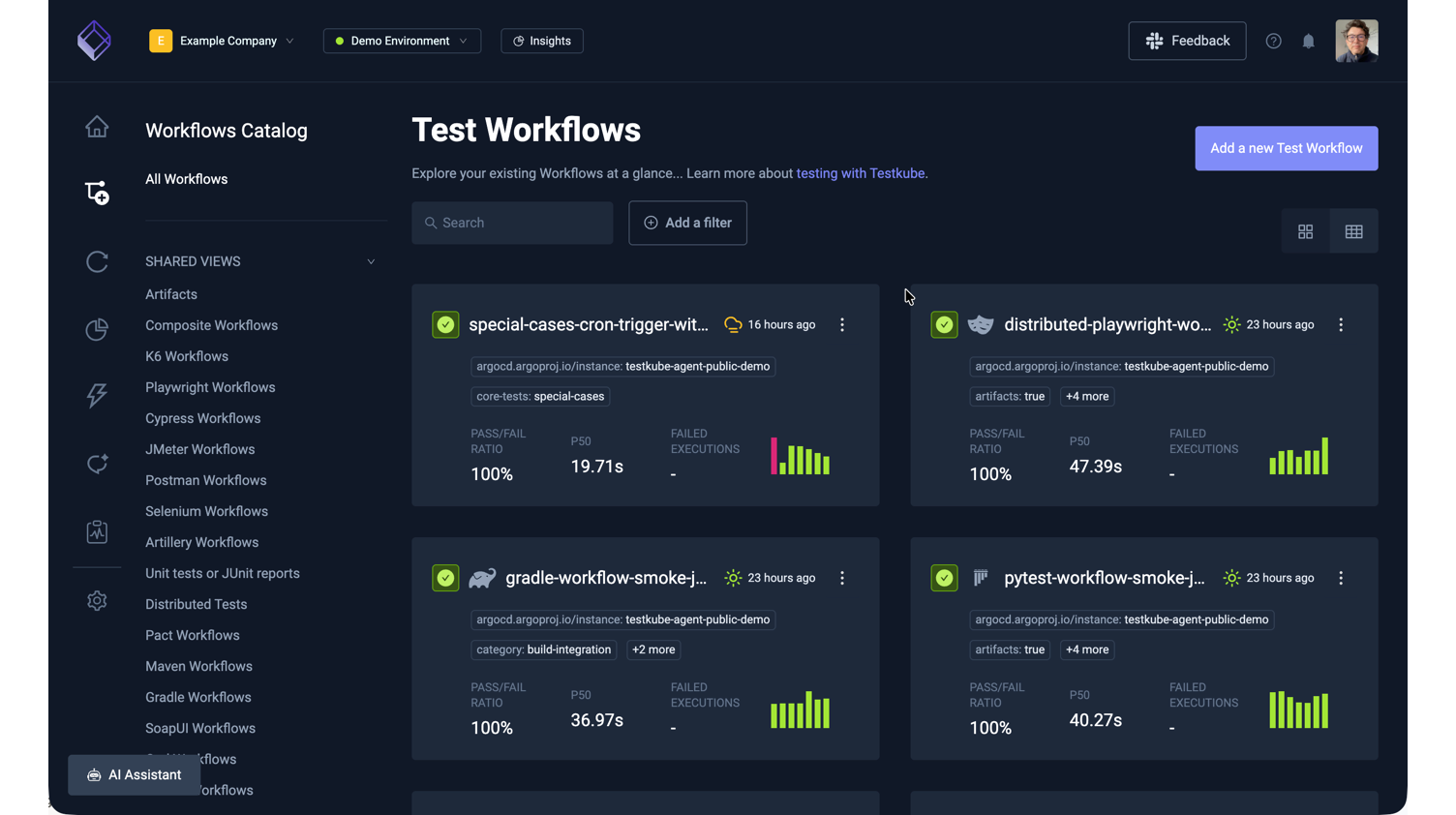
See it in action: Open the interactive TestWorkflows showcase to see how a workflow builds up from a single test to a fully orchestrated pipeline.
Two ways to run Testkube
Open Source Agent - this repo.
MIT-licensed, runs standalone in your Kubernetes cluster, no control plane required. Great for single-cluster setups, self-managed environments, and evaluating Testkube.
- The Helm or CLI Installation will make it easy to deploy the agent into your target cluster.
- The Quickstart is the easiest way to set up Testkube and run your first tests.
Check out the Testkube Open Source Overview to learn more about the open source deployment architecture.
Commercial Control Plane
The control plane connects every Testkube agent across clusters, teams, and environments into a single dashboard:
- One control plane, unlimited clusters - orchestrate and analyze tests across clusters and regions
- Testkube AI - workflow generation, failure investigation, remediation PRs
- Enterprise-grade - SSO/SCIM, RBAC, audit logs, SLA-backed support
Check out the Installation Overview to learn more about different ways to deploy and run the Testkube Control Plane.
The online Trial is the easiest way to try the commercial Testkube offering - Get Started
Marketplace
The Testkube Marketplace provides an open and ready-to-use catalog of Testkube Workflows for Infrastructure Testing - Read More.
Documentation
Extensive documentation is available at docs.testkube.io.
Contributing
Check out our Contributors Guide and the Agent Architecture to find your way around our codebase and process.
If you want to contribute code, this reading order works well:
- CONTRIBUTING.md - contribution workflow, coding standards, and PR process
- DEVELOPMENT.md - local setup with Tilt and day-to-day development loop
- ARCHITECTURE.md - high-level system design and key code paths
Shout-out to our contributors 🎉 - you're great!
- ⭐️ @lreimer - K6 executor Gradle executor Maven executor
- ⭐️ @jdborneman-terminus - Ginkgo executor
- ️⭐️ @abhishek9686
- ⭐️ @ancosma
- ⭐️ @Stupremee
- ⭐️ @artem-zherdiev-ingio
- ⭐️ @chooco13 - Playwright executor
Go to contribution document to read more how can you help us 🔥
Feedback
Whether Testkube helps you or not, we would love to help and hear from you. Please join us on Slack to ask questions and let us know how we can make Testkube even better!
Reviews
No reviews yet
Be the first to review this server!
More Developer Tools MCP Servers
Git
Freeby Modelcontextprotocol · Developer Tools
Read, search, and manipulate Git repositories programmatically
Fetch
Freeby Modelcontextprotocol · Developer Tools
Web content fetching and conversion for efficient LLM usage
Worldmonitor
Freeby Koala73 · Developer Tools
Live markets, conflicts, country risk, chokepoints, energy, and China decision signals. 86 tools.
Paperclip
Freeby Paperclipai · Developer Tools
Trending hip-hop artist momentum scores across four cultural dimensions.
Toleno
Freeby Toleno · Developer Tools
Toleno Network MCP Server — Manage your Toleno mining account with Claude AI using natural language.
mcp-creator-python
Freeby mcp-marketplace · Developer Tools
Create, build, and publish Python MCP servers to PyPI — conversationally.