
Server data from the Official MCP Registry
Render branded chart images (PNG, SVG, WebP, PDF) and KPI cards from a JSON spec or plain data.
About
Render branded chart images (PNG, SVG, WebP, PDF) and KPI cards from a JSON spec or plain data.
Remote endpoints: streamable-http: https://www.chart-output.com/mcp
Security Report
The Chart-Output MCP server appears to be a legitimate chart-rendering client that authenticates with a Chart-Output API key from an environment variable and sends data only to chart-output.com. The main concerns are that the actual TypeScript source was not provided, so the code itself could not be verified, and that the optional HTTP mode defaults to wildcard CORS and can expose the operator's API key to any caller when MCP_ALLOW_SERVER_KEY is enabled. Permissions match the stated purpose. Supply chain analysis found 9 known vulnerabilities in dependencies (0 critical, 4 high severity). Package verification found 1 issue.
12 files analyzed · 17 issues found
Security scores are indicators to help you make informed decisions, not guarantees. Always review permissions before connecting any MCP server.
Permissions Required
This plugin requests these system permissions. Most are normal for its category.
What You'll Need
Set these up before or after installing:
Environment variable: CHART_OUTPUT_API_KEY
How to Install & Connect
Available as Local & Remote
This plugin can run on your machine or connect to a hosted endpoint. during install.
Documentation
View on GitHubFrom the project's GitHub README.
Chart-Output MCP Server


Render charts as PNG, SVG, WebP, or PDF directly from Claude, Cursor, Windsurf, or any MCP-compatible AI agent.
Ask your AI: "Generate a bar chart showing Q1–Q4 revenue" — it calls Chart-Output and returns the image inline.
What it produces
Ask your AI agent to generate a chart. This is what comes back.
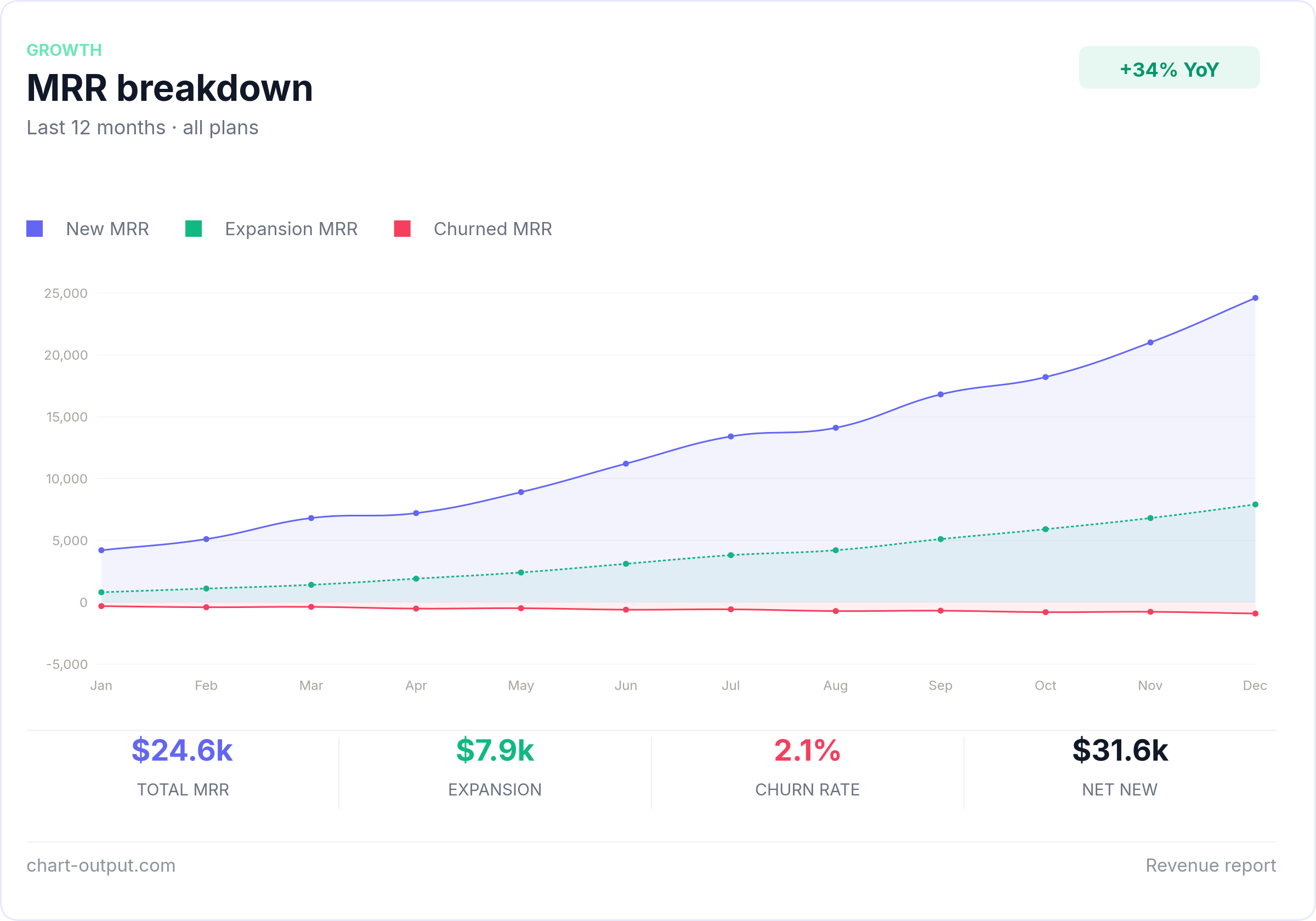
(If the image does not load in your viewer, open the file on GitHub.)
Examples
Ready-to-use chart configs in /examples.
Copy any file, swap in your data, POST to the API.
Examples are 1200 px at scale 1 so they run on a Free key. On Pro or Agency you can set scale to 2. Free renders carry a small watermark.
Install
Add to your mcp.json:
{
  "mcpServers": {
    "chart-output": {
      "command": "npx",
      "args": ["@chartoutput/mcp"],
      "env": {
        "CHART_OUTPUT_API_KEY": "pk_test_YOUR_KEY"
      }
    }
  }
}
Get a free API key at chart-output.com — no credit card required.
Tools
| Tool | Description |
|---|---|
list_chart_output_examples | Shipped example spec ids — use before hand-writing render_card JSON |
get_chart_example | Return full examples/<id>.json text (valid API body shape) |
render_chart | Chart.js-style labels/datasets → inline image. Datasets keep fill, stack, yAxisID, dataset-level type, null gaps and [from, to] floating bars. Optional header, kpiStrip, footer, brand, textScale, annotations, dataLabels, colorblind_safe, alt_text, lang, repair, scale |
render_chart_url | Same as render_chart → public CDN link instead of bytes (also pdf on Pro or Agency) |
render_card | Full card composition JSON → inline image; the spec is POSTed once, exactly as given, to /api/v1/render |
render_card_url | Same full card composition → public CDN link |
render_chart_ai | Natural language + data → image (Pro or Agency plan required). Optional brand |
render_waterfall | "What changed between two periods": a waterfall chart plus a summary of the drivers. States what changed, never why. explain needs Pro or Agency |
list_brand_kits | Saved brand kits on your account. Pass a slug as brand in the render tools |
create_brand_kit_from_url | Draft a brand kit from a website (draft only unless save: true) |
list_gallery_charts | Ready-made chart designs for common business questions, grouped by job. No key needed |
get_gallery_chart | One gallery chart's data shape, sample data and runnable request; can render it in the same call |
MCP resources expose the example files as application/json at chart-output://examples/<id> (e.g. mrr-breakdown), and a field reference at chart-output://reference/request-fields. Prefer get_chart_example or a resource read over guessing the schema.
Gallery charts are not the same as the API's template ids (/api/v1/templates). A name such as mrr-growth can exist in both places and they are different charts. A guide for agents is at chart-output.com/llms.txt.
Example
Once installed, just ask your AI agent:
"Create a line chart showing monthly active users growing from 12k in January to 28k in December"
The agent calls render_chart, render_card, or render_chart_ai and returns
the image directly in chat. No code required. Use render_card for branded dashboard layouts (dark theme, KPI row, footer), render_card_url when you need an openable/shareable link, and render_waterfall to explain a change between two periods.
API Key
- Sign up at chart-output.com
- Go to Dashboard → API Keys → Create key
- Add it to your
mcp.jsonas shown above
Plans and limits
Plans are Free, Pro and Agency. Free plan: 1,000 renders a month, no credit card. Free renders carry a small watermark. See https://www.chart-output.com/pricing for what each plan includes.
The longest edge of an image (max(width, height) × scale) must fit your plan: 1200 px on Free, 3000 px on Pro and Agency. The API accepts width and height up to 4000; the plan decides.
When a call is refused
Errors come back as plain text with the API's own details, so an agent can act on them:
- 402 — the monthly allowance is used up. The text has the reset date and an upgrade link. Do not retry.
- 403 — your plan does not include what the request asked for (for example PDF, a size above your plan's limit, plain-English charts, waterfall explanations). Do not retry the same request.
- 400 — the spec is invalid; every failing field is listed with its path.
- 404 — an unknown
brandslug; the text lists the slugs that exist. - 429 — too many requests (100 per 15 minutes per key). The server waits at most 10 seconds for
Retry-After; if the wait is longer it stops and says how long to wait.
Successful results can also carry a usage line (Usage: 412 of 1,000 renders this period), warnings, and alt text when you ask for alt_text.
Keep labels and every dataset's data the same length. The API only checks this when you set repair ("safe" or "off").
Environment variables
| Variable | Default | Purpose |
|---|---|---|
CHART_OUTPUT_API_KEY | — | Your API key (stdio). |
CHART_OUTPUT_BASE_URL | https://www.chart-output.com | API host, for self-hosting or tests. http is accepted only for localhost and 127.0.0.1. |
CHART_OUTPUT_SITE_URL | https://www.chart-output.com | Site host for the gallery tools (read-only, no key sent). Same rule as above. |
CHART_OUTPUT_TIMEOUT_MS | 35000 | Timeout for renders. |
CHART_OUTPUT_AI_TIMEOUT_MS | 65000 | Timeout for render_chart_ai. A timeout is not retried, so the model is not run twice. |
CHART_OUTPUT_MAX_RETRIES | 2 | Retries for 429 and 502/503/504 and network errors. |
CHART_OUTPUT_RETRY_BASE_MS | 500 | Backoff base. |
PORT | 3000 | HTTP server port. |
MCP_ALLOWED_ORIGINS | * | HTTP server: allowed browser origins, comma separated. |
MCP_ALLOW_SERVER_KEY | unset | HTTP server: set to true to let callers without a key use the server's own CHART_OUTPUT_API_KEY. |
Run it as an HTTP server
Besides stdio, the package contains a stateless Streamable HTTP server (src/http.ts, built to build/http.js):
PORT=3000 node build/http.js
- Endpoint:
POST /mcp./sseand/messagereturn 410. - Send the caller's Chart-Output key as
Authorization: Bearer <key>orx-chart-output-api-key: <key>. - Request bodies up to 2 MB are accepted.
- Do not set
CHART_OUTPUT_API_KEYon a public host. Without a key in the request, tool calls fail with a 401 message. The server's own key is used only whenMCP_ALLOW_SERVER_KEY=true; with that on, anyone who can reach/mcpcan spend your renders. Use it only on a private network. - The plain-English chart tool can take up to 60 seconds, so a serverless function needs a matching time limit (on Vercel,
maxDurationof 60 forsrc/http.ts, if your plan allows it).
Glama
Registry listing and quality card:

Development
npm install
npm test          # builds, then runs the offline tests against a fake API (no key, no network)
npm run smoke     # probes the built server over stdio
Links
Reviews
No reviews yet
Be the first to review this server!
More Developer Tools MCP Servers
Rea
Freeby Morluto · Developer Tools
Reverse engineer anything from your terminal or agent with one CLI and MCP server.
Paperclip
Freeby Paperclipai · Developer Tools
Trending hip-hop artist momentum scores across four cultural dimensions.
Scrapling
Freeby D4Vinci · Developer Tools
Web scraping with stealth HTTP, real browsers, and Cloudflare bypass. CSS selectors supported.
Toleno
Freeby Toleno · Developer Tools
Toleno Network MCP Server — Manage your Toleno mining account with Claude AI using natural language.
MCP Marketplace
Freeby mcp-marketplace · Developer Tools
Search and install MCP servers from inside your AI client.
mcp-creator-python
Freeby mcp-marketplace · Developer Tools
Create, build, and publish Python MCP servers to PyPI — conversationally.