
Server data from the Official MCP Registry
Live React design-system APIs, patterns, and code validation so AI agents build real UI, not slop.
About
Live React design-system APIs, patterns, and code validation so AI agents build real UI, not slop.
Remote endpoints: streamable-http: https://mcp.marmoui.com/mcp
Security Report
Valid MCP server (1 strong, 1 medium validity signals). 3 known CVEs in dependencies Imported from the Official MCP Registry.
Endpoint verified · Open access · 3 issues found
Security scores are indicators to help you make informed decisions, not guarantees. Always review permissions before connecting any MCP server.
Permissions Found in Source Code
Found by scanning the linked source code. This listing connects to a hosted endpoint, so none of this runs on your machine: it describes what the server software does where it is hosted.
How to Connect
Remote Plugin
No local installation needed. Your AI client connects to the remote endpoint directly.
Add this to your MCP configuration to connect:
{
  "mcpServers": {
    "io-github-mahmoudilyan-marmo-ui": {
      "url": "https://mcp.marmoui.com/mcp"
    }
  }
}Documentation
View on GitHubFrom the project's GitHub README.
Marmo UI
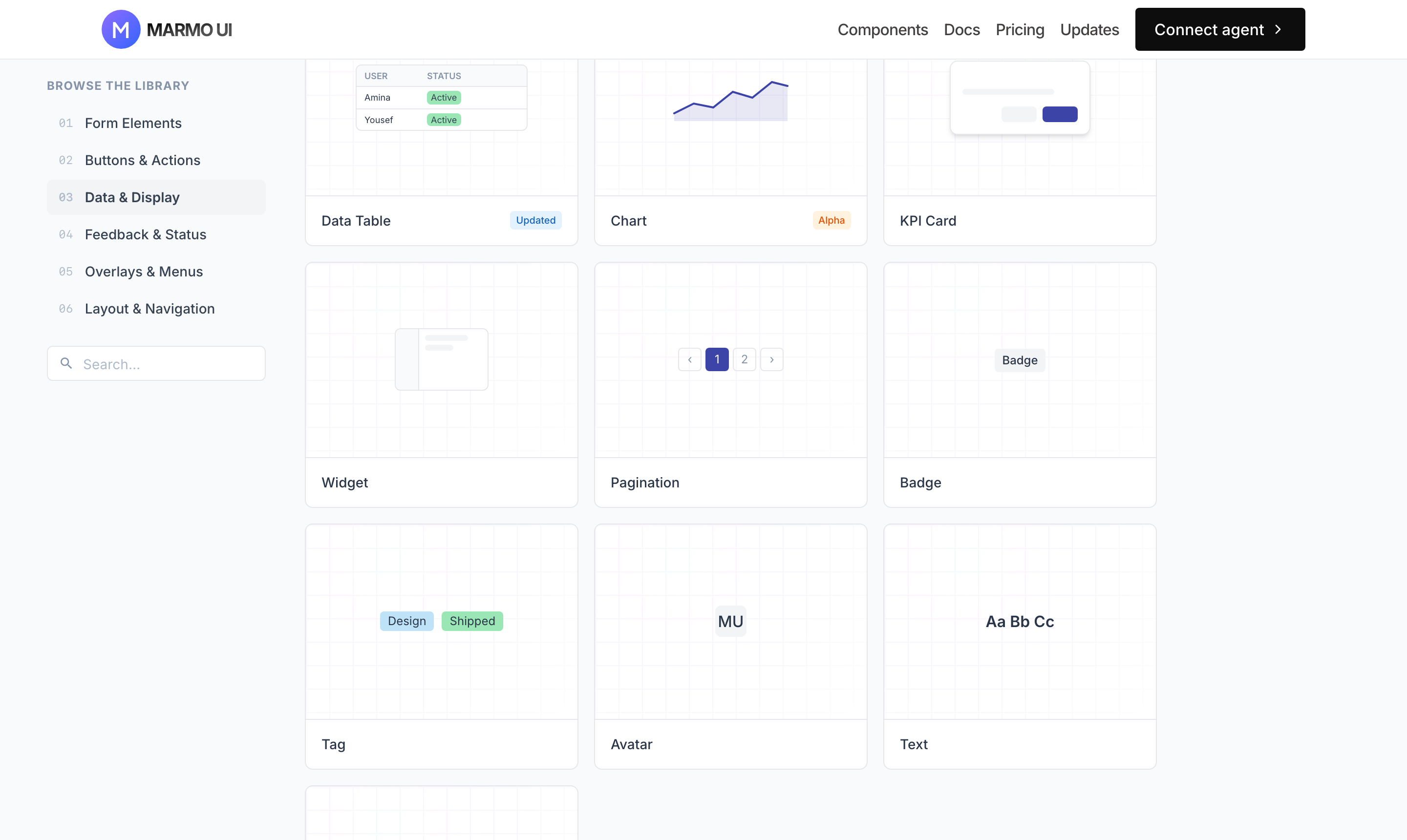
The AI agentic designer. Point the agent you already use — Claude Code, Codex, Cursor, Gemini CLI — at Marmo and it builds production dashboards and apps in minutes: real components, real props, your own style. No AI slop.
Platform, docs & pricing → marmoui.com
npx marmoui init     # connect your agent (free, no account)
npm i @marmoui/ui    # the component library (MIT)
Then just ask your agent: "Build a billing dashboard with Marmo UI."
How it works
@marmoui/ui— an open-source React 19 design system (MIT, public npm). Tables, charts, forms, app shells — everything a product UI needs, light + dark from one token set.- The Marmo MCP — a hosted knowledge server your agent connects to. Instead of guessing from training data, the agent reads live component APIs, composition patterns, and generation rules, and validates its output (
review_generated_code) before reporting done. Wrong imports and invented props get caught and fixed before you ever see them. - Claude Code plugin —
/plugin marketplace add mahmoudilyan/marmoui→/plugin install marmo-ui@marmoui-plugins. Bundles the MCP plus themarmo-uiskill and/marmo-ui:*commands (init,design-md,build) that enforce the find → generate → validate workflow.
Light and dark from one token set
Every component ships both themes off the same semantic tokens (bg, panel, ink, primary-*) — no parallel dark stylesheet, no hardcoded hex.
| Light | Dark |
|---|---|
Free vs Pro
| Free | Pro — $9.99/mo, 14-day free trial | |
|---|---|---|
React components (@marmoui/ui, MIT) | ✓ | ✓ |
| Core MCP — live props, validation, default Marmo styling | ✓ | ✓ |
| Docs, Figma library | ✓ | ✓ |
On-brand generation — your DESIGN.md (colors, type, tokens, component overrides) drives every screen any connected agent generates | ✓ | |
| Composition patterns library (app shells, dashboards, forms) | ✓ | |
| Pro blocks, generated straight into your repo | ✓ | |
| Personal MCP token + hosted, brand-themed design-system page | ✓ |
Pro mode in one sentence: the free tier makes your agent correct; Pro makes it yours — run /marmo-ui:init (or write a DESIGN.md by hand), upload it at marmoui.com/connect, and every agent on your account generates UI in your brand instead of the Marmo defaults. Generation always happens in your agent with your LLM tokens; the code lands in your repo and you own it fully.
Monorepo structure
├── apps/
│   └── design-system-docs/    # marmoui.com — docs + marketing site
├── packages/
│   ├── ui/                    # @marmoui/ui — publishable component library
│   └── cli/                   # marmoui — npx marmoui init
└── tools/claude-plugin/       # Claude Code plugin + marketplace
The hosted MCP server and platform services live in a private repository; this repo talks to them only through the hosted MCP at mcp.marmoui.com.
Using @marmoui/ui directly
Works as a regular component library too — no agent required:
import '@marmoui/ui/style.css'; // once, in your app entry
import { Button, DataTable } from '@marmoui/ui';
React 19 + react-dom are peer dependencies. Component APIs and examples: marmoui.com/docs.
Development
Node 20+, pnpm 9.
git clone git@github.com:mahmoudilyan/marmoui.git
cd marmo-ui
pnpm install
pnpm dev            # UI package + docs site (localhost:3002)
| Command | Description |
|---|---|
pnpm dev:ui | Develop the UI package only |
pnpm build | Build all packages and apps |
pnpm lint | Run ESLint across the monorepo |
pnpm type-check | Run TypeScript type checking |
pnpm changeset | Add a semver changeset |
Contributing
See CONTRIBUTING.md — workflow, Conventional Commits (enforced by husky), and semver via Changesets.
License
MIT — see LICENSE. Components are free forever; a component that ships free never moves behind the paywall.
Reviews
No reviews yet
Be the first to review this server!
More Developer Tools MCP Servers
Git
Freeby Modelcontextprotocol · Developer Tools
Read, search, and manipulate Git repositories programmatically
Fetch
Freeby Modelcontextprotocol · Developer Tools
Web content fetching and conversion for efficient LLM usage
Worldmonitor
Freeby Koala73 · Developer Tools
Live markets, conflicts, country risk, chokepoints, energy, and China decision signals. 87 tools.
Paperclip
Freeby Paperclipai · Developer Tools
Trending hip-hop artist momentum scores across four cultural dimensions.
Toleno
Freeby Toleno · Developer Tools
Toleno Network MCP Server — Manage your Toleno mining account with Claude AI using natural language.
mcp-creator-python
Freeby mcp-marketplace · Developer Tools
Create, build, and publish Python MCP servers to PyPI — conversationally.