
Server data from the Official MCP Registry
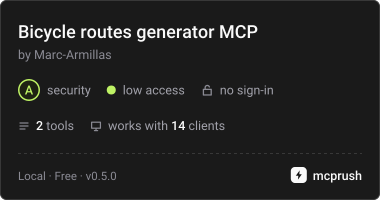
MTB and road cycling routes on real OpenStreetMap trails, saved as GPX with safety warnings.
About
MTB and road cycling routes on real OpenStreetMap trails, saved as GPX with safety warnings.
Security Report
Valid MCP server (2 strong, 3 medium validity signals). 1 known CVE in dependencies Imported from the Official MCP Registry.
11 files analyzed · 1 issue found
Security scores are indicators to help you make informed decisions, not guarantees. Always review permissions before connecting any MCP server.
Permissions Required
This plugin requests these system permissions. Most are normal for its category.
What You'll Need
Set these up before or after installing:
Environment variable: BIKE_GPX_DIR
Environment variable: BIKE_ENGINE
Environment variable: BIKE_BROUTER_URL
Environment variable: BIKE_PROTECTED_AREAS
Environment variable: BIKE_DATA_DIR
Documentation
View on GitHubFrom the project's GitHub README.
Bicycle routes generator MCP
English · Español
⬇️ Download the Claude Desktop extension (bicycle-routes-generator-mcp.mcpb)
Generates mountain bike and road cycling routes from a location and saves them as GPX with elevation. The track is computed by a routing engine (BRouter or OpenRouteService) on real OpenStreetMap trails and roads: neither the AI nor the application invents coordinates.
You can use it:
- With Claude (Claude Desktop or Claude Code) through a local MCP server: "make me a ~25 km MTB loop from Casa de Campo in Madrid, little climbing, on dirt tracks" (see what happens when you ask Claude).
- From the terminal, without AI:
bicycle-routes generate "Casa de Campo, Madrid" --km 25 --type tracks.
Every route comes with a summary (distance, climbing, maximum grade, % of pavement, dirt track and singletrack) and warnings: sections with motor traffic, grades over 12 %, protected areas, ways where bikes are not allowed and technical sections.
💾 GPX files go to
/tmp/bicycle-routesby default. macOS empties/tmpon restart and cleans up old files, so copy the routes you want to keep (or setBIKE_GPX_DIRto another folder).
⚠️ Always check the route on a map before riding. OpenStreetMap data may be incomplete or out of date, and does not reflect temporary closures or every local regulation. Climbing is computed from a digital elevation model (~90 m) and may differ from what a barometric watch or bike computer records (often by 10-20 %); short ramps may be smoothed out.
Easy install in Claude Desktop (.mcpb extension)
- Download
bicycle-routes-generator-mcp.mcpb(always the latest release), or build it withnpx @anthropic-ai/mcpb pack . dist/bicycle-routes-generator-mcp.mcpb. - Double-click the file (or drag it into Claude Desktop → Settings → Extensions) and click Install.
- Fill in the configuration: the GPX folder (
/tmp/bicycle-routesby default) and a contact email (required by the OpenStreetMap/Nominatim usage policy). The other fields are optional. - Ask Claude: "make me a 25 km MTB loop from Casa de Campo in Madrid on dirt tracks".
No need to install Python: this is a uv extension, so Claude Desktop downloads Python and the
dependencies automatically the first time (it can take a minute). .mcpb is the successor of
the .dxt format; older Claude Desktop versions that only support .dxt cannot run uv
extensions.
Manual install (CLI and Claude Code)
Requirements: macOS, Windows or Linux with uv (it installs Python for you).
git clone <repository-url> bicycle-routes-generator-mcp
cd bicycle-routes-generator-mcp
uv sync
cp .env.example .env   # and edit it
Configuration (environment variables)
There are no keys or personal data in the code: everything is configured through environment
variables (or a .env file in the folder you run the CLI from).
| Variable | Default | Purpose |
|---|---|---|
BIKE_GPX_DIR | /tmp/bicycle-routes | Folder where GPX files are saved. The app only writes here (and to its .bicycle-routes/ subfolder with cache and index). On Windows the default is the system temp folder. |
BIKE_CONTACT | — | Email or URL sent in the User-Agent. Recommended: required by Nominatim's policy. |
BIKE_ENGINE | brouter | brouter or ors. |
BIKE_BROUTER_URL | https://brouter.de | BRouter server (public or local, see below). |
ORS_API_KEY | — | Free OpenRouteService key if BIKE_ENGINE=ors. |
BIKE_PROTECTED_AREAS | 1 | Check protected areas with the Overpass API. |
BIKE_GARMIN_MCP_COMMAND | — | Only for --garmin in the CLI (see "Garmin"). |
BIKE_DATA_DIR | <GPX folder>/.bicycle-routes | Where to keep the cache and index. |
Command-line usage
uv run bicycle-routes generate "Casa de Campo, Madrid" --km 25 --type tracks --max-climb 500
uv run bicycle-routes generate "40.4242,-3.7559" --km 15            # coordinates work too
uv run bicycle-routes generate "Casa de Campo, Madrid" --km 20 --end "El Pardo, Madrid"   # point-to-point
uv run bicycle-routes generate "Casa de Campo, Madrid" --km 30 --via "El Pardo, Madrid" --via "Aravaca, Madrid"  # loop through via points
uv run bicycle-routes generate "Madrid" --km 60 --type road         # road bike
uv run bicycle-routes generate "Casa de Campo, Madrid" --km 40 --seed 7   # another reproducible alternative
uv run bicycle-routes generate "Casa de Campo, Madrid" --km 25 --json     # JSON output
uv run bicycle-routes list
Trail types (--type):
tracks: favours wide dirt tracks, little singletrack and no extreme ramps.mixed(default): general MTB.singletrack: more singletrack, less pavement.road: road bike. Paved roads with little traffic; warns about unpaved sections and only about busy roads (main roads or heavy estimated traffic), not ordinary secondary roads.
Real example (abridged):
MTB Casa de Campo 38 km loop
  Start: Casa de Campo, Madrid, Comunidad de Madrid, España
  Distance: 37.8 km · Climbing: +336 m / -338 m · Elevation 615–725 m
  Max grade: 10.3 % uphill, 13.3 % downhill
  Surface: paved 28.8 % · track 40.6 % · singletrack 30.6 %
  Engine: brouter (mtb) · candidates evaluated: 6
  GPX: /tmp/bicycle-routes/mtb-casa-de-campo-38-km-loop-20261017-163919.gpx
  Warnings:
   - [traffic] 0.3 km on roads with motor traffic in 1 section(s); ride carefully.
   - [traffic] Road with traffic (km 27.3–27.6).
   - [grade] Steep descent over 12 % (max ~13 %, km 9.2–9.3).
   - [general] Climbing and grades come from a digital elevation model (~90 m resolution)…
   - [general] Route generated automatically from OpenStreetMap: check it on a map before riding…
More examples with real output in docs/pruebas-reales.md (in Spanish).
Using it with Claude (MCP server)
The server exposes two tools:
generate_route(start, distance_km, max_climb_m?, trail_type?, loop=true, end?, name?, seed?, via?)→ GPX path, summary and warnings.viais a list of places the route must pass through, in order (e.g. "a loop from Casa de Campo passing through El Pardo and Aravaca").list_routes()→ saved routes.
Example: what happens when you ask Claude
You: "Make me a ~40 km MTB loop from Casa de Campo in Madrid."
1. Claude calls the tool, choosing the arguments from your request:
generate_route({ "start": "Casa de Campo, Madrid", "distance_km": 40, "trail_type": "mixed" })
2. The MCP server computes the route on your computer (10-60 seconds):
- Looks up "Casa de Campo, Madrid" in Nominatim (OpenStreetMap) →
40.424, -3.756. - Generates 6 candidate loops with BRouter on real trails, adjusting each one to about 40 km.
- Scores them (distance, traffic, repeated trails, surface, forbidden access, climbing) and keeps the best one.
- Analyses it: climbing, grades, surface, sections with traffic, technical sections and protected areas (Overpass API).
- Saves the GPX with elevation in your GPX folder.
3. It returns this to Claude (real output, abridged; obtained with "seed": 2026 so it can
be reproduced: without a seed every request gives a different loop):
{
  "name": "MTB Casa de Campo 38 km loop",
  "gpx_file": "/tmp/bicycle-routes/mtb-casa-de-campo-38-km-loop-20261017-163919.gpx",
  "start": { "name": "Casa de Campo, Madrid, Comunidad de Madrid, España", "lat": 40.4241907, "lon": -3.755858 },
  "summary": {
    "distance_km": 37.8, "ascent_m": 336, "descent_m": 338,
    "min_elevation_m": 615, "max_elevation_m": 725,
    "max_uphill_grade_pct": 10.3, "max_downhill_grade_pct": 13.3,
    "surface_pct": { "paved": 28.8, "track": 40.6, "path": 30.6, "unknown": 0.0 },
    "warnings": [
      { "kind": "traffic", "message": "0.3 km on roads with motor traffic in 1 section(s); ride carefully." },
      { "kind": "traffic", "message": "Road with traffic (km 27.3–27.6).", "start_km": 27.32, "end_km": 27.61 },
      { "kind": "grade", "message": "Steep descent over 12 % (max ~13 %, km 9.2–9.3).", "start_km": 9.22, "end_km": 9.34 },
      { "kind": "general", "message": "Climbing and grades come from a digital elevation model (~90 m resolution)…" },
      { "kind": "general", "message": "Route generated automatically from OpenStreetMap: check it on a map before riding…" }
    ]
  },
  "engine": "brouter (mtb)",
  "activity_type": "mountain_biking",
  "candidates_evaluated": 6,
  "attribution": "Trail data © OpenStreetMap contributors (ODbL) — https://www.openstreetmap.org/copyright"
}
4. Claude answers you in your language, with the summary and every warning. For example (illustrative, Claude's wording varies):
I've created a 37.8 km loop from Casa de Campo with +336 m of climbing: 41 % dirt track, 31 % singletrack and 29 % paved. Watch out for 0.3 km on a road with traffic (km 27.3–27.6) and a steep descent of ~13 % at km 9.2. Climbing comes from an elevation model and may differ from your watch, so check the route on a map before riding. GPX:
/tmp/bicycle-routes/mtb-casa-de-campo-38-km-loop-20261017-163919.gpx
From there you can keep going in the same conversation:
| You say | What Claude does |
|---|---|
| "Give me another option" | Calls generate_route again with a different seed |
| "Less climbing, at most 200 m" | Adds max_climb_m: 200 |
| "Make it pass through El Pardo" | Adds via: ["El Pardo, Madrid"] |
| "Now a 60 km road ride from Madrid" | Uses trail_type: "road" (paved, little traffic) |
| "Upload it to Garmin" | Calls the Garmin MCP server's upload_course with the GPX, if you have it installed |
| "What routes have I saved?" | Calls list_routes |
Claude Code
claude mcp add bicycle-routes-generator-mcp \
  -e BIKE_GPX_DIR=/tmp/bicycle-routes -e BIKE_CONTACT=you@example.com \
  -- uv run --directory /path/to/bicycle-routes-generator-mcp bicycle-routes-mcp
Claude Desktop (without the extension)
The .mcpb extension is the easiest option (see above). To configure it by hand instead:
Settings → Developer → Edit config (claude_desktop_config.json):
{
  "mcpServers": {
    "bicycle-routes-generator-mcp": {
      "command": "/absolute/path/to/uv",
      "args": ["run", "--directory", "/path/to/bicycle-routes-generator-mcp", "bicycle-routes-mcp"],
      "env": {
        "BIKE_GPX_DIR": "/tmp/bicycle-routes",
        "BIKE_CONTACT": "you@example.com"
      }
    }
  }
}
Use the absolute path to uv (which uv on macOS/Linux, where uv on Windows), because
Claude Desktop does not always inherit the terminal's PATH. Restart Claude Desktop.
Building the extension
manifest.json describes the extension (uv type, tools and configuration fields) and
.mcpbignore keeps the tests, docs and your .env out of the package.
npx @anthropic-ai/mcpb validate manifest.json
npx @anthropic-ai/mcpb pack . dist/bicycle-routes-generator-mcp.mcpb
python scripts/make_icon.py    # only if you want to regenerate icon.png
Publishing a release
-
Bump
versioninmanifest.json,pyproject.tomlandsrc/bicycle_routes/__init__.pytogether. -
Create and push a matching tag:
git tag v0.1.0 git push origin v0.1.0 -
The
ReleaseGitHub Actions workflow runs the tests, buildsbicycle-routes-generator-mcp.mcpband attaches it to a new GitHub Release. The download link at the top of this README always points to the latest one. -
A second job publishes that version to the official MCP Registry as
io.github.Marc-Armillas/bicycle-routes-generator-mcp: it fills inserver.jsonwith the version, the release URL and the SHA-256 of the.mcpb, and logs in with GitHub OIDC (no secret needed). If the registry rejects it, the GitHub Release is already published.
Garmin, Wahoo and other platforms
The application is platform-independent: the output is a standard GPX file. Sending to
platforms is done by optional exporters sharing a common interface
(export(route, config) -> ExportResult, in src/bicycle_routes/exporters/).
- disk (default): saves the GPX in
BIKE_GPX_DIR. - garmin: delegates to an already installed Garmin MCP server (
upload_coursetool).- With Claude (recommended): nothing to configure. Ask "upload it to Garmin" and Claude
will call the Garmin MCP server's
upload_coursewith the generated GPX andactivity_type="mountain_biking"("road_biking"for road routes). - From the CLI: set
BIKE_GARMIN_MCP_COMMANDto the command that starts that server and use--garmin. Garmin credentials are handled by that server, never by this app. - Community Garmin MCP servers use Garmin Connect's unofficial web API and may stop working. The official API (Courses API) is only available to approved businesses.
- With Claude (recommended): nothing to configure. Ask "upload it to Garmin" and Claude
will call the Garmin MCP server's
- wahoo: not implemented. The Cloud API has
POST /v1/routes, but you must request an app and get it approved (notes inexporters/wahoo.py). - Komoot (API only for partners under contract) and Strava (its API cannot create routes): import the GPX manually on their websites.
Routing engines
-
BRouter (default, MIT, no key). Uses the
mtbprofile withStrictNOBicycleaccess=1(avoids ways taggedbicycle=no) andavoid_unsafe=1; forroad, thefastbikeprofile withconsider_traffic=1(the same routes asfastbike-lowtraffic). The publicbrouter.deserver makes no availability guarantees: the app sends at most 1 request per second and caches responses. For heavy use, run a local one (not yet tested in this project):mkdir -p segments4 curl -o segments4/W5_N40.rd5 https://brouter.de/brouter/segments4/W5_N40.rd5 # Madrid and central Spain docker run -d -p 17777:17777 -v "$PWD/segments4:/segments4" ghcr.io/abrensch/brouter # and in .env: BIKE_BROUTER_URL=http://localhost:17777 -
OpenRouteService (optional):
BIKE_ENGINE=orsandORS_API_KEY(free plan: 2,000 routes/day, 40/min). Profilecycling-mountain, orcycling-roadforroad.
How the loop is generated
- The place is geocoded with Nominatim (or the coordinates you give are used).
- 3-4 waypoints are placed on a circle passing through the start, with a random orientation
(reproducible with
--seed). - The engine routes start → waypoints → start on real trails.
- The radius is adjusted until the requested distance is approached (about 2-4 requests).
- Six candidates are generated and the best one is picked by distance, traffic, repeated trails, surface, forbidden access, climbing and grades.
With via points (--via / via), your points replace the random ones: the engine routes
start → via 1 → … → via N → start (or → end, for point-to-point), in the given order. The
distance comes from those points, not from --km; a warning is added if it differs by more
than 15 %.
External services and their policies
- Nominatim (place lookup): usage policy. At most 1 request/second, an identifying User-Agent, cached results, no autocomplete or bulk queries. For heavy use, run your own Nominatim.
- Overpass API (protected areas): about 10,000 requests/day per IP as a guideline; one cached query per route.
- brouter.de: public server without guarantees; use a local one for heavy use.
Development
uv run pytest              # tests with simulated engine, geocoder and areas (no network)
uv run pytest -m network   # optional test against the real services
Layout:
src/bicycle_routes/
├── core/            # models, loop generator, analysis and GPX (no network, no platforms)
├── engines/         # BRouter and OpenRouteService (RoutingEngine interface)
├── geo/             # Nominatim and protected areas (Overpass)
├── exporters/       # disk, garmin (via MCP), wahoo (pending)
├── net.py           # HTTP client: User-Agent, rate limiting, retries and cache
├── service.py       # reusable orchestration (CLI, MCP and a future remote server)
├── mcp_server.py    # MCP server (stdio)
└── cli.py
The core does not depend on the CLI or the MCP server, so it could later be offered as a remote server (HTTP transport) by changing only the exporter and the transport.
License and attribution
Code under the MIT license. See NOTICE.
Trail and place data © OpenStreetMap contributors, under the ODbL license. Generated GPX files include this attribution in their metadata; keep it if you share them. BRouter elevation: SRTM (CGIAR-CSI).
Reviews
No reviews yet
Be the first to review this server!
More Developer Tools MCP Servers
Rea
Freeby Morluto · Developer Tools
Reverse engineer anything from your terminal or agent with one CLI and MCP server.
Paperclip
Freeby Paperclipai · Developer Tools
Trending hip-hop artist momentum scores across four cultural dimensions.
Git
Freeby Modelcontextprotocol · Developer Tools
Read, search, and manipulate Git repositories programmatically
Fetch
Freeby Modelcontextprotocol · Developer Tools
Web content fetching and conversion for efficient LLM usage
Toleno
Freeby Toleno · Developer Tools
Toleno Network MCP Server — Manage your Toleno mining account with Claude AI using natural language.
MCP Marketplace
Freeby mcp-marketplace · Developer Tools
Search and install MCP servers from inside your AI client.