
Server data from the Official MCP Registry
Control FreeCAD from MCP clients: create and edit models, run Python and FEM analyses.
About
Control FreeCAD from MCP clients: create and edit models, run Python and FEM analyses.
Security Report
Valid MCP server (1 strong, 3 medium validity signals). 1 code issue detected. No known CVEs in dependencies. Package registry verified. Imported from the Official MCP Registry. 1 finding(s) downgraded by scanner intelligence.
5 files analyzed · 2 issues found
Security scores are indicators to help you make informed decisions, not guarantees. Always review permissions before connecting any MCP server.
Permissions Required
This plugin requests these system permissions. Most are normal for its category.
How to Install
Add this to your MCP configuration file:
{
  "mcpServers": {
    "freecad-mcp": {
      "command": "uvx",
      "args": [
        "freecad-mcp==0.1.31"
      ]
    }
  }
}
Some servers take additional arguments. See the repository for details.
Documentation
View on GitHubFrom the project's GitHub README.
FreeCAD MCP
Control FreeCAD from Claude Desktop and other MCP clients. Create and edit models, run Python scripts, inspect documents, and run FEM analyses.
Demo
Design a flange:
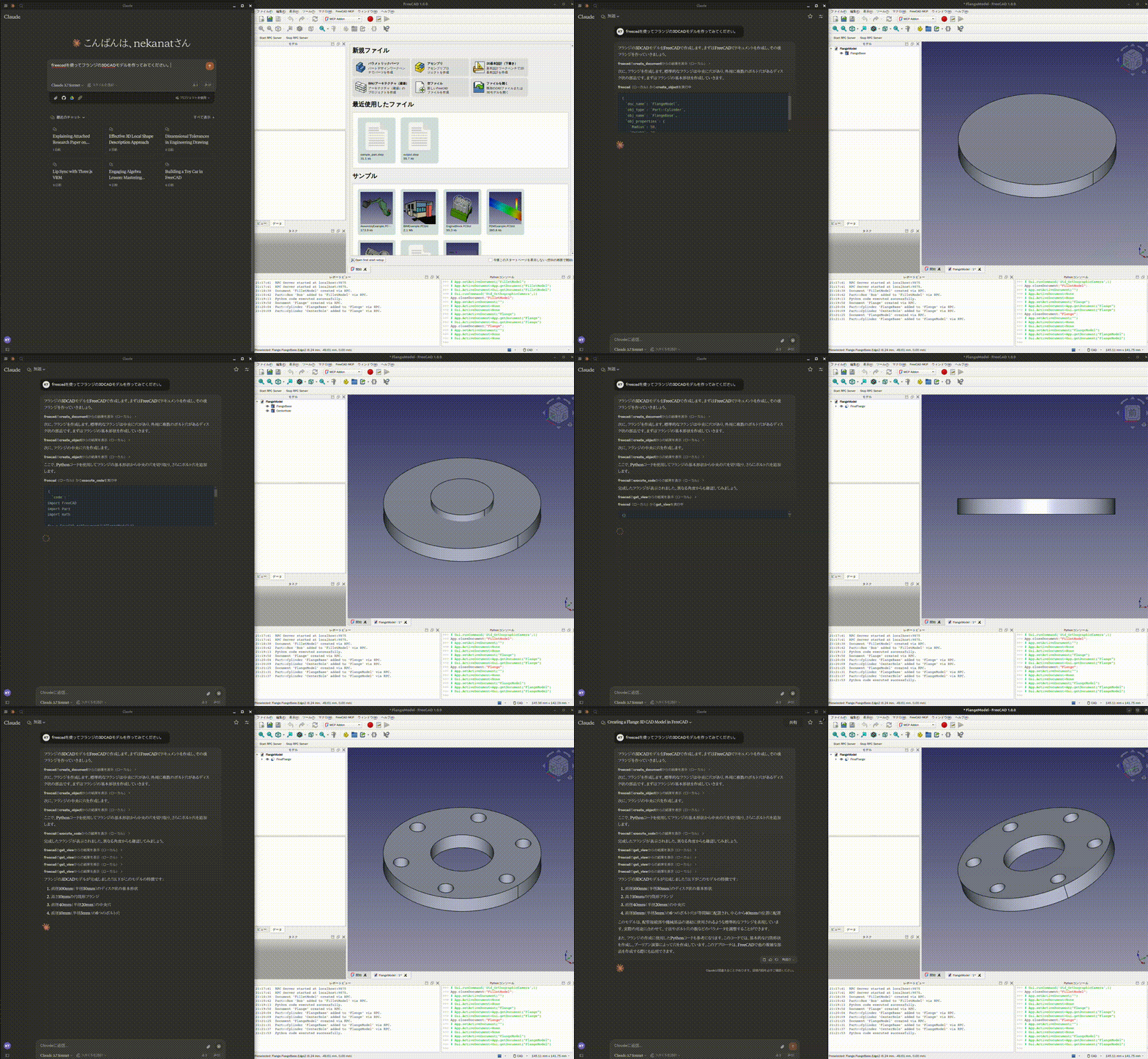
See more demos and examples for a toy car, modelling from a 2D drawing, and agent integrations.
Quick start
You need FreeCAD and uv / uvx. FreeCAD MCP has two components: an addon running inside FreeCAD and an MCP server launched by your client.
1. Install and start the FreeCAD addon
git clone https://github.com/neka-nat/freecad-mcp.git
cd freecad-mcp
Copy addon/FreeCADMCP into your FreeCAD addon directory,
then restart FreeCAD. Select the MCP Addon workbench and click
Start RPC Server in the FreeCAD MCP toolbar.
See the installation guide for platform-specific commands and screenshots.
2. Connect Claude Desktop
Add the following entry to claude_desktop_config.json:
{
  "mcpServers": {
    "freecad": {
      "command": "uvx",
      "args": ["freecad-mcp"]
    }
  }
}
Restart Claude Desktop to load the configuration, keep FreeCAD open with its RPC
server running, and ask Claude to create a model. Connections use localhost by
default.
Documentation
| Guide | Contents |
|---|---|
| Installation | Addon directories, setup screenshots, running from source |
| Configuration | Auto-start, text feedback, remote connections, HTTP transport |
| Docker | Running the MCP server in a container, client setup, networking |
| Tools | Available tools, screenshots, FEM analysis |
| Code execution | GUI execution, background jobs, headless scripts, timeout troubleshooting |
| Demos and examples | Design demos, FEM example, ADK and LangChain integrations |
Contributors
Made with contrib.rocks.
Reviews
No reviews yet
Be the first to review this server!
More Developer Tools MCP Servers
Rea
Freeby Morluto · Developer Tools
Reverse engineer anything from your terminal or agent with one CLI and MCP server.
Paperclip
Freeby Paperclipai · Developer Tools
Trending hip-hop artist momentum scores across four cultural dimensions.
Scrapling
Freeby D4Vinci · Developer Tools
Web scraping with stealth HTTP, real browsers, and Cloudflare bypass. CSS selectors supported.
Git
Freeby Modelcontextprotocol · Developer Tools
Read, search, and manipulate Git repositories programmatically
Toleno
Freeby Toleno · Developer Tools
Toleno Network MCP Server — Manage your Toleno mining account with Claude AI using natural language.
MCP Marketplace
Freeby mcp-marketplace · Developer Tools
Search and install MCP servers from inside your AI client.