
Server data from the Official MCP Registry
Local memory for coding agents; a rule with a proof can refuse. Full install with hooks: the repo.
About
Local memory for coding agents; a rule with a proof can refuse. Full install with hooks: the repo.
Security Report
Valid MCP server (2 strong, 0 medium validity signals). No known CVEs in dependencies. Imported from the Official MCP Registry.
11 files analyzed · No issues found
Security scores are indicators to help you make informed decisions, not guarantees. Always review permissions before connecting any MCP server.
Permissions Required
This plugin requests these system permissions. Most are normal for its category.
Documentation
View on GitHubFrom the project's GitHub README.

THOR - a memory for your AI coding assistant
Most memory tools can only remind your assistant. THOR can refuse.
Give it a note with a proof attached - a small check it can run right now, like "this file still contains that line." From then on the note stops being advice. THOR refuses the matching edit or command before it runs. Not a suggestion your assistant is free to skip. A hard stop.
That proof runs live, at the exact moment it matters, against your actual project. A note that has gone stale, that no longer describes what is really there, quietly stops counting as proof - so it can never block you by mistake.
Other local memories can refuse a write too. What is different is where the block comes from: a proof, checked live, never a rule taken on faith. And the whole loop that produces it, learning included, runs in one place: this machine.
Most notes only inform: pinned so they are handed over at the start of every session, or surfaced the first time your assistant reaches for the file or command they are about.
A note that keeps being served without ever being judged is asked about in
one block, not one note at a time: the end-of-session review (/thor-eval),
which THOR asks for about once a week per project. THOR does not stop an
ordinary turn to ask whether one note helped or got in the way. The review
only names a note your own session actually saw fire - never one that only
ever showed up during other, unrelated work. Two "this did not belong"
verdicts since the note was last rewritten stop a plain note from being served
again, though it stays there if you go looking for it. A rewrite of the note's
text, check or bindings starts that count again, and a note whose check can
refuse is never hidden this way.
A health check names what has rotted, out loud: proofs that now come out false, notes pointing at nothing, notes too crowded to ever be shown.
Everything that is not code - a recipe, a book, a training log - lives in its own library, kept apart, so it never competes with a deploy rule for room.
Everything stays on your machine by default: no account, no key, no cloud - including what it learns about which of your notes are worth keeping. The only two things that can leave it are listed under "Stays on your machine" below.
Get started. Send this repository's link to your AI assistant (Claude Code) and say "install THOR". It does the whole setup itself; the only thing it asks of you is to close Claude Code and open it again, once. The full step-by-step is under Getting started further down. If you are the assistant, read AGENTS.md.
THOR is free and GPLv3. If it earns its keep, you can support the work: buy me a Ko-fi or become a YouTube member - no pressure, no paywall, everything stays open either way.
Are you an AI assistant, setting THOR up for the person you work with? Go straight to AGENTS.md. It is written for you.
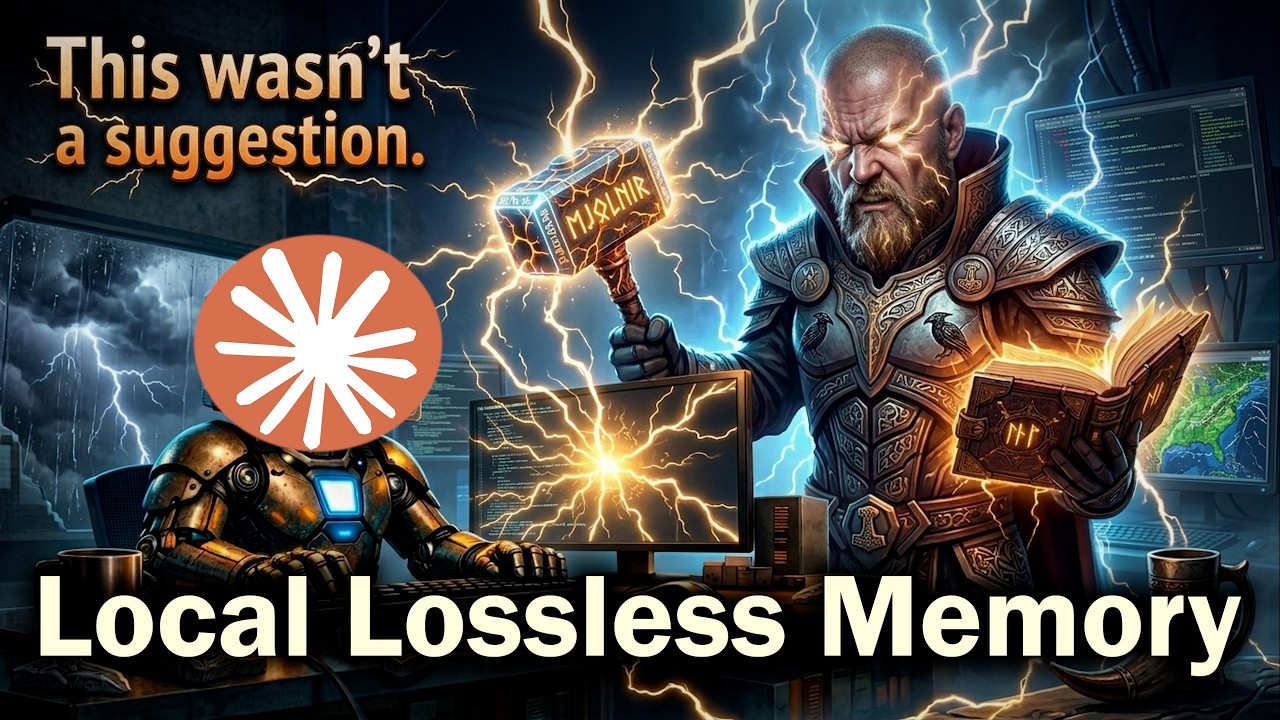
Prefer watching? The video above walks through what THOR is and why it exists.
What it does
Remembers what you tell it. A rule, a gotcha, a decision, the shape of the project. Once, in your own words. It stays until you change it.
Hands it back at the right moment. Not a search box you have to remember. The note arrives while you are touching the file or running the command it is about, in a conversation that never heard it.
Stops a wrong change, not just warns about it. A note carrying something checkable can refuse the write outright. Most notes only inform, and that is deliberate: a rule that blocks honest work is the most expensive thing this system can do.
Keeps projects apart. Every project has its own memory. One repo's rules never leak into another.
Says when it has rotted. It counts its own dead ends: notes pointing at files that moved, notes nothing ever reads, notes crowded out by louder ones. Out loud, in plain language, so you can fix them.
Stays on your machine. No account, no key, no server. THOR never sends
anything on its own. Exactly two things can leave your machine, and only
because you say so: a bug report about THOR itself, sent to its GitHub page only
after your explicit yes to the exact text shown (file paths, project and
computer names, addresses, keys and passwords are removed first), and a backup
of your memory to a place you name, if you choose one - a backup kept on this
machine sends nothing. A short record of recent commands and replies, kept
beside the memory so THOR can test its own rules, never leaves the machine and
can be switched off (install --set-recording off).
What that looks like in practice
Months ago you found out the hard way that this project is pinned to an older Node, and anything newer breaks the build. You said so once, and moved on.
Today a fresh conversation opens package.json to add a dependency, sees an
engine range that looks out of date, and is one helpful edit away from bumping
it. Right then, before it types, your own sentence is in front of it.
That is the whole idea. Not a search box you remember to use. A memory that shows up on time.
"I already have a CLAUDE.md for that"
Most assistants read a rules file at startup - CLAUDE.md, AGENTS.md,
.cursorrules. It helps, and it runs out of road quickly.
Past a certain size it becomes a phone book, and nobody reads a phone book front to back. Your assistant skims it, takes the gist and moves on. The rule was in there. It got skipped. Nothing looks wrong afterwards, because the line is still sitting in the file, so you go on believing you are covered.
Here is the part that is genuinely different. Picture a fresh agent, no history, no idea what this project has already cost you, one keystroke away from the exact write that broke production last spring. A rules file would have mentioned it somewhere on page four. THOR stops the keystroke. The write does not happen - and what stops it is the note you wrote, the day it broke.
That is the whole promise: not better advice, but a wrong change that does not land.
Getting there is not free, and it is worth knowing before you start. A note only earns that power if it is written to earn it: tied to a real file or command, carrying something checkable that shows it still applies. THOR ships with a set of starting notes that teach exactly that, and refuses the ones that cannot work. AGENTS.md spells out the rules of the game in full.
Three things make that work, and they all live in one file on your machine:
1. Nothing is ever lost. Every note is kept forever. Change your mind and the old version stays too, so you can always look back at what you used to think and when it changed. If two versions of a note ever conflict, THOR keeps both and tells you, rather than quietly picking one and throwing the other away. It is the same care you would give your source code, given to the things you know.
2. It arrives at the right moment. THOR checks your memory on every message you send. And the first time your assistant reaches for a file or runs a command that one of your rules is about, that rule gets put in front of it right then. Before the mistake, not after.
3. Your assistant looks after it. It is not a notebook you have to fill in by hand. Your assistant can add notes, correct them, retire ones that stopped being true, and flag which ones actually helped. A THOR that is used well is a THOR your assistant is quietly tidying as you work.
It reads your code too. Point it at a project and it takes in the source and the documentation, so "how does this bit work here" gets answered from your actual project instead of a guess.
Everything stays on your machine by default. No cloud, no account, no subscription, and nothing to sign up for. If some optional piece is missing, THOR quietly falls back to a simpler way of working instead of breaking.
A note that can actually stop you
Showing a warning at the right moment is worth a lot, and for a long time that was all THOR could do. A note could speak. It could not refuse.
Version 2 lets a note carry a proof of its own currency: a small check THOR can run right now to see whether the note is still true of your project. "This file still contains that line." "That file is still there." "This character never appears in anything we write." Or, for catching something left out rather than something wrong: "every agent I spawn names which model to do the work with."
That changes what a note is allowed to do:
- A note whose proof runs and holds right now may stop a wrong change outright.
- A note backed by words alone may warn, and only warn. It can inform your assistant; it can never forbid.
- If the proof cannot run - the file moved, the path is gone - nothing is blocked. It is reported as needing a look.
That first kind of stop reaches further than an edit made through your assistant's own tools: deleting the protected file, emptying it out, or overwriting it from a command your assistant runs counts as the same wrong change, and is stopped the same way.
The reason for the split is uncomfortable and worth saying out loud. Notes rot. You write one, the project moves on, and the note quietly becomes wrong. A tool that let any old note block your work would spend most of its time blocking you for reasons that stopped being true months ago. So THOR only hands that power to notes that can prove, at that exact second, that they still describe your project.
Which is why, as the top of this page already said, most of your notes will never block anything. The health check prints how many can, and you should look at it. On the author's own memory, when this was first measured, 2 notes out of 2999 could prove themselves; a day of deliberate work took that to 256. It moves by hand, because deciding what proves a note is a judgement about that one note.
That the number is printed at all is the point: a safety net nothing is attached to looks exactly like a safety net that works.
THOR asks, so you do not have to remember to
Leaving that to whoever thinks of it means it never happens. So THOR does it by itself, in two places.
When a note is written. You are not asked whether the note can be checked: THOR tries it. A rule that spells out a command, a flag or a filename is run through the same guard that watches your files and commands. If a check built on its own words really refuses the wrong change and lets ordinary changes through, the note is stored as a rule that can refuse. If no check holds, it is stored as a plain note: it still comes back at the right moment, it just cannot refuse anything. A note that is turned down says what to write instead.
For the notes you already had. THOR sorts the older notes itself at the start of each review (below). Only what needs your assistant's own judgement is handed over, in one block, so a memory written before any of this existed still gets worked through instead of being declared hopeless.
A caution worth stating plainly: THOR can prove that a note is wired so a matching change would be stopped. It cannot know whether the text you typed is the text the real command uses. A misspelled fragment is wired perfectly and guards nothing. That is why the health check reports two different numbers - how many notes could refuse something, and how many ever actually did. Trust the second one.
The review is the broom: run /thor-eval at the end of a session. It walks
through everything the memory has been served without a verdict, repairs what
has quietly drifted out of date, and settles the debt in one pass instead of
one note at a time. A session that never runs it simply leaves that debt for
the next one to inherit.
You do not have to remember to run it. Once a project has had an hour of work since its last review, and your assistant has put in at least ten minutes of its own work there, THOR holds the end of the assistant's turn until a review is filed and checked. THOR sorts your older notes itself at the start of the review; your assistant only handles what needs its own judgement, and the part of the review report that says what was judged and what was refused is written by THOR from its own record, so it cannot be made up. A review that was filed any other way than through THOR's own tool does not count, and THOR says why.
How often the review comes depends on your plan. The review draws on the
same usage limits as your own work, so THOR keeps it to one a week per project.
On a smaller plan (Pro and anything below Max) that is strict: once a week, and
never daily, whatever it finds. On Max it is once a week too, but it comes back
daily while something is found wrong (a defect, a rule that would refuse real
work, a check left undone, a review that did not count, a bug in THOR itself),
and goes back to weekly the first time a review finds nothing. THOR reads your
plan from Claude Code's own settings file when it installs and asks you to
confirm it in the first-session questions; install --set-plan max or
install --set-plan small records your answer. The review's request says in
one line which of the two applies.
A memory with a spine
Version 1 remembered well and never argued. It would hand your assistant a note at the right moment and hope. Version 2 is the same memory with a spine.
- A note can refuse. The headline, and the rest of this section is about it. Version 1 could only speak.
- Bad notes no longer get in. A note that cannot ever fire, has nothing that would prove it wrong, runs on for a page, or simply repeats one you already have: turned away at the door, with the reason and the fix. Version 1 stored whatever it was given, and you found out months later that half of it was unreachable.
- It counts what it actually did. How many notes can refuse something, how many ever have, how much of your memory nothing re-reads. Version 1 had no number for the one thing it was built to do, which is how a safety net stays broken for a year.
- Maintenance is no longer optional, and it does not nag. Judging the notes that keep firing and cleaning up old rules is asked once, inside the project's evaluation (once a week per project), never at the end of every turn. A turn is held only for something the session did itself: a note it just filed where it will never be seen, a setup left undone, a decision you stated that was not stored. It will not be waved off with a promise to do it later.
- A copy of the memory can be kept somewhere else, and you choose. A backup
is a choice you make at the first session; the install does not switch one on
for you, so until you choose, nothing is backed up. Once you choose one, THOR
writes the whole memory into a private git repository about once a day.
install --set-backup localkeeps that repository beside the memory on this machine and sends nothing anywhere (it protects against a damaged memory file, not against the disk dying).install --set-backup <folder or address>also adds the place you named (a folder on a NAS or another computer you own, or a private repository) as a remote callednas, and the copy goes there and nowhere else.install --set-backup offstops it.doctorsays where the last copy went and how long ago, or that it has been failing and why. Getting it back is one command. - It costs almost nothing to carry. A note is capped at 300 characters and a block at four notes and 1200 characters, so what lands in the conversation is a few hundred tokens, not a whole rules file re-read on every turn. A memory of ten thousand notes costs the same per turn as one of fifty. Nothing calls out to a model to decide what to send - it is a local program reading a local file, so there is no network round trip in front of your keystroke. The one exception is the pinned notes: those are read out in full at the start of a conversation (a new memory starts with 22 of them, and that block is capped at about 9,500 bytes), so pin sparingly and the cap does the rest.
- Replies are checked too. A new memory comes with a small file of six reply rules, kept beside it: open a result-like reply with a plain summary, do not ask you to check what the assistant can check itself, no reflexive disclaimers, keep an answer under about 1000 characters, show evidence when saying something was checked, and never say everything was checked without saying what was covered. A reply that breaks one is sent back once to be rewritten. A summary or overview you ask for may run longer, and the first-session list is exempt from the length rule. Edit the file, delete one entry, or delete the file to change or switch them off.
- Stale notes are hunted, not left to rot. A note whose proof comes out false is reported instead of quietly going on being wrong. A note that keeps firing without anyone ever saying whether it belonged gets asked about, and two verdicts of "this did not belong" since it was last rewritten stop a plain note from being shown while leaving it findable (a rewrite of its text, check or bindings starts that count again, and a rule whose check can refuse is never hidden this way). In version 1 a note that went wrong simply stayed.
- Crowding is visible and refused. Only a few notes fit in a block, so notes compete. Version 2 counts that competition, tells you when you have just stored something onto a spot too crowded to ever show it, names what is holding the place, and refuses the write outright when every spot the note could take is already full of heavier ones. A note tied to one file, folder or command is refused the moment that single place already holds as many as it can ever show - lighter rivals count too, so a heavier note can no longer bump a lighter one out of sight unnoticed. Version 1 accepted it and said nothing, which is how a memory fills up with advice nobody will ever see. Making room is the assistant's own job: the refusal names every note on the place, how heavy it is and whether it can refuse anything, and the three honest ways out - merge two that say the same, move one to the narrower file or command it is really about, or remove one that is out of date with a reason. It never becomes a question for you, and a true check is never thrown away to get past it.
- One assistant at a time owes a project its upkeep. When two conversations work in the same project, only one of them is stopped to judge notes, fix rules or write the project's evaluation; the other gets one line saying which conversation is doing it. If that one goes quiet for half an hour, the next one asked takes over.
- Your go cannot be typed by the assistant. A rule can say a command needs your explicit go (for example sending an e-mail, or touching a live server). Then only your own message counts - what you typed yourself, in this turn or the one before. The assistant writing the word into its own command, a helper's report, or text you pasted as a quote does not count. If THOR cannot read the conversation to check, it refuses rather than guess.
A second memory, for everything that is not code
The memory above is built for work. It has a gate, notes that interrupt you, and a hard cap on how much ever reaches the conversation - all of which is exactly wrong for a recipe.
So 2.1 adds a library, and it is a genuinely separate thing: its own file, its own two commands, and no way to reach the first memory at all. Nothing you put in it can ever interrupt you, compete with a note, or take up room in a block. You only ever see it because you asked.
It works the way a shelf works.
- Everything lives on a shelf, and shelves do not nest. Books, recipes, a training log, what you spent. Filing something without naming a shelf is refused, and the refusal lists the shelves you have, so your assistant picks from real ones instead of inventing a name.
- Only you create a shelf. If nothing fits, your assistant has to ask you what the new one should be called - and once you answer, it repeats your own word back and the shelf is created, with the entry filed onto it, in that same reply. It can never invent a name or skip the question. This is the rule that stops a tidy list of eight from becoming a sprawl of sixty.
- A shelf that grows gets labels, never a split. Two hundred recipes on one shelf, filtered by "bbq" or "dessert", stays one shelf. That is what keeps the list of shelves short enough to hold in your head.
- You get an index, not a wall of text. Open a shelf and you see one line per entry. Ask for one by number to read it whole.
- The same thing twice is refused, pointing at the entry you already have.
- Nothing is ever deleted. Your assistant can retire an entry that no longer belongs - it comes out of the listing and out of search, and stays fully readable by its own number for as long as the library exists.
- A search never answers "nothing". If your words miss - and they will, since the words you ask with are rarely the words you wrote - it hands you the shelf to read instead. Asking for "ribbetjes" when you wrote "ribben" finds it.
Two folders THOR can keep tidy (optional)
Both are off until you name a folder. THOR only ever reads these folders: it never deletes, moves or edits anything in them. If you never name one, nothing in this section happens.
You never have to type a command yourself: tell your assistant "set my
temp-until-live folder to D:\Work\temp-until-live" (or "my tools folder") and it
runs the right one. The commands are shown below so you can see what happens.
In them, install is the program in THOR's folder ($HOME\thor2\install.exe on
Windows, ~/.thor2/install on Linux), and --db names your memory file
($env:LOCALAPPDATA\thor2\thor.db on Windows, ~/.local/share/thor2/thor.db on
Linux).
A folder for jobs that are waiting to go live
Suppose you build things for other people: a banner, a flyer, a print job, a website change. While a job is unfinished it sits in a temporary folder, and once it is live that copy can go. It is easy to lose track of which is which.
What the folder has to look like (this is the part you do yourself):
- One sub-folder per job, named with the date, the project and a short
subject:
2026-10-20_shop_banner. - In each sub-folder a plain text file called
STATUS.txt. Its first line starts withSTATUS:and says where the job stands, for exampleSTATUS: waiting for the client. - When the job is finished and live, change that first line to
STATUS: live. That is the signal that the sub-folder may be deleted.
Then tell THOR where the folder is (a network folder such as
\\nas\projects\temp-until-live works too):
& "$HOME\thor2\install.exe" --set-temp-folder "D:\Work\temp-until-live" --db "$env:LOCALAPPDATA\thor2\thor.db"
~/.thor2/install --set-temp-folder "/srv/work/temp-until-live" --db ~/.local/share/thor2/thor.db
It checks that the folder exists before it writes anything, and prints in plain
words what it set. From then on, the first time you start a session on a day,
your assistant is told something like "temp-until-live: 2 production folder(s)
say they may be deleted (...), 1 folder(s) are older than 30 days and not marked
live (...)", and tells you. You decide, and you delete the folders yourself.
"Older than 30 days" is read from the date in the folder name; to change the
30, open work-folders.json (it sits next to thor.db) in a text editor and
change the number after temp_max_age_days. doctor shows the same thing.
To switch it off again: the same command with --set-temp-folder off.
A folder for your helper tools
Every time you ask your assistant for a small script (rename these files, merge these PDFs) it writes one, and next week it writes the same script again, because it did not know the first one existed. A tools folder fixes that.
What the folder has to look like:
- One sub-folder per tool, named after what it does:
pdf-merge. - In each sub-folder a
README.txt(orREADME.md) whose very first line says in one sentence what the tool does:Merges several PDF files into one. - The tool's scripts live in the same sub-folder.
Tell THOR where it is:
& "$HOME\thor2\install.exe" --set-tools-folder "D:\Work\tools" --db "$env:LOCALAPPDATA\thor2\thor.db"
~/.thor2/install --set-tools-folder "/srv/work/tools" --db ~/.local/share/thor2/thor.db
What you get:
- A list at the start of every session: "Helper tools available in D:\Work\tools:" and one line per tool, taken from the first line of its README. Nobody keeps the list up to date; it is built from the folders. THOR keeps a copy beside your memory and builds it again only when something in the folder changed, so it costs next to nothing.
- A check, at most once a day: a tool folder without a README, a README whose first line is empty, or script files lying loose in the tools folder instead of in a sub-folder of their own.
- Leftover scripts are asked about, once. When your assistant writes a
script file (
.py,.ps1,.sh,.jsand a few more) somewhere that is not a git project, not the tools folder and not the temp-until-live folder, and it is still there and untouched 30 minutes later, the end of that turn is held once. Your assistant is asked to move the useful ones into the tools folder with a README, and to delete the one-offs. A file is asked about once per session, so this can never turn into a loop. Only files written with Claude Code's own file tools are noticed; a script created by a shell command (echo ... > x.py) is not.
If a folder is on a network share that is switched off, a session start never
waits for it: THOR gives up after about a second and a half, shows the list it
kept last time (marked with its date) or says nothing. To switch it off again:
the same command with --set-tools-folder off.
Getting started
The shortest way - let your assistant do it. Send your assistant the link to this repository and ask it to "install THOR". It reads AGENTS.md, which is written for it, runs the one command below for you, checks that it worked, and asks you for exactly one thing: restart it once. Nothing to download, no paths to type, no Rust to install, no questions to answer - the first conversation after the restart finishes the setup on its own, with defaults you can change just by saying so.
That first conversation also shows you a numbered list of everything the install
arranged, one line each. Everything on it is already on, except two things that
stay off until you choose: helper-agent mode (your main assistant judges while
cheaper models do the work in helpers; install --set-helpers on switches it
on) and backups (nothing is backed up until you pick local or a place). The
changelog item creates a CHANGELOG.md in your project only if it has none and
you do not say no. Answer by number ("1 yes, 3 no, 10 local"), or say
"defaults"; anything you do not mention keeps its default.
The easy way: five steps, no programming tools
You need Claude Code, installed and opened at least once. Nothing else to prepare: no account, no key. The paste-one-line route below needs neither git nor Python. When you let your assistant install THOR instead, it checks your computer for git and Python (which its own tools use), installs what is missing through your system's package manager, and asks you for at most one permission click.
-
Open a terminal. On Windows press the Windows key, type
PowerShelland press Enter. On Linux open your Terminal. -
Paste ONE line and press Enter. It downloads the latest release from this project's GitHub page, checks the download against the checksum published next to it, unpacks it into a
thor2folder in your home folder, and sets everything up. It prints what it did, in plain words. It needs no administrator rights and installs nothing outside your own user folder.Windows, in PowerShell:
irm https://raw.githubusercontent.com/nworks3d/THOR-for-claude-code/main/install.ps1 | iexLinux:
curl -fsSL https://raw.githubusercontent.com/nworks3d/THOR-for-claude-code/main/install.sh | sh(On Windows, if a THOR program refuses to start, install Microsoft's "Visual C++ Redistributable" and paste the line again. Pasting it again is always safe.)
-
Close Claude Code completely and open it again. Claude Code only learns about THOR when it starts, so until you do this nothing is active.
-
Make a folder for your topic, and open Claude Code in it. For example a folder called
Kitchen renovationin your Documents, with your notes, quotes and PDFs inside. It does not have to be a programming project. Then tell your assistant: "Give this folder its own THOR memory, as a topic." -
Just work. Tell your assistant things once ("the tiles come from Tilehouse", "we chose the oak worktop") and in any later conversation in that folder it already knows. Each topic folder has its own memory, so nothing from one topic leaks into another. To check that all is well, ask your assistant: "Is THOR working?" The first lines of its answer are a plain summary.
The setup touches two of Claude Code's own files - its settings and the list of
tools it may use - and backs up both before it does. Rather read the script
before you run it? Open install.ps1 or install.sh from this repository in a
browser first. There is no macOS build yet, so on a Mac take the route below.
Using a different assistant? See
Using it from another assistant below.
Troubleshooting: "THOR program missing" (an antivirus took a file)
Antivirus programs sometimes remove a small unsigned program such as THOR's
sync.exe by mistake (a "false positive"; Windows Defender did exactly this on
2026-10-11). THOR then tells you, at the start of a conversation and in
doctor, in a line that begins PROBLEM: THOR program missing and names the
file. Nothing else breaks silently any more: the hourly ship records its
failures, and doctor says whether it never ran, ran and failed, or the
program is gone. To get it back, step by step:
- Open Windows Security (press the Windows key, type
Windows Security). - Choose Virus & threat protection, then Protection history.
- Look for an entry that names the THOR file, open it, and choose Actions > Restore.
- No such entry? Run THOR's install again (the same command as in the easy way above): it puts the programs back.
If it keeps happening, your assistant may offer to add a Windows Defender exclusion for THOR's program folder. It only does so after you say yes. What that does: Defender stops scanning the files in that folder, so a bad file placed there would not be caught. Windows shows one administrator prompt. Saying no is fine, and THOR never changes a Windows security setting by itself. You can remove the exclusion any time under Windows Security > Virus & threat protection > Manage settings > Exclusions.
For developers: build it yourself
You need a Rust toolchain. Nothing else: no key to get, no model to download first, no account.
cd thor2 && cargo build --release --features semantic
--features semanticis not optional, and leaving it off fails silently. Without it everything still builds, still runs, and still answers every word-for-word search correctly. What stops working is searching by meaning: it returns nothing at all, with no error anywhere. The reliable way to tell the two apart is size. Look atthor2/target/release/serve.exe- over 20 MB is the right build, a few MB is the wrong one. Build it again with the flag.
Then run the setup yourself. That is the same step the one-command install ends with, and in the normal case you type no paths at all:
thor2/target/release/install.exe
It finds your assistant's own two configuration files by itself, creates your memory if you do not have one yet, wires THOR into your assistant, and registers the part your assistant writes through. It also installs a shared set of git hooks that run in every repository on this machine (unless another tool already set git's global hooks folder, in which case THOR leaves that alone and says so), which keeps the reading of your code fresh after each commit, and each one hands control back to your repository's own hooks so nothing already there stops working. The same hooks also stop a commit that would add a video file or a very large file (see The media gate below). It backs up both files before it touches them, it never removes anything it did not put there, and running it twice changes nothing the second time.
A brand new memory does not arrive empty. It gets 22 short pinned notes - how to write a note that comes back to you later, plus honesty and hygiene habits - and your assistant is handed them at the start of every conversation from then on. That matters more than it sounds: an assistant with nothing in front of it writes notes in a shape that never fires again, and neither of you would notice for weeks. They are ordinary notes - unpin one, rewrite it in your own words, or throw it out. An existing memory is never seeded, so upgrading never pushes anything into your own notes.
It also gets a starter set of general work rules for coding with an assistant,
the habits the author learnt the hard way: a changelog line with every
user-visible change (when the project keeps one), run the tests and quote the
real result before saying "done", never commit a secret, no force-push of a
shared branch, check where you push, scan before anything goes public, rehearse
a destructive step on a copy, and a few more (13 in all). Each one arrives right
before the step it is about - the commit, the push, the delete - and
they only inform, so a rule written for someone else's project cannot block
yours. The one exception is on Windows: two of them refuse a call that would
flash a console window (a Start-Process that is not hidden, and a scheduled
task made with /it). Ask your assistant to remove any you
do not want. The two notes that carry helper-agent mode are not among them: that
mode is off in a new memory.
You only reach for a flag if your setup is unusual: --settings and --mcp-json
send it at other files, --db and --serve-exe override where it looks, and
--no-mcp sets up a memory your assistant can read but not write, on purpose.
If a program it needs is missing, it stops and says so rather than installing
something that would sit silent.
Then restart your assistant. The part it writes through only comes alive after a restart. Until then, it can already read the memory but not add to it.
Step 3 - check it.
thor2/target/release/doctor.exe --db "C:\Users\you\AppData\Local\thor2\thor.db"
One plain-language line per part: which build you are running, whether your memory is healthy, whether searching by meaning is switched on, how many of your notes can prove themselves, how many point at files that are no longer there, and how many are bound to something that can never happen. It changes nothing.
To see just the build number - useful when you are reporting a problem and
need to say exactly which version you have - run doctor as above and read its
first line, or run any of the programs in thor2/target/release/ with
--version, for example thor2/target/release/serve.exe --version.
One of those lines only speaks up when it has something to report: if it ever says your memory's own log file has outgrown the memory itself, something is stopping a save from ever finishing - close any other program that might have that same memory open, and run the check again. Newer builds also cap how big that log file is allowed to grow, so this should be rare.
Step 4 - give each project its own memory. From that project's folder, with the full path to the installer and the same memory as in step 3:
"<path to thor2>/target/release/install.exe" --db "C:\Users\you\AppData\Local\thor2\thor.db"
This matters more than it sounds. Skip it and THOR gets worse the more you use
it, because every search starts competing with projects you were not asking
about. It files the project under the name of its folder - add --project "my-project" for another name, which it keeps in a small file called
.thor-project - reads the project's code, and registers this folder as the
project's working copy: the one place THOR tries a rule's check on a file. It
refuses to change a name that is already there, because renaming a project's
scope would strand every note already filed under the old one.
A folder that is not a code repository - a topic with notes and PDFs, no git
anywhere - works the same way. Run the installer from inside it with --topic
added. The folder's own name becomes the project's name, one small hidden file
(.thor-project) is added to the folder, and nothing else in it is touched.
There is no code to read, so searching inside files is not available there; your
assistant reads the files itself and THOR remembers what you told it. Your home
folder and a whole drive are refused as a topic, because they are far too broad.
"<path to thor2>/target/release/install.exe" --topic --db "C:\Users\you\AppData\Local\thor2\thor.db"
Set a project up with an earlier release? Run this once from its folder instead: it registers the working copy and changes nothing else.
"<path to thor2>/target/release/install.exe" --register-root --db "C:\Users\you\AppData\Local\thor2\thor.db"
If you are the assistant doing the setup, AGENTS.md is the walkthrough for the steps above.
The media gate: no video or huge file in git by accident
The shared git hooks the installer sets up (see "Getting started" above) also add one safety check at the moment you commit. If the commit would add a video file or a file bigger than 25 MB, git stops, nothing is committed, and a message tells you which files caused it and what to do. You do not have to set anything up.
Why it exists. Git keeps every version of every file for good. A video added
once makes the repository heavy forever, and after you have pushed it, it is very
hard to get out again. The check looks at what is really about to be committed,
so it also catches git add -A, git add . and git commit -a, which add files
you never named.
What it stops, by default.
- a video, recognised by the ending of its name:
mp4,mov,mkv,webm,aviorm4v(capital letters count too, soHOLIDAY.MP4is stopped) - any file above 25 MB (26214400 bytes)
A file that is only being removed is never stopped, and nothing happens to the files on your disk.
What to do when it stops you. The message says the same, with your file names filled in:
- Take the file out of this commit:
git restore --staged "the-file.mp4"(in a brand new repository that has no commit yet, usegit rm --cached "the-file.mp4"). The file itself stays where it is on your disk. - Keep the file outside the repository, for example in a folder of its own.
- Run your commit again.
Documentation truncated — see the full README on GitHub.
Reviews
No reviews yet
Be the first to review this server!
More Developer Tools MCP Servers
Rea
Freeby Morluto · Developer Tools
Reverse engineer anything from your terminal or agent with one CLI and MCP server.
Paperclip
Freeby Paperclipai · Developer Tools
Trending hip-hop artist momentum scores across four cultural dimensions.
Git
Freeby Modelcontextprotocol · Developer Tools
Read, search, and manipulate Git repositories programmatically
Fetch
Freeby Modelcontextprotocol · Developer Tools
Web content fetching and conversion for efficient LLM usage
Toleno
Freeby Toleno · Developer Tools
Toleno Network MCP Server — Manage your Toleno mining account with Claude AI using natural language.
MCP Marketplace
Freeby mcp-marketplace · Developer Tools
Search and install MCP servers from inside your AI client.