
Server data from the Official MCP Registry
Audit website AI readiness, publish Markdown pages for LLMs and manage llms.txt.
About
Audit website AI readiness, publish Markdown pages for LLMs and manage llms.txt.
Remote endpoints: streamable-http: https://anole.app/mcp/
Security Report
Valid MCP server (1 strong, 1 medium validity signals). No known CVEs in dependencies. Imported from the Official MCP Registry.
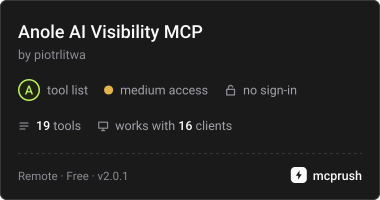
19 tools verified · Open access · No issues found
Security scores are indicators to help you make informed decisions, not guarantees. Always review permissions before connecting any MCP server.
Permissions Found in Source Code
Found by scanning the linked source code. This listing connects to a hosted endpoint, so none of this runs on your machine: it describes what the server software does where it is hosted.
How to Connect
Remote Plugin
No local installation needed. Your AI client connects to the remote endpoint directly.
Add this to your MCP configuration to connect:
{
  "mcpServers": {
    "io-github-piotrlitwa-anole": {
      "url": "https://anole.app/mcp/"
    }
  }
}Documentation
View on GitHubFrom the project's GitHub README.
Anole AI Visibility connector
Connect your Anole account to Claude, ChatGPT, Gemini CLI, Cursor,
VS Code and any other MCP client. Anole makes websites discoverable and citable by AI assistants:
it audits every sitemap URL for AI readiness, serves llms.txt for your site and hosts Markdown
pages written for LLMs. With the connector you review the audit, find the weakest pages, analyse
content for SEO and GEO, compare a page with the top 10 search results for a phrase, and create, AI-generate and publish Markdown pages without leaving the chat.
Server URL: https://anole.app/mcp/ (remote, Streamable HTTP, OAuth 2.1).
Nothing to install or run locally and no API key to copy: you sign in with your Anole account and
approve access. A free Anole account can read; adding sites and creating or publishing pages from
the chat is part of the Own Key plan.
This repository contains only the connector manifests, skills and documentation. The Anole service itself runs at anole.app.
Install
| App | How |
|---|---|
| Claude (web, Desktop, mobile) | Customize → Connectors → Add custom connector → paste the server URL → Connect. |
| Claude Code | /plugin marketplace add piotrlitwa/anole-connector then /plugin install anole@anole (connector + skills). Connector only: claude mcp add --transport http anole https://anole.app/mcp/, then /mcp → Authenticate. |
| ChatGPT | Settings → Apps & Connectors → Advanced → Developer mode → Create: paste the server URL, authentication OAuth. |
| Codex CLI | codex mcp add anole --url https://anole.app/mcp/ then codex mcp login anole. |
| Gemini CLI | gemini extensions install https://github.com/piotrlitwa/anole-connector, then /mcp auth anole. |
| Cursor | Add to Cursor |
| VS Code (Copilot) | Install in VS Code |
| Other MCP clients | Add a remote (Streamable HTTP) server with the URL above; OAuth is discovered automatically. |
The Gemini app on gemini.google.com does not accept custom connectors yet; use Gemini CLI.
Tools
Read (free plan included): list_sites, get_account, get_site_overview, list_urls,
get_url_audit, get_llms_txt, list_documents, get_document, analyze_content,
compare_with_top_results, search, fetch.
Changes (Own Key plan): add_site, crawl_site, create_document, generate_document,
update_document, publish_document, unpublish_document. Clients ask you to confirm these.
Skills (Claude and ChatGPT plugin)
- ai-visibility-audit: audit a site and get a prioritised fix list.
- publish-llm-pages: create, improve and publish Markdown pages and llms.txt entries.
- seo-competitor-gap: compare a page with the Google top 10 for a phrase and get a rewrite plan.
- setup: first-run check and adding your first site.
Repository layout
.claude-plugin/marketplace.json   Claude Code plugin marketplace
plugins/anole/                      the plugin (Claude + ChatGPT/Codex Agent Plugins format)
  .claude-plugin/plugin.json      Claude manifest
  .mcp.json                       MCP server for Claude
  plugin.json, mcp.json           portable Agent Plugins manifest (OpenAI)
  skills/                         skills
gemini-extension.json, GEMINI.md  Gemini CLI extension
server.json                       official MCP Registry entry
Privacy and support
The connector reads and changes only the data of the Anole account you connect, and it does not receive your conversations. Privacy Policy · Terms · Disconnect any time at Connected apps · Support: piotr@piotrlitwa.com
License
MIT for the contents of this repository (manifests, skills, docs). See LICENSE.
Reviews
No reviews yet
Be the first to review this server!
More Developer Tools MCP Servers
Rea
Freeby Morluto · Developer Tools
Reverse engineer anything from your terminal or agent with one CLI and MCP server.
Paperclip
Freeby Paperclipai · Developer Tools
Trending hip-hop artist momentum scores across four cultural dimensions.
Fetch
Freeby Modelcontextprotocol · Developer Tools
Web content fetching and conversion for efficient LLM usage
Git
Freeby Modelcontextprotocol · Developer Tools
Read, search, and manipulate Git repositories programmatically
Toleno
Freeby Toleno · Developer Tools
Toleno Network MCP Server — Manage your Toleno mining account with Claude AI using natural language.
MCP Marketplace
Freeby mcp-marketplace · Developer Tools
Search and install MCP servers from inside your AI client.