
Server data from the Official MCP Registry
Create and update roadmap tree nodes and statuses in the RoadRaven desktop app (must be running).
About
Create and update roadmap tree nodes and statuses in the RoadRaven desktop app (must be running).
Security Report
Valid MCP server (1 strong, 1 medium validity signals). 2 code issues detected. 1 known CVE in dependencies ⚠️ Package registry links to a different repository than scanned source. Imported from the Official MCP Registry. Trust signals: 3 highly-trusted packages. 3 finding(s) downgraded by scanner intelligence.
10 files analyzed · 4 issues found
Security scores are indicators to help you make informed decisions, not guarantees. Always review permissions before connecting any MCP server.
Permissions Required
This plugin requests these system permissions. Most are normal for its category.
How to Install
Add this to your MCP configuration file:
{
  "mcpServers": {
    "io-github-shuffzord-roadraven": {
      "args": [
        "-y",
        "@roadraven/mcp"
      ],
      "command": "npx"
    }
  }
}Documentation
View on GitHubFrom the project's GitHub README.
RoadRaven
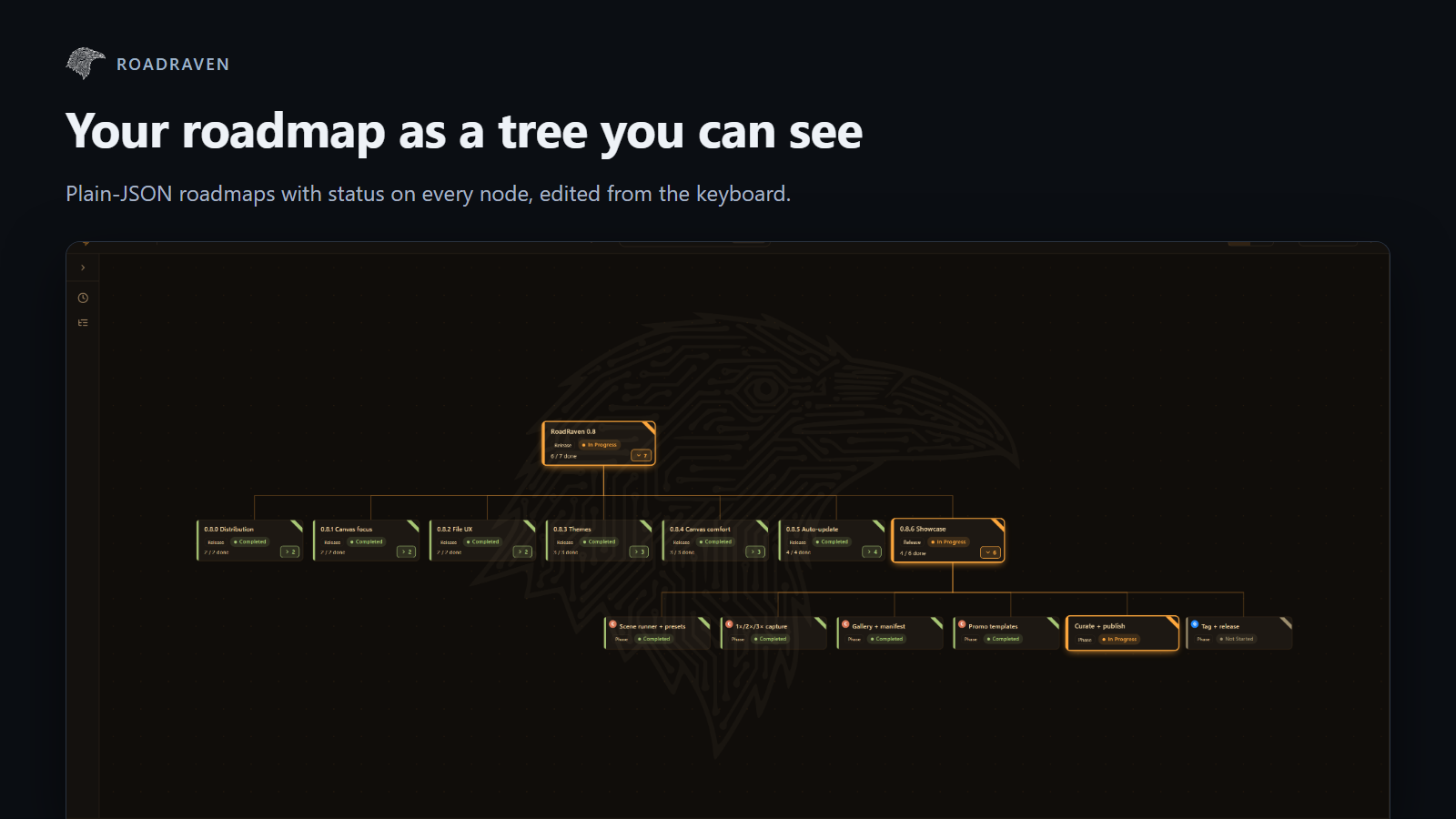
The plan that watches itself. A local desktop tree of your project's plan where every node can be wired to something real (a Claude Code task, a CI job, a script) and flips status by itself as the work happens.




You plan in a doc. The work happens in terminals, CI, and AI agents. Within a
day the doc is fiction. RoadRaven keeps the plan and the work in one place: a
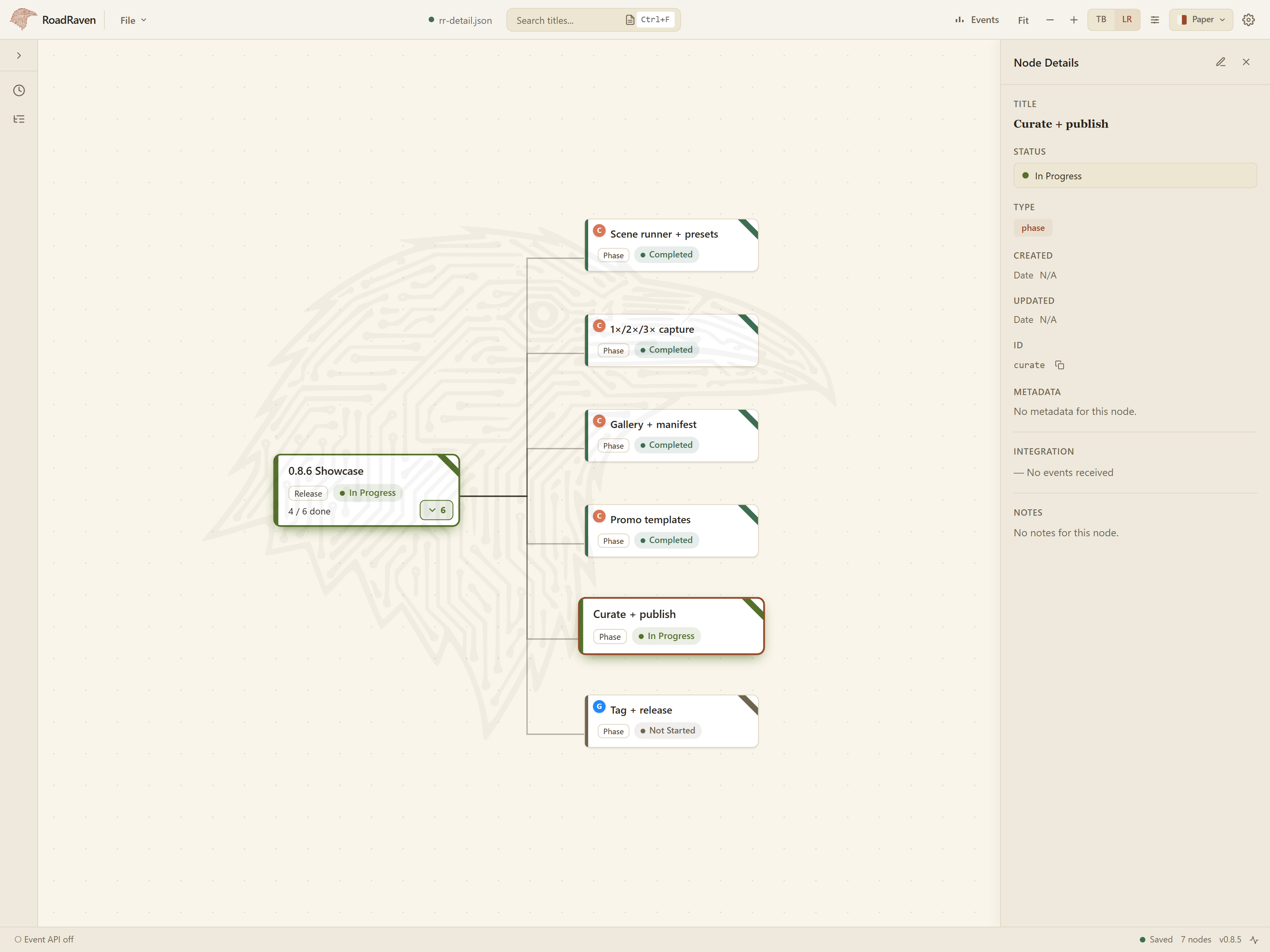
plain roadmap.json in your repo, rendered as a tree, updated live over a
local WebSocket by whatever is actually doing the work. No cloud, no accounts,
no sprints, no story points. Just a file you own.
The headline use case: give Claude Code (or any MCP host) the roadmap, and watch it plan, work, and tick nodes green while you supervise.
Alpha (v0.8.7). Core editing and the live Event API work today. The data format, APIs, and packaging may still change before v1.0. Bug reports and feature requests are very welcome via Issues.
60-second start
1. Install (Windows and Linux today; macOS is next).
Windows x64, PowerShell. Downloads the latest release, verifies it against the
release's SHA256SUMS, runs the installer:
irm https://raw.githubusercontent.com/Shuffzord/RoadRaven/master/install.ps1 | iex
Linux x86_64:
curl -fsSL https://raw.githubusercontent.com/Shuffzord/RoadRaven/master/install.sh | sh
Windows SmartScreen will say "Windows protected your PC" because the alpha ships unsigned. Click More info, then Run anyway. Manual downloads, version pinning, and checksum steps: Install details.
2. Connect Claude Code. Launch RoadRaven. The first-run Setup Wizard detects Claude Code and OpenCode and registers the bundled MCP server with one click. No commands, works offline. Restart your MCP host and the tools are live.
3. Try it. Open a sample from the Welcome screen, then tell Claude Code:
Read the open RoadRaven roadmap, pick the first todo node, do the work, and set its status as you go.
Nodes change colour on the canvas as the agent works. That is the whole idea.
Demo
https://github.com/user-attachments/assets/404a1f7d-094d-42a4-b930-6e8f31a17b6a

Why RoadRaven
- Plan-as-file. The roadmap is plain JSON in your repo. Diffable, reviewable, yours. No database, no proprietary format.
- Live status from anything. Any process that can open a WebSocket updates a node. A GitHub Action finishes, the node turns green. Claude Code completes a task, the node updates.
- Built for agent supervision. The MCP server exposes 21 tools so an agent can create, edit, move, delete nodes and push status as it works. You watch; it keeps the plan current.
- Local-first. Binds to
127.0.0.1, works air-gapped. Nothing leaves your machine. - Keyboard-first. Navigate and edit the whole tree without the mouse.
- Zero-opinion schema. You define the statuses, types, and hierarchy. The app stays dumb; your tools do the talking.
Connect an MCP host
Three ways, easiest first. Every path needs the desktop app running: tools talk
to it over the local Event API and return app_not_running otherwise.
Setup Wizard (recommended). Described in 60-second start.
Re-open it any time from the ⚙ button in the top bar. It writes to
~/.claude.json (Claude Code) and ~/.config/opencode/opencode.json
(OpenCode) without touching other servers you have configured. If the Claude
Code plugin below is already installed, the wizard defers to it.
Claude Code plugin. Requires Node.js >= 24. From inside Claude Code:
/plugin marketplace add Shuffzord/RoadRaven
/plugin install roadraven@roadraven
Any other MCP host. Requires Node.js >= 24. Pin the version that matches your installed app (the app warns on a major.minor mismatch):
claude mcp add -s user roadraven -- npx -y @roadraven/mcp@0.8.7
Tell Claude to use it. Tools alone give Claude no reason to plan in the
roadmap. This adds a short RoadRaven section to a CLAUDE.md, asking first
whether to put it in the current project or in ~/.claude/CLAUDE.md for every
project. Safe to re-run; it updates its own block and touches nothing else:
npx -y @roadraven/mcp@0.8.7 init
Cursor, Codex, Copilot, Gemini, OpenCode, version-mismatch handling, and a build-from-source path: MCP install guide.
Writing your own producer (a CI job, a script, a bot)? The Event API contract
is in the plugin authoring guide.
@roadraven/core (Zod schemas and types) is not on npm yet; build it from source.
Skills for Claude Code
The Claude Code plugin install also brings two skills (the Setup Wizard and
npx paths give the tools only). roadraven:orchestrate plans a piece of
work as a roadmap tree and runs it phase by phase with sub-agents;
roadraven:work-node is how each task claims a node, checkpoints into it and
reports. Details in the plugin README. Try:
Plan the CSV export feature as a roadmap in RoadRaven and run it phase by phase.
Install
Download from GitHub Releases.
Every release since v0.8.0 ships a SHA256SUMS file.
Windows x64. The one-liner above, or by hand:
- Download
win-x64-RoadRaven-Setup.zipandSHA256SUMS. Check the download (printsTruewhen it matches):(Get-FileHash win-x64-RoadRaven-Setup.zip).Hash -eq (Select-String -SimpleMatch ' win-x64-RoadRaven-Setup.zip' SHA256SUMS).Line.Split(' ')[0] - Extract the zip and run
RoadRaven-Setup.exe. - SmartScreen: More info, then Run anyway. RoadRaven is unsigned in the alpha.
RoadRaven renders through the system WebView2 runtime on Windows, so the
download carries no bundled browser engine. Pin a version with
$env:ROADRAVEN_VERSION = 'v0.8.7' before the one-liner.
Linux x86_64. The one-liner above, or by hand:
sha256sum -c SHA256SUMS --ignore-missing
tar -xzf linux-x64-RoadRaven-Setup.tar.gz
chmod +x ./installer
./installer
The installer puts the app under ~/.local/share/ and creates a desktop
shortcut. Chromium (CEF) ships bundled, so no system browser dependency. Pin
a version with ROADRAVEN_VERSION=v0.8.7 in front of sh.
Once installed, RoadRaven checks GitHub Releases for updates and asks before downloading one.
Status
| Shipped as of v0.8.7 | Next |
|---|---|
| Tree canvas, keyboard editor, side-panel markdown notes and metadata | macOS installer |
Atomic autosave, $ref split files, File menu, Outline navigator | Code signing |
| Event API over WebSocket, agent-safe writes (optimistic locking, batch updates) | Drag-and-drop reparenting |
| MCP server on npm, Setup Wizard, Claude Code marketplace plugin | @roadraven/core and @roadraven/react on npm |
| 8 themes with WCAG contrast gates, user theme files, in-app theme editor | |
| In-app updates: checks on launch, asks before downloading, restart to install | |
| Windows and Linux installers with verified checksums | .deb packaging |
| Undo / redo, status ribbons, per-file layout knobs, draggable custom layout, persistent collapse |
Full feature list and keyboard reference: docs/features.md. Release history: CHANGELOG.md.
Documentation
- Features and keyboard reference
- MCP install guide
- Plugin authoring guide (write your own Event Producer)
- Architecture overview
- Development guide
- Design system
- Logging
Contributing
RoadRaven is built on Electrobun (not Electron) with Bun as the runtime. Local setup, test commands, code style, and project conventions are in CONTRIBUTING.md.
bun install
bun run dev:hmr       # Vite HMR + Electrobun
bun run verify        # tests + typecheck + build + lint
A note from the creator
I built RoadRaven to scratch my own itch. When you're working on something with a lot of moving parts, your plan and your actual work drift apart fast. The plan lives in a doc or in your head, while the real state is scattered across terminals, CI, and AI agents. The doc is out of date the moment you write it, and slowly turns into fiction.
It started as a personal study- and project-tracker. The moment it clicked was watching nodes flip status on their own as Claude Code worked through tasks. I hadn't touched anything, I just opened the app and the current state was right there. That's the whole idea: your plan, watching itself.
If you have ideas, hit rough edges, or want a node to watch something I haven't thought of yet, please open an issue or a PR.
License
Functional Source License 1.1, MIT future license (FSL-1.1-MIT), the same license Sentry uses. In plain words:
- You can use it for anything, at home or at work, free, including inside a company. Modify it, fork it, ship it with your own tools.
- The one thing you can't do is sell or host RoadRaven itself (or a thin fork of it) as a competing product.
- Every release turns into plain MIT two years after it ships, automatically. Nothing is locked away forever.
Not OSI "open source", but close: source-available, free to use, MIT in time.
Reviews
No reviews yet
Be the first to review this server!
More Developer Tools MCP Servers
Fetch
Freeby Modelcontextprotocol · Developer Tools
Web content fetching and conversion for efficient LLM usage
Git
Freeby Modelcontextprotocol · Developer Tools
Read, search, and manipulate Git repositories programmatically
Paperclip
Freeby Paperclipai · Developer Tools
Trending hip-hop artist momentum scores across four cultural dimensions.
Toleno
Freeby Toleno · Developer Tools
Toleno Network MCP Server — Manage your Toleno mining account with Claude AI using natural language.
mcp-creator-python
Freeby mcp-marketplace · Developer Tools
Create, build, and publish Python MCP servers to PyPI — conversationally.
MCP Marketplace
Freeby mcp-marketplace · Developer Tools
Search and install MCP servers from inside your AI client.