
Server data from the Official MCP Registry
Connect AI agents to Flato's editable canvas runtime through a hosted MCP server.
About
Connect AI agents to Flato's editable canvas runtime through a hosted MCP server.
Remote endpoints: streamable-http: https://api.flato.ai/api/mcp/editor
Security Report
Valid MCP server (1 strong, 1 medium validity signals). No known CVEs in dependencies. Imported from the Official MCP Registry.
Endpoint verified · Requires authentication · 1 issue found
Security scores are indicators to help you make informed decisions, not guarantees. Always review permissions before connecting any MCP server.
Permissions Required
This plugin requests these system permissions. Most are normal for its category.
How to Connect
Remote Plugin
No local installation needed. Your AI client connects to the remote endpoint directly.
Add this to your MCP configuration to connect:
{
  "mcpServers": {
    "io-github-sologovision-flato-design-mcp": {
      "url": "https://api.flato.ai/api/mcp/editor"
    }
  }
}Documentation
View on GitHubFrom the project's GitHub README.
Flato Design MCP
Flato is the native canvas runtime for AI design.
Flato gives AI agents a live, editable visual canvas for design work. Through MCP, agents can create, inspect, revise, export to PNG, JPG, PDF, or image-only PPTX, and QA Flato projects while users keep full access to the browser editor.
Flato Design MCP connects Codex, Claude Code, Cursor, and other MCP-capable agents to that native canvas.
https://api.flato.ai/api/mcp/editor
This repository is the official distribution package for setup docs, the base guide skill, Codex plugin packaging, examples, and registry/review metadata. It does not contain the Flato MCP server source code.
Positioning
Flato is the native canvas runtime for AI design, not a one-shot image generator or a static HTML deck generator. The MCP workflow is built around editable pages, structured blocks, fresh design context, explicit page and block ids, live editor handoff, and visual QA.
Use this package when you want an AI agent to operate Flato's editable visual canvas safely through MCP.
What's Included
skills/flato-design-mcp-guide: installable base guide skill for agents.plugins/flato-design-mcp-codex: Codex plugin package with MCP config and the guide skill..agents/plugins/marketplace.json: Codex marketplace descriptor for this repo.docs/: setup, OAuth, permissions, and troubleshooting notes.registry/: MCP registry and platform review metadata drafts.examples/prompts/: first prompts for testing the integration.
Codex Install
Codex can install this repo as a plugin marketplace:
codex plugin marketplace add sologovision/flato-design-mcp --ref main
codex plugin add flato-design-mcp-codex@flato-design-mcp
codex mcp login flato-editor
Then open a new Codex conversation and verify:
Use Flato Design MCP. Call flato_whoami first and report the result. Do not create, edit, or write any project.
See Codex setup.
Claude Code Install
Add the hosted Flato MCP server:
claude mcp add --transport http flato-editor https://api.flato.ai/api/mcp/editor
Then use the guide skill in skills/flato-design-mcp-guide.
See Claude Code setup.
Cursor And Other MCP Clients
Use the hosted MCP server URL:
https://api.flato.ai/api/mcp/editor
Then follow the workflow in skills/flato-design-mcp-guide/SKILL.md.
See Cursor setup.
OAuth
Flato Design MCP uses browser OAuth. If needed, Flato asks you to sign in or create an account before authorization.
Do not paste Flato passwords, bearer tokens, refresh tokens, or local OAuth cache contents into an agent conversation.
See Authentication.
Account And Subscription
A Flato account is required for OAuth. A paid Flato subscription is not required to install, connect, or start using Flato Design MCP.
Some features, exports, higher usage, team/workspace capabilities, or paid image generation and editing may still depend on the authenticated user's Flato plan or credits. Agents should report plan or credit errors from MCP instead of asking users to subscribe in advance.
First Agent Workflow
After connecting Flato MCP, an agent should:
- Call
flato_whoami. - Create or select a project with
flato_create_project,flato_use_project, orflato_use_share_link. - Open the live Flato editor when requested.
- Poll
flato_get_project_statusuntilcanWrite=true. - Read
flato://canvas/fundamentals-v1, or callflato_get_canvas_fundamentalsif resource reading is unavailable. - Call
flato_get_design_contextbefore any write. - Use concrete page and block ids returned by fresh context reads.
- Inspect
mcpFeedbackafter writes. - Export important results with
flato_export; use PNG or JPG preview exports for visual QA.
Interactions
Page-level interactions are authored through interactiveScript on
flato_create_pages and flato_update_pages. Agents should rely on current
MCP tool schemas and flato://canvas/fundamentals-v1 for the full interaction
contract instead of copying static schema fragments from this repo.
Supported inline interaction events include click/input/change and desktop
hover/mouse events such as onclick, onmouseover, onmouseout,
onmouseenter, and onmouseleave. Hover is useful for desktop presentations;
include click/tap behavior or a visible fallback when mobile touch users matter.
Verified Smoke Test
The v0.1.3 Codex plugin package uses the full guide skill and the current hosted Flato MCP contract.
The Codex install path has been verified with:
codex plugin marketplace add sologovision/flato-design-mcp --ref main
codex plugin add flato-design-mcp-codex@flato-design-mcp
codex mcp login flato-editor
An independent Codex CLI session successfully called flato_whoami through the
installed flato-editor MCP server without creating or editing any Flato
project.
Screenshots
GitHub release
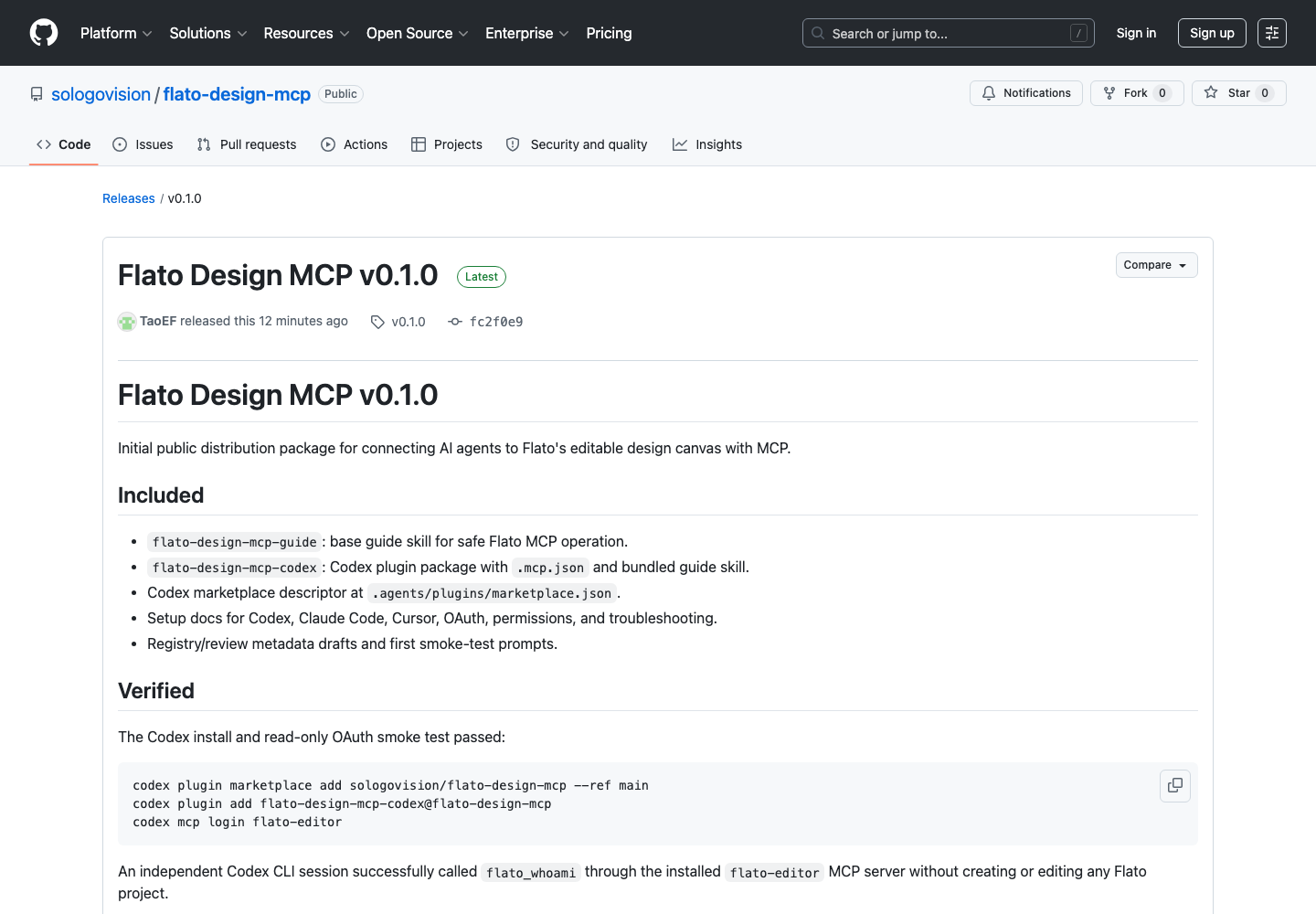
Codex plugin install
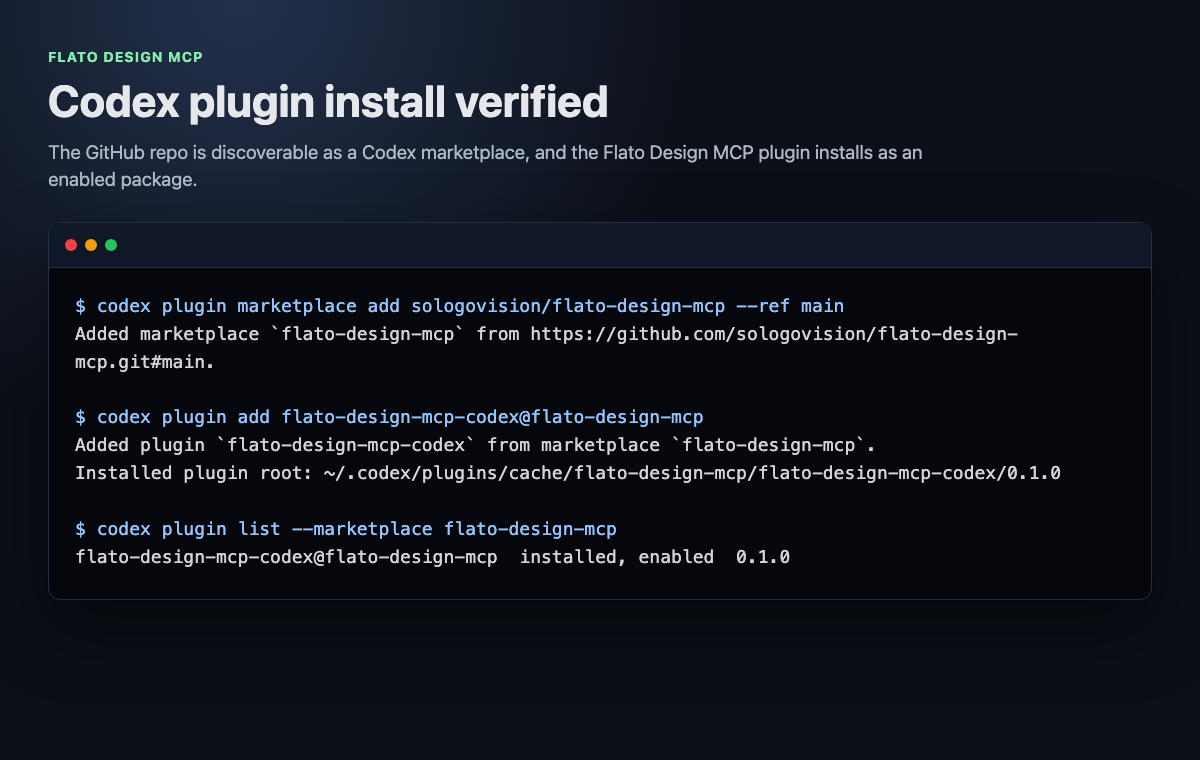
Read-only MCP smoke test
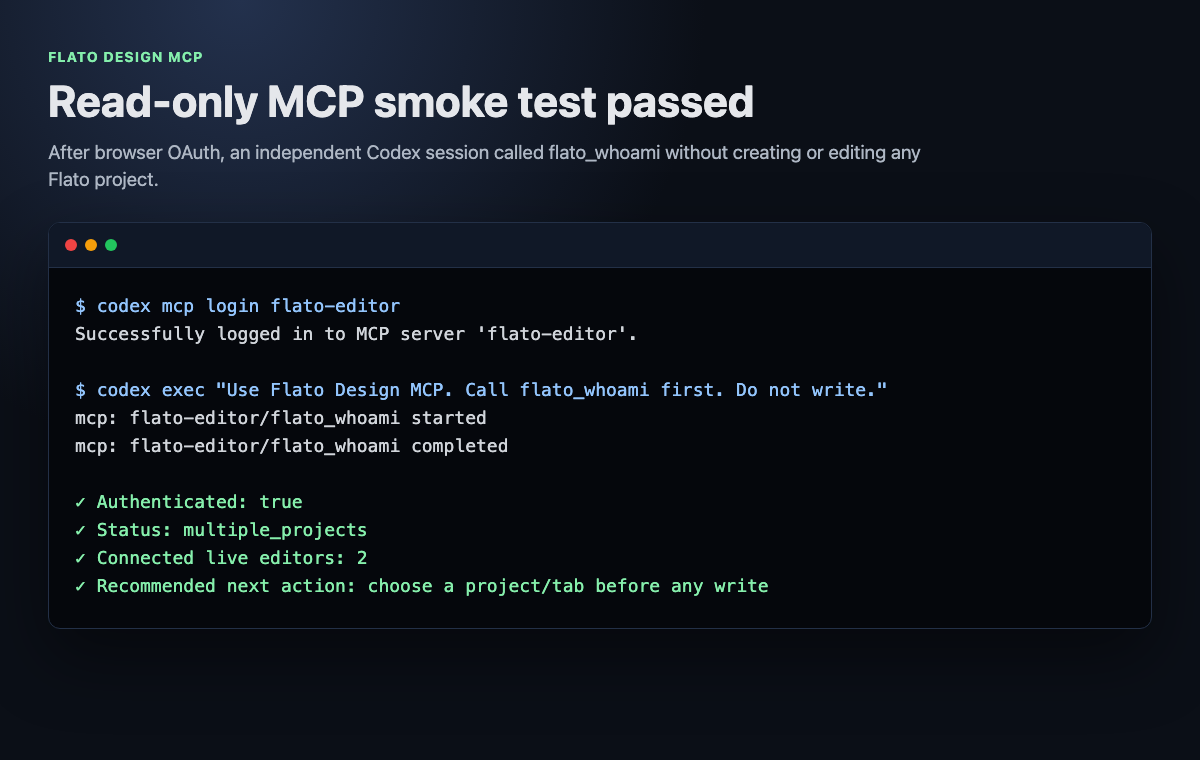
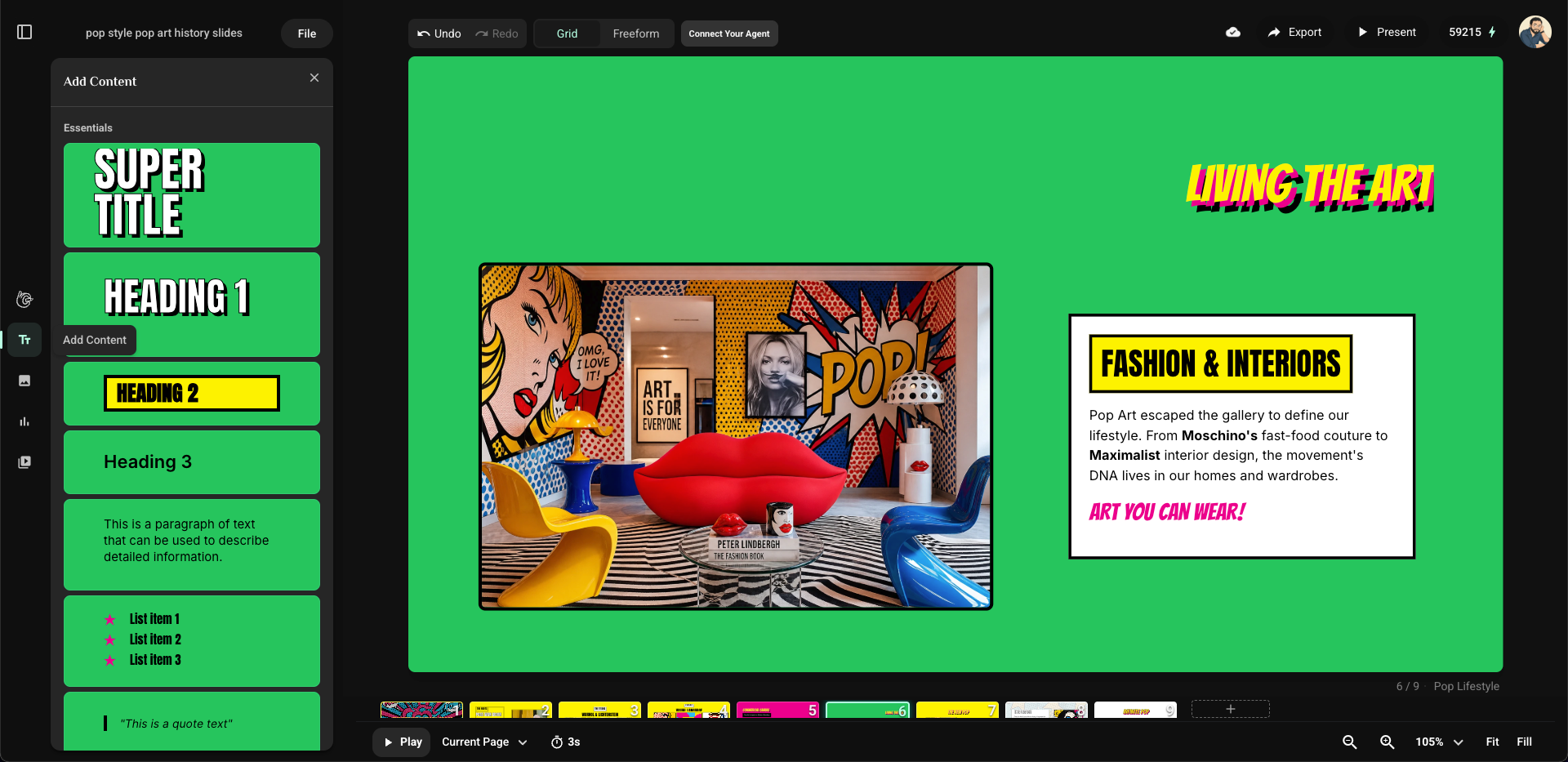
Editable presentation canvas
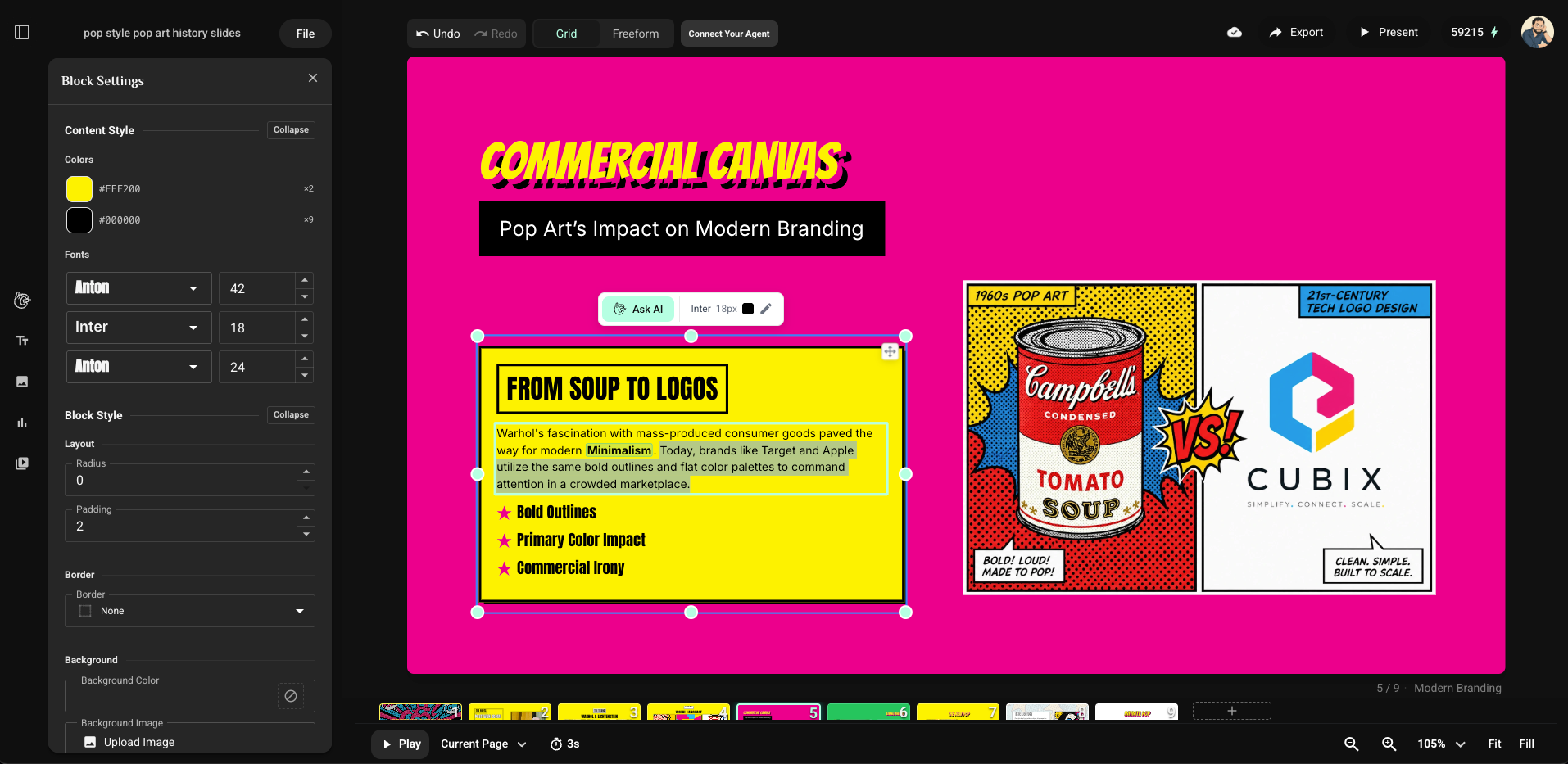
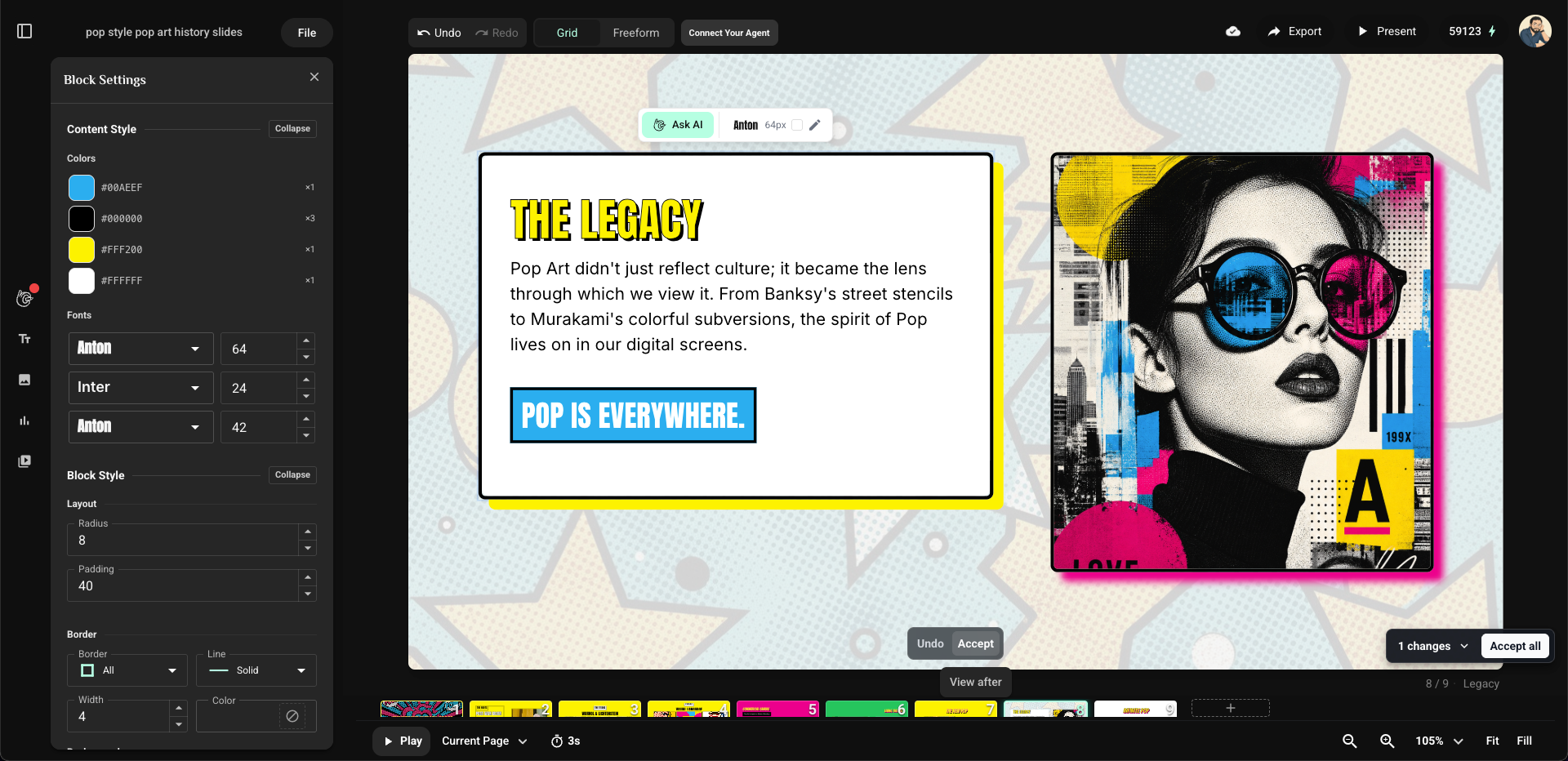
Canvas editing and content tools
AI-assisted canvas edits
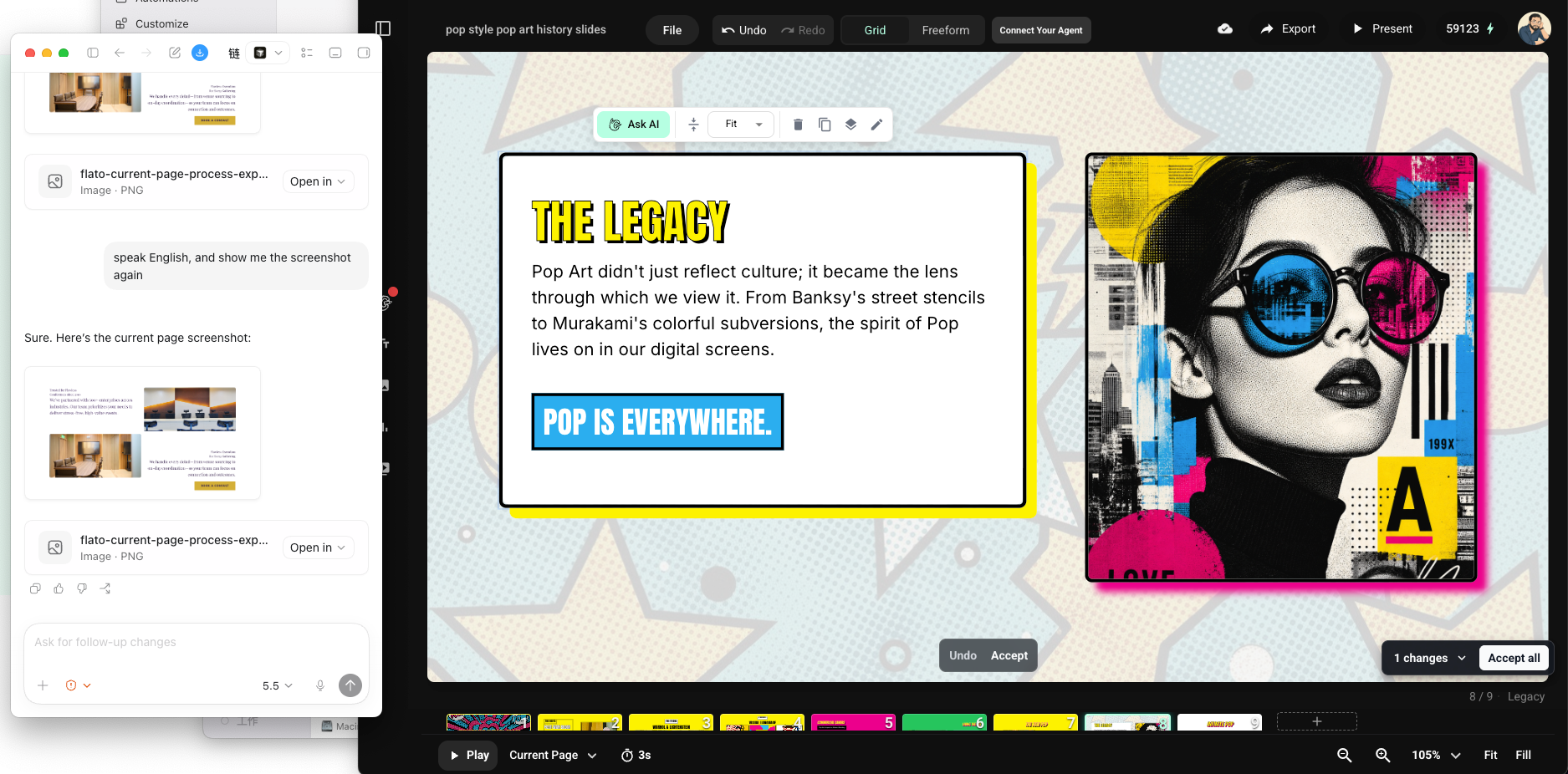
Codex working with the live canvas
Release Assets
GitHub releases attach:
flato-design-mcp-guide-vX.Y.Z.zip: installable base guide skill.flato-design-mcp-codex-vX.Y.Z.zip: Codex plugin package.
Safety Principles
- Do not ask users to paste passwords, bearer tokens, or local OAuth tokens.
- Do not inspect local OAuth or token stores.
- Do not guess
pageIdorblockId. - Do not claim generated assets are placed until a design write uses the returned asset URL.
- Use backups before broad or risky edits.
Related Flato Docs
- User docs: https://www.flato.ai/docs/mcp
- Agent-readable guide: https://www.flato.ai/docs/mcp.md
- Flato app: https://www.flato.ai
- Privacy: https://www.flato.ai/docs/privacy-policy
- Terms: https://www.flato.ai/docs/terms-of-use
Support And Security
- Use GitHub Issues for setup and documentation problems.
- See SECURITY.md for security reporting guidance.
- Do not include tokens, passwords, or private project content in public issues.
Roadmap
This is the base package. Scenario-specific skills such as
flato-presentation-skill should build on this guide instead of duplicating the
connection, OAuth, targeting, and safety workflow.
Reviews
No reviews yet
Be the first to review this server!
More Developer Tools MCP Servers
Fetch
Freeby Modelcontextprotocol · Developer Tools
Web content fetching and conversion for efficient LLM usage
Paperclip
Freeby Paperclipai · Developer Tools
Trending hip-hop artist momentum scores across four cultural dimensions.
Netdata
Freeby Netdata · Developer Tools
Real-time infrastructure monitoring with metrics, logs, alerts, and ML-based anomaly detection.
Toleno
Freeby Toleno · Developer Tools
Toleno Network MCP Server — Manage your Toleno mining account with Claude AI using natural language.
mcp-creator-python
Freeby mcp-marketplace · Developer Tools
Create, build, and publish Python MCP servers to PyPI — conversationally.
MCP Marketplace
Freeby mcp-marketplace · Developer Tools
Search and install MCP servers from inside your AI client.