
Server data from the Official MCP Registry
Turn public web pages into PDF, PNG screenshots, or clean Markdown with one API key.
About
Turn public web pages into PDF, PNG screenshots, or clean Markdown with one API key.
Remote endpoints: streamable-http: https://url-pdf.hammbox.com/mcp
Security Report
url-to-pdf is a paid, API-key-gated web rendering MCP server that uses Paddle for payments and Cloudflare Browser Rendering for page capture, with SSRF protection and webhook signature verification in place. Findings are limited to minor concerns: the API key is accepted via query string (api_key) which can leak into logs and referrers, the claim endpoint returns the same key to anyone who knows a buyer's email, and the MCP tool descriptions and free-tier handling warrant a closer look; the truncated mcp.ts was not fully reviewed. Supply chain analysis found 1 known vulnerability in dependencies (0 critical, 1 high severity).
5 files analyzed · 8 issues found
Security scores are indicators to help you make informed decisions, not guarantees. Always review permissions before connecting any MCP server.
Permissions Required
This plugin requests these system permissions. Most are normal for its category.
How to Install & Connect
Available as Local & Remote
This plugin can run on your machine or connect to a hosted endpoint. during install.
Documentation
View on GitHubFrom the project's GitHub README.
url-to-pdf
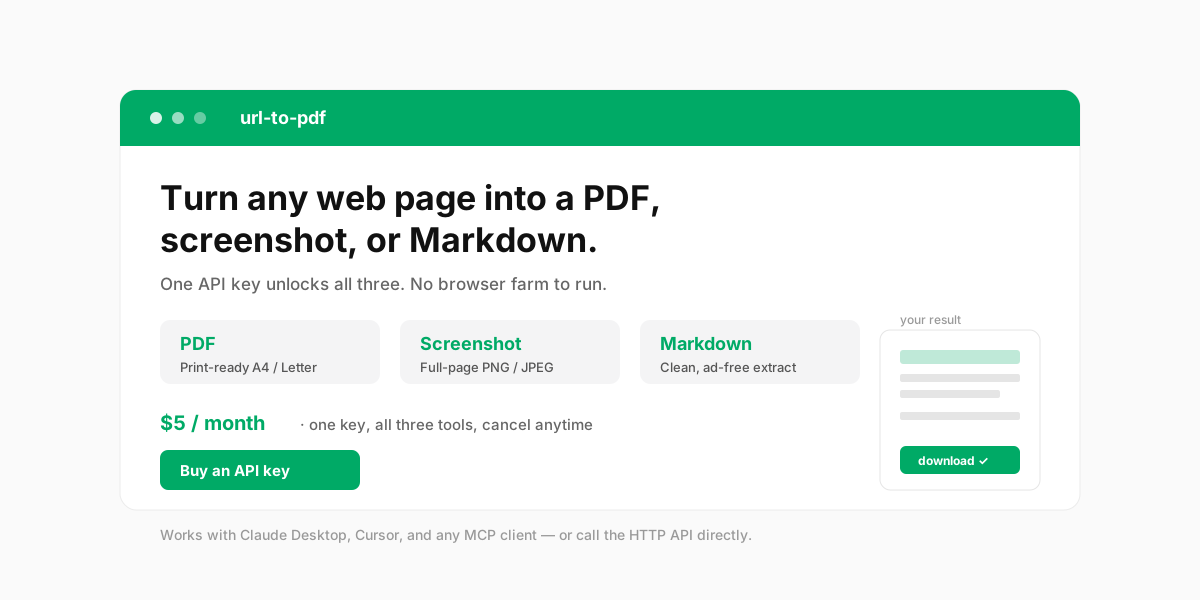
Turn any public web page into a PDF, a full-page screenshot, or clean Markdown — with one API key.
No browser farm to run, no headless Chrome to babysit. url-to-pdf renders pages on Cloudflare's infrastructure and hands you a download link. Use it from any MCP-compatible AI client (Claude Desktop, Cursor, and friends) by just talking, or call the HTTP API directly from your scripts.
Why you'll like it
- Three outputs, one key. PDF (A4 / Letter, portrait or landscape), full-page PNG/JPEG screenshots, and clean Markdown (navigation and ads stripped out).
- Just talk to it. Connect it as an MCP server and say "turn https://example.com into a PDF" — your client does the rest. No curl, no JSON to hand-write.
- Also a plain HTTP API. Every tool is a single
POSTwith yourx-api-key. Great for scripts, backends, and low-code platforms. - SSRF-protected. Only public
http(s)URLs are accepted; internal and reserved addresses are rejected at the edge. - Private by design. Outputs are kept for 1 hour then auto-deleted. We never see your card (Paddle handles payments) and your email is used only to recover your key.
Get your API key
- Go to url-pdf.hammbox.com/buy and complete checkout (Paddle — major credit cards).
- Your key appears on screen the moment payment completes. Copy it and keep it safe.
- Lost it? Recover it anytime at /portal/claim with the email you used at checkout. No password, no support ticket.
Use it as an MCP server (recommended for AI clients)
Add url-to-pdf to your client's MCP configuration. With Claude Desktop, Cursor, or any client that supports Streamable HTTP:
{
  "mcpServers": {
    "url-to-pdf": {
      "type": "http",
      "url": "https://url-pdf.hammbox.com/mcp",
      "headers": { "x-api-key": "YOUR_API_KEY" }
    }
  }
}
That's it — no local install. Then just ask your assistant in natural language:
"Convert https://news.ycombinator.com to a PDF and give me the download link."
The client calls the tool, passes your key, and shows you the result.
Use it as an HTTP API (for scripts & backends)
Every render is a POST to a /tools/* endpoint with your key in the header.
# Web page → PDF
curl -X POST https://url-pdf.hammbox.com/tools/url-to-pdf \
  -H "Content-Type: application/json" \
  -H "x-api-key: YOUR_API_KEY" \
  -d '{"url":"https://example.com","format":"A4"}'

# Full-page screenshot
curl -X POST https://url-pdf.hammbox.com/tools/url-to-screenshot \
  -H "Content-Type: application/json" \
  -H "x-api-key: YOUR_API_KEY" \
  -d '{"url":"https://example.com","fullPage":true,"format":"png"}'

# Extract Markdown
curl -X POST https://url-pdf.hammbox.com/tools/url-to-markdown \
  -H "Content-Type: application/json" \
  -H "x-api-key: YOUR_API_KEY" \
  -d '{"url":"https://example.com"}'
The response includes a downloadUrl valid for 1 hour:
{
  "downloadUrl": "https://url-pdf.hammbox.com/f/pdf/<id>.pdf",
  "contentType": "application/pdf",
  "sizeBytes": 456494,
  "title": "Example Domain",
  "ttlSeconds": 3600
}
curl -O "<downloadUrl>"
Tools & parameters
| MCP tool | HTTP endpoint | What it does |
|---|---|---|
list_capabilities (free) | GET /openapi.json | Lists capabilities, prices, and where to buy a key |
url_to_pdf | POST /tools/url-to-pdf | Render a page to PDF |
url_to_screenshot | POST /tools/url-to-screenshot | Capture a full-page screenshot |
url_to_markdown | POST /tools/url-to-markdown | Extract the page as clean Markdown |
url_to_pdf — url (required), format (A4 / Letter / Legal, default A4), landscape, printBackground, scale (0.1–2), margin, preferCssPageSize.
url_to_screenshot — url (required), fullPage (default true), format (png / jpeg), quality (0–1).
url_to_markdown — url (required), removeSelectors (e.g. ["nav",".ads","footer"]), keepImages.
Pricing
$5 / month — one subscription, one API key, all three tools included. Billed and managed by Paddle (our Merchant of Record); cancel anytime from your Paddle customer portal.
Fair-use note: rendering runs on Cloudflare Browser Rendering. Under the free tier, a short burst of heavy concurrent load may be briefly rate-limited (HTTP 429) — just retry in a few seconds.
Links
- Live demo: url-pdf.hammbox.com
- Privacy Policy · Refund Policy · Terms of Service (linked from the site footer)
- Contact: feedback@hammbox.com
License
MIT
Reviews
No reviews yet
Be the first to review this server!
More Developer Tools MCP Servers
Git
Freeby Modelcontextprotocol · Developer Tools
Read, search, and manipulate Git repositories programmatically
Fetch
Freeby Modelcontextprotocol · Developer Tools
Web content fetching and conversion for efficient LLM usage
Worldmonitor
Freeby Koala73 · Developer Tools
Live markets, conflicts, country risk, chokepoints, energy, and China decision signals. 90 tools.
Paperclip
Freeby Paperclipai · Developer Tools
Trending hip-hop artist momentum scores across four cultural dimensions.
Toleno
Freeby Toleno · Developer Tools
Toleno Network MCP Server — Manage your Toleno mining account with Claude AI using natural language.
mcp-creator-python
Freeby mcp-marketplace · Developer Tools
Create, build, and publish Python MCP servers to PyPI — conversationally.