
Server data from the Official MCP Registry
Convert, resize, crop, filter & composite images via the imgcli CLI (lightweight, no deps)
About
Convert, resize, crop, filter & composite images via the imgcli CLI (lightweight, no deps)
Security Report
This is a well-designed MCP server wrapping the imgcli command-line tool. The code uses safe subprocess execution (execFile with argv array, no shell), implements proper input validation via Zod schemas, and has no authentication requirements appropriate for a local tool. Minor code quality observations (broad exception handling, lack of input path validation) do not significantly detract from a fundamentally secure implementation. Supply chain analysis found 3 known vulnerabilities in dependencies (0 critical, 3 high severity). Package verification found 1 issue.
3 files analyzed · 7 issues found
Security scores are indicators to help you make informed decisions, not guarantees. Always review permissions before connecting any MCP server.
Permissions Required
This plugin requests these system permissions. Most are normal for its category.
What You'll Need
Set these up before or after installing:
Environment variable: IMGCLI_BIN
How to Install
Add this to your MCP configuration file:
{
  "mcpServers": {
    "io-github-swperb-imgcli": {
      "env": {
        "IMGCLI_BIN": "your-imgcli-bin-here"
      },
      "args": [
        "-y",
        "imgcli-mcp"
      ],
      "command": "npx"
    }
  }
}Documentation
View on GitHubFrom the project's GitHub README.
imgcli — command-line image conversion & processing in C

ImageMagick's power, ffmpeg's syntax, zero dependencies. A tiny C binary that converts, resizes, crops, filters, and composites images — PNG, JPEG, BMP, TGA, GIF, PPM, QOI — driven by an ffmpeg-style filtergraph. No system libraries; compiles anywhere a C11 compiler exists.
⚡ ~8× faster than ImageMagick on common resize/filter ops, in a 232 KB single binary (~470× smaller) — see the benchmarks. A lightweight alternative to ImageMagick
convertorffmpegfor still images.
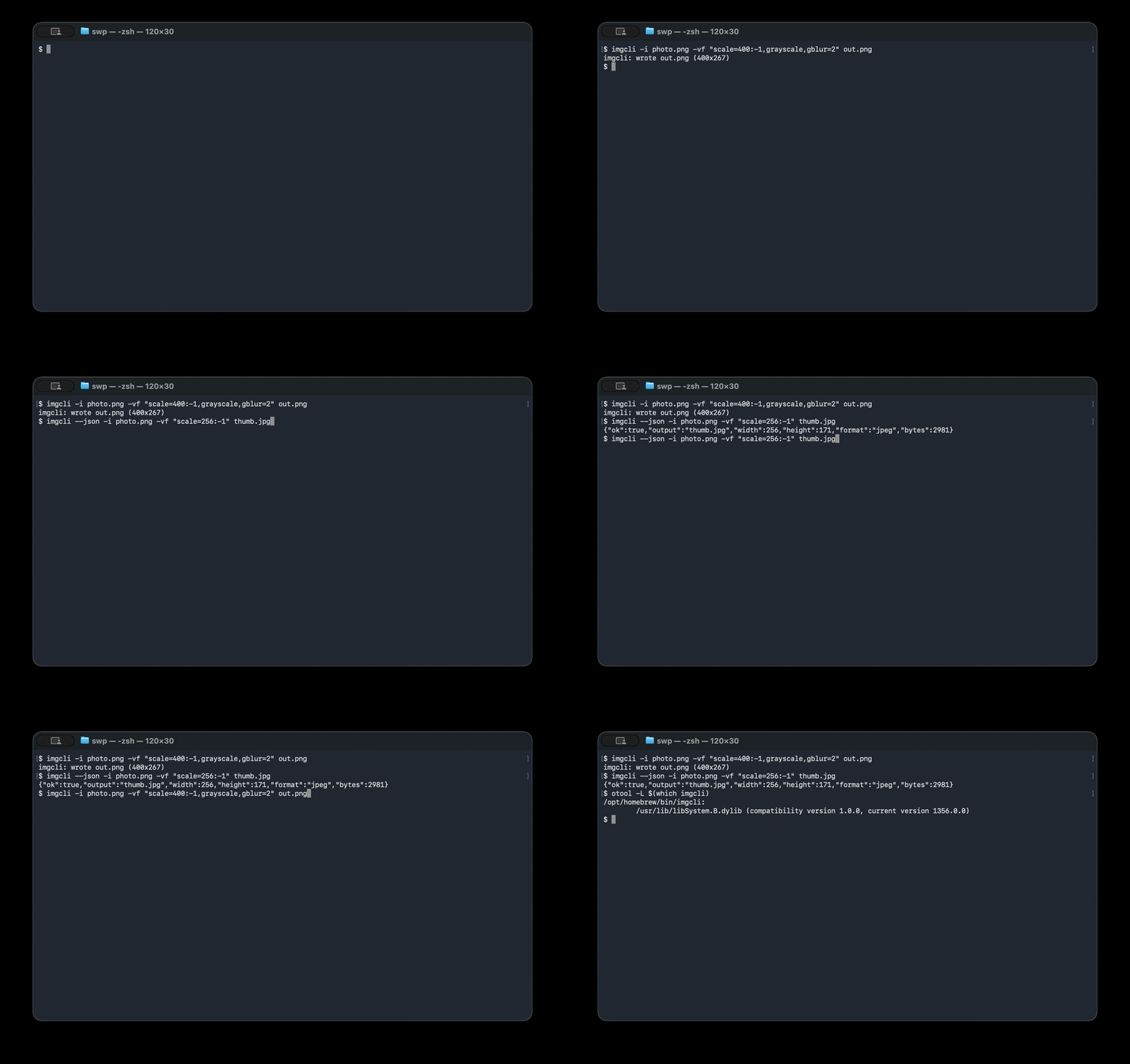
# Convert + resize + filter in one pass:
imgcli -i photo.jpg -vf "scale=1024:-1,grayscale,contrast=1.2,gblur=1.5" out.png
What it does: format conversion · resize / scale · crop · pad · rotate · flip · brightness / contrast / saturation / gamma / hue · grayscale · sepia · invert · threshold · box & Gaussian blur · sharpen · Sobel edge detect · emboss · custom convolution kernels · alpha-composite overlay · draw boxes · solid fills.
Design: the same paradigm as ffmpeg — decode → normalize to one common frame format (RGBA) → run a comma-separated filtergraph → encode by output extension.
Benchmarks
imgcli vs ImageMagick on an Apple Silicon Mac (single-threaded, warm cache).
Reproduce with make && bench/bench.sh — see bench/RESULTS.md
for the full method and caveats.
| Operation | imgcli | ImageMagick | speedup |
|---|---|---|---|
| PNG→JPEG + resize (one-shot) | 1.6 ms | 4.7 ms | 2.9× |
| Resize 1200×1200 → 300w | 6.0 ms | 51.6 ms | 8.6× |
| Grayscale 1200×1200 | 48.4 ms | 389 ms | 8.0× |
| Footprint | imgcli | ImageMagick |
|---|---|---|
| Install size | 232 KB | ~109 MB (≈470× larger) |
| Dependencies | 0 (libc only) | 17 packages |
ImageMagick is a far broader 16-bit/HDRI toolkit with 200+ formats; imgcli is a lean 8-bit pipeline that wins on speed, size, and startup — the shape that matters when an agent or script spawns one process per task.
Dependencies & formats
The default build is dependency-free — a single binary that links only the
system C library (libc). Decoding/encoding is handled by the bundled,
public-domain stb and
qoi single-header libraries, compiled
directly in. Nothing to apt install, no shared libraries, no version hell.
- Built-in formats — no dependencies: PNG, JPEG, BMP, TGA, GIF, PPM, QOI. Other formats that can be implemented in plain C (e.g. TIFF) will also be built in and keep the binary dependency-free.
- Formats that need external libraries — opt-in only: WebP, AVIF, HEIC, and JPEG XL
cannot be decoded without large external libraries (libwebp, libavif, libheif, libjxl);
there is no public-domain single-header decoder for them and they are not
practical to hand-roll. If imgcli adds these, it will be strictly via opt-in
build flags (e.g.
make WEBP=1) that link those libraries.
The "zero dependencies" claim applies to the default build, and always will — opt-in format libraries are never compiled into it. A build that enables such a flag is, by definition, no longer dependency-free, and that trade-off is stated at the point you opt in.
Why it's structured this way
| ffmpeg concept | imgcli equivalent |
|---|---|
AVFrame / pixfmt | every image is normalized to packed 8-bit RGBA (Image) |
| demuxer/decoder | img_load via vendored stb_image (PNG/JPEG/BMP/TGA/GIF/…) |
-vf filtergraph | name=a:b:c, name, … chain parsed in filters.c |
AVFilter | each filter mutates or replaces the current frame |
| muxer (by extension) | img_save (png/jpg/bmp/tga + a hand-written PPM writer) |
lavfi test sources | testsrc=, color=, gradient=, checker= generators |
Codecs come from the public-domain stb
single-header libraries (third_party/). They're bundled, not linked, so the
tool stays portable and self-contained while still reading/writing the formats
the world actually uses — the same trade-off ffmpeg makes by leaning on codec
libraries instead of reinventing them.
Install
# Homebrew (macOS / Linux)
brew install swperb/tap/imgcli

# Nix (no install — run straight from GitHub)
nix run github:swperb/imgcli -- -y -i in.png out.jpg
nix profile install github:swperb/imgcli

# Debian / Ubuntu / WSL (.deb from the latest release)
curl -fsSLO https://github.com/swperb/imgcli/releases/latest/download/imgcli_0.5.0_amd64.deb
sudo apt install ./imgcli_0.5.0_amd64.deb

# Arch (AUR)
yay -S imgcli            # or: paru -S imgcli

# Docker
docker run --rm -v "$PWD:/work" -w /work ghcr.io/swperb/imgcli -y -i in.png out.jpg

# Windows — winget
winget install swperb.imgcli
# Windows — Scoop (installs straight from the manifest)
scoop install https://raw.githubusercontent.com/swperb/imgcli/main/packaging/scoop/imgcli.json

# Prebuilt binaries: https://github.com/swperb/imgcli/releases

# From source (only a C compiler and -lm required)
make            # produces ./imgcli
make demo       # generates a few sample images
sudo make install   # installs the binary + man page to /usr/local
Use it as a native agent tool (MCP)
An MCP server wraps imgcli so AI agents can
call convert_image, probe_image, and list_filters directly — see
mcp/.
Usage
imgcli [-i INPUT]... [-vf GRAPH] [-q N] [-f FMT] [-y|-n] [--json] OUTPUT

  -i INPUT     a file, '-' for stdin, or a generator (testsrc=WxH,
               color=NAME:WxH, gradient=WxH, checker=WxH). Repeat -i for
               compositing inputs; the first is the primary frame, the rest
               feed `overlay`.
  -vf GRAPH    filtergraph, e.g. "scale=800:-1,grayscale,gblur=2"
  -q N         JPEG quality 1..100 (default 90)
  -f FMT       output format (png/jpg/bmp/tga/ppm/qoi); required when OUTPUT
               is '-' (stdout), an optional override for files
  -y / -n      overwrite / never overwrite the output
  --out-dir D  batch mode: write one output per input into D (basename kept,
               extension from -f or the input). Globs in -i are expanded.
  --fail-fast  in batch mode, stop at the first failing file
  --json       emit one machine-readable JSON result line (an array in batch)
  --quiet      suppress the human-readable success line
  --dry-run    validate the filtergraph + report output dims; write nothing
  -filters [NAME]  list every filter, or just NAME's syntax (add --json for a
               machine-readable list)
  -info        print input dimensions and exit
  -V           print version
  -h           help

OUTPUT is a file path or '-' for stdout. When piping, the result line is
written to stderr so stdout carries only the encoded image bytes.

Batch mode (`--out-dir`) processes each input independently and keeps going on
per-file errors (use `--fail-fast` to stop). The exit code is non-zero if any
file failed.
Colours accept #rgb, #rrggbb, #rrggbbaa, 0x…, r-g-b[-a], or names
(red, white, transparent, …). No commas, so they're safe inside a graph.
Filters
Geometry — scale=W:H[:nearest|bilinear|bicubic|lanczos] (-1 keeps aspect;
bicubic/lanczos are high-quality separable resamplers that anti-alias on
downscale and stay sharp on upscale — bilinear is the default),
crop=W:H[:X:Y], pad=W:H[:X:Y[:color]], hflip, vflip,
transpose=90|180|270, rotate=DEG[:color] (arbitrary angle, canvas expands).
Colour — grayscale, invert, sepia, solarize, brightness=V, temperature=V,
contrast=V, saturation=V, gamma=V, hue=DEG, threshold=V, opacity=V, tint=color.
Convolution — blur=R (box), gblur=SIGMA (separable Gaussian),
sharpen[=AMOUNT], edge (Sobel), emboss, convolution=K[:DIV:BIAS]
(custom N×N kernel, e.g. convolution=0 -1 0 -1 5 -1 0 -1 0).
Composite / draw — overlay=X:Y[:INDEX] (alpha "over" compositing of
another -i input), fill=color, drawbox=X:Y:W:H:color[:fill|thickness].
Examples
# Thumbnail, preserving aspect ratio (lanczos = best downscale quality)
imgcli -i photo.jpg -vf "scale=400:-1:lanczos" thumb.png

# Stylise: desaturate a touch, boost contrast, soften
imgcli -i photo.jpg -vf "saturation=0.6,contrast=1.15,gblur=1" look.jpg

# Watermark a logo in the top-left, 60% opacity, then convert to JPEG
imgcli -i page.png -i logo.png -vf "opacity=0.6,overlay=24:24" out.jpg

# Rotate 30° onto a transparent canvas
imgcli -i sticker.png -vf "rotate=30:transparent" rotated.png

# No input file? Generate a test card.
imgcli -i testsrc=640x480 card.png

# Pipe-friendly: read stdin, write stdout (use -f to name the output format)
curl -s https://example.com/in.png | imgcli -i - -vf "scale=800:-1" -f jpg - > out.jpg

# Batch a whole folder into thumbnails (one call; per-file results)
imgcli -i "photos/*.jpg" --out-dir thumbs -vf "scale=400:-1:lanczos" -f png
For AI agents & scripting
imgcli is built to be a reliable tool in an automated pipeline: one self-contained binary, no dependencies, deterministic, non-interactive, and machine-readable. See AGENTS.md for a token-economical recipe sheet.
# Always pass -y (don't prompt) and --json (parseable result) in automation:
imgcli --json -y -i in.jpg -vf "scale=512:-1" out.png
# -> {"ok":true,"output":"out.png","width":512,"height":341,"format":"png","bytes":34122}
- Deterministic & non-interactive — never prompts; refuses to overwrite
without
-y; one process per conversion. - Structured output —
--jsonfor results,--quietto silence chatter; stable exit codes (0ok,1runtime error,2usage error). - No network, no subprocesses — safe to run on untrusted inputs in a sandbox.
- Probe without converting —
imgcli --json -info -i file.jpg.
Security
imgcli decodes untrusted image files in C, so memory safety is taken seriously. The codebase has been audited against the OWASP Top 10, common C/CWE classes, and ffmpeg's historical vulnerability classes. Highlights:
- Decompression-bomb safe — dimensions are validated from the header before pixels are decoded; hard caps on size (16384 px/axis, 64 Mpx).
- Integer-overflow-safe allocation through a single capped choke point.
- No protocols/URLs/subprocesses — ffmpeg's worst class (SSRF / file-read via HLS playlists) is structurally impossible here.
- Hardened build (
_FORTIFY_SOURCE, stack protector, PIE/RELRO, format warnings), ASan/UBSan (make asan), and a fuzz harness (make fuzz).
Full threat model, OWASP/CWE mapping, ffmpeg-CVE-class analysis, and dependency policy: SECURITY.md.
Layout
src/image.{h,c}    Image (RGBA frame) + load/save (stb glue, PPM writer)
src/filters.{h,c}  filtergraph parser + every filter + registry
src/source.{h,c}   synthetic input generators
src/util.{h,c}     colour / size parsing
src/main.c         CLI argument handling (incl. --json output)
third_party/       vendored stb_image.h, stb_image_write.h (public domain)
fuzz/              libFuzzer harness for the decode -> filtergraph path
AGENTS.md          token-economical usage guide for agents/scripts
SECURITY.md        threat model, OWASP/CWE mapping, hardening, dependency policy
Contributing
Contributor setup, validation targets, filter-registry guidance, and PR expectations live in CONTRIBUTING.md.
Have a question or idea? Use Discussions. For bugs and feature/format requests, open an issue — the templates will guide you.
Support
If imgcli is useful to you, consider sponsoring its development — it funds new formats, security hardening, and maintenance. See SPONSORS.md.
License
The imgcli source is yours to use freely (MIT). The vendored stb
headers are public domain (or MIT, at your option) and the vendored qoi.h is
MIT-licensed; full third-party notices are in
THIRD_PARTY_NOTICES.md.
Reviews
No reviews yet
Be the first to review this server!
More Developer Tools MCP Servers
Paperclip
Freeby Paperclipai · Developer Tools
Trending hip-hop artist momentum scores across four cultural dimensions.
Git
Freeby Modelcontextprotocol · Developer Tools
Read, search, and manipulate Git repositories programmatically
Toleno
Freeby Toleno · Developer Tools
Toleno Network MCP Server — Manage your Toleno mining account with Claude AI using natural language.
mcp-creator-python
Freeby mcp-marketplace · Developer Tools
Create, build, and publish Python MCP servers to PyPI — conversationally.
MCP Marketplace
Freeby mcp-marketplace · Developer Tools
Search and install MCP servers from inside your AI client.
MarkItDown
Freeby Microsoft · Content & Media
Convert files (PDF, Word, Excel, images, audio) to Markdown for LLM consumption