
Server data from the Official MCP Registry
Revenue-first analytics installed and verified by AI agents through Talivia
About
Revenue-first analytics installed and verified by AI agents through Talivia
Remote endpoints: streamable-http: https://talivia.com/mcp
Security Report
Valid MCP server (1 strong, 1 medium validity signals). No known CVEs in dependencies. Package registry verified. Imported from the Official MCP Registry.
Endpoint verified · Requires authentication · 2 issues found
Security scores are indicators to help you make informed decisions, not guarantees. Always review permissions before connecting any MCP server.
Permissions Required
This plugin requests these system permissions. Most are normal for its category.
What You'll Need
Set these up before or after installing:
Environment variable: TALIVIA_API_KEY
How to Install & Connect
Available as Local & Remote
This plugin can run on your machine or connect to a hosted endpoint. during install.
Documentation
View on GitHubFrom the project's GitHub README.
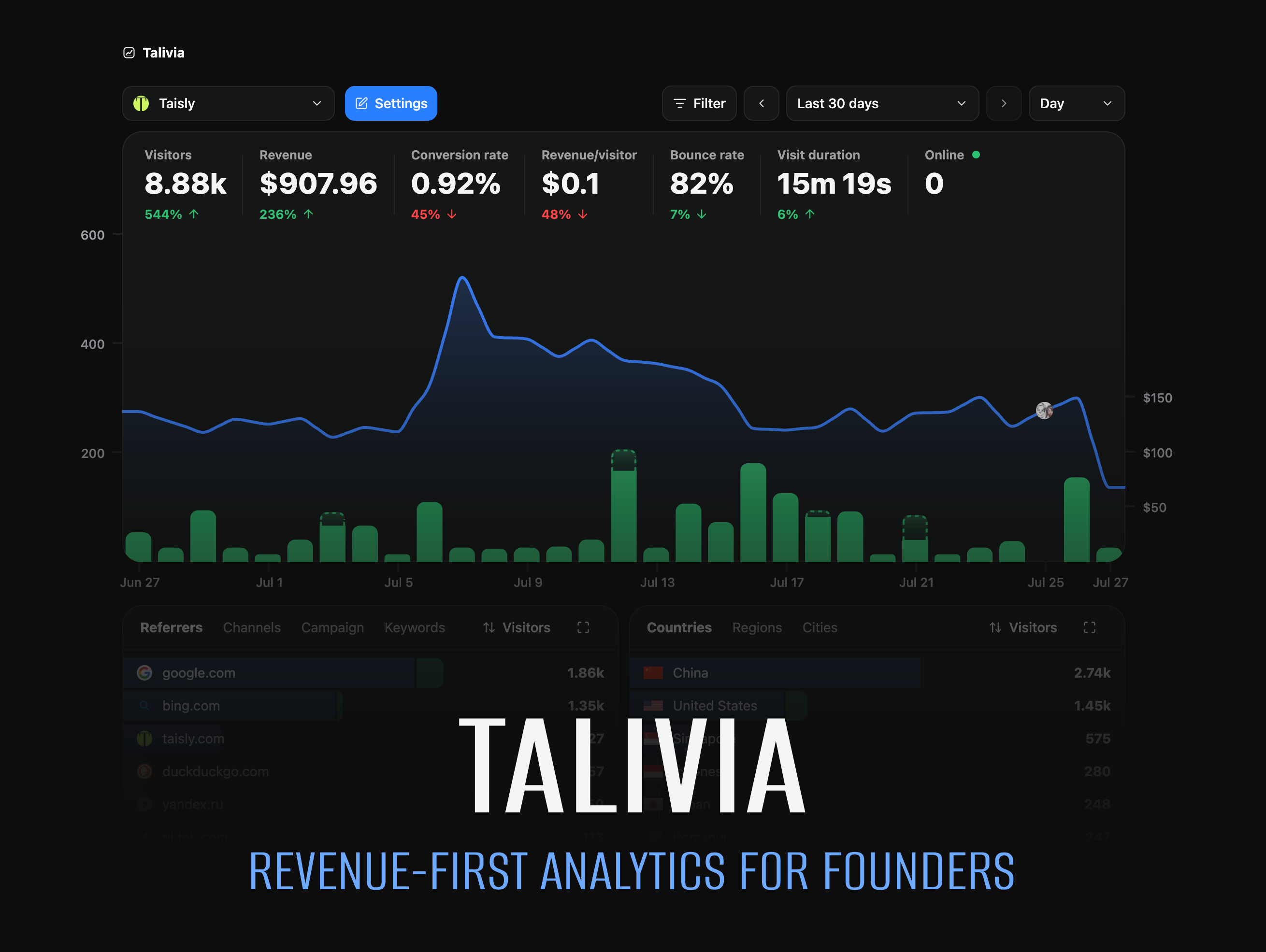
Talivia Agent Kit
Revenue-first website analytics that your AI agent can install, connect, and verify for you.
Talivia shows founders which referrers, campaigns, pages, search keywords, and customer journeys turn visits into revenue. @talivia/agent connects Codex, Claude Code, ChatGPT, OpenClaw, Hermes, and other MCP clients to Talivia so an agent can finish the analytics setup inside your project - not just paste a tracking snippet and hope it works.
Ask your agent to set up Talivia. It can find or create the right website, generate a framework-specific installation plan, add the tracker with its native coding tools, verify that real events are arriving, open a secure payment-provider handoff, and check that revenue attribution is ready.
Start free | Agent Kit | Documentation | npm | GitHub
See which traffic becomes revenue
Most analytics products count visits. Payment dashboards count transactions. Talivia connects the two, so you can answer the questions that matter to a growing product:
- Which referrers, campaigns, and search keywords bring paying customers?
- Which landing pages and customer journeys lead to a purchase?
- How do visitors, conversion rate, revenue per visitor, and revenue change together?
- Which tracked session produced an individual payment?
- Is analytics and checkout attribution actually working in production?
Talivia puts traffic, visitor journeys, events, payment revenue, and attribution in one workspace. Connect a supported payment provider or use the Manual Payment API for a custom checkout.
From one prompt to verified analytics
Give this to a coding agent after connecting Talivia:
Set up Talivia revenue analytics for this project.

1. Connect to my Talivia account and find the correct website.
2. If it does not exist, ask before creating it.
3. Install the Talivia tracker using the right plan for this framework.
4. Build and test the project.
5. Verify that Talivia is receiving real events.
6. Help me connect revenue attribution through Talivia's secure browser flow.
7. Tell me what is working and what still needs attention.
The agent works in your repository. Talivia supplies the exact tracking configuration, secure account workflows, and live verification. Setup is not considered complete merely because code was generated - it is complete when Talivia receives real data.
Why founders and developers use it
- Revenue-first analytics: follow traffic all the way from source and session to payment.
- Less integration work: let an agent navigate the tracker, framework, and checkout setup instead of jumping between documentation pages.
- Real verification: check live ingestion and revenue readiness before declaring the task complete.
- Framework-aware setup: get an installation plan for Next.js, React/Vite, Astro, or plain HTML.
- One account connection: use the same Talivia MCP connection across every website in your account.
- Secure handoffs: approve access and connect payment providers in Talivia's browser UI, not in chat.
Use it for a SaaS launch, indie product, marketing site, developer tool, or any web product where knowing which traffic creates revenue matters more than collecting another pageview count.
Connect Talivia to an AI agent
MCP endpoint
Use the hosted website analytics MCP server when your client supports HTTP MCP and OAuth:
https://talivia.com/mcp
Codex:
codex mcp add talivia --url https://talivia.com/mcp
codex mcp login talivia
Claude Code:
claude mcp add --transport http talivia https://talivia.com/mcp
Talivia opens in your browser for sign-in and permission approval. After that, ask the agent to install or verify Talivia in your project.
npm package
Use the package when an agent expects a local stdio MCP server:
npx -y @talivia/agent setup --agent codex
npx -y @talivia/agent checkin --agent codex
codex mcp add talivia -- npx -y @talivia/agent mcp
Check the connection at any time:
npx -y @talivia/agent status
The package also includes a Codex plugin manifest and SKILL.md, so compatible agents can discover both the Talivia MCP server and the safe setup workflow.
What the agent can do
| Area | Outcome |
|---|---|
| Account | Check the connected Talivia account and available capabilities |
| Websites | List existing websites or create one after user approval |
| Tracking | Get the exact tracker and a framework-specific installation plan |
| Verification | Confirm that real analytics events are reaching Talivia |
| Revenue | Start a secure payment connection and check attribution readiness |
| Checkout | Get provider-specific guidance for preserving visitor and session attribution |
Talivia keeps the product logic on the hosted MCP server, so agents receive the current setup rules without bundling a second analytics implementation into your codebase.
Safe by design
- Talivia authentication and consent happen in your browser.
- MCP access is scoped to the permissions you approve.
- Website permissions are checked on every website-specific action.
- Payment-provider secrets are never requested through chat or MCP tool arguments.
- Connections can be reviewed and revoked in Talivia Settings.
Prefer to self-host? Talivia also has an open-source version for running revenue analytics on your own infrastructure. Talivia Cloud provides the managed service and agent connection described here.
Start with your own traffic
Create a Talivia account, connect an agent, and follow the next visit all the way to the payment.
Reviews
No reviews yet
Be the first to review this server!
More Developer Tools MCP Servers
Rea
Freeby Morluto · Developer Tools
Reverse engineer anything from your terminal or agent with one CLI and MCP server.
Paperclip
Freeby Paperclipai · Developer Tools
Trending hip-hop artist momentum scores across four cultural dimensions.
Git
Freeby Modelcontextprotocol · Developer Tools
Read, search, and manipulate Git repositories programmatically
Toleno
Freeby Toleno · Developer Tools
Toleno Network MCP Server — Manage your Toleno mining account with Claude AI using natural language.
MCP Marketplace
Freeby mcp-marketplace · Developer Tools
Search and install MCP servers from inside your AI client.
mcp-creator-python
Freeby mcp-marketplace · Developer Tools
Create, build, and publish Python MCP servers to PyPI — conversationally.