
About
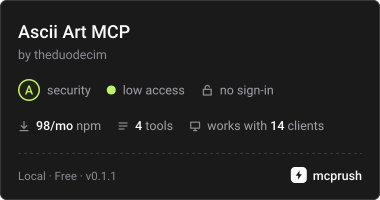
MCP server that exposes ASCII and Unicode art tools
Security Report
Valid MCP server (2 strong, 4 medium validity signals). 3 known CVEs in dependencies (0 critical, 3 high severity) Package registry verified. Imported from the Official MCP Registry.
10 files analyzed · 4 issues found
Security scores are indicators to help you make informed decisions, not guarantees. Always review permissions before connecting any MCP server.
Permissions Required
This plugin requests these system permissions. Most are normal for its category.
How to Install
Add this to your MCP configuration file:
{
  "mcpServers": {
    "io-github-theduodecim-ascii-art": {
      "args": [
        "-y",
        "ascii-art-mcp"
      ],
      "command": "npx"
    }
  }
}Documentation
View on GitHubFrom the project's GitHub README.
ascii-art-mcp
ascii-art-mcp is a Model Context Protocol (MCP) server built with Node.js and TypeScript that exposes tools for retrieving ASCII and Unicode art from a local database.
The server communicates using stdio transport, making it compatible with MCP clients such as:
- Claude Desktop
- Cursor
- LM Studio
- Open WebUI
- Other MCP-compatible environments
https://theduodecim.github.io/ascii-art-mcp/
▶ Run this MCP
Just drop this link into any MCP-compatible AI chat:
https://github.com/theduodecim/ascii-art-mcp/tree/main
"Run this MCP"
The AI will clone the repo, build it, and run it automatically. No setup needed on your end.
📦 Installation
The package is available on npm:
https://www.npmjs.com/package/ascii-art-mcp
Install locally:
npm install ascii-art-mcp
Or run directly:
npx ascii-art-mcp
🌐 MCP Registry
This server is also published in the official Model Context Protocol Registry:
https://registry.modelcontextprotocol.io/?q=ascii-art
Server name:
io.github.theduodecim/ascii-art
This allows MCP-compatible tools to discover and install it automatically.
⚙️ Requirements
- Node.js 20+
- npm
🚀 Running the server manually
Development mode:
npm run dev
Build + production run:
npm run build
npm start
The server uses stdio transport and loads its data from:
db.json
located in the repository root.
🧰 Available MCP Tools
get_ascii_art
Finds an art entry by exact nombre or by an exact value in aliases.
Input
| Field | Type | Required |
|---|---|---|
| query | string | yes |
Output
Returns the entry's art field as plain text.
search_ascii
Searches entries by categoria, tags, or both.
Input
| Field | Type | Required |
|---|---|---|
| categoria | string | optional |
| tag | string | optional |
At least one filter is required.
Output
Returns matching entries' art fields combined as text output.
random_ascii
Returns a random entry from the database.
Input
| Field | Type | Required |
|---|---|---|
| tipo | ascii | unicode | required |
Output
Returns the selected entry's art field as plain text.
list_categories
Lists all unique categories present in the database.
Input
None
Output
Category names as newline-separated text.
🗂 Data Model
Entries in db.json follow the AsciiArtEntry TypeScript interface:
src/types/asciiArt.ts
Each entry contains metadata such as:
- name
- category
- tags
- aliases
- art content
🧪 Testing the MCP Server
A simple integration test was used to verify MCP communication using JSON-RPC over stdio.
Example test script (test.mjs):
import { spawn } from "child_process";

const proc = spawn("node", ["dist/server.js"], {
  stdio: ["pipe", "pipe", "pipe"]
});

proc.stderr.on("data", (d) => {
  console.log("LOG:", d.toString());
});

proc.stdout.on("data", (d) => {
  console.log("SERVER:", d.toString());
});

function send(msg) {
  const json = JSON.stringify(msg);
  const payload = `Content-Length: ${Buffer.byteLength(json)}\r\n\r\n${json}\r\n`;

  console.log("\nSENDING:\n", json, "\n");

  proc.stdin.write(payload);
}

setTimeout(() => {
  send({
    jsonrpc: "2.0",
    id: 1,
    method: "initialize",
    params: {
      protocolVersion: "2024-11-05",
      capabilities: {},
      clientInfo: {
        name: "tester",
        version: "1.0"
      }
    }
  });
}, 500);

setTimeout(() => {
  send({
    jsonrpc: "2.0",
    method: "initialized",
    params: {}
  });
}, 1000);

setTimeout(() => {
  send({
    jsonrpc: "2.0",
    id: 2,
    method: "tools/list"
  });
}, 1500);

setTimeout(() => {
  proc.kill();
  console.log("TEST FINISHED");
}, 4000);
🧠 Architecture
src/
  server.ts
  tools/
  types/

dist/

db.json
- TypeScript MCP server
- JSON database (
db.json) - Zod validation for tool inputs
- stdio transport
🎯 Purpose
This project demonstrates how to build a simple MCP tool server that:
- runs locally
- requires no API keys
- exposes structured tools
- serves static data through MCP
📜 License
MIT
Reviews
No reviews yet
Be the first to review this server!
More Developer Tools MCP Servers
Rea
Freeby Morluto · Developer Tools
Reverse engineer anything from your terminal or agent with one CLI and MCP server.
Paperclip
Freeby Paperclipai · Developer Tools
Trending hip-hop artist momentum scores across four cultural dimensions.
Git
Freeby Modelcontextprotocol · Developer Tools
Read, search, and manipulate Git repositories programmatically
Toleno
Freeby Toleno · Developer Tools
Toleno Network MCP Server — Manage your Toleno mining account with Claude AI using natural language.
MCP Marketplace
Freeby mcp-marketplace · Developer Tools
Search and install MCP servers from inside your AI client.
mcp-creator-python
Freeby mcp-marketplace · Developer Tools
Create, build, and publish Python MCP servers to PyPI — conversationally.