
Server data from the Official MCP Registry
Open, inspect, filter, edit and convert xlsx and csv files from your AI chat. Processing is local.
About
Open, inspect, filter, edit and convert xlsx and csv files from your AI chat. Processing is local.
Security Report
The provided material is mostly READMEs, package manifests, and billing/marketing content, so the actual server source (src/index.ts and tool handlers) could not be audited and no code-level malicious behavior was observed. The score is held down by an unverified scanner flag on several tool names (such as get_news and leaderboard) that have no visible implementation, and by a README claim that all data stays local that conflicts with the hosted-endpoint option, which routes tool calls through mcp.zovo.one. Supply chain analysis found 3 known vulnerabilities in dependencies (0 critical, 2 high severity).
10 files analyzed · 9 issues found
Security scores are indicators to help you make informed decisions, not guarantees. Always review permissions before connecting any MCP server.
Permissions Required
This plugin requests these system permissions. Most are normal for its category.
What You'll Need
Set these up before or after installing:
Environment variable: MCP_LICENSE_KEY
Purchase above for keyHow to Install & Connect
Available as Local & Remote
This plugin can run on your machine or connect to a hosted endpoint. during install.
Documentation
View on GitHubFrom the project's GitHub README.
MCP servers by theluckystrike



Practical Model Context Protocol servers for people who work inside Claude, Cursor and other MCP clients. Every server runs locally over stdio, keeps all data on your machine, and has a genuinely useful free tier. Pro unlocks the limits for a one-time payment: $19 per server or $39 for the bundle, lifetime.
56 servers plus the office-suite aggregator, 46 of them also reachable as a hosted endpoint with no install.
No install? Use any server instantly as a hosted endpoint: https://mcp.zovo.one/mcp/<server> — or browse the catalog at mcp.zovo.one.

That is the invoice server answering a real prompt: a client, some hours, a VAT rate, and a numbered PDF at the end. The table links the demonstrations that are available; some are labeled evidence diagrams rather than client captures.
Choose the install path supported by your server.
- Claude Desktop bundle. Choose the server in the download catalog, download its versioned
.mcpband open it. - Hosted, for 46 servers. Open mcp.zovo.one/mcp/connect, mint a free token and copy the ready URL for your server. That URL includes the token; a bare endpoint does not authorize tool calls. Servers without an endpoint use the bundle or source build.
The npm packages are not published. Use a bundle or the source build below rather than an npm package command.
| Server | Demo | What it does | One-click bundle |
|---|---|---|---|
| mcp-amortization |  | Loan and lease schedules from the terms of the agreement, to the minor unit. | amortization.mcpb |
| mcp-asset-register |  | A fixed asset register that depreciates on the rates the tax authorities actually publish, with the schedule, the journal and the gain on sale. | asset-register.mcpb |
| mcp-backlink-checker |  | Backlink checks from Claude or Cursor: dofollow or nofollow, anchor text, HTTP status and robots guards. | backlink-checker.mcpb |
| mcp-bank-statement |  | Bank CSV exports categorised, summarised and reconciled with expenses. | bank-statement.mcpb |
| mcp-barcode |  | QR codes and barcodes drawn on your machine, with no upload and no network call. | barcode.mcpb |
| mcp-bill-of-sale |  | Record a sale of equipment, a vehicle or stock and get a printable bill of sale with signature lines. | bill-of-sale.mcpb |
| mcp-billing-docs |  | Credit notes and purchase orders, on the same engine as your invoices. | billing-docs.mcpb |
| mcp-budget | Monthly budgets you set and check inside the conversation. | budget.mcpb | |
| mcp-calendar |  | Read .ics calendars: events, free and busy, conflicts, exports. | calendar.mcpb |
| mcp-cash-book |  | One double-entry ledger derived from the books you already keep, proved to the minor unit. | cash-book.mcpb |
| mcp-catalogue |  | One price list and one rate card, kept where the invoice and the quote can both read them. | catalogue.mcpb |
| mcp-change-order |  | Change orders against a quote or a work order, with the running contract value derived from what the client approved. | change-order.mcpb |
| mcp-checklist |  | Checklists you build once and run many times, and the dated record of each run that somebody signs. | checklist.mcpb |
| mcp-clauses |  | Reusable contract clauses, searched and assembled into Word. | clauses.mcpb |
| mcp-credit-note |  | Credit notes against an invoice or standalone: drafts, finalization, rendering and totals, all in integer minor units. | credit-note.mcpb |
| mcp-currency |  | ECB reference rates: convert, history, and fx_rates for rebilling. | currency.mcpb |
| mcp-delivery-schedule |  | Dated deliverables against a quote or a work order, and what is late as at any date you name. | delivery-schedule.mcpb |
| mcp-deposits |  | Security and retainer deposits, held per client, on the same engine as your invoices. | deposits.mcpb |
| mcp-docx |  | Real Word documents from chat: proposals, contracts, quotes. | docx.mcpb |
| mcp-dunning-letters |  | Chase overdue invoices on a ladder anchored to the due date: reminder 1, reminder 2, the final notice, with the aging and the day's chase list. | dunning-letters.mcpb |
| mcp-duplicate-invoice-check | 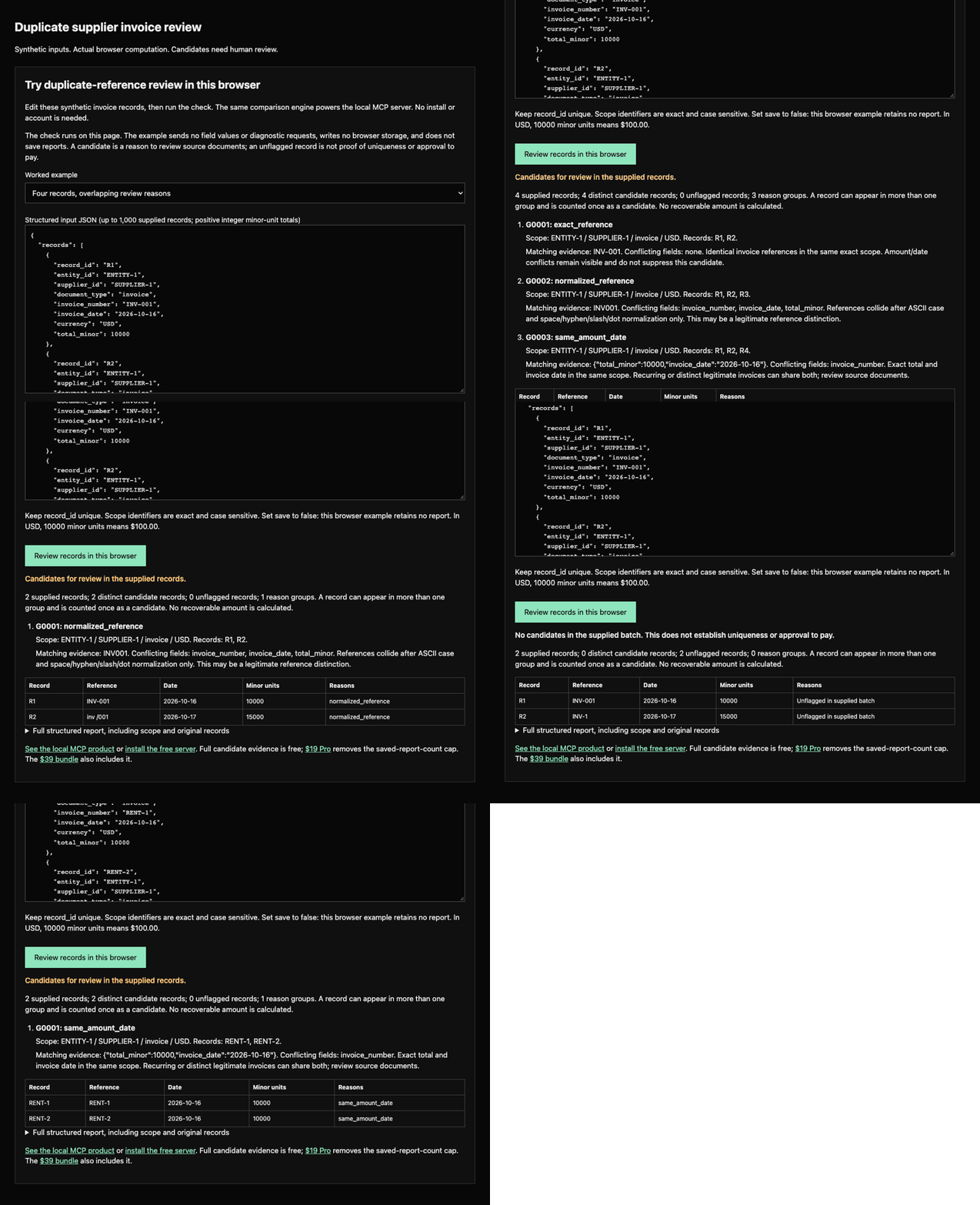 | Review duplicate supplier invoice candidates in supplied local history. | duplicate-invoice-check.mcpb |
| mcp-expense-tracker |  | Receipts, mileage and expenses that turn into invoice lines. | expense-tracker.mcpb |
| mcp-goods-receipt |  | The receiving record for purchase orders: what arrived, against which line, in what quantity and condition. | goods-receipt.mcpb |
| mcp-hourly-rate |  | Price your hours from income, expenses, and tax, with what-if scenarios. | hourly-rate.mcpb |
| mcp-image |  | Resize, convert, compress and watermark images, pure JavaScript. | image.mcpb |
| mcp-invoice | | Numbered invoices with tax lines, rendered to a professional PDF. | invoice.mcpb |
| mcp-job-card |  | One card per job: hours and materials logged against it, a status machine from open to invoiced, and the printed card for client sign-off. | job-card.mcpb |
| mcp-kanban |  | A task board per project that hands off to the time tracker. | kanban.mcpb |
| mcp-leave |  | Employee leave and PTO: balances, approvals, calendars, and who-is-out summaries. | leave.mcpb |
| mcp-loan-calculator | Monthly payments and full amortization in one sentence. | loan-calculator.mcpb | |
| mcp-maintenance-log | Equipment maintenance log: assets, service entries with costs, and a due report computed from stored dates. | maintenance-log.mcpb | |
| mcp-mileage-log | Mileage log for deductible driving: trips, effective-dated rates, summaries and CSV export. | mileage-log.mcpb | |
| mcp-onboarding |  | New-hire onboarding as role-based task templates, with a dated checklist per hire that HR and the manager both read. | onboarding.mcpb |
| mcp-packing-list |  | Packing slips that carry no prices: what is in each carton, what it weighs, and what is still to pack. | packing-list.mcpb |
| mcp-payroll | Gross-to-net for hourly staff, computed in the conversation. | payroll.mcpb | |
| mcp-pdf |  | Merge, split, stamp and read PDFs, pure JavaScript. | pdf.mcpb |
| mcp-per-diem |  | Statutory travel allowances on the rate tables the tax authorities publish, and the trips you priced with them. | per-diem.mcpb |
| mcp-petty-cash |  | A petty cash float on the imprest system, reconciled to the minor unit. | petty-cash.mcpb |
| mcp-pomodoro | Focus blocks planned in the chat you are already in. | pomodoro.mcpb | |
| mcp-price-tracker |  | Check and watch product prices on ordinary shop pages. | price-tracker.mcpb |
| mcp-purchase-requisition |  | Purchase requisitions you build once and approve per order, with the signed record of each approval. | purchase-requisition.mcpb |
| mcp-quotes |  | Priced, VAT-correct quotes from chat, and the yes turns into an invoice. | quotes.mcpb |
| mcp-receipts | Turn receipt lines into an itemized, taxed total. | receipts.mcpb | |
| mcp-recurring |  | Scheduled invoices, generated into your invoice book with PDFs. | recurring.mcpb |
| mcp-resume |  | Resumes and cover letters as Word files from one profile, never invented. | resume.mcpb |
| mcp-service-agreement | Service agreements for freelancers: scope, deliverables, rate, termination and liability, rendered for signing. | service-agreement.mcpb | |
| mcp-spreadsheet |  | Read, query, edit and convert xlsx and csv files safely. | spreadsheet.mcpb |
| mcp-statement-of-account |  | The one document that answers what a client actually owes you, aged as at any date, with the chaser drafted. | statement-of-account.mcpb |
| mcp-stripe-billing | Check your Stripe balance and build payment links from chat. | stripe-billing.mcpb | |
| mcp-supplier-list | A supplier directory that does not rot: contacts, terms, lead times, and when each record was last reviewed. | supplier-list.mcpb | |
| mcp-tax-calc | 2026 US federal brackets, computed in the conversation. | tax-calc.mcpb | |
| mcp-three-way-match | 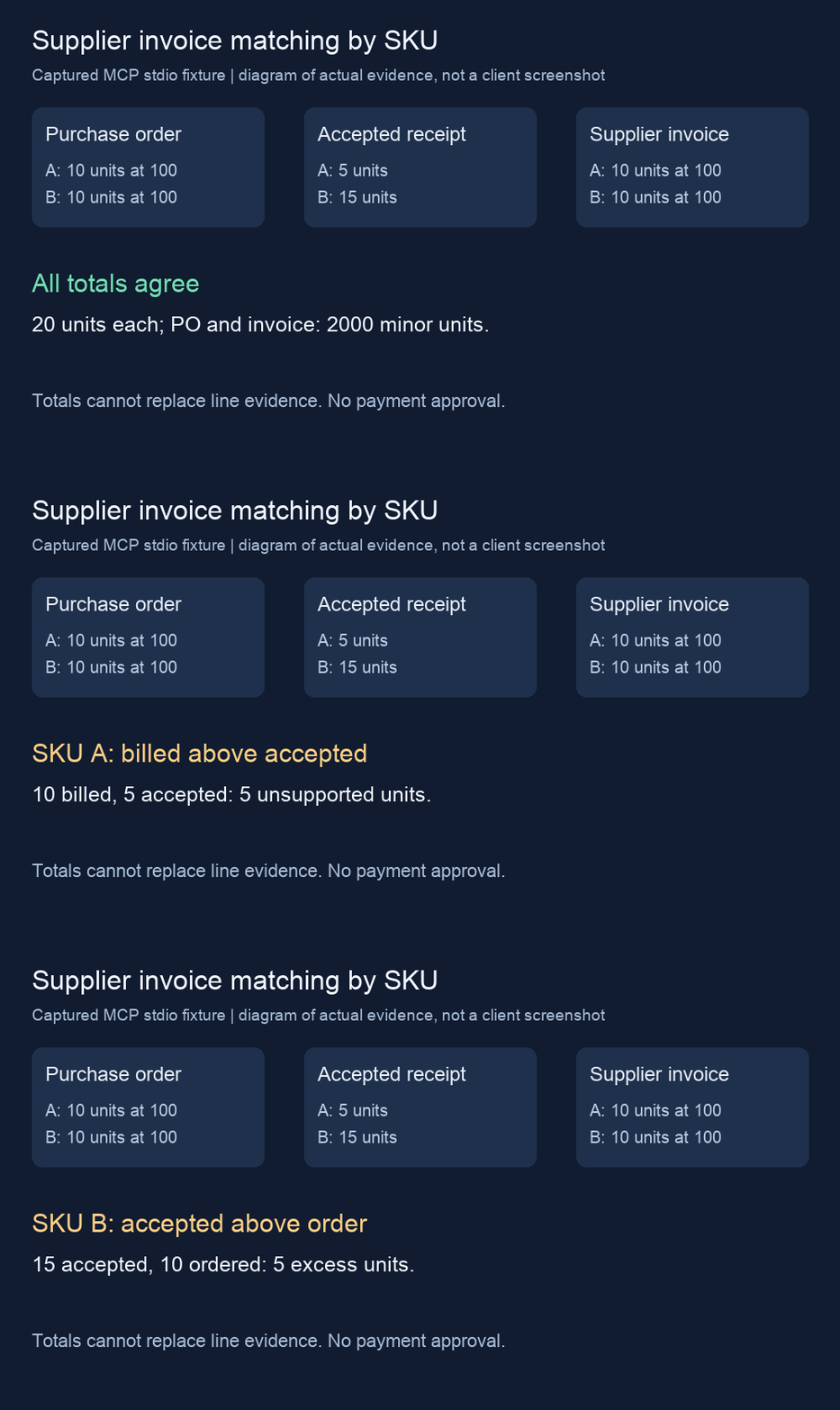 | Supplier invoice, purchase order and receipt checks by exact SKU. | three-way-match.mcpb |
| mcp-time-tracker |  | Track billable time without leaving the chat. | time-tracker.mcpb |
| mcp-timezone |  | Find meeting slots inside everyone's working hours. | timezone.mcpb |
| mcp-work-order |  | Job orders for trades and field work, priced the way the invoice will be. | work-order.mcpb |
| mcp-zip |  | Make a zip, look inside one, and unpack one, entirely on your machine. | zip.mcpb |
| mcp-office-suite |  | One local config entry for invoicing, documents, time tracking and supplier checks. | office-suite.mcpb |
Or clone and build: git clone https://github.com/theluckystrike/mcp-servers.git && cd mcp-servers,
npm install, npm run build. Each server's README has the full 60-second install with every client config.
Buy Pro: https://mcp.zovo.one (keys verify offline with Ed25519; no phone-home).
Hosted endpoints (no install)
46 servers have hosted endpoints. Open the connect page, get a free token and copy the complete URL for the server you need.
The ready URL has the form https://mcp.zovo.one/mcp/<server>/t/<token>. If your client supports headers, the bare endpoint also works with Authorization: Bearer <token>. The bare URL alone can initialize and list tools but refuses tool calls.
Hosted file tools accept inline data/uploads and return temporary download URLs instead of reading your local disk. Read the server-specific setup guide for supported formats. A local install is the path for files on your machine.
Office Suite, Three-Way Match and Duplicate Invoice Check are local stdio servers. Do not substitute a hosted URL for their executable. See each server page and the client setup guides.
Registry names
The MCP registry listing for these servers uses word-rich names instead of the plain directory
name, for example time-tracker-timesheet-billable-hours instead of time-tracker, or
office-suite-time-invoice-expense-excel-price instead of office-suite: every extra token is a word the
server's own tool descriptions already use, and registry search matches on whole words, so a name built only
from time-tracker was invisible to a search for "timesheet" or "billable hours". The full list, read from
each server's server.mcpb.json:
| Server | Registry name |
|---|---|
| time-tracker | io.github.theluckystrike/time-tracker-timesheet-billable-hours |
| price-tracker | io.github.theluckystrike/price-tracker-drop-alert-watch |
| spreadsheet | io.github.theluckystrike/excel-spreadsheet-xlsx-csv |
| invoice | io.github.theluckystrike/invoice-pdf-billing-generator |
| expense-tracker | io.github.theluckystrike/expense-tracker-receipts-mileage |
| currency | io.github.theluckystrike/currency-converter-ecb-rates-daily-keyless |
| docx | io.github.theluckystrike/docx-document-generator-proposal-contract-markdown |
| timezone | io.github.theluckystrike/timezone-world-clock-meeting-slots-overlap-ics |
| office-suite | io.github.theluckystrike/office-suite-time-invoice-expense-excel-price |
The old short names are deprecated on the registry; npm package names, directory names and checkout URLs are unchanged.
Why these servers
The median MCP server on the public registry gets installed and never called again. Looking at what actually gets used, two things separate the servers people keep: a config snippet that works on the first try, and a visible demo of the tool actually answering a real prompt before anyone installs it. Both of those are cheap to provide and most servers skip them -- READMEs bury the config three scroll-lengths down, or show no output at all. These servers were picked because they replace a task people already do in a spreadsheet, a SaaS dashboard or a browser tab (tracking time, watching a price, editing a sheet, cutting an invoice, logging a receipt, converting a currency, drafting a Word document, finding a meeting slot across time zones) with one that runs entirely on-device: no account, no telemetry, no server-side data at rest (the hosted endpoints are the one exception, and they say plainly what they keep and for how long). office-suite exists because the most-used server in this category, measured across the registry, is an aggregator: one install beats thirty-one.
Guides
- Track time in Claude Code
- Invoice PDF from chat
- Read Excel in Cursor
- Price drop alerts with Claude
- Expense tracking in Claude
- MCP server free vs pro
- Currency conversion, ECB rates, in Claude
- Word documents and proposals from chat
- Meeting slots across time zones
Also live: 54 client-by-server setup pages (six clients: Claude Desktop, Claude Code, Cursor, VS Code, Windsurf, Cline, times every server) and 8 head-to-head compare pages against named competitor MCP servers, sourced from each competitor's own README, GitHub metadata or npm/registry record.
Validation
Before anything ships: 1,563 unit tests across the servers and the shared license package (protocol smoke
tests over real stdio, plus adversarial cases: bad input, oversized strings, path traversal, concurrent
writers, zero-byte files), a 951-check live validation database run against the built servers and the hosted
worker (data/validation.json, run 50), seven rounds of user-value testing through a real MCP client (one
prompt per conversation, not a unit test; round 7 is cross-server, chaining calls across the whole
office-suite bundle), and four rounds of independent Codex model review of the core build plus two more of the
remote hosted worker. Details: docs/AUDIT.md, docs/CURRENCY_AUDIT.md,
docs/DOCX_AUDIT.md, docs/EXPENSE_AUDIT.md,
docs/TIMEZONE_AUDIT.md, docs/USER_VALUE.md through
docs/USER_VALUE_R7.md, docs/CODEX_REVIEW.md through
docs/CODEX_REVIEW_V4.md, docs/CODEX_REVIEW_REMOTE.md,
docs/CODEX_REVIEW_REMOTE_V2.md, docs/REMOTE_RESULT.md.
npm status
The MCP packages are not published on npm. Use the versioned download catalog, a source build, or the hosted endpoints where available. Earlier npm authentication findings are recorded in docs/NPM_AUTH_RESULT.md; an unpublished package command is not an install path.
Historical access notes
These earlier access findings have not been revalidated in this section. The released bundles, source repositories and hosted setup paths above work without these extra services:
- npm -- publish token is dead; needs
npm login --auth-type=webonce, in a browser, from this account. - Smithery -- CLI and REST are otherwise fully scriptable with a bearer key, but getting that key needs one
browser login:
npx -y @smithery/cli auth login, then open the printedsmithery.ai/auth/cli?s=<session>URL.smithery.yamlis already validated against the CLI schema.
Everything else in this repository -- registry, GitHub, .mcpb release, billing, hosted endpoints, guides,
setup pages, compare pages, Docker MCP catalog PR, Cline marketplace issues, mcpservers.org and mcpmarket.com
submissions -- was completed without a human at the keyboard.
Repository layout: servers/* one package per server, packages/mcp-license shared licensing, billing/ Cloudflare Worker
that sells keys and serves the marketing site (guides, setup pages, compare pages) through Stripe Checkout,
remote/ Cloudflare Worker serving the hosted endpoints, dashboard/ status page, docs/ runbooks.
Built by theluckystrike. https://github.com/theluckystrike Support: support@zovo.one
Reviews
No reviews yet
Be the first to review this server!
More Developer Tools MCP Servers
Paperclip
Freeby Paperclipai · Developer Tools
Trending hip-hop artist momentum scores across four cultural dimensions.
Fetch
Freeby Modelcontextprotocol · Developer Tools
Web content fetching and conversion for efficient LLM usage
Git
Freeby Modelcontextprotocol · Developer Tools
Read, search, and manipulate Git repositories programmatically
Toleno
Freeby Toleno · Developer Tools
Toleno Network MCP Server — Manage your Toleno mining account with Claude AI using natural language.
MCP Marketplace
Freeby mcp-marketplace · Developer Tools
Search and install MCP servers from inside your AI client.
mcp-creator-python
Freeby mcp-marketplace · Developer Tools
Create, build, and publish Python MCP servers to PyPI — conversationally.