
Server data from the Official MCP Registry
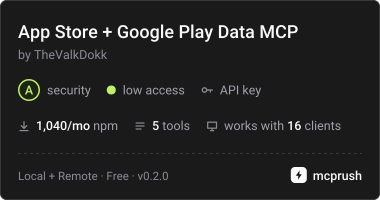
Live App Store and Google Play data: app details, reviews, search, top charts for 175+ storefronts.
About
Live App Store and Google Play data: app details, reviews, search, top charts for 175+ storefronts.
Remote endpoints: streamable-http: https://appstore-mcp-623314400722.us-central1.run.app/mcp
Security Report
Valid MCP server (8 strong, 3 medium validity signals). No known CVEs in dependencies. Package registry verified. Imported from the Official MCP Registry.
5 tools verified · Open access · 1 issue found
Security scores are indicators to help you make informed decisions, not guarantees. Always review permissions before connecting any MCP server.
Permissions Required
This plugin requests these system permissions. Most are normal for its category.
What You'll Need
Set these up before or after installing:
Environment variable: RAPIDAPI_KEY
How to Install & Connect
Available as Local & Remote
This plugin can run on your machine or connect to a hosted endpoint. during install.
Documentation
View on GitHubFrom the project's GitHub README.
appstore-data-mcp
MCP server that gives Claude, Cursor, VS Code, Codex and any other MCP client live data from the Apple App Store and Google Play — app details, reviews, keyword search, top charts and category taxonomies, for 175+ country storefronts.
Powered by the App Store Google Play Data API (free tier: 500 calls/month).
Tools
| Tool | What it does |
|---|---|
search_apps | Keyword search using the store's own relevance ranking; returns ids for the other tools |
get_app | Full metadata for one app — name, developer, rating, price, version, size, screenshots, store URL |
get_app_reviews | Paginated reviews, newest or most-helpful first, with developer replies |
top_charts | Free / paid / grossing / new charts, per country and category |
list_categories | Store category ids and names, for filters and resolving top_charts categories |
Both stores are normalized to the same field names (id, name, developer, rating, …) so the model does not have to learn two schemas.
Setup
- Get a free RapidAPI key: https://rapidapi.com/TheValkDokk/api/app-store-google-play-data-api → subscribe to BASIC → copy
X-RapidAPI-Keyfrom the code snippet. - Add the server to your client with
RAPIDAPI_KEYin the environment.
Claude Code
# key already exported in your shell
claude mcp add appstore-data --scope user -e RAPIDAPI_KEY=$RAPIDAPI_KEY -- npx -y appstore-data-mcp

# or inline the key
claude mcp add appstore-data --scope user -e RAPIDAPI_KEY=<your-rapidapi-key> -- npx -y appstore-data-mcp
Then claude mcp list should report appstore-data: npx -y appstore-data-mcp - ✔ Connected.
A -e value written as ${SOMETHING} is resolved against Claude Code's own environment when it
spawns the server, so -e 'RAPIDAPI_KEY=${RAPIDAPI_KEY}' only works if RAPIDAPI_KEY is exported
in the shell that starts Claude Code. If it is not, claude mcp list warns
Missing environment variables: RAPIDAPI_KEY and tool calls come back as MISSING_CREDENTIALS.
The server itself starts either way — the key is only read at tool-call time.
Claude Desktop
~/Library/Application Support/Claude/claude_desktop_config.json (macOS) or %APPDATA%\Claude\claude_desktop_config.json (Windows):
{
  "mcpServers": {
    "appstore-data": {
      "command": "npx",
      "args": ["-y", "appstore-data-mcp"],
      "env": { "RAPIDAPI_KEY": "your-rapidapi-key" }
    }
  }
}
Cursor
~/.cursor/mcp.json (global) or .cursor/mcp.json (per project) — same mcpServers block as above.
VS Code (Copilot agent mode)
.vscode/mcp.json:
{
  "servers": {
    "appstore-data": {
      "command": "npx",
      "args": ["-y", "appstore-data-mcp"],
      "env": { "RAPIDAPI_KEY": "your-rapidapi-key" }
    }
  }
}
Example prompts
- "Find the top 5 meditation apps in the US and compare their ratings and review counts."
- "What changed in Instagram's iOS reviews over the last 200 entries — any 1-star complaints about the new update?"
- "Which photography apps are top-grossing in Japan right now?"
- "Pull the 25 most recent reviews for
com.spotify.musicin the UK and summarise the complaints."
Hosted endpoint (no install)
A remote copy runs at https://appstore-mcp-623314400722.us-central1.run.app/mcp (streamable HTTP, stateless).
Send your own RapidAPI key as a header — nothing is shared or stored server-side:
{
  "mcpServers": {
    "appstore-data": {
      "type": "http",
      "url": "https://appstore-mcp-623314400722.us-central1.run.app/mcp",
      "headers": { "X-RapidAPI-Key": "your-rapidapi-key" }
    }
  }
}
Authorization: Bearer <key> and ?key=<key> work too. Tools list without a key, so directory crawlers can index the
server; a tool call without one returns MISSING_CREDENTIALS with the signup link.
Configuration
| Variable | Required | Purpose |
|---|---|---|
RAPIDAPI_KEY | yes (unless self-hosting) | Marketplace auth: sent as X-RapidAPI-Key + X-RapidAPI-Host |
APPSTORE_API_BASE_URL | no | Point at your own deployment instead of the marketplace |
APPSTORE_API_HOST | no | Override the X-RapidAPI-Host value |
APPSTORE_PROXY_SECRET | no | Self-hosted origin auth (X-RapidAPI-Proxy-Secret) |
Quotas and cost
Calls count against your RapidAPI plan: BASIC is free (500 calls/month), paid tiers from $9.99. Each tool call is one request. limit is capped at 50 per call on purpose — a larger page can exceed an MCP client's response size limit and get truncated.
Develop
npm install
npm run build
RAPIDAPI_KEY=xxx npm run smoke   # 26 end-to-end checks against the live API
License
MIT
Registries
- npm: appstore-data-mcp
- Official MCP Registry:
io.github.thevalkdokk/appstore-data - mcprush: App Store + Google Play Data MCP
- Smithery / Glama / mcp.so: listed from this repo and the npm package
Auto-publish to the MCP Registry runs from .github/workflows/mcp-registry.yml on every release.
Reviews
No reviews yet
Be the first to review this server!
More Developer Tools MCP Servers
Rea
Freeby Morluto · Developer Tools
Reverse engineer anything from your terminal or agent with one CLI and MCP server.
Paperclip
Freeby Paperclipai · Developer Tools
Trending hip-hop artist momentum scores across four cultural dimensions.
Fetch
Freeby Modelcontextprotocol · Developer Tools
Web content fetching and conversion for efficient LLM usage
Git
Freeby Modelcontextprotocol · Developer Tools
Read, search, and manipulate Git repositories programmatically
Toleno
Freeby Toleno · Developer Tools
Toleno Network MCP Server — Manage your Toleno mining account with Claude AI using natural language.
MCP Marketplace
Freeby mcp-marketplace · Developer Tools
Search and install MCP servers from inside your AI client.