
Server data from the Official MCP Registry
Build, edit and publish static websites in Typeroll CMS: pages, blocks, media, forms and deploys.
About
Build, edit and publish static websites in Typeroll CMS: pages, blocks, media, forms and deploys.
Remote endpoints: streamable-http: https://app.typeroll.com/api/mcp
Security Report
Valid MCP server (2 strong, 2 medium validity signals). No known CVEs in dependencies. ⚠️ Package registry links to a different repository than scanned source. Imported from the Official MCP Registry. 1 finding(s) downgraded by scanner intelligence.
Endpoint verified · Requires authentication · 2 issues found
Security scores are indicators to help you make informed decisions, not guarantees. Always review permissions before connecting any MCP server.
Permissions Required
This plugin requests these system permissions. Most are normal for its category.
What You'll Need
Set these up before or after installing:
Environment variable: TYPEROLL_API_KEY
Environment variable: TYPEROLL_API_URL
Environment variable: TYPEROLL_SITE_ID
How to Install & Connect
Available as Local & Remote
This plugin can run on your machine or connect to a hosted endpoint. during install.
Documentation
View on GitHubFrom the project's GitHub README.
Typeroll CMS
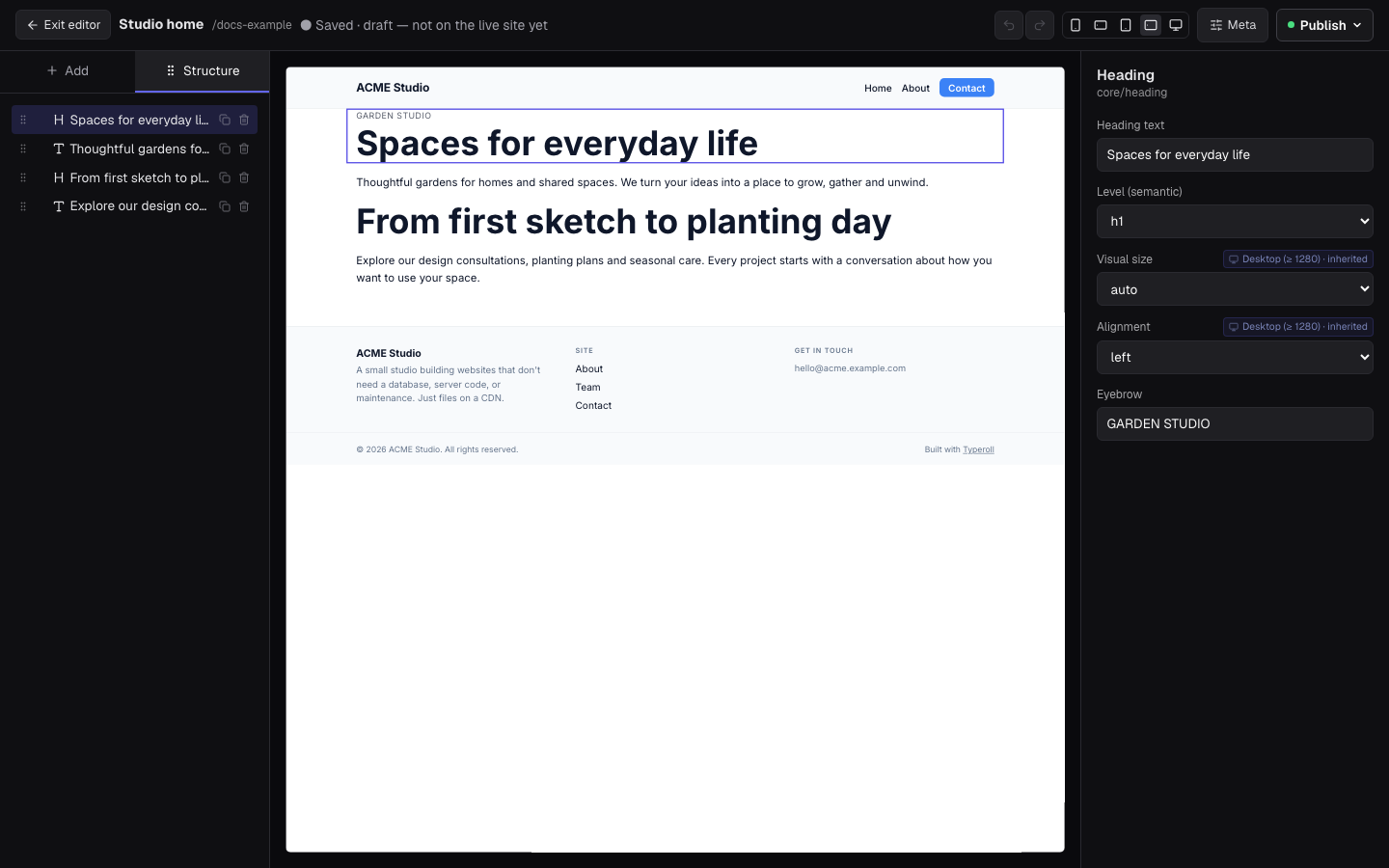
The open-source CMS for AI agents. Build and edit websites with Claude, ChatGPT, Cursor or Codex over MCP, let clients edit in a visual editor, and publish fast static Astro sites to your own Cloudflare or GitHub account.


Website · Documentation · Connect your agent · Docs for agents (llms.txt)
Try it in 60 seconds
Connect your agent to Typeroll Cloud (a 30-day trial, no card) and ask it to build a site. In Claude Code:
claude mcp add --transport http typeroll https://app.typeroll.com/api/mcp
Then run /mcp, sign in, and ask: "Create a website for my studio with a home,
services and contact page, then show me a preview." Setup for Claude,
ChatGPT, Cursor, VS Code and Codex is on the
connection page.
The build with Claude Code
guide walks through a full site, from the first page to a custom domain.
Why Typeroll
- Agent-first. 260 MCP tools and step-by-step recipes (skills) for new sites, WordPress and Astro migrations, branding, SEO and launch checks.
- Clients can edit. A visual block editor with drafts, previews and owner review, so non-technical editors never touch code.
- Static and yours. Sites compile to static Astro output and publish to your own Cloudflare or GitHub account. No lock-in; export at any time.
- SEO and AI search built in. Sitemaps, hreflang, structured data,
llms.txt, per-page Markdown, an AI crawler policy and a launch readiness report on every site. - Open source. Self-host it, or use Typeroll Cloud for unlimited sites and users.
Freelancers and web agencies use Typeroll to build and manage client websites with their own AI agents and give clients access to edit content in the browser. Organizations use it to manage their own websites.
The repository contains the editor, public API, MCP server, Forms backend, Extension runtime, static renderer, and self-hosting adapters as open-source software. Most code is MIT-licensed; the WordPress helper plugin is GPL-2.0-or-later for WordPress compatibility.
AI agents can connect through MCP using a supported HTTP or stdio client, or call the REST API directly. See client compatibility and verification status and the connection guide.
What is included
- block and HTML page editing with live preview;
- Pages with content types, reusable blocks, media, redirects, templates, and workflows;
- server-backed Forms with stored submissions, email actions, and webhooks;
- the Extension manifest, installation, admin SSO, and browser runtime;
- the WordPress migration workflow, URL coverage tools, and helper plugin;
- a REST API and
@typeroll/mcp-serverfor agent-driven site management; - static site generation and Cloudflare Pages deployment support;
- the Durable Object document store, R2 media storage, and a local fixture store.
Forms is a core module in both the open-source edition and Typeroll Cloud. A self-hosted installation stores submissions in its own datastore and sends notifications and webhooks through services configured by its operator.
Repository layout
packages/shared/         Shared data contracts and block renderer
packages/site-template/  Astro static site generator
packages/portal/         Astro/React CMS, API, Forms, and Extension runtime
packages/mcp-server/     Public MCP server and CLI
packages/docs-site/      Public documentation
wp-helper-plugin/         Read-only WordPress migration helper
examples/                Extension examples
Run the CMS locally
To build or migrate your own website with an AI agent, start from the public site-starter template and follow the workspace setup guide. It includes a guided interview, project briefs, owner rules and SEO planning. The commands below instead run the CMS itself for development.
Use Node.js 22 or later.
npm install
npm run dev:portal
The development server uses the fixture datastore and a local development
identity when sign-in (AUTH_SECRET) is not configured. Open
http://localhost:4321.
Run the static renderer separately with:
npm run dev:site
Before contributing, run:
node scripts/oss-release-check.mjs
Maintainer releases use one ordered train after successful CI on public
main: immutable Core Worker bundle and tag, MCP package and tag, public docs,
then a Cloud-consumable release manifest. See docs/releasing.md.
See the self-hosting guide for production configuration.
A self-hosted installation runs in your own Cloudflare account: the portal and
Forms Workers from the same released, provenance-verified bundle Typeroll Cloud
deploys, Durable Objects for content and accounts, and R2 for media, all in the
EU jurisdiction. Start with config/self-host-cloudflare.example.json and
.env.self-host.example, review npm run self-host:cloudflare:plan, then run
npm run self-host:cloudflare:apply. npm run self-host:cloudflare:doctor
checks both Workers, and self-host:cloudflare:backup / restore export and
restore the document store. The earlier Google Cloud profile and Docker Compose
fallback are removed.
Cloud and premium products
Typeroll Cloud is the managed distribution operated from the private
Typeroll/typeroll-cloud repository. Its deployment automation, operator
console, marketing site, and operational configuration are not part of this
repository. The migration code is open source; Typeroll Cloud can provide its
execution, infrastructure, and support as a managed service.
Typeroll Apps are separately operated premium applications. They connect to either Typeroll Cloud or a self-hosted installation through the same open Extension protocol. Third-party Extensions remain hosted in their developers' own accounts.
Security
Report vulnerabilities privately as described in SECURITY.md. Do not open a public issue for an undisclosed vulnerability.
License
Most of the repository is MIT-licensed. The WordPress helper plugin is distributed under GPL-2.0-or-later.
Reviews
No reviews yet
Be the first to review this server!
More Developer Tools MCP Servers
Rea
Freeby Morluto · Developer Tools
Reverse engineer anything from your terminal or agent with one CLI and MCP server.
Paperclip
Freeby Paperclipai · Developer Tools
Trending hip-hop artist momentum scores across four cultural dimensions.
Scrapling
Freeby D4Vinci · Developer Tools
Web scraping with stealth HTTP, real browsers, and Cloudflare bypass. CSS selectors supported.
Toleno
Freeby Toleno · Developer Tools
Toleno Network MCP Server — Manage your Toleno mining account with Claude AI using natural language.
MCP Marketplace
Freeby mcp-marketplace · Developer Tools
Search and install MCP servers from inside your AI client.
mcp-creator-python
Freeby mcp-marketplace · Developer Tools
Create, build, and publish Python MCP servers to PyPI — conversationally.