
Server data from the Official MCP Registry
Agent-native UI/UX design validation: journey completeness, state coverage, and WCAG checks.
About
Agent-native UI/UX design validation: journey completeness, state coverage, and WCAG checks.
Security Report
UXLoom is a well-structured design validation MCP server with clean architecture and appropriate permission scope. The codebase demonstrates good security practices with no credential handling issues, malicious patterns, or dangerous operations detected. Minor code quality observations around error handling in the preview template do not materially impact the security posture. Supply chain analysis found 3 known vulnerabilities in dependencies (2 critical, 0 high severity). Package verification found 1 issue (1 critical, 0 high severity).
4 files analyzed · 7 issues found
Security scores are indicators to help you make informed decisions, not guarantees. Always review permissions before connecting any MCP server.
Permissions Required
This plugin requests these system permissions. Most are normal for its category.
Unverified package source
We couldn't verify that the installable package matches the reviewed source code. Proceed with caution.
What You'll Need
Set these up before or after installing:
Environment variable: UXLOOM_PROJECT
How to Install
Add this to your MCP configuration file:
{
  "mcpServers": {
    "io-github-uxloom-dev-uxloom": {
      "env": {
        "UXLOOM_PROJECT": "your-uxloom-project-here"
      },
      "args": [
        "-y",
        "uxloom-monorepo"
      ],
      "command": "npx"
    }
  }
}Documentation
View on GitHubFrom the project's GitHub README.
UXLoom
Your generator gave you 6 screens. UXLoom proves you're missing 9 states.
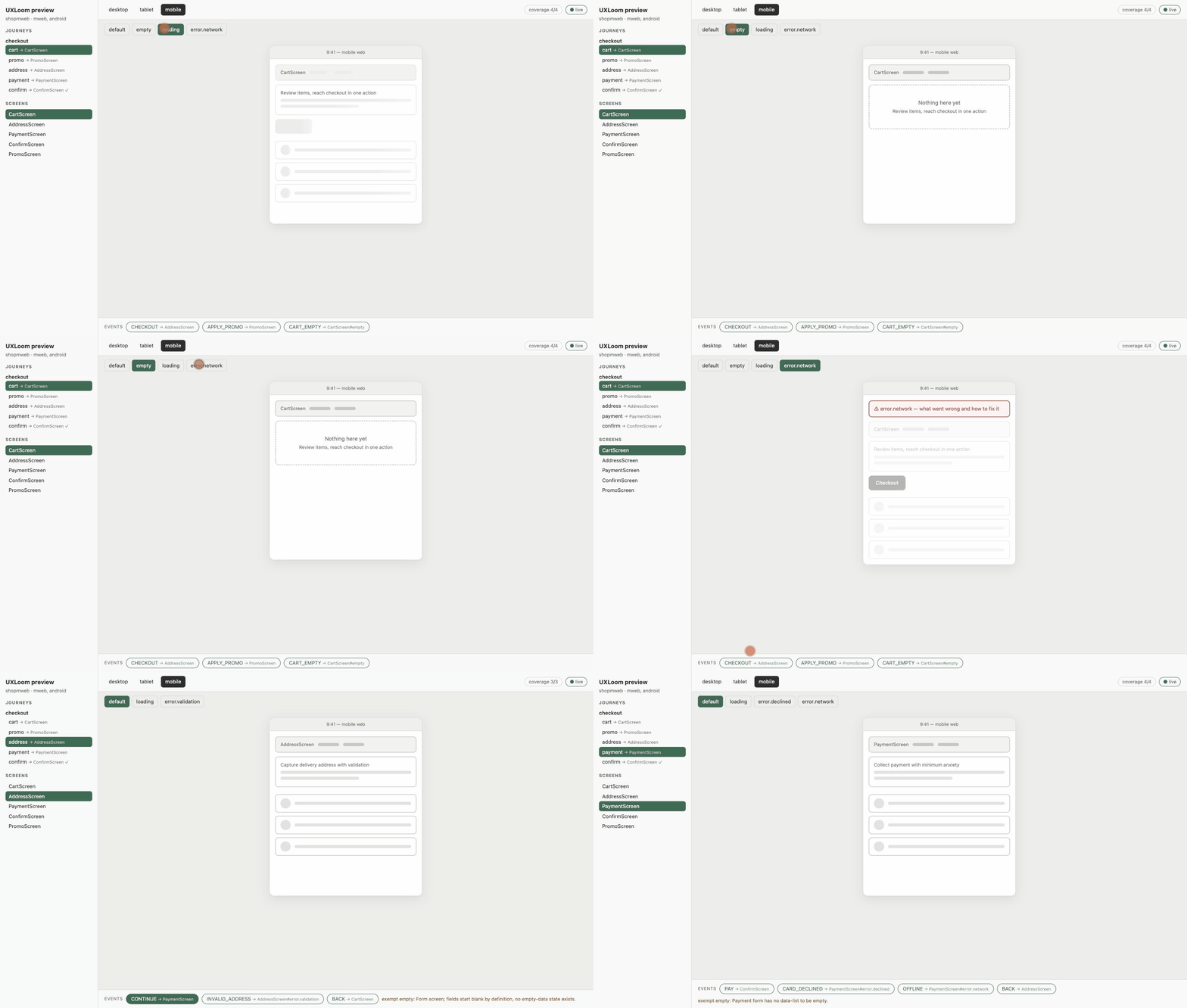
AI generators (v0, Lovable, Figma Make, Claude) produce happy-path screens. UXLoom is the critic layer: it models user journeys as state machines, treats screens as nodes with state contracts, and mechanically proves what's missing before a line of production code exists — unreachable screens, dead ends, missing error/empty/loading states, WCAG contrast failures, undersized touch targets, and labels that will overflow under localization.
Agent-native by design: the interface is an MCP server (works with Claude Code, Codex, and any MCP client), with Agent Skills included.
Deterministic by design: same input, byte-identical report — benchmarked
(packages/bench) at 1.000 precision/recall on a seeded
defect catalog, SHA-256-stable across processes, 1000 screens in under 5ms.
That's what lets design completeness gate CI, where an LLM opinion can't.
Website: uxloom.dev · npm: uxloom · MCP registry: io.github.uxloom-dev/uxloom · 

Packages
| Package | What it is |
|---|---|
@uxloom/journeygraph | The open design-as-data format: journeys as state machines, screens as nodes with required states |
@uxloom/critics | The validators: journey completeness, state coverage, WCAG contrast, touch targets, text expansion |
uxloom | The MCP server + Agent Skills — the interface agents use |
New here? Start with the Quickstart — prerequisites, the Claude Code walkthrough, what to say to your agent, and troubleshooting.

Quick start (agents)
# Claude Code
claude mcp add uxloom -- npx -y uxloom

# Codex CLI
codex mcp add uxloom -- npx -y uxloom
The project file (uxloom.project.json) lives in your workspace and belongs
in git — the design is data, versioned next to the code it specifies.
Quick start (humans & CI)
npx uxloom init      # one-command setup: MCP config + agent skill + starter file
npx uxloom preview   # live mocks (themed, commentable, EDITABLE in the browser)
npx uxloom export    # shareable HTML — plus --svg (Figma/Penpot import; add
                     #   --manifest for the round-trip key) and --png (playwright)
npx uxloom check     # design completeness — exit 1 on errors, CI-ready
npx uxloom audit     # implementation drift — web AND native (Swift/Kotlin/
                     #   Dart/Java markers); --live verifies the real DOM;
                     #   --design <file|dir> audits a Figma/Penpot export vs the contract
npx uxloom diff      # human-readable design diffs for PR review
Evidence-based design: every decision in the contract can carry its
rationale — reasoning, rejected alternatives with pros/cons, sources,
confidence — enforced by the critics once adopted, iterated through a
bounded design_review loop (max 3 rounds), and shown to stakeholders in
the preview's evidence panel (ⓘ) and exports. The design doesn't just
validate; it argues its case.
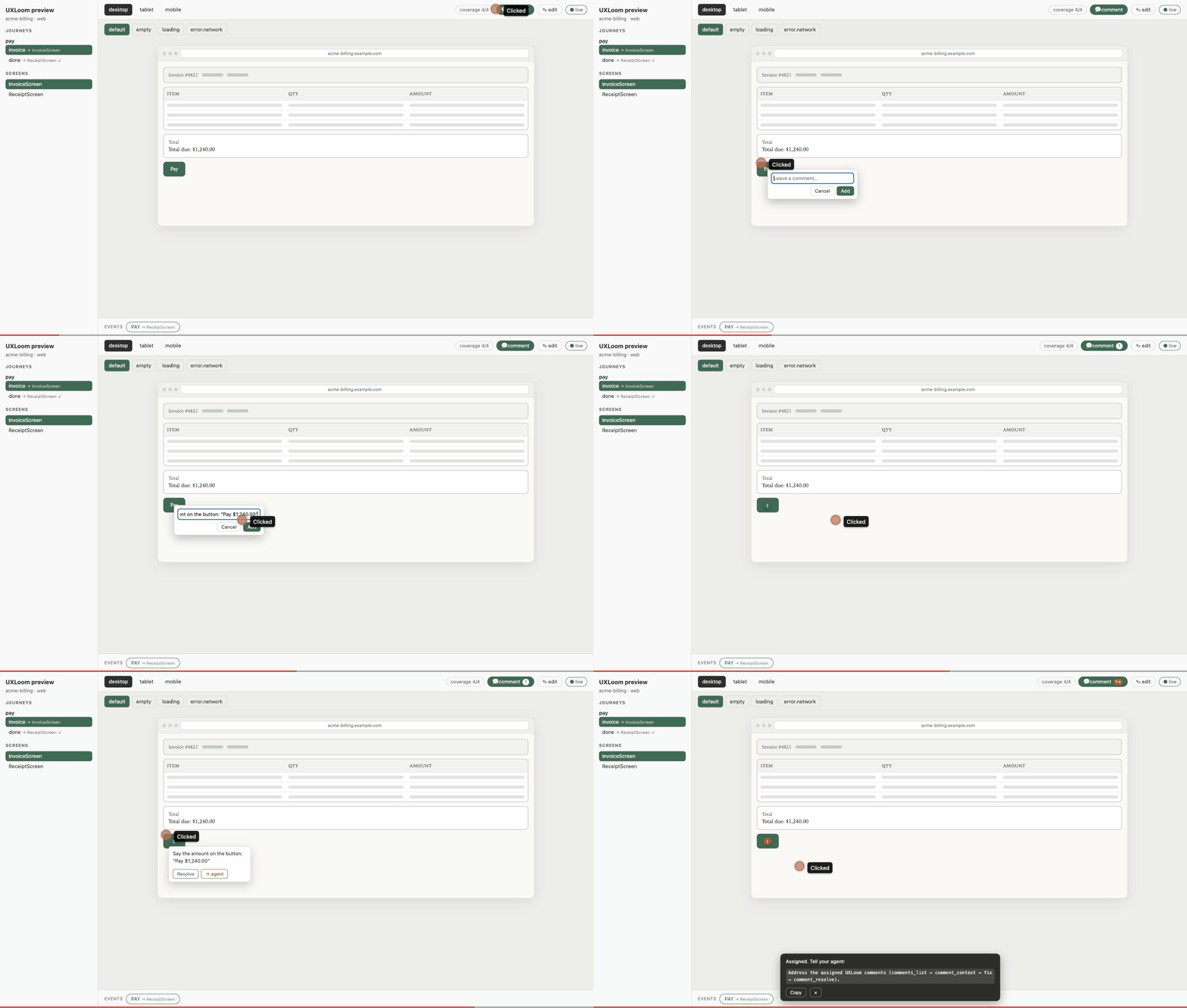
Agent-addressable comments: a reviewer drops a pinned comment in the
preview and clicks "→ agent". The comment becomes a work item any Gen-AI
model can read with full context — comment_context returns the pinned
layout block, the screen contract, the journey references, and the current
findings for that screen — act on, and resolve back into the preview with
a note. One click from feedback to addressed.
CI-native: check and audit take --json, --sarif (GitHub code
scanning), and --github (inline PR annotations). Brownfield-ready:
--update-baseline freezes existing findings so only new drift blocks;
uxloom.config.json tunes thresholds to your accessibility bar. Full
documentation: uxloom.dev/docs.html.
Add it to CI and a happy-path-only design can never merge:
- run: npx uxloom check design/uxloom.project.json
Workflow (also shipped as a skill in packages/mcp-server/skills/):
project_init → brief_start/brief_answer → journey_define →
screen_register → project_validate → fix → repeat until zero errors →
coverage_report.
Does it actually catch things?
tools/dogfood.mjs drives the real MCP server through three products, twice
each: screens as a happy-path generator hands them over, then repaired using
the validation report. Artifacts in examples/.
| Product | Generated (happy-path) | Repaired |
|---|---|---|
shopmweb — e-commerce checkout (mWeb + Android) | 9 errors, 6 warnings | 0 / 0 |
taskflow — SaaS signup/onboarding (web) | 1 error, 6 warnings | 0 / 0 |
ridenow — ride booking (iOS + Android, offline-heavy) | 3 errors, 7 warnings | 0 / 0 |
Caught: an unreachable promo screen, dead-end verification states, five
undesigned payment/error states, a 2.4:1 contrast button, a 40px touch target
on Android, a checkout label that breaks in German, and three products' worth
of missing offline states. Zero errors and zero warnings is reachable
honestly — screens declare documented exemptions where a baseline state
genuinely cannot apply, and contradictory exemptions are flagged.
Development
npm install
npm run typecheck
npm test
Status
Released and maintained: on npm and
the official MCP registry, with the benchmark scorecard published in every
GitHub release. The
JourneyGraph format (formatVersion: "0.1") may evolve until 1.0; releases
follow RELEASING.md — every surface is drift-checked in CI.
License
MIT
Reviews
No reviews yet
Be the first to review this server!
More Developer Tools MCP Servers
Paperclip
Freeby Paperclipai · Developer Tools
Trending hip-hop artist momentum scores across four cultural dimensions.
Git
Freeby Modelcontextprotocol · Developer Tools
Read, search, and manipulate Git repositories programmatically
Toleno
Freeby Toleno · Developer Tools
Toleno Network MCP Server — Manage your Toleno mining account with Claude AI using natural language.
mcp-creator-python
Freeby mcp-marketplace · Developer Tools
Create, build, and publish Python MCP servers to PyPI — conversationally.
MCP Marketplace
Freeby mcp-marketplace · Developer Tools
Search and install MCP servers from inside your AI client.
MarkItDown
Freeby Microsoft · Content & Media
Convert files (PDF, Word, Excel, images, audio) to Markdown for LLM consumption