
Server data from the Official MCP Registry
Social publishing, scheduling and delivery-status tools for Reeling accounts.
About
Social publishing, scheduling and delivery-status tools for Reeling accounts.
Remote endpoints: streamable-http: https://mcp.reeling.app/mcp
Security Report
The Reeling MCP adapter is mostly a straightforward authenticated wrapper around the Reeling REST API, with no data exfiltration, shell execution, or hardcoded secrets found. However, the hosted Streamable HTTP and SSE endpoints accept unauthenticated connections, bind to 0.0.0.0 by default, and accept API keys in query strings that can leak into logs, and the scoring is held back by these auth and exposure concerns. Supply chain analysis found 7 known vulnerabilities in dependencies (0 critical, 2 high severity).
5 files analyzed · 17 issues found
Security scores are indicators to help you make informed decisions, not guarantees. Always review permissions before connecting any MCP server.
Permissions Required
This plugin requests these system permissions. Most are normal for its category.
How to Install & Connect
Available as Local & Remote
This plugin can run on your machine or connect to a hosted endpoint. during install.
Documentation
View on GitHubFrom the project's GitHub README.
Reeling MCP server


Official open-source Model Context Protocol (MCP) server for Reeling, an AI social media scheduler and short-form video publishing platform.
Use Reeling from Claude Desktop, Cursor, Windsurf, OpenClaw, ChatGPT-compatible connectors, or your own MCP client. The server gives an AI agent a controlled interface for cross-platform social publishing, scheduling, analytics, audience comments, and content adaptation.
This repository is the public developer companion for Reeling. It contains the MCP adapter; runnable API examples live in reeling-examples; Reeling's private application, production infrastructure, customer data, and credentials are not part of this repository.
Links: Reeling homepage · AI Plugins & Skills Hub · 15 Channel Integrations · Developer portal · Hosted MCP install · API settings · Pricing
Platform integrations (15 supported channels)
Availability depends on the connected account, app access and current capabilities. TikTok inbox delivery requires finishing in TikTok; X (Companion mode), Reddit (Companion mode), Medium, and Quora use the Reeling Companion Chrome extension to bridge your authenticated browser session. Check the current platform matrix before publishing.
- 🎵 TikTok
- 📸 Instagram Reels & Stories
- ▶️ YouTube Shorts & Video
- 🦋 Bluesky
- 🧵 Threads
- 🐦 Twitter / X (OAuth 2.0 or Free Companion Bridge)
- 👽 Reddit (Companion Bridge or Script OAuth + Topic Radar & Spam Shield)
- ❓ Quora (Companion Bridge + Question Radar & 75-Word Burden-of-Proof Shield)
- ✍️ Medium (Companion Bridge + AI Cliché & Tag Shield)
- 📘 Facebook Pages
- 💬 Discord & Telegram
- 🐘 Mastodon
🛠️ Available MCP Tools (16 Tools)
| Tool Name | Description |
|---|---|
reeling_list_projects | Lists all projects & workspaces in your Reeling account. |
reeling_list_channels | Lists all connected channels across all 15 networks with handle names and account status. |
reeling_get_channel_options | Retrieves publishing options for a connected channel, such as Pinterest boards (ID, name, privacy) or TikTok creator options. |
reeling_publish_post | Publishes or schedules short-form videos, articles, or community answers across targeted platforms (includes Pre-Publish Spam Shield & 3/day, 3/week cadence guard). |
reeling_get_post_status | Checks delivery, processing, and publishing status for a specific post. |
reeling_discover_community_questions | Discovers high-intent daily questions on Reddit and Quora matching your topics and returns remaining daily/weekly cadence quota. |
reeling_draft_community_answer | Generates a value-first, non-promotional answer for a Reddit or Quora thread and evaluates its 0–100 Pre-Publish Spam & Shadowban score. |
reeling_get_analytics | Fetches aggregated analytics: total views, likes, comments, impressions, and per-platform breakdown. |
reeling_sync_metrics | Triggers a live sync against YouTube, Bluesky, Instagram, Threads, and TikTok APIs. |
reeling_evaluate_content_jev | Evaluates video scripts and captions using Reeling's JEV hook and retention diagnostics. |
reeling_get_inbox | Retrieves audience comments across social channels into a unified inbox. |
reeling_reply_to_comment | Posts a direct reply to a comment on any connected social platform. |
reeling_adapt_content_ai | Uses Reeling's AI copy engine to adapt a hook/script for TikTok, Instagram, YouTube, Threads, or Bluesky. |
reeling_generate_video | Requests short-form video generation through Reeling’s configured service; plan allowance and provider processing apply. |
reeling_create_storyboard | Generates structured multi-scene storyboards (30s up to 5 minutes) broken into consecutive 5s cinematic cuts with audio/foley cues. |
reeling_stitch_storyboard | Requests scene rendering and stitching through Reeling’s configured video workflow. |
🔑 Getting Started
-
Obtain your API Key:
- Go to reeling.app and sign in.
- Navigate to Settings → API Keys.
- Generate a new key (starts with
rl_...).
-
Run the server:
npx -y github:yomariano/reeling-mcp#v1.1.0Or connect to the hosted Streamable HTTP endpoint at
https://mcp.reeling.app/mcpusing the installation guide.
💻 Configuration Examples
1. Claude Desktop
Add this to your claude_desktop_config.json:
- macOS:
~/Library/Application Support/Claude/claude_desktop_config.json - Windows:
%APPDATA%\Claude\claude_desktop_config.json
{
  "mcpServers": {
    "reeling": {
      "command": "npx",
      "args": ["-y", "github:yomariano/reeling-mcp#v1.1.0"],
      "env": {
        "REELING_API_KEY": "rl_your_live_api_key_here",
        "REELING_API_URL": "https://api.reeling.app"
      }
    }
  }
}
Or run directly from source:
{
  "mcpServers": {
    "reeling": {
      "command": "node",
      "args": ["/absolute/path/to/reeling-mcp/bin/cli.js"],
      "env": {
        "REELING_API_KEY": "rl_your_live_api_key_here"
      }
    }
  }
}
2. Cursor IDE
Create or edit .cursor/mcp.json in your project root:
{
  "mcpServers": {
    "reeling": {
      "command": "npx",
      "args": ["-y", "github:yomariano/reeling-mcp#v1.1.0"],
      "env": {
        "REELING_API_KEY": "rl_your_live_api_key_here"
      }
    }
  }
}
3. Antigravity (AGY)
Add to your ~/.gemini/antigravity-cli/mcp_config.json or project MCP configuration:
{
  "mcpServers": {
    "reeling": {
      "command": "node",
      "args": ["/absolute/path/to/reeling-mcp/bin/cli.js"],
      "env": {
        "REELING_API_KEY": "rl_your_live_api_key_here"
      }
    }
  }
}
4. Remote Hosted SSE Server (for Grok Bot, Claude Remote, Web Agents)
You can run reeling-mcp as a persistent Server-Sent Events (SSE) server for remote AI agents:
# Run locally or deploy to Railway / Render / VPS / Docker
npx -y github:yomariano/reeling-mcp#v1.1.0 --sse --port 3005
Endpoints exposed:
GET /health: Health check status.GET /sse: Server-Sent Events connection stream (provide a credential through your client’s secret header configuration).POST /messages?sessionId=...: JSON-RPC protocol message receiver.
Grok Bot Configuration (xAI)
Add to your Grok Bot custom MCP servers:
- Transport: SSE
- Endpoint:
https://mcp.reeling.app/sse(orhttp://localhost:3005/sse) - Headers:
X-API-Key: rl_your_live_api_key_here
🤖 Agent integrations
The hosted server exposes installable bundles and connector metadata for ChatGPT-compatible connectors, Claude, and Grok at mcp.reeling.app/install. The local package works with any MCP client that can launch an npm package or connect to the HTTP transport.
For API-level integrations, see the Reeling developer portal. Please open an issue when you build a client, example, or platform adapter that other Reeling users could reuse.
🧪 Testing Locally
You can test the MCP server manually using the MCP inspector:
npx @modelcontextprotocol/inspector node bin/cli.js
Or test SSE mode:
node bin/cli.js --sse --port 3005
curl http://localhost:3005/health
📄 License
MIT © reeling.app
Contributing
Issues and pull requests are welcome for client compatibility, documentation, examples, and safe improvements to the MCP transport. Do not commit API keys, production URLs containing secrets, customer data, or private Reeling application code. See the repository's security policy before reporting a vulnerability.
Working examples
Clone reeling-examples for account discovery, a reviewed video request, bounded delivery-status polling, analytics retrieval and an editable content calendar. Start in offline mode. Read the example guide.
Architecture
flowchart LR
  Client[Your MCP client] -->|stdio or HTTPS /mcp| Adapter[Reeling MCP adapter]
  Adapter -->|API key| API[Reeling REST API]
  API --> Queue[Publishing queue]
  Queue --> Channels[Authorized social channels]
  API -->|Per-destination state| Adapter
The adapter sends authenticated requests to the Reeling API. Account, plan and platform permissions determine what can run. Review write tools in your client; a tool result or upload receipt alone does not establish public publication.
Development and releases
npm ci
npm test
npm run check
npm pack --dry-run
See CONTRIBUTING.md, CHANGELOG.md, and GitHub releases. Installs above use a versioned GitHub tag; npm publication requires a separate authenticated npm release.
Setup guide preview
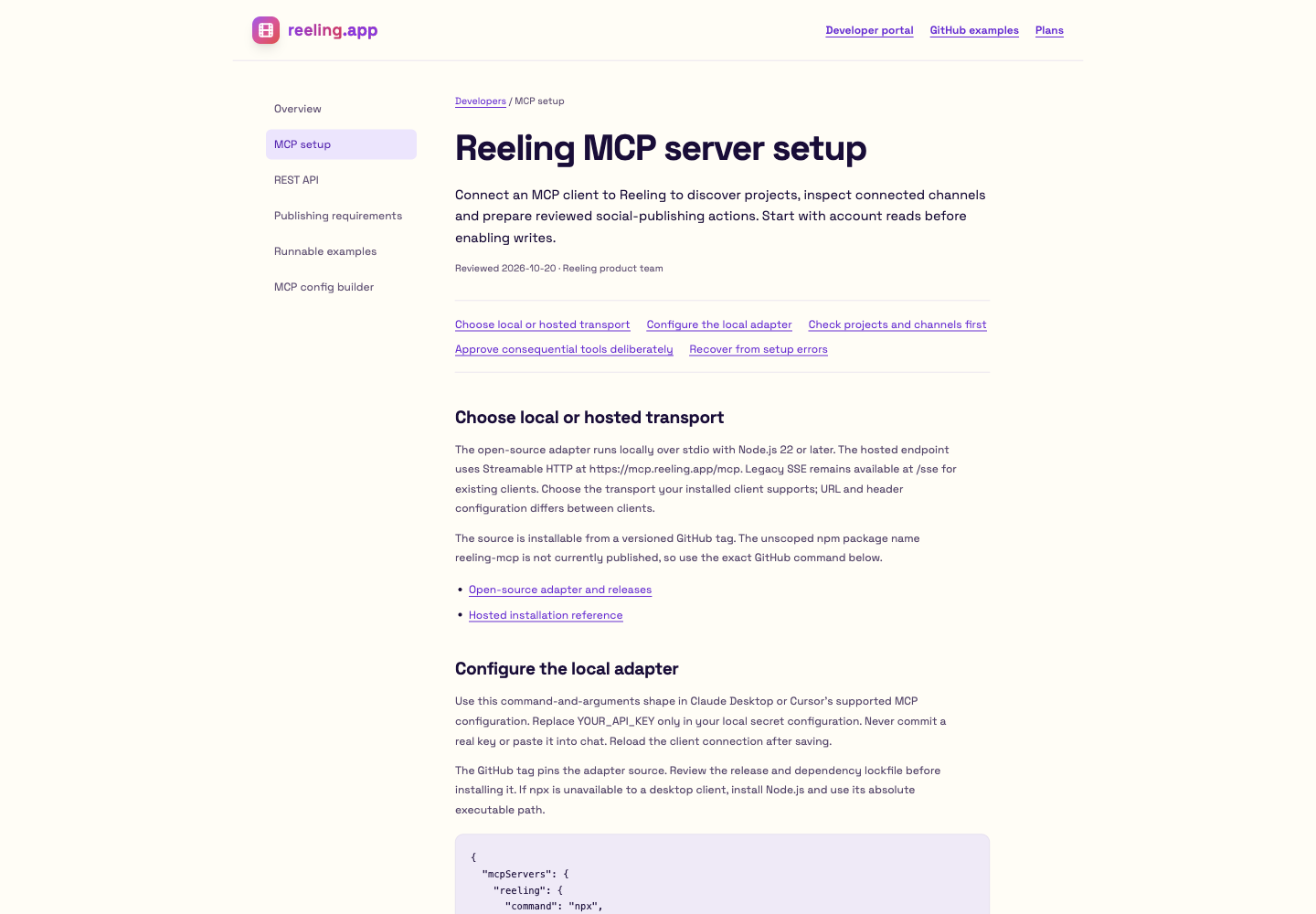
Local preview of the public developer guide. Open the current setup guide.
Reviews
No reviews yet
Be the first to review this server!
More Developer Tools MCP Servers
Rea
Freeby Morluto · Developer Tools
Reverse engineer anything from your terminal or agent with one CLI and MCP server.
Paperclip
Freeby Paperclipai · Developer Tools
Trending hip-hop artist momentum scores across four cultural dimensions.
Git
Freeby Modelcontextprotocol · Developer Tools
Read, search, and manipulate Git repositories programmatically
Fetch
Freeby Modelcontextprotocol · Developer Tools
Web content fetching and conversion for efficient LLM usage
Toleno
Freeby Toleno · Developer Tools
Toleno Network MCP Server — Manage your Toleno mining account with Claude AI using natural language.
MCP Marketplace
Freeby mcp-marketplace · Developer Tools
Search and install MCP servers from inside your AI client.