
Server data from the Official MCP Registry
Generate and edit images with GPT Image 2.5 for $0.029 — free key, 50 credits, no card.
About
Generate and edit images with GPT Image 2.5 for $0.029 — free key, 50 credits, no card.
Security Report
This MCP server is well-designed with strong security practices for credential handling and API interactions. The code properly validates API keys before use, provides clear user guidance to prevent OpenAI/you.bot confusion, and implements safe error handling. Minor code quality improvements around input validation and logging could raise the score further, but no security vulnerabilities were identified. Supply chain analysis found 1 known vulnerability in dependencies (0 critical, 1 high severity). Package verification found 1 issue.
6 files analyzed · 7 issues found
Security scores are indicators to help you make informed decisions, not guarantees. Always review permissions before connecting any MCP server.
Permissions Required
This plugin requests these system permissions. Most are normal for its category.
What You'll Need
Set these up before or after installing:
Environment variable: YOUBOT_API_KEY
Environment variable: YOUBOT_IMAGE_DIR
How to Install
Add this to your MCP configuration file:
{
  "mcpServers": {
    "io-github-youbotapi-gpt-image-mcp": {
      "env": {
        "YOUBOT_API_KEY": "your-youbot-api-key-here",
        "YOUBOT_IMAGE_DIR": "your-youbot-image-dir-here"
      },
      "args": [
        "-y",
        "gpt-image-2-5-mcp"
      ],
      "command": "npx"
    }
  }
}Documentation
View on GitHubFrom the project's GitHub README.
GPT Image 2.5 MCP Server
Generate and edit images with GPT Image 2.5 — OpenAI's most capable image model — directly inside Claude, Cursor, or any MCP client. $0.029 per image.


Ask Claude for a picture and get one back in the chat:
"A friendly robot painting a picture at an easel in a sunlit studio, warm morning light through a tall window, soft shadows, detailed illustration style, a small wooden sign on the easel reading 'GPT IMAGE 2.5'"
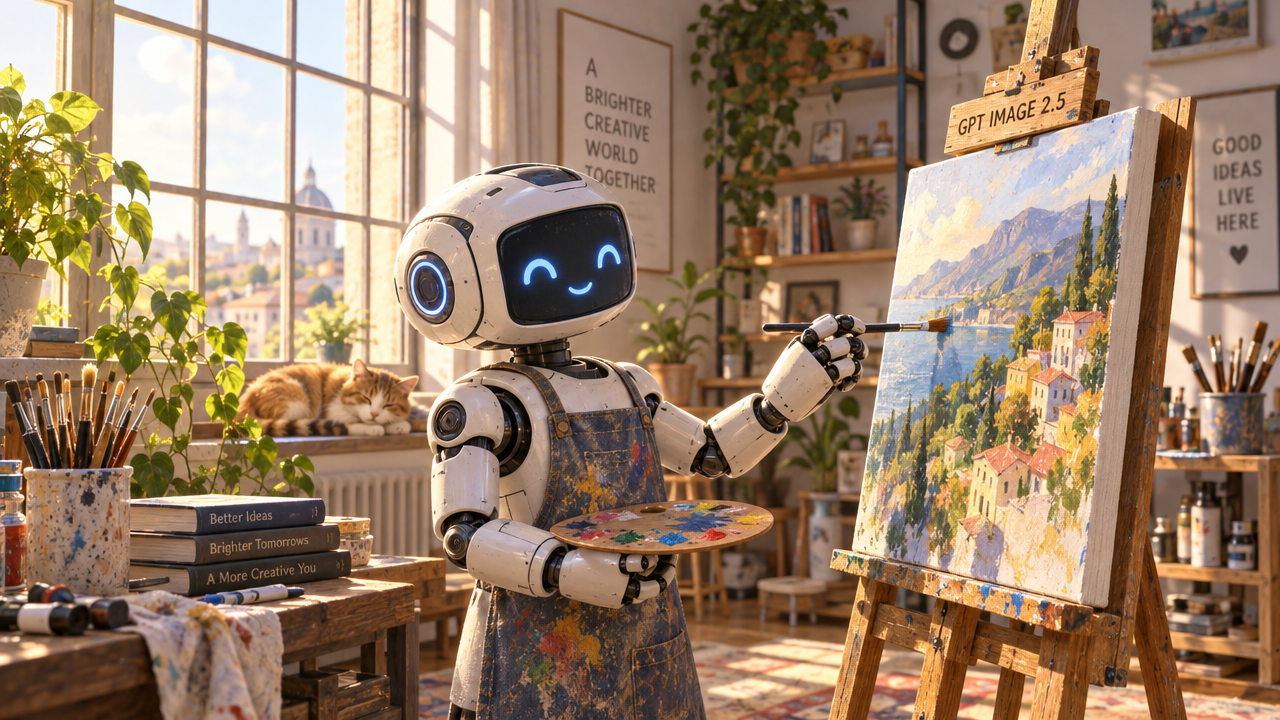
Generated with this server in 45 seconds for $0.029. Note that the text on the sign came out exactly as asked — GPT Image 2.5 is unusually good at rendering words inside an image.
⚠️ Read this first: the API key comes from you.bot, not OpenAI
This server reaches GPT Image 2.5 through you.bot, an API gateway that resells the model below OpenAI's own rate.
- You need a you.bot API key. It starts with
sk-live-. - An OpenAI key will not work, and you do not need an OpenAI account at all.
- If you paste an OpenAI key by mistake, the server will tell you so by name rather than failing with a confusing 401.
Why people use it: signup gives you 50 free credits — about 17 images — with no credit card, so the server works the moment you paste the key in.
Setup
1. Get a free key (2 minutes)
- Sign up at https://you.bot — no credit card.
- You start with 50 credits ≈ 17 images.
- Create a key at https://you.bot/dashboard/api-keys and copy it (it begins with
sk-live-).
2. Add the server to your client
Edit claude_desktop_config.json
(macOS: ~/Library/Application Support/Claude/, Windows: %APPDATA%\Claude\):
{
  "mcpServers": {
    "gpt-image": {
      "command": "npx",
      "args": ["-y", "gpt-image-2-5-mcp"],
      "env": {
        "YOUBOT_API_KEY": "sk-live-your-key-from-you.bot"
      }
    }
  }
}
Restart Claude Desktop.
claude mcp add gpt-image -e YOUBOT_API_KEY=sk-live-your-key -- npx -y gpt-image-2-5-mcp
In ~/.cursor/mcp.json (or Settings → MCP → Add new server):
{
  "mcpServers": {
    "gpt-image": {
      "command": "npx",
      "args": ["-y", "gpt-image-2-5-mcp"],
      "env": { "YOUBOT_API_KEY": "sk-live-your-key-from-you.bot" }
    }
  }
}
Run npx -y gpt-image-2-5-mcp over stdio with YOUBOT_API_KEY in the environment.
3. Check it works
Ask your assistant: "check my image credits". You should see your balance and how many images it buys.
Tools
| Tool | What it does | Cost |
|---|---|---|
generate_image | Make an image from a text prompt | 2.9 credits ($0.029) |
edit_image | Change an existing image from a public URL — swap a background, add or remove objects, restyle | 2.9 credits ($0.029) |
check_credits | Show remaining balance and images left | free |
There is also a setup prompt that walks you through configuration if something isn't working.
Aspect ratios: 1:1 (default), 3:2, 2:3, 4:3, 3:4, 16:9, 9:16, 2:1, 1:2, 21:9
Output is fixed at 1024px (1K), which is what keeps every call at a flat $0.029. A generation typically takes 30–60 seconds; the server polls until the image is ready and then shows it to you inline.
What it costs
| Per image | $0.029 |
| Free on signup | 50 credits ≈ 17 images, no card |
| Credit value | 1 credit = $0.01 |
| Expiry | Credits never expire |
| Failed generations | Refunded automatically |
The server tells you the cost after every image, and check_credits never spends anything.
Optional settings
| Environment variable | Effect |
|---|---|
YOUBOT_API_KEY | Required. Your you.bot key (sk-live-…) |
YOUBOT_IMAGE_DIR | If set, every generated image is also saved to this folder as a PNG |
Tips for better images
GPT Image 2.5 rewards long, specific prompts. Describe subject, setting, lighting, composition and style instead of stacking keywords.
It also renders text inside images accurately — so if you want words on a poster or a sign, quote them exactly:
"A minimalist café sign reading 'OPEN DAILY 7AM' in clean sans-serif, warm morning light, shallow depth of field"
For edit_image, say what should change and what should stay:
"Replace the background with a snowy forest. Keep the subject, pose and lighting unchanged."
Troubleshooting
"No API key found" — YOUBOT_API_KEY isn't reaching the server. Check it's inside the env block of your MCP config, then fully restart the client.
"That key looks like an OpenAI API key" — exactly what it says. Get a key from https://you.bot instead; it starts with sk-live-.
"Out of credits" — each image is 2.9 credits. Top up at https://you.bot; credits never expire.
Nothing happens / tool isn't offered — confirm your client picked the server up (Claude Desktop lists it under the tools icon), and that you have Node 18 or newer.
Links
- Model and live pricing — https://you.bot/models/gpt-image-2-5-sunburst-text-to-image
- API docs — https://you.bot/docs
- Get a key — https://you.bot
MIT licensed. Not affiliated with OpenAI; GPT Image 2.5 is accessed through the you.bot API.
Reviews
No reviews yet
Be the first to review this server!
More Developer Tools MCP Servers
Git
Freeby Modelcontextprotocol · Developer Tools
Read, search, and manipulate Git repositories programmatically
Fetch
Freeby Modelcontextprotocol · Developer Tools
Web content fetching and conversion for efficient LLM usage
Paperclip
Freeby Paperclipai · Developer Tools
Trending hip-hop artist momentum scores across four cultural dimensions.
Toleno
Freeby Toleno · Developer Tools
Toleno Network MCP Server — Manage your Toleno mining account with Claude AI using natural language.
mcp-creator-python
Freeby mcp-marketplace · Developer Tools
Create, build, and publish Python MCP servers to PyPI — conversationally.
MCP Marketplace
Freeby mcp-marketplace · Developer Tools
Search and install MCP servers from inside your AI client.