
Server data from the Official MCP Registry
MCP server that fetches YouTube video transcripts and optionally summarizes them
About
MCP server that fetches YouTube video transcripts and optionally summarizes them
Security Report
Valid MCP server (2 strong, 3 medium validity signals). No known CVEs in dependencies. Package registry verified. Imported from the Official MCP Registry.
4 files analyzed · 1 issue found
Security scores are indicators to help you make informed decisions, not guarantees. Always review permissions before connecting any MCP server.
Permissions Required
This plugin requests these system permissions. Most are normal for its category.
How to Install
Add this to your MCP configuration file:
{
  "mcpServers": {
    "io-github-zlatkoc-youtube-summarize": {
      "args": [
        "youtube-summarize"
      ],
      "command": "uvx"
    }
  }
}Documentation
View on GitHubFrom the project's GitHub README.
youtube-summarize
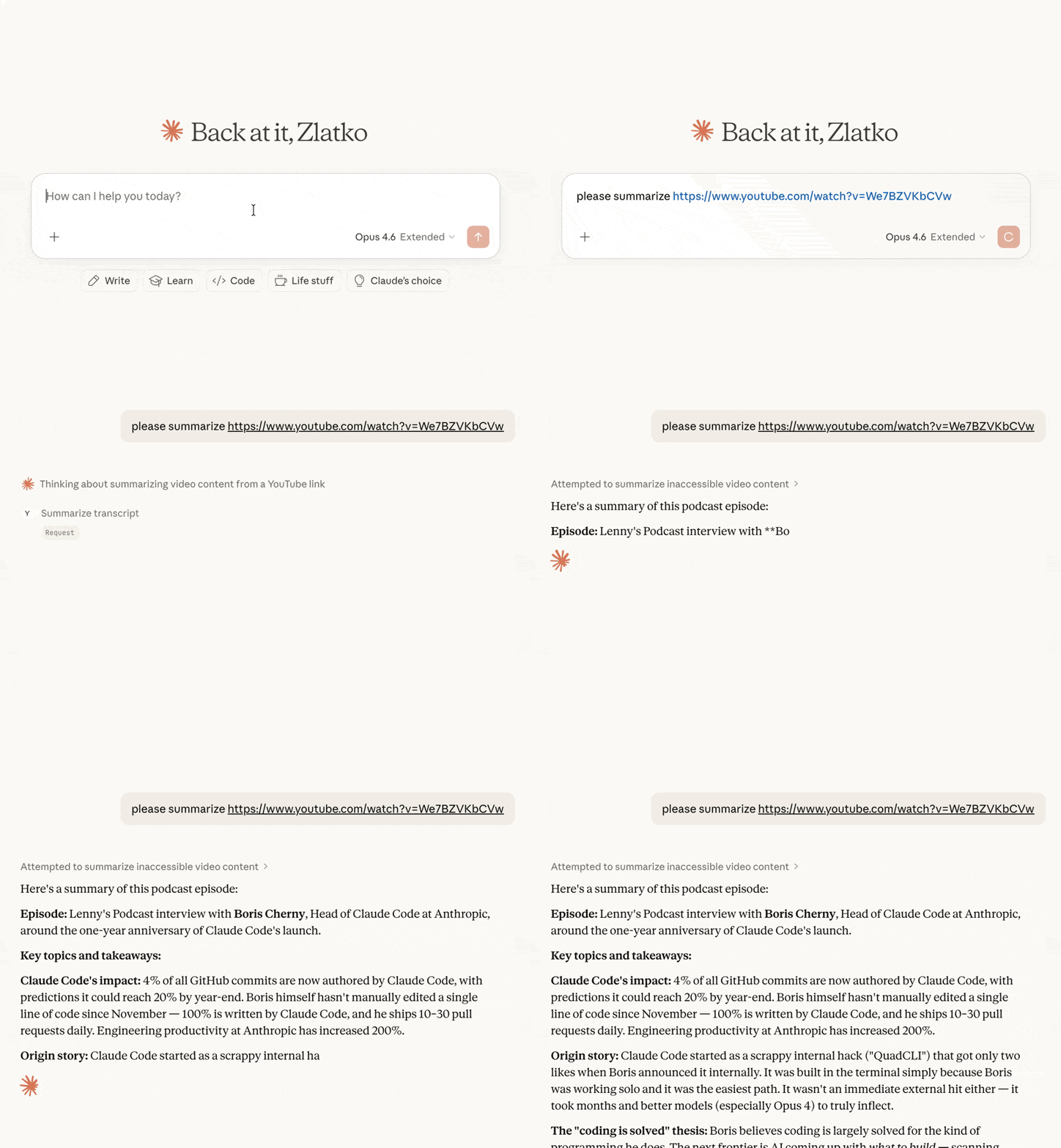
MCP server that fetches YouTube video transcripts and optionally summarizes them.
Features
- Fetch transcripts in multiple formats (text, JSON, SRT, WebVTT, pretty-print)
- Video metadata — title, description, channel, upload date, duration, views, chapters (via yt-dlp)
- Optional timestamps in plain-text transcripts
- Summarize videos — returns transcript with the prompt clearly broken out for human review before the LLM acts on it
- List playlist videos — fast enumeration of any public playlist with optional sorting
- Search videos — clean ranked results with sort and filter options, without the ads, Shorts shelves, and personalized recommendations of the YouTube website
- List available languages for any video's transcripts
- Flexible URL parsing — accepts full YouTube URLs (
youtube.com/watch?v=,youtu.be/,youtube.com/embed/,youtube.com/shorts/) or bare video IDs - Multi-language support — request transcripts in specific languages with fallback priority
Tools
get_transcript
Fetch a YouTube video's transcript. By default the response is prefixed with a [METADATA] block (title, channel, published, duration, views, description); pass include_metadata=false for transcript-only output.
| Parameter | Type | Default | Description |
|---|---|---|---|
url | string | required | YouTube video URL or video ID |
languages | string[] | ["en"] | Preferred languages in priority order |
format | string | "text" | Output format: text, json, pretty, webvtt, srt |
preserve_formatting | boolean | false | Keep HTML formatting tags in the transcript |
include_timestamps | boolean | false | When true with format="text", prefix each line with [HH:MM:SS]. Ignored for other formats (they already include timestamps). |
include_metadata | boolean | true | Prepend a [METADATA] block before the transcript. Pass false for transcript-only output. |
summarize_transcript
Fetch a transcript and return it with summarization instructions. The response is structured into clearly-labeled sections ([INSTRUCTIONS], [PROMPT_SOURCE], [VIDEO], [METADATA], [TRANSCRIPT]) so a human can review the prompt before letting the LLM act on it.
| Parameter | Type | Default | Description |
|---|---|---|---|
url | string | required | YouTube video URL or video ID |
prompt | string | (default prompt) | Custom summarization instructions |
languages | string[] | ["en"] | Preferred languages in priority order |
include_timestamps | boolean | false | Prefix each transcript line with [HH:MM:SS]. |
include_metadata | boolean | true | Include a [VIDEO] block with title, channel, published, duration, views, and description. |
get_video_metadata
Fetch metadata (title, description, channel, upload date, duration, views, tags, chapters, etc.) for a YouTube video. Backed by yt-dlp.
| Parameter | Type | Default | Description |
|---|---|---|---|
url | string | required | YouTube video URL or video ID |
list_playlist_videos
List the videos in a YouTube playlist (title, ID, channel, duration, views, URL). Per-video metadata is intentionally lean so the call stays fast even for large playlists; call get_video_metadata with a specific video ID for full detail.
| Parameter | Type | Default | Description |
|---|---|---|---|
url | string | required | YouTube playlist URL (with ?list=...) or bare playlist ID |
limit | integer | 500 | Maximum videos to return |
sort_by | string | "index" | One of: index (playlist order), title, duration, views. upload_date is not supported. |
order | string | "asc" | asc or desc |
search_videos
Search YouTube for videos and return a clean ranked list (title, ID, channel, duration, views, URL) — only actual videos, with no ads, recommendation shelves, or personalization. Relevance ordering still comes from YouTube's backend. Pair with get_transcript or summarize_transcript on a result's ID or URL.
| Parameter | Type | Default | Description |
|---|---|---|---|
query | string | required | Search terms |
limit | integer | 10 | Maximum results to return |
sort_by | string | "relevance" | One of: relevance, date (newest first), views, rating |
uploaded | string | "any" | Filter by upload time: any, hour, today, week, month, year |
duration | string | "any" | Filter by length: any, short (<4 min), medium (4–20 min), long (>20 min) |
list_transcripts
List available transcript languages for a video.
| Parameter | Type | Default | Description |
|---|---|---|---|
url | string | required | YouTube video URL or video ID |
Installation
Quick start (recommended)
uvx youtube-summarize
Claude Desktop
Add to your claude_desktop_config.json:
- macOS:
~/Library/Application Support/Claude/claude_desktop_config.json - Windows:
%APPDATA%\Claude\claude_desktop_config.json
{
  "mcpServers": {
    "youtube-summarize": {
      "command": "uvx",
      "args": ["youtube-summarize"]
    }
  }
}
Claude Code
claude mcp add youtube-summarize -- uvx youtube-summarize
Other MCP clients
Run the server over stdio:
uvx youtube-summarize
Prerequisites
- Python 3.13+
- uv package manager
Development
# Install dependencies
uv sync

# Launch the MCP inspector (web UI for testing tools)
uv run mcp dev main.py
License
MIT
mcp-name: io.github.zlatkoc/youtube-summarize
Reviews
No reviews yet
Be the first to review this server!
More Content & Media MCP Servers
Toleno
Freeby Toleno · Developer Tools
Toleno Network MCP Server — Manage your Toleno mining account with Claude AI using natural language.
mcp-creator-python
Freeby mcp-marketplace · Developer Tools
Create, build, and publish Python MCP servers to PyPI — conversationally.
MCP Marketplace
Freeby mcp-marketplace · Developer Tools
Search and install MCP servers from inside your AI client.
FinAgent
Freeby mcp-marketplace · Finance
Free stock data and market news for any MCP-compatible AI assistant.
by Lharries · Communication
Read, search, and send WhatsApp messages through your AI assistant
Memory
Freeby Modelcontextprotocol · Productivity
Knowledge graph-based persistent memory across sessions