
Server data from the Official MCP Registry
Set up events, seating and ticket prices, then manage orders, sales and check-in with AI.
About
Set up events, seating and ticket prices, then manage orders, sales and check-in with AI.
Remote endpoints: streamable-http: https://mcp.vstupenky.online/mcp
Security Report
Valid MCP server (3 strong, 0 medium validity signals). No known CVEs in dependencies. Imported from the Official MCP Registry.
Endpoint verified · Requires authentication · 1 issue found
Security scores are indicators to help you make informed decisions, not guarantees. Always review permissions before connecting any MCP server.
Permissions Found in Source Code
Found by scanning the linked source code. This listing connects to a hosted endpoint, so none of this runs on your machine: it describes what the server software does where it is hosted.
How to Connect
Remote Plugin
No local installation needed. Your AI client connects to the remote endpoint directly.
Add this to your MCP configuration to connect:
{
  "mcpServers": {
    "net-festapp-vstupenky-online": {
      "url": "https://mcp.vstupenky.online/mcp"
    }
  }
}Documentation
View on GitHubFrom the project's GitHub README.
Festapp
Festapp is an event platform for festivals, conferences and community events. Attendees browse programs, explore venue maps and save their personal schedule on iOS, Android and the web. Organizers manage registration, tickets, reserved seating, payments and admission.
The same platform powers branded festival apps such as Festival Slunovrat, the international Festapp Tickets service and the Czech vstupenky.online portal.
Festapp · Festapp Tickets · vstupenky.online · Developer setup · Contributing
One platform, connected products
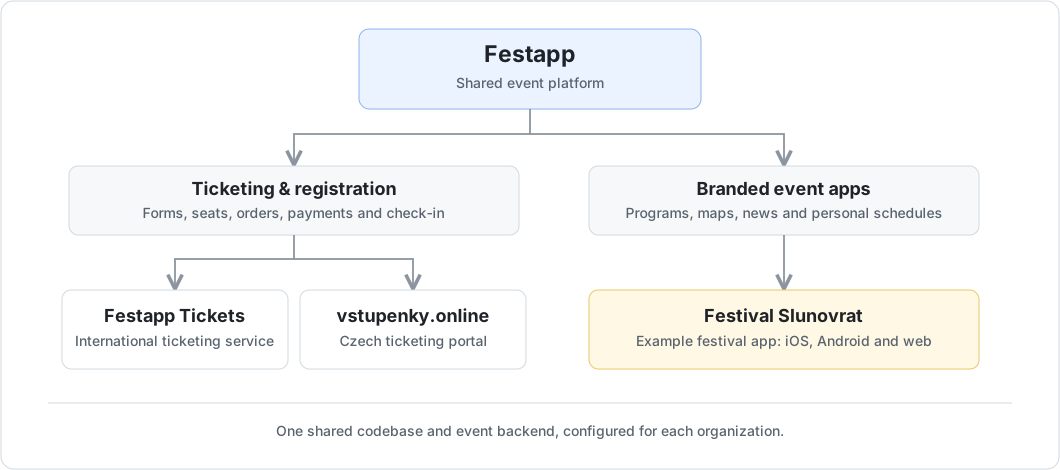
Each organization configures its branding and features on the shared platform.
Ticketing for organizers
- Ticket sales and registration. Build public forms with ticket types, prices, capacity limits and attendee questions; share a link or embed a form on your website.
- Reserved seating. Design your venue layout and let buyers select seats when purchasing tickets.
- Orders and payments. Manage orders, track payments and match bank transfers. Online payment options depend on the event's configured provider.
- Tickets and admission. Customize PDF tickets, deliver them by email and verify QR codes with the browser scanner.
- Event operations. Coordinate volunteers, participant groups, accommodation and reception, with event-specific branding and permissions.
Design your venue
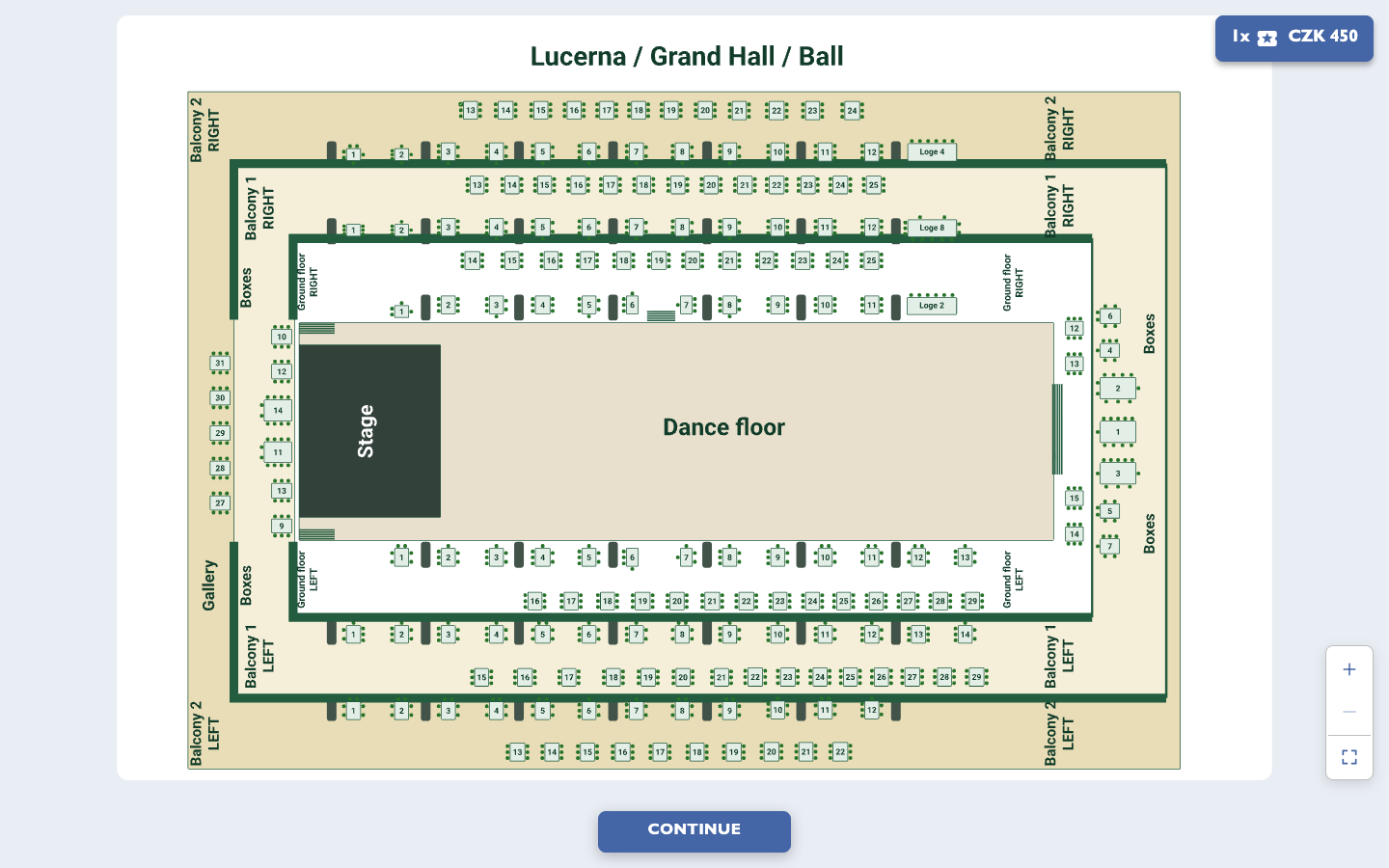
Create venue plans with tables, seating sections and balconies. Buyers choose their seats directly from your plan, as shown here in Lucerna's Grand Hall.
Design your tickets
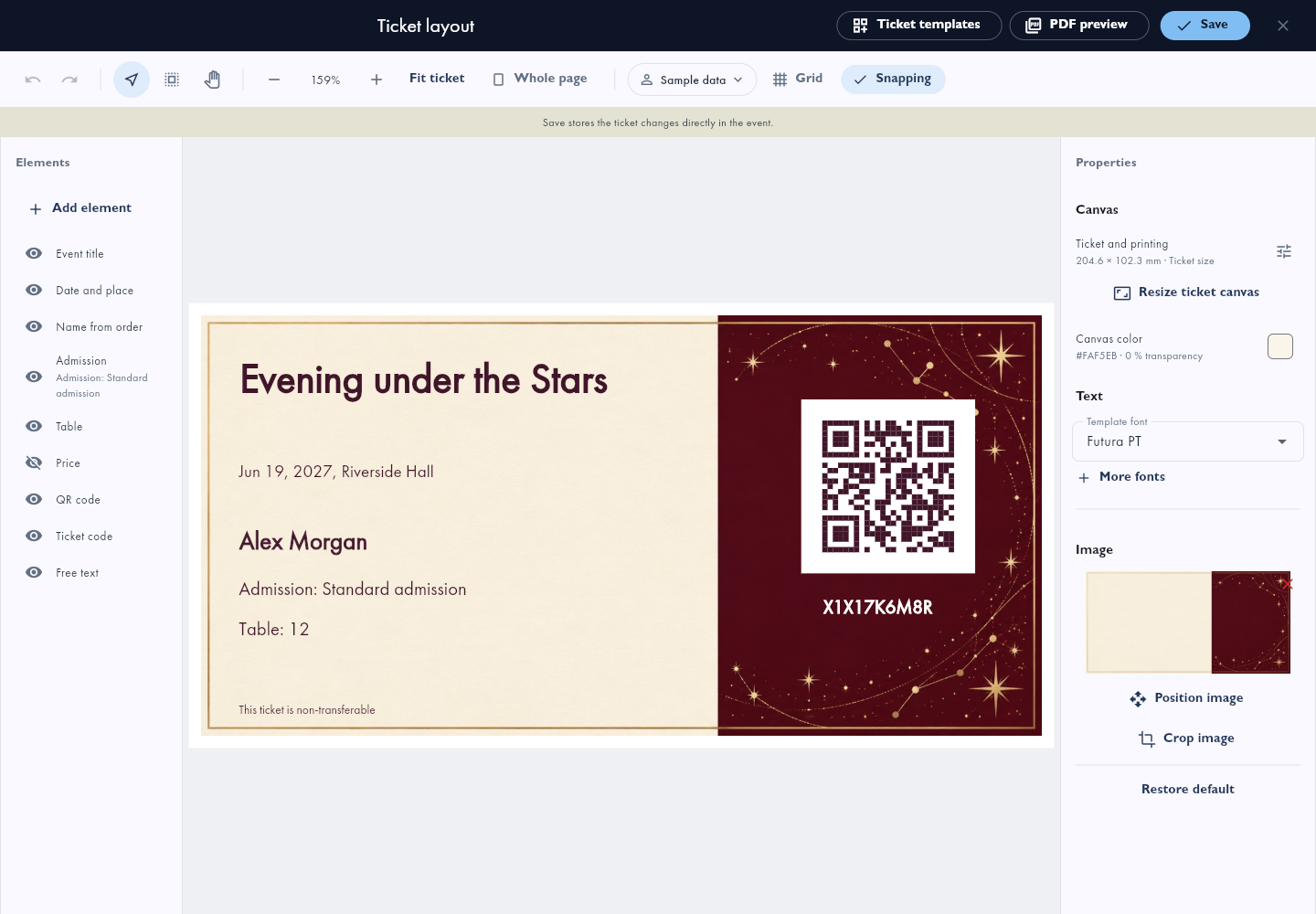
Create tickets with your own artwork, event details and seat information. Each ticket includes a QR code for admission checks.
Orders and payments
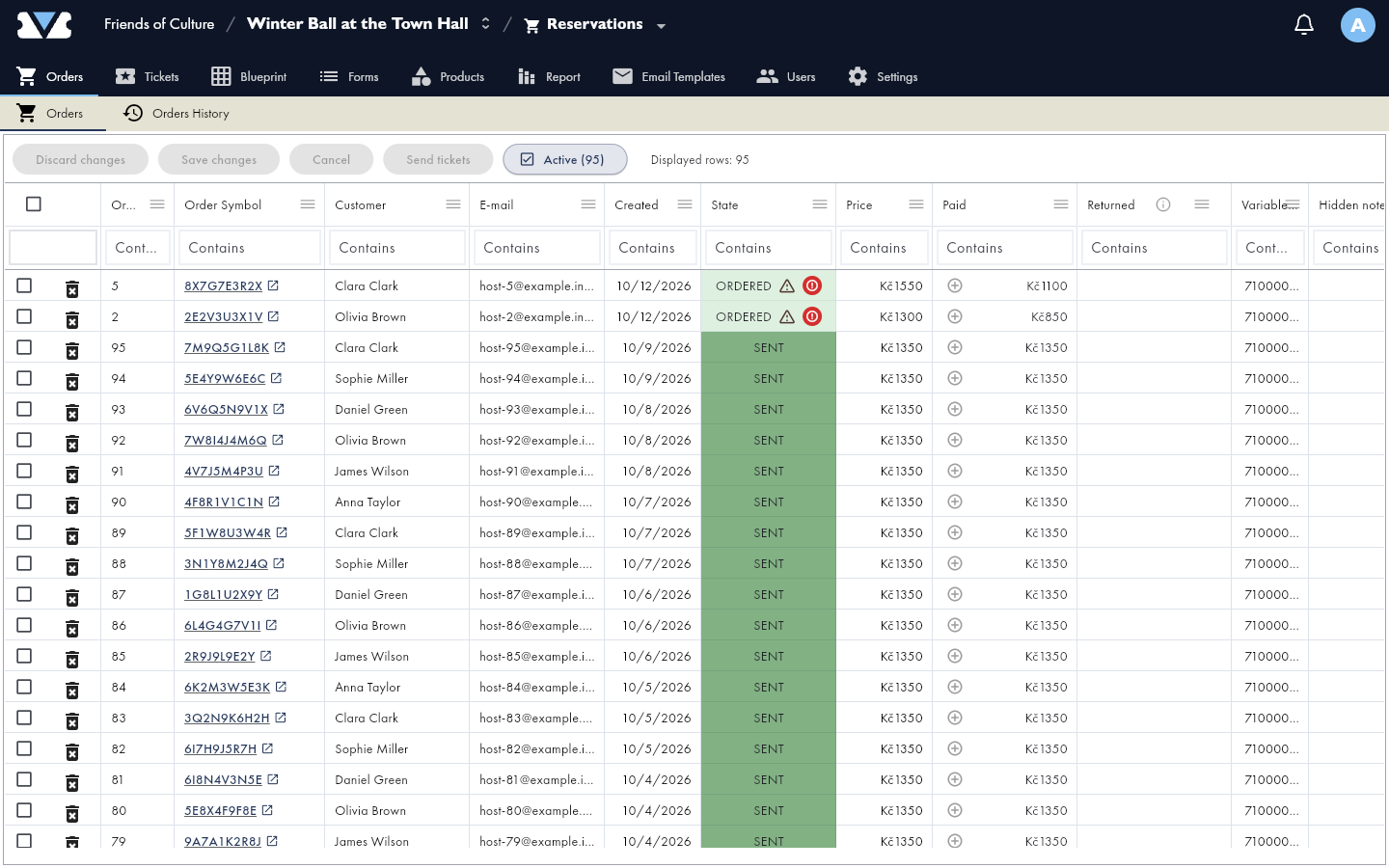
Track orders and payments from the event administration.
Website plugins and connectors live in the integration directory, together with their setup instructions and publication status.
Use Festapp with your AI assistant
Create an event, prepare its program and seating plan, set ticket categories and prices, and work with orders, sales and guest check-in through a supported MCP client. The global Festapp connection includes Festapp Tickets.
- Festapp:
https://mcp.festapp.net/mcp - vstupenky.online:
https://mcp.vstupenky.online/mcp
Sign in to the selected environment and approve the events and functions the connection may use. Available actions depend on your current account rights, client profile and enabled application features.
Try: “Prepare a ball for 180 guests, with tables of six and two ticket categories.”
These URLs connect to the hosted service. See the connection guide and catalogue for supported clients and capabilities; the developer setup below builds the app.
The event app
Attendees can browse schedules and venue maps, read news, sign up for workshops and save a personal program on Android, iOS and the web. Each event can include information pages, songbooks and group games.
Slunovrat 2026: the summer festival
For the summer Slunovrat festival in Opava (June 18-21, 2026), visitors can follow the program, find venues on the map and explore artist profiles.
Previously downloaded event information remains available offline. Sign-in and ticket purchases need an internet connection. Events can also include offline venue maps. See the feature reference for more.
Start here
| I want to... | Read |
|---|---|
| Develop the app locally | Developer and tenant setup |
| Run an isolated test database | Local database development |
| Prepare a backend server | Server deployment |
| Publish a tenant web release | Cloudflare deployment |
| Configure Cloudflare services | Cloudflare infrastructure |
| Build or publish mobile apps | Android, iOS |
| Change code and run checks | Contributing |
| Develop or publish a platform integration | Integration directory and status |
How it fits together
Flutter handles the mobile app and web administration. A separate vanilla JavaScript client handles public forms, checkout and the browser scanner. PostgreSQL RPCs own business rules and permissions. Deno Edge Functions connect those commands to email, ticket generation and external services.
Production uses self-hosted Supabase at https://api.festapp.net. Cloudflare
Pages hosts the combined web bundle; Workers and R2 provide image and sync
services. Server setup, application configuration and web publication are
separate steps.
| Path | Contents |
|---|---|
lib/ | Flutter application and feature modules |
packages/festapp_core/ | Portable Dart domain and sync contracts |
web_client/ | Public JavaScript client |
database/ | Canonical SQL functions, schema sources and tests |
supabase/ | Local baseline, forward migrations and Deno functions |
workers/ | Cloudflare image, sync and monitoring services |
automation/ | Configuration, builds, deployments and backend operations |
docs/ | Setup guides, architecture, runbooks and historical records |
Shared code lives on main. Production branches carry approved tenant overlays.
automation/project.conf supplies public configuration; apply_config.sh
generates the corresponding app and platform files. Private credentials stay
outside Git and browser assets. A tenant's activation document identifies its
live backend, organization and generation.
For details, use the documentation map, architecture context and tenant overlay policy.
Local development
Install Git, Node.js, pnpm 11.24.0 and FVM. Use the Flutter version specified by
FLUTTER_VERSION in automation/project.conf. From the repository root:
fvm install
fvm flutter pub get
(cd packages/festapp_core && fvm dart pub get)
pnpm --dir web_client install --frozen-lockfile
Complete the configuration and backend setup before running against event data. Then choose a frontend:
fvm flutter run -d chrome
# Or, in another terminal:
pnpm --dir web_client run dev
For client checks, run ./automation/test_client.sh. JavaScript checks use
pnpm --dir web_client test; SQL tests require the isolated local database.
The wider test_all.sh wrapper has environment-dependent skips and warning-only
lanes, so its exit status alone is not an all-suite pass. The exact commands and
limits are in Contributing.
Project history
Festapp began with volunteers building an app for Absolventský Velehrad in 2023. CHANGELOG.md records development history. Updates are also shared in the Czech WhatsApp channel.
Reviews
No reviews yet
Be the first to review this server!
More Developer Tools MCP Servers
Rea
Freeby Morluto · Developer Tools
Reverse engineer anything from your terminal or agent with one CLI and MCP server.
Paperclip
Freeby Paperclipai · Developer Tools
Trending hip-hop artist momentum scores across four cultural dimensions.
Scrapling
Freeby D4Vinci · Developer Tools
Web scraping with stealth HTTP, real browsers, and Cloudflare bypass. CSS selectors supported.
Git
Freeby Modelcontextprotocol · Developer Tools
Read, search, and manipulate Git repositories programmatically
Toleno
Freeby Toleno · Developer Tools
Toleno Network MCP Server — Manage your Toleno mining account with Claude AI using natural language.
MCP Marketplace
Freeby mcp-marketplace · Developer Tools
Search and install MCP servers from inside your AI client.