
Server data from the Official MCP Registry
Turn audio, PDF, photos and text into chord sheets and manage your Jam Jam songbook with AI.
About
Turn audio, PDF, photos and text into chord sheets and manage your Jam Jam songbook with AI.
Security Report
The visible code is a thin, official HTTP client for the Jam Jam Convert API. It authenticates with a Bearer key sent only to the configured API base URL, and it deliberately omits that key when fetching signed download links so the key never reaches a third-party host. The main points to watch are local file reads for uploads and local file writes for downloaded results, which match the server's stated purpose. Several source files (config, http, server, tool definitions) were truncated, so the review covers only part of the codebase. Supply chain analysis found 6 known vulnerabilities in dependencies (0 critical, 4 high severity). Package verification found 1 issue.
5 files analyzed · 10 issues found
Security scores are indicators to help you make informed decisions, not guarantees. Always review permissions before connecting any MCP server.
What You'll Need
Set these up before or after installing:
Environment variable: JAM_JAM_API_KEY
How to Install
Add this to your MCP configuration file:
{
  "mcpServers": {
    "convert-mcp": {
      "command": "npx",
      "args": [
        "-y",
        "@jam-jam/convert-mcp@0.3.2"
      ],
      "env": {
        "JAM_JAM_API_KEY": "your-jam-jam-api-key-here"
      }
    }
  }
}
Some servers take additional arguments. See the repository for details.
Documentation
View on GitHubFrom the project's GitHub README.
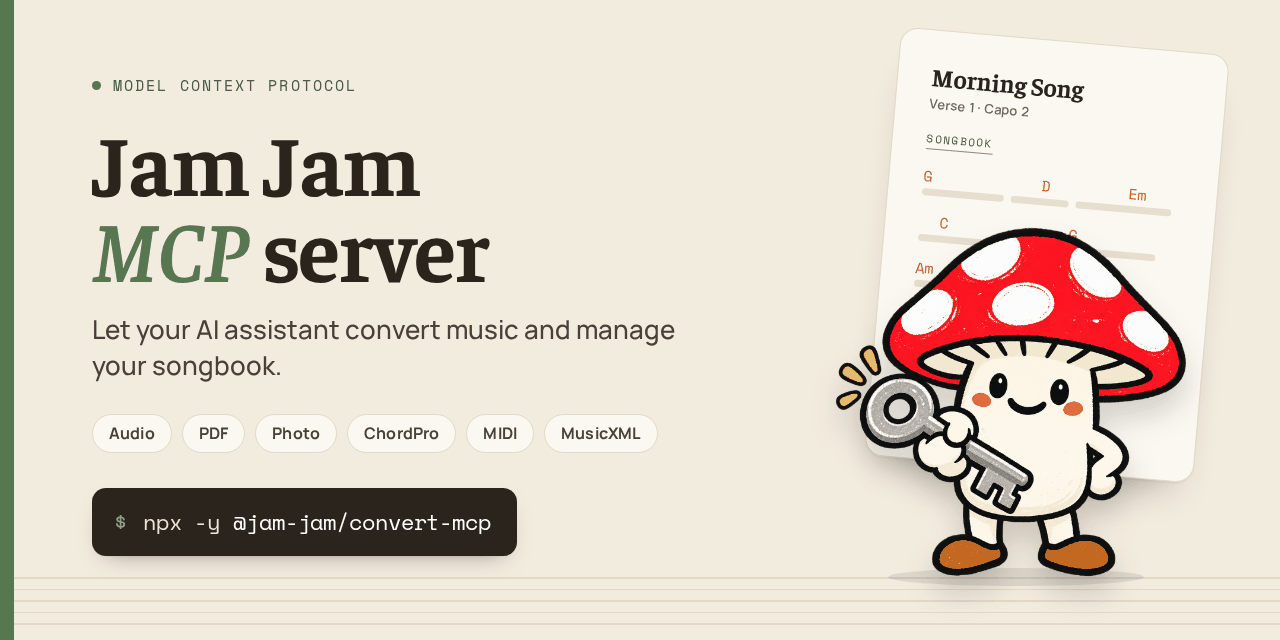
@jam-jam/convert-mcp




Turn audio, PDFs, photos, links and pasted text into chord sheets, and manage your Jam Jam songbook, straight from Claude, Cursor, VS Code or any MCP client.
This is the official Model Context Protocol server for the
public Jam Jam API. It gives your assistant 42 typed tools, so you ask in plain language instead of
pasting curl commands:
- Convert a recording, a PDF, an image, a web page or pasted lyrics with chords into Jam Jam's songbook format, or export it as ChordPro, PDF, MIDI, MusicXML and more.
- Organise your private songbook: list, read, add, edit and delete songs and playlists.
- Look up what other accounts have published on their public profiles (read only).
- Separate stems (vocals, drums, bass, other) from a song, queue an audio file for chord and lyrics analysis on your own songs, and check a track for AI music signals: the long-running audio tools, each with a start, a status and a result step.
- Stay in control: the server shows the assistant only the tools your API key is allowed to use, and it never publishes, follows or likes anything on its own.
Listed in the official MCP Registry as org.jam-jam/convert-mcp. Every tool maps to a real route
of https://jam-jam.org/api/v1.
Quick start
- Get an API key. Create a free account on
jam-jam.org,
then open
Settings > API keys
and create a key. The secret (
jj_live_...) is shown only once: copy it right away. Give the key only the scopes you need (see Scopes). - Declare the server in your MCP client (below). Nothing to
install:
npxdownloads and runs it. Node.js 18.17 or later is required. - Restart the client and ask in plain language.
If something does not work, ask the assistant to call jj_check_usage: it reports what the key is
allowed to do and how much quota is left.
What you can ask
- "Convert
~/Music/rehearsal.mp3into a chord sheet and save it in my Jam Jam songbook." - "Import
~/Downloads/lead-sheet.pdfinto my songbook." - "Here are the lyrics with chords above the words: convert them to ChordPro." (paste the text)
- "List the songs of my songbook that have no key or no capo set."
- "Create a playlist called Thursday rehearsal and put these five songs in it."
- "How many conversions do I have left this week?"
The exact formats the API serves right now, with their limits, are returned by jj_list_formats;
some outputs need an account or Premium, and that tool says which.
Install in your client
Every client below launches the same command, npx -y @jam-jam/convert-mcp, with your key in the
JAM_JAM_API_KEY environment variable.
Claude Code
claude mcp add --env JAM_JAM_API_KEY=jj_live_... --transport stdio jam-jam -- npx -y @jam-jam/convert-mcp
Add --scope user to make it available in every project. This writes the key on a command line,
so it ends up in your shell history. To avoid that, declare the server in a .mcp.json file that
reads the key from your environment, and export JAM_JAM_API_KEY yourself:
{
  "mcpServers": {
    "jam-jam": {
      "command": "npx",
      "args": ["-y", "@jam-jam/convert-mcp"],
      "env": {
        "JAM_JAM_API_KEY": "${JAM_JAM_API_KEY}"
      }
    }
  }
}
Claude Desktop
Open Settings > Developer > Edit Config, which opens claude_desktop_config.json
(macOS: ~/Library/Application Support/Claude/, Windows: %APPDATA%\Claude\), and add:
{
  "mcpServers": {
    "jam-jam": {
      "command": "npx",
      "args": ["-y", "@jam-jam/convert-mcp"],
      "env": {
        "JAM_JAM_API_KEY": "jj_live_..."
      }
    }
  }
}
Cursor
Add the same mcpServers block as for Claude Desktop to .cursor/mcp.json (one project) or
~/.cursor/mcp.json (all projects). Cursor expands ${env:JAM_JAM_API_KEY} in the env values,
so you can keep the key out of the file.
VS Code
Create .vscode/mcp.json (or run MCP: Add Server from the Command Palette). VS Code uses a
servers key and can prompt for the key and store it for you:
{
  "inputs": [
    {
      "type": "promptString",
      "id": "jam-jam-api-key",
      "description": "Jam Jam API key (jj_live_...)",
      "password": true
    }
  ],
  "servers": {
    "jam-jam": {
      "type": "stdio",
      "command": "npx",
      "args": ["-y", "@jam-jam/convert-mcp"],
      "env": {
        "JAM_JAM_API_KEY": "${input:jam-jam-api-key}"
      }
    }
  }
}
Windsurf
Open the MCP config file from the Cascade panel (see the
Windsurf MCP documentation) and add the same
mcpServers block as for Claude Desktop. Windsurf expands ${env:JAM_JAM_API_KEY} in the env
values.
Any other MCP client (stdio)
Command npx -y @jam-jam/convert-mcp, with the environment variable JAM_JAM_API_KEY set by the
client. Never pass the key as a command-line argument (see Privacy).
Streamable HTTP mode
For clients that connect to a URL instead of launching a command, run the server yourself in Streamable HTTP mode:
JAM_JAM_API_KEY=jj_live_... JAM_CONVERT_MCP_MODE=http npx -y @jam-jam/convert-mcp
# MCP endpoint: http://127.0.0.1:3466/mcp
# Health and per-tool counters: http://127.0.0.1:3466/healthz
The server listens on the loopback interface only by default. It holds a single API key, so
anything that can reach its port acts as the owner of that key; it is not a multi-user server.
Binding another address without JAM_CONVERT_MCP_HTTP_TOKEN makes startup fail. With the token
set, clients must send it as Authorization: Bearer <token>. DNS-rebinding protection is active:
the Host and Origin headers must match the address being served.
Tools
At startup the server asks the API what your key may do and exposes only the matching tools. A key
with carnet:read alone never shows jj_delete_song to the assistant. 42 tools exist in total.
Your songbook is called the "notebook" in the tool descriptions and carnet in the scope names.
| Tool | Required scope | What it does |
|---|---|---|
jj_list_formats | none | Lists the input and output formats served by the API, with their limits and whether an account or Premium is required. Call it before any conversion. |
jj_convert_file | convert:write | Converts a local file (path or base64). Returns text directly for small text formats, or a local file path for binary results (PDF, MIDI, MP4...). Can save the result to your songbook with deliver: "carnet". |
jj_convert_text | convert:write | Same for pasted text or ChordPro, no file needed (up to 262144 characters). |
jj_get_job | convert:read | State of a conversion job by id, for a job that outlasted the wait. |
jj_list_songs | carnet:read | Pages through the songs of your private songbook. fields=full includes the complete content; updatedSince plus the cursor gives an incremental export. |
jj_get_song | carnet:read | One complete song (chords, lyrics, structure). |
jj_list_playlists | carnet:read | Your playlists, with their ordered content. |
jj_get_playlist | carnet:read | One playlist and its songs, in order. |
jj_create_song | carnet:write | Adds a song to your songbook. The id is derived (artist-title slug unless given), so posting the same song again replaces it instead of duplicating it. Cannot publish. |
jj_update_song | carnet:write | Changes title, artist, key, capo, tempo, playlist membership, or publishes / unpublishes on your profile. ifMatch refuses the write if the song changed in the meantime. Publishing requires a rights declaration made by you. |
jj_delete_song | carnet:write | Deletes a song. Idempotent, and cannot be undone from the API. |
jj_create_playlist | carnet:write | Creates a playlist with its ordered songs. |
jj_update_playlist | carnet:write | Renames a playlist, changes its cover emoji, replaces or reorders its songs. |
jj_delete_playlist | carnet:write | Deletes the playlist only, never its songs. |
jj_get_profile | social:read | Profile card of an account by @handle, seen from your account. A private account you do not follow returns a closed card. |
jj_list_profile_songs | social:read | Songs an account has published on its profile. |
jj_list_profile_playlists | social:read | Playlists an account has published. |
jj_list_followers | social:read | Your followers (status=requested for pending requests). |
jj_list_following | social:read | Accounts you follow. |
jj_check_usage | none | Scopes of the key and its three independent quota counters (separation and AI music counters are read with their own tools). |
jj_stems_capabilities | convert:read | Availability, models, limits and quota (with reset time) of the stem separation. Needs a Premium account for an API key. |
jj_stems_separate | stems:write | Uploads an audio file and starts its separation into 2 stems (vocals, instrumental) or 4 (vocals, drums, bass, other), as MP3 320 kb/s or FLAC 24-bit (format). Returns at once with a job; maxWaitMs waits for a short file. |
jj_stems_get_job | convert:read | State of one of your separations (queued, running, done...), progress and estimates. |
jj_stems_list_jobs | convert:read | Your recent separations, 30 per page. |
jj_stems_get_file | convert:read | Downloads one finished stem (vocals, instrumental, drums, bass, other, as .mp3 or .flac per the job's format) or stems.zip to a local file, or returns its signed link (about 60 seconds). |
jj_stems_cancel_job | stems:write | Cancels one of your separations. |
jj_audio_analyze | audio:write | Queues an audio file for chord and lyrics analysis, then automatic alignment, for a song that is already in your songbook. Same queue as the Jam Jam app. |
jj_queue_list | queue:read | Your audio queue: running, waiting (with rank) and finished in the last 7 days. |
jj_queue_get_job | queue:read | One job of your audio queue: status, stage, progress. |
jj_queue_cancel_job | audio:write | Cancels one job of your audio queue. |
jj_ai_music_availability | queue:read | Availability, limits and quota (with reset times) of the AI music detection. |
jj_ai_music_analyze | audio:write | Starts an AI music detection on a local file (100 MB, 600 seconds at most) or on one link (Spotify track, ISRC, direct audio link). Returns at once; maxWaitMs waits for the report. |
jj_ai_music_current | queue:read | Your current or latest analysis, or none. |
jj_ai_music_get_job | queue:read | One analysis and, once done, its report. The report is an index of signals, not a probability and not proof of origin. |
jj_ai_music_history | queue:read | Your analyses of the last 90 days, 30 per page. |
jj_ai_music_cancel_job | audio:write | Cancels your running analysis (the quota unit is refunded). |
jj_mastering_capabilities | none | The live contract of the Mastering engine: range and step of each setting, loudness targets, built-in presets, limits, whether your account may render through the API (any account) and the render quota. |
jj_list_mastering_presets | mastering:read | Your saved Mastering presets (50 at most) and the ids of the built-in ones (builtin:balanced, ...). Open to any account. |
jj_create_mastering_preset | mastering:write | Saves a named preset (all eight modules, a loudness target, normalize). The API rejects values outside their range or step and names each one. Open to any account. |
jj_master_audio | mastering:write | Uploads an audio file and renders it on the server with a preset (saved, built-in, or inline settings) into a 48 kHz WAV (wav-pcm16, wav-pcm24 or wav-f32). Any account: 3 renders per ISO week on a free account, unlimited on Premium; counted at submission, refunded if it fails or is cancelled. Returns at once with a job; maxWaitMs waits and downloads the result. |
jj_mastering_get_job | mastering:read | State of one of your renders, the loudness before and after, and with download=true the mastered WAV as a local file. Results are kept 24 hours. |
jj_mastering_cancel_job | mastering:write | Cancels one of your renders (the quota unit is refunded only if the render was not finished; a finished render is deleted but stays counted). |
The long-running audio tools
Stem separation, audio analysis and AI music detection take seconds to hours. They all follow the same three steps, so an assistant never blocks on a slow job:
- Start:
jj_stems_separate,jj_audio_analyzeorjj_ai_music_analyzereturn at once with a job (passmaxWaitMstojj_stems_separateorjj_ai_music_analyzeto wait for a short one). - Follow:
jj_stems_get_job,jj_queue_get_joborjj_ai_music_get_jobgive the state. - Collect:
jj_stems_get_filedownloads a stem; the audio analysis lands on the song in your songbook (jj_get_song); the AI music report is injj_ai_music_get_job.
The error messages are specific to these tools: 401 asks for a valid key, 403 names the
missing scope (or says an API key needs a Premium account for stems), 413 states the size and
duration limits, and 429 says which counter is spent and, when the API gives it, when it resets
(read from jj_stems_capabilities or jj_ai_music_availability).
Studio projects are out of reach
The MCP server processes one file at a time (convert, separate, analyse). It never opens, reads,
edits, renders or deletes a project of the Jam Jam Studio, and no tool is named after one. The
rule is enforced by test/contract/studio-rule.test.ts (decision Q109): every route a tool calls
must belong to a unit-processing family, and the complete tool list is written out in that test.
Scopes
A key carries scopes chosen when it is created: convert:read, convert:write, carnet:read,
carnet:write, social:read, stems:write, audio:write, queue:read, mastering:read, mastering:write. The API enforces them; this server additionally hides the tools your
key cannot use. Pick the smallest set for your use:
| Use | Scopes |
|---|---|
| Convert files | convert:read + convert:write |
| Look at the songbook and answer questions | carnet:read |
| Import songs and organise the songbook | convert:write + carnet:write (plus carnet:read to check the result) |
| See what another account published | social:read |
| Separate stems | stems:write + convert:read (Premium account) |
| Queue audio for analysis on your songs | audio:write + queue:read (plus carnet:read to pick the song) |
| Check tracks for AI music signals | audio:write + queue:read |
| Save and list Mastering presets | mastering:read + mastering:write (any account) |
| Master a file on the server | mastering:write + mastering:read (any account) |
A key created before the songbook API existed carries only convert:read and convert:write:
create a new key rather than widening an old one. JAM_CONVERT_MCP_READ_ONLY=1 hides the write
tools even when the key allows writing.
What this server does not do
- No social writes: following, unfollowing and liking stay in the Jam Jam app.
- No audio: the API never serves the soundtrack of a published song.
- No Studio projects: see above. This server only runs unit processings.
- No deleting of a Mastering preset: it stays in the app. An assistant can create presets and render with them, never remove one.
- No erasing of the AI music history and no download of an analysis provider's temporary source: both stay in the app.
- No ranking, feed or account suggestions.
- Publishing is never a side effect. Adding a song does not publish it, and publishing requires a rights declaration that the assistant must ask you for.
Quotas and retention
Three independent counters, as reported by jj_check_usage. A free account is enough to start;
Premium
raises the limits.
| Counter | Free account | Premium |
|---|---|---|
| Conversions | 6 per week | 500 per calendar month |
| Reads (songbook and social listing tools) | 2000 per UTC day | 20000 per UTC day |
| Writes (songbook) | 200 per UTC day | 5000 per UTC day |
Three more counters belong to the long-running audio tools. Each tool description states them, and
jj_stems_capabilities and jj_ai_music_availability report the exact balance and reset time:
| Counter | Free account | Premium |
|---|---|---|
| Stem separation, one counter for both models (API keys: Premium only) | not for API keys | 30 per UTC day and 500 per month (22 h 30 of audio per day, 150 h per month) |
Server audio analysis (jj_audio_analyze) | 5 per ISO week, 50 jobs waiting at most | no limit |
| AI music detection | 5 per UTC day and 50 per month (visitor: 2 and 5) | 30 per UTC day and 300 per month |
Mastering renders (jj_master_audio, any account) use the render counter of the Jam Jam app: 3 per
ISO week for a free account, no cap for Premium; jj_mastering_capabilities reports the balance.
Through the API, a render is counted at submission, and refunded if it fails or is cancelled. Listing and creating
presets uses the read and write counters above.
Quota errors state when the counter resets.
Uploaded files and conversion results are deleted by the API 24 hours after the job is created;
separated stems and mastered files are kept 24 hours and AI music reports 90 days (with an account), and no audio is
kept after an AI music analysis. The only files this server writes to your disk are binary
conversion results and downloaded stems, in JAM_CONVERT_MCP_WORKDIR.
Environment variables
| Variable | Purpose | Default |
|---|---|---|
JAM_JAM_API_KEY | Your API key (jj_live_...). Alias: JAM_MCP_API_KEY. | none |
JAM_JAM_API_BASE_URL | API base URL, no trailing slash. Alias: JAM_MCP_API_BASE. | https://jam-jam.org/api/v1 |
JAM_CONVERT_MCP_MODE | stdio or http. Alias: JAM_MCP_MODE. | stdio |
JAM_CONVERT_MCP_HOST, JAM_CONVERT_MCP_PORT | HTTP mode bind address and port (above 1024). Aliases: JAM_MCP_HOST, JAM_MCP_PORT. | 127.0.0.1, 3466 |
JAM_CONVERT_MCP_HTTP_TOKEN | HTTP mode shared secret, required as a Bearer token. Mandatory if the host is not loopback. Alias: JAM_MCP_HTTP_TOKEN. | none |
JAM_CONVERT_MCP_READ_ONLY | 1 / true / yes / on: never expose the write tools. Alias: JAM_MCP_READ_ONLY. | off |
JAM_CONVERT_MCP_SCOPES | Comma-separated scopes to use instead of asking the API at startup. Alias: JAM_MCP_SCOPES. | asked from the API |
JAM_CONVERT_MCP_WORKDIR | Directory for binary conversion results and downloaded stems. | jam-convert-mcp in the system temp directory |
JAM_CONVERT_MCP_POLL_INTERVAL_MS | Job polling interval. | 1500 |
JAM_CONVERT_MCP_POLL_TIMEOUT_MS | Maximum wait for one job (hard cap 600000). | 120000 |
An API key is required in practice. On jam-jam.org, every route except /health,
/formats and /openapi.json is stopped by the edge protection when a request carries no
Authorization header. Without a key the server starts and warns on stderr, but only
jj_list_formats will answer.
Privacy and security
- The API key comes from the environment, never from a command-line argument or a tool parameter. A command-line argument leaks into shell history and process listings. No tool accepts a key, token or authorization parameter, so an assistant cannot ask for a different key mid-session.
- The server does not log requests, responses or keys. It keeps only in-memory counters per tool
(calls, successes, failures), visible on
/healthzin HTTP mode and reset on restart. Only startup messages and fatal errors go to stderr. - No telemetry. The only outbound requests are calls to the Jam Jam API at
JAM_JAM_API_BASE_URL. - Scoped to your account. The songbook tools only touch the songbook of the account that owns the key, and files you convert are purged by the API after 24 hours (see above). Details: privacy policy.
- API errors are passed on as a short actionable sentence built from the error code, without echoing what the caller sent.
- Every API call carries the header
User-Agent: jam-mcp/<version>, so MCP traffic can be told apart from browsers and scripts. - On stdio, stdout is the protocol channel: all diagnostics go to stderr.
Links
- Developer documentation:
API reference, engine licences,
curland Python examples. - Create an API key
- Premium
- Code examples (curl, JavaScript, Python, MIT) for the REST API this server wraps
- OpenAPI specification
- Model Context Protocol
- Contact: contact@jam-jam.org
Licence
MIT © Jam Jam
Reviews
No reviews yet
Be the first to review this server!
More Developer Tools MCP Servers
Rea
Freeby Morluto · Developer Tools
Reverse engineer anything from your terminal or agent with one CLI and MCP server.
Paperclip
Freeby Paperclipai · Developer Tools
Trending hip-hop artist momentum scores across four cultural dimensions.
Scrapling
Freeby D4Vinci · Developer Tools
Web scraping with stealth HTTP, real browsers, and Cloudflare bypass. CSS selectors supported.
Git
Freeby Modelcontextprotocol · Developer Tools
Read, search, and manipulate Git repositories programmatically
Toleno
Freeby Toleno · Developer Tools
Toleno Network MCP Server — Manage your Toleno mining account with Claude AI using natural language.
MCP Marketplace
Freeby mcp-marketplace · Developer Tools
Search and install MCP servers from inside your AI client.