ShareOfAsk MCP Server
Track how AI answers mention your brand
About
ShareOfAsk is an AI visibility tracking platform for brands and agencies. This hosted MCP server lets AI assistants such as Claude or ChatGPT read a workspace's tracked questions, competitors, brand mentions, recorded AI answers, cited sources and recommendations, so they can draft summaries and client briefs. Connect your MCP client to https://api.shareofask.com/mcp and sign in with your ShareOfAsk account. Nothing to install.
Security Report
The provided material is documentation for ShareOfAsk's hosted MCP service, not server source code, so no executable tool logic, credential handling, or data flows could be audited directly. The only code is a local docs-validation script that reads repository files and makes no network calls, and the documented access model uses OAuth with user-selected read scopes and optional write access.
2 files analyzed · 4 issues found
Security scores are indicators to help you make informed decisions, not guarantees. Always review permissions before connecting any MCP server.
Permissions Found in Source Code
Found by scanning the linked source code. This listing connects to a hosted endpoint, so none of this runs on your machine: it describes what the server software does where it is hosted.
How to Connect
Remote Plugin
No local installation needed. Your AI client connects to the remote endpoint directly.
Add this to your MCP configuration to connect:
{
  "mcpServers": {
    "shareofask": {
      "url": "https://api.shareofask.com/mcp"
    }
  }
}Documentation
View on GitHubFrom the project's GitHub README.
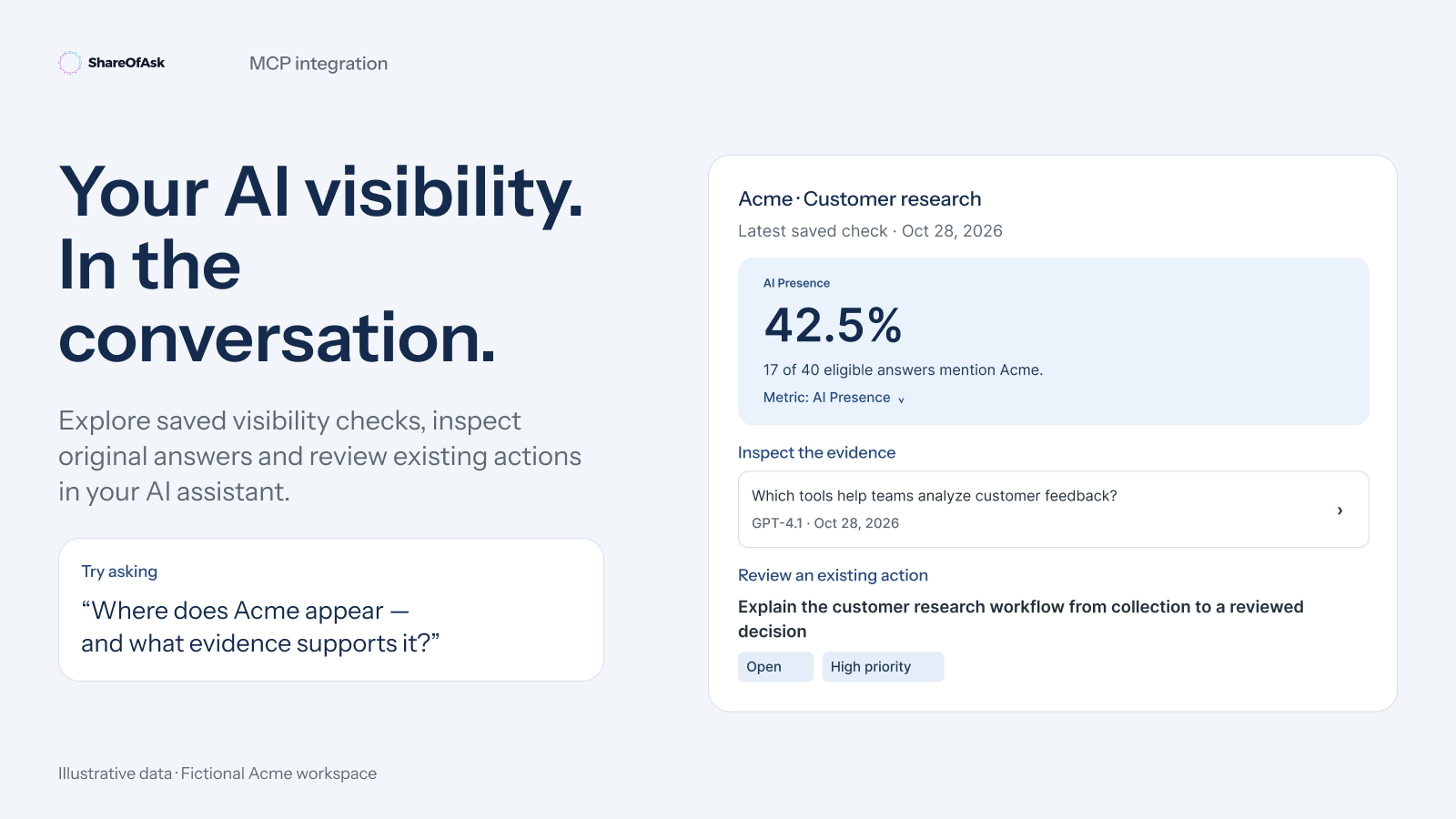
Bring your AI visibility data into the conversation.
Connect ShareOfAsk to your AI assistant to explore how models mention your brand, compare competitors, inspect original answers and work through your saved action plan.
Start Free Scan → · Connect your ShareOfAsk account →
New to ShareOfAsk? Start with a one-time Free Scan. No credit card required. Review your results for 7 days, including through MCP while scan access is active.
Browse the playbooks · Try a prompt · Visit ShareOfAsk
This is the official connection and usage guide for ShareOfAsk's hosted MCP service. You use your existing ShareOfAsk account and the workspaces you authorize. There is no server to install from this repository.
MCP access is included with Free Scan, Starter, Growth and Enterprise. Your workspace permissions, available data and plan access limits still apply. Compare plans.
Start with your work
| Your team | What you can do | Playbook |
|---|---|---|
| Agencies and consultants | Prepare client reviews, investigate competitive gaps and review shared actions. | Agency workflows |
| Marketing and brand teams | Review visibility changes, examine brand positioning and prioritize work with evidence. | Marketing workflows |
| SEO and content teams | Find questions where competitors appear, inspect cited sources and draft content briefs. | Content and SEO workflows |
Each playbook includes copyable prompts, the data you need and what a useful result should contain. All illustration data is fictional.
Connect your account
-
Choose a compatible MCP client and add ShareOfAsk's hosted URL:
https://api.shareofask.com/mcp -
Sign in to ShareOfAsk and choose the organization, workspaces and permissions for this connection. Start with the read permissions you need; write access is optional.
-
Ask your assistant to list accessible workspaces, then choose one by name.
Use ShareOfAsk to list the workspaces I can access. After I choose one,
show its latest available visibility results and the dates of the saved
measurements. Explain any missing or partial data. Do not change anything.
Follow the full instructions for ChatGPT, Codex or Claude. Availability and interactive-panel support depend on the client. See the verification status; a guide is not a claim of app-directory approval.
No data yet? Start a Free Scan in ShareOfAsk, wait for your results, then connect your assistant to explore them. Visibility analysis needs saved measurements; recommendations need an existing action plan. MCP does not run measurements or generate recommendation runs.
Add this entry to ~/.codex/config.toml, preserving your existing configuration:
[mcp_servers.shareofask]
url = "https://api.shareofask.com/mcp"
Then sign in with read permissions:
codex mcp login shareofask --oauth-client-registration dcr --scopes workspaces:read,competitors:read,questions:read,metrics:read,mentions:read,responses:read,sources:read,recommendations:read
Finish sign-in and choose workspace access in your browser. See the Codex guide for verification notes. ChatGPT and Claude use their own connection screens; follow their guides above.
Five focused views
In clients that support MCP Apps, your assistant can open a focused panel. Otherwise, tools return data as text.
| View | Start here when you want to… |
|---|---|
| Visibility | Check one metric, explore trends, compare brands or inspect two saved measurements. |
| Answers | Read original model responses with the original question, model, date and citations. |
| Sources | Explore cited websites, individual URLs and answers that mention competitors but omit your brand. |
| Action plan | Open an individual saved recommendation, its steps and available evidence. |
| Questions | Review tracked questions and their history; optionally edit an existing question. |
Lists show three items at a time. Details open progressively, and Ask about this sends the selected context back to the assistant. Browsing or expanding a section does not save a change. More about tools and views →
Tools at a glance
The service provides 14 read tools and 2 optional write tools, plus 5 tools for opening interactive views in compatible clients. Tools available to a connection depend on its permissions and enabled features.
| Tool | What it does |
|---|---|
list_workspaces | Find workspaces you can access. |
get_workspace | Read a workspace's configuration and context. |
get_methodology | Read metric definitions and interpretation guidance. |
list_competitors | Read configured competitors and observed brands. |
list_questions | Read tracked questions and their versions. |
list_snapshots | Find saved measurements and their dates. |
get_metrics | Read visibility metrics, trends and full-measurement comparisons. |
list_mentions | Find brand mentions and supporting context. |
list_responses | Find original measurement responses using filters. |
get_response | Read a complete original measurement response. |
list_sources | Explore citations and cited URLs. |
list_source_domains | Explore the domains cited in responses. |
get_response_sources | Read citations associated with one response. |
get_recommendations | Read existing recommendation analyses and shared actions. |
update_question | With write access, edit an existing question's text, theme or tags. |
update_recommendation_status | With write access, change an existing shared action's status. |
The view tools are show_visibility, show_responses, show_sources, show_action_plan and show_questions. The full tool reference includes arguments, permissions and the app-only context tool.
Know what you are looking at
ShareOfAsk provides saved measurements and evidence. Your assistant can help interpret them or draft a report, but its interpretation is separate from the original model response.
- Check measurement dates and scope before comparing results.
- Missing data is not zero, and one page of results is not a total.
- A citation shows that a source was cited; it does not prove the source caused a recommendation or verify the page's content.
- Access follows your connection permissions and current workspace, role and plan access.
- Optional writes can edit an existing question or update an existing shared action's status. They affect shared data. Understand write access before enabling it.
Data and metric definitions · Permissions · Troubleshooting
Help improve the guide
Found an unclear step or have a useful workflow to share? Read CONTRIBUTING.md and open an issue. Keep account details, credentials and private client data out of public issues.
Reuse these materials
Adapt the guides, prompts and workflow illustrations for your team or client training under CC BY 4.0, with attribution to ShareOfAsk. Scripts and code/configuration examples use MIT. Licensing and brand guidelines explain the scope and include an attribution example.
What's changed · Documentation roadmap · Support · Start Free Scan
Reviews
No reviews yet
Be the first to review this server!
More Marketing & Social MCP Servers
Toleno
Freeby Toleno · Developer Tools
Toleno Network MCP Server — Manage your Toleno mining account with Claude AI using natural language.
MCP Marketplace
Freeby mcp-marketplace · Developer Tools
Search and install MCP servers from inside your AI client.
mcp-creator-python
Freeby mcp-marketplace · Developer Tools
Create, build, and publish Python MCP servers to PyPI — conversationally.
by Lharries · Communication
Read, search, and send WhatsApp messages through your AI assistant
FinAgent
Freeby mcp-marketplace · Finance
Free stock data and market news for any MCP-compatible AI assistant.
Memory
Freeby Modelcontextprotocol · Productivity
Knowledge graph-based persistent memory across sessions